
About Quick Buff
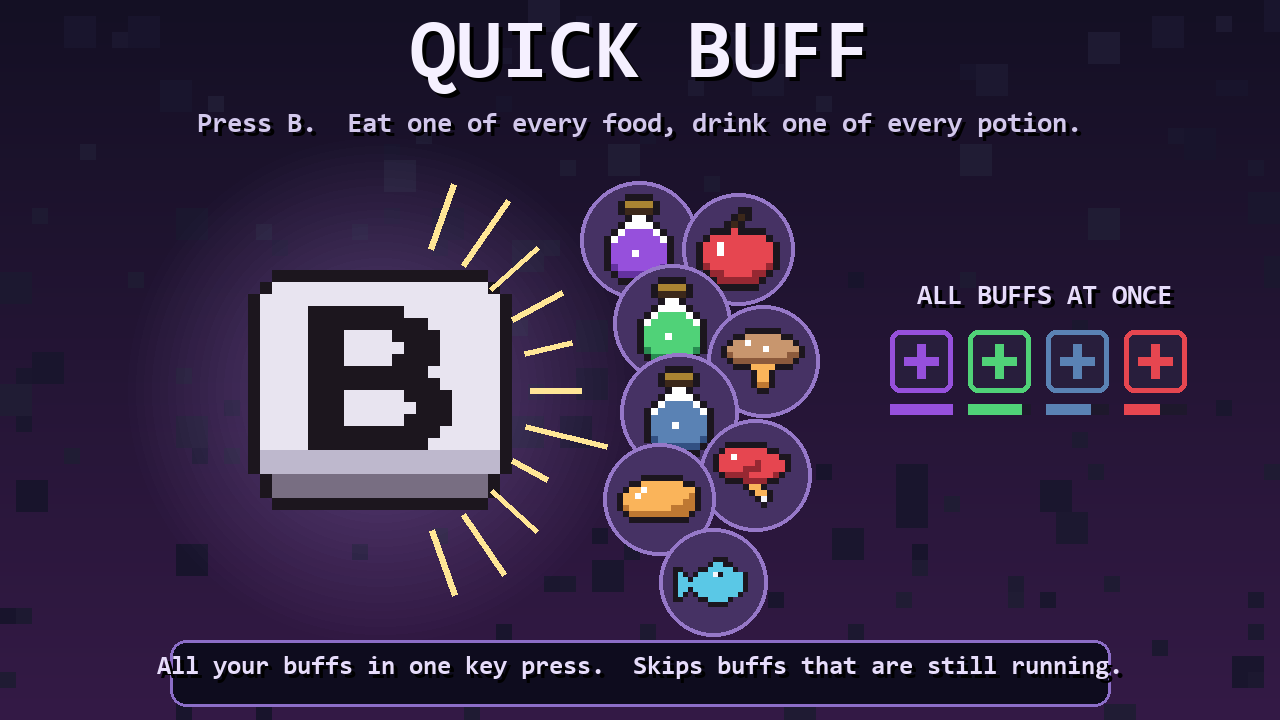
From mod.ioTerraria-style quick buff for Core Keeper. Press one key (default B, rebindable) and you eat one of every buff food and drink one of every buff potion in your inventory, applying all their buffs at once. Press it again and items whose buffs are...
Terraria-style quick buff for Core Keeper. Press one key (default B, rebindable) and you eat one
of every buff food and drink one of every buff potion in your inventory, applying all their buffs
at once. Press it again and items whose buffs are still running are left alone, so spamming the key
never wastes anything.
What it does
- One key press consumes one of every distinct food / potion (distinct = item + cooked-food
variation) in your main inventory (hotbar + bag) and your equipped pouches (e.g. a Potion Pouch). Equipment
and other slots are never touched.
- Only consumables that grant a timed buff count. Hunger-only or heal-only items (raw mushrooms,
healing potions), items with no effect, bombs, seeds, pet candy and cattle are never consumed.
Items that give a permanent effect (max-health foods) are also left alone.
- Skip active buffs (default on): an item is skipped when every buff it gives is still active
with at least the threshold (default 30 s) remaining. If any of its buffs is missing or about
to run out, the item is consumed and its buffs refresh exactly as if you ate it by hand.
- Health, mana, hunger, potion heal-over-time, condition stacking/refresh rules and the eat / drink
particles all come from the game's own code paths, so the result matches manual eating.
- Quick Heal (default H): drinks the first healing potion in your main inventory, hotbar
first, then your pouches (any potion whose effect includes an instant heal: Healing Potion, Greater Healing Potion...).
Does nothing at full health. Also /quickheal (or /qh) in chat.
- Quick Food (default F): Quick Buff for food only. Eats one of every buff food (no
potions, no Caveling Coffee) regardless of hunger, skipping foods whose buffs are all still
active (same skip setting as Quick Buff). Also /quickfood (or /qf).
- A one-line summary appears in chat ("Quick Buff: consumed 3 item(s), 1 skipped (buff active)").
- You can also type /quickbuff (or /qb) in chat: /quickbuff [skipActive 0|1] [skipSeconds].
Settings (Settings > Mod Options)
| Setting | Default | Meaning |
|---|---|---|
| Skip buffs that are still active | on | Do not consume an item whose buffs are all still running |
| Still active means more than (seconds) | 30 | Remaining time that counts as "still active" (0-300, step 5) |
Key bindings: Controls > Quick Buff > QuickBuff_Use and QuickBuff_Heal (CoreLib control mapping, saved with your controls).
How it works (technical)
1. Client: QuickBuffMod.Update polls the Rewired action registered through CoreLib
ControlMappingModule.AddKeyboardBind (ignored while an inventory, menu or text field is open)
and sends /quickbuff <skip> <seconds> through CoreLib's command RPC
(CommandModule.ClientCommSystem.SendCommand). This is the same client-to-server channel every
CoreLib chat command uses, so it works in single player and on multiplayer servers.
2. Server: QuickBuffCommand (an IServerCommandHandler) resolves the player entity from the
connection and calls QuickBuffServerSystem.Consume synchronously on the server main thread.
3. QuickBuffServerSystem scans ContainedObjectsBuffer inside InventoryBuffer[0], evaluates each
distinct eatable with the game's ConditionUIExtensions.GetConditionsOnConsume (same ingredient
and rarity math the game uses), and for every qualifying item:
- enqueues Inventory.Create.ConsumeEntityAt(player, slot, 1, destroy: true, dontConsume: godMode)
into the InventoryChangeBuffer singleton, the exact request EatableSlot.EatItem makes, so the
stack decrement, slot lock reset and replication go through the vanilla inventory system;
- applies the effects with the same helpers EatableSlotConsumeResultEvaluationSystem uses
(EntityUtility.AddOrRefreshCondition, PlayerController.HealPlayer/AddManaToPlayer/AddHunger,
HealthChangeBuffer), including the healing-potion heal-over-time bonus;
- pushes the vanilla eat / drink effect event into the player's GhostEffectEventBuffer.
The vanilla evaluation system itself cannot be reused because it only reads the equipped item.
Requests are rate limited to one per 0.4 s per player (the game's default eat cooldown) on both
client and server.
Limitations
- No client-side prediction: buffs and the stack decrement show up when the server snapshot arrives
(instant in single player, one round trip on servers).
- The equipped item's own use cooldown is not started (quick buff does not use the eatable slot).
- Feedback is a chat line (CoreLib command responses always print one). Effects rely on the
server-written ghost effect ring buffer reaching clients; if the eat particles do not show, the
consumption itself is unaffected.
- Dedicated (headless) servers: the command handler is registered, but CoreLib's command module
also loads its control-mapping module there, which is untested in batch mode.
- CoreLib's command module logs every executed command to the log file by default
(Commands.LogAllExecutedCommands in CoreLib's config).
Dependencies
CoreLib and Mod Options. Client + server (requiredOn: 3).
Highlights
From source dataFootprint
Rated a light load on a server.
Last update
Its author last shipped an update 48d ago.
Quick Buff on Nxeon
From our catalogue- One-click install
- Supported on Nxeon Core Keeper servers. We download it from mod.io, place it, and restart the server.
- Server side
- Required on the server
- Server load
- light
- Smallest plan we suggest
- Core Keeper — 2 GB (2 GB RAM). This follows our own load rating above, not a benchmark.
- Latest build
- 1.3.0, released 2026-10-04
Run Quick Buff on a Core Keeper server
Pick a server or deploy a new one above; it is installed in one click.
What kind of mod it is
From the catalogQuality of life & UI
Small conveniences, tweaks and interface improvements players notice straight away.
Runs on your server
From source side supportmod.io lists Quick Buff as required on the server. Check its mod.io page to see whether players need it too.
Compatibility
- Game
- Core Keeper
- Runs on
- Serverrequired on the server
Verified at the source
- ✓mod.ioOfficial listing, checked 2026-10-27Open ↗
- ✓Authorcoopdedoop, as published on mod.io
- ✓LicenseNot published by the sourceFree