Project Cybersyn - Logistics Train Dispatcher
Creates a feature-rich train logistics network through cybernetic combinators. With just this mod you can coordinate the economic inputs and outputs of your entire megabase.
Description
Project Cybersyn
Support for Factorio 2.1 is still experimental, please report any issues on CS Discord server
Train Limits
Cybersyn reads the vanilla train limit and adheres to it allowing you to use it as you would normally in Factorio with basically no difference.
Behold one of the most feature-rich and performant train logistics network mods Factorio has to offer. Named for Project Cybersyn of Allende's Chile, with just this mod you can coordinate the economic inputs and outputs of your entire megabase. Similar in functionality to the famous Logistics Train Network mod, but with a much broader scope.
Join our discord! This is the preferred place for players to report bugs, make suggestions, or keep up with development.
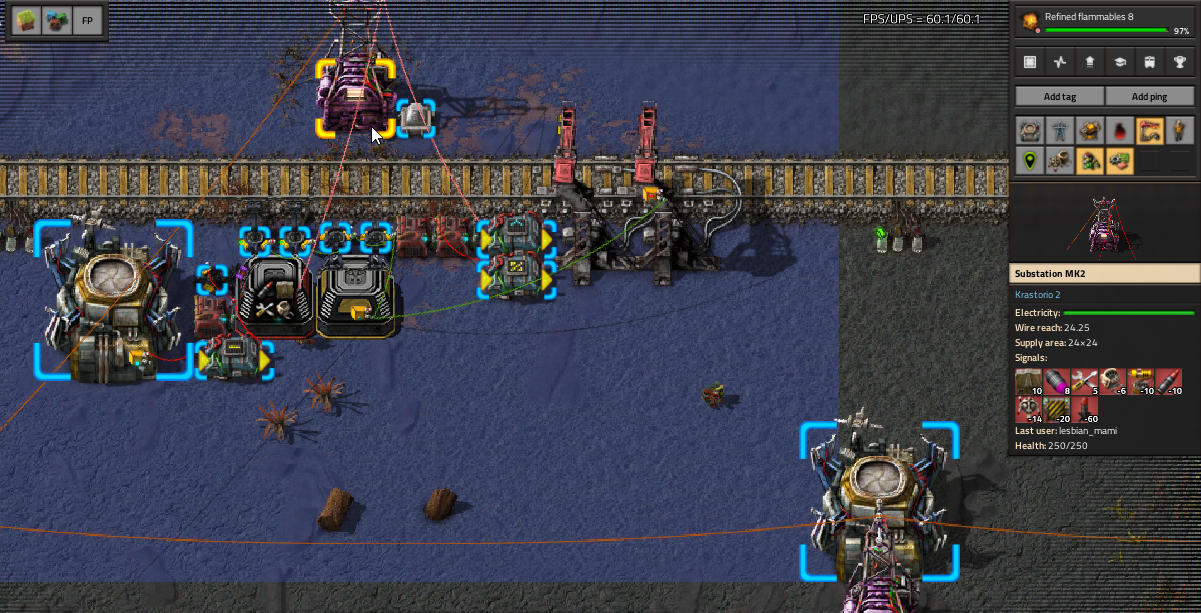
Project Cybersyn Official Example Blueprints
See examples of how to create a functional network. I highly recommend taking a look at these; the blueprint book showcases both the basics of the mod and highly advanced designs you can create. https://factoriobin.com/post/ftqk59
Quick Start Guide for Factorio 2.0 version
This mod is constantly being worked on and as we add more features and make changes to existing ones description below may no longer accuratly represent current state of the mod. Its best to follow the project's wiki page. You can still follow below description as main concepts remained the same and only fill new stuff from the wiki if that form of presentation is more suited for you.
Quick Start Guide for Factorio 1.1 version
Within Project Cybersyn, you can think of requester stations as requester chests, provider stations as passive provider chests, depots as roboports and trains as the logistics bots. There is a direct correspondence between the Cybersyn train network and Factorio's robot logistics network.
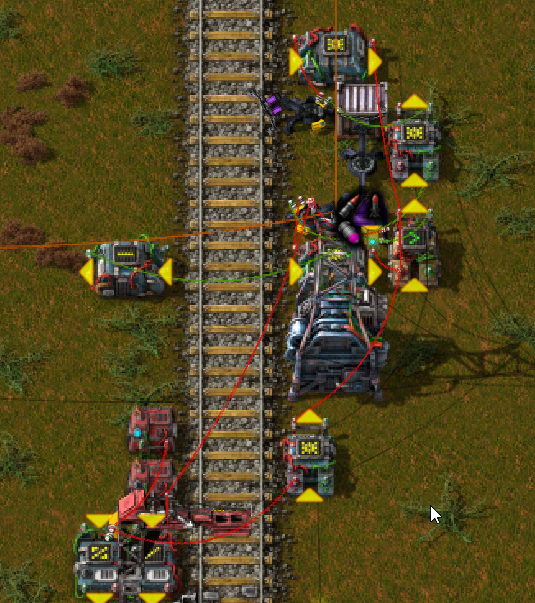
A bare minimum Cybersyn train network consists of 2 components: depots and stations. Both are created by placing a cybernetic combinator adjacent to a train stop. Select the "Mode" of the combinator to "Station" to create a station, and to "Depot" to create a depot. Create a basic train and order it to park at the depot you just created, it is now controlled by the Cybersyn network. Depots and stations can have any train stop name, names do not impact their function. The circuit network input of a station's cybernetic combinator determines what cargo, as in items or fluids, that station will request or provide to the Cybersyn network. A positive cargo signal is interpreted as that station providing that cargo to the network; A negative cargo signal is interpreted as that station requesting that cargo from the network.
To make a basic provider station, create a cargo buffer of chests or tanks adjacent to the station's tracks, and connect that buffer by wire to the input of the cybernetic combinator. To make a basic requester station, repeat the same, except reverse the direction of the inserters or pumps so they are unloading instead of loading; then connect a constant combinator to the same circuit network, set it to output the number of cargo you want this requester station to keep loaded in its cargo buffer, and flip the sign of each so the signal strength is negative. Then add the signal called "Request threshold" to the constant combinator. Set its signal strength to be at most the cargo capacity of the trains in your system. Once the provider station contains the cargo being requested, a train will automatically be sent to deliver that cargo from the provider station to the requester station. The requester station's buffer will automatically be topped up on the cargo being requested. Be sure that the requester station has the space to at minimum unload 2 fully loaded trains.
Follow the above directions and you have set up a bare minimum Cybersyn network! You may continue adding onto it with more stations and depots and Cybersyn will automatically manage all of them for you. There is one issue with this kind of network though; trains won't always deliver full loads of cargo, meaning trains will make deliveries more frequently than is necessary. To fix this issue you will need to start using "request thresholds". To get a full picture of how request thresholds work, either import the official example blueprints from above, or read the Request thresholds section below.
Features
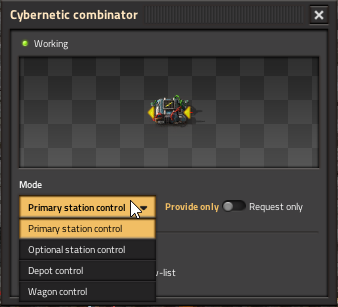
Minimalistic and intuitively designed, without sacrificing features. Configure your stations using just 3 virtual signals, a couple of combinator settings and the train stop's own train limit.
A whole suite of new and optional circuit network inputs and outputs to control your stations precisely
- Natively read out all deliveries currently in progress for a station, not just the loading or unloading orders of the parked train.
- Set request thresholds per cargo instead of just for the entire station.
- Read out cargo loading or unloading orders per train wagon, instead of just for the entire train.
- Set item filters per cargo wagon, making multi-item deliveries very easy.
Ratings & reviews
Sign in to leave a rating or comment.