D.A.R.T.
An optimized asteroid defense that saves a lot of ammunition by smarter targeting
Description






Dangerous Asteroids Radar Tracking (D.A.R.T.)
An optimized asteroid defense
Features
Are you also sick of wasting ammunition on asteroids that fly safely past your platforms?
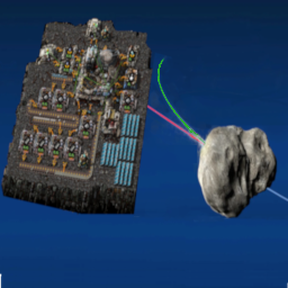
Then D.A.R.T. might be the solution for you. It continuously monitors the space around your platforms, controls the connected ammo turrets, and prioritizes the approaching asteroids. Those that are heading directly toward your platforms and are likely to collide with them are attacked, while the others are ignored, saving you tons of ammunition.
D.A.R.T. in action
A small comparison should show you the difference:
- The 1st video shows a flight to fulgora with disabled D.A.R.T. (thus simulating a vanilla flight)
- The 2nd video shows the same flight with fully operating D.A.R.T.
Both videos were created with the same save file as starting point.
Components
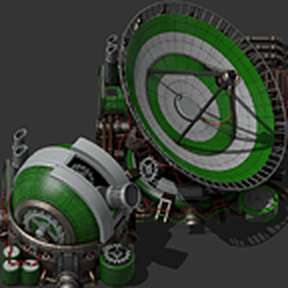
D.A.R.T. consist of two special devices. The central fire control computer (FCC) and a specialized variant of radar - miniaturized with reduced power consumption and only usable on platforms. To use them, you have to research the D.A.R.T. technology.

As of V 1.2.0 you can increase the maximum detection range of your dart-radars by researching additional technologies
Usage
To protect a platform with D.A.R.T., you have to build a FCC and at least one dart-radar (exact number depends on size and shape of your platform to cover it complete) additionally to your turrets. Communication between FCC and dart-radars uses a top secret military technique, called Light Ubiquity Architecture 😉 and needs no further interaction by you. As soon as FCC and dart-radars are placed on a platform the connection between them will be established.
To control ammo turrets with D.A.R.T., you have to connect them with red or green wire with the FCC.

Configuration of D.A.R.T.
To optimize your ammo consumption you should maximize detection range of your dart-radars (ideally at least to the range of your turrets) and minimize defended area. This increases the chances that asteroids on a collision course can be detected and fought early, while harmless ones are ignored, because only asteroids whose course leads into the defended area are attacked by D.A.R.T.
Manually
Configuration can be done by simply opening the FCC

All (= all on platform) dart-radars and ammo-turrets are accessible through this. Unconnected ammo-turrets or turrets with ambiguous circuit network conditions will be shown with according warnings.
To use D.A.R.T., it must be configured (per platform). This has to be done in these steps (not necessarily in this order)
- set the size of the defended area (recommended). The defended area consist of (overlapping) circles with the dart-radars as center

- set the detection range too (optional)
- set the circuit network conditions in all connected ammo turrets by switching to the "turrets"-tab

and clicking on the turret to be configured (mandatory)

Hint: D.A.R.T. controls a turret by setting its circuit network condition to 0 resp. 1.
Automatically (since 1.1)
Version 1.1 introduces an automatic configuration of the turrets, that should make this process much easier. Turrets connected to a FCC which are unconfigured or not properly configured and show according warnings can be made operable by simply pressing the "automatic turret configuration" button.

Hint: Warnings triggered by an erroneous wiring - for example wiring the same turret with both green and red wire to a FCC - are not covered and must be solved by correcting the wiring.
Monitoring the ammunition stock (since 1.1)
D.A.R.T. has the ability to monitor the ammunition stock of a platform (located in the hub) and issues warnings as soon as it falls below a configurable threshold. The thresholds are configurable per platform and ammo-type possibly used by the turrets connected to the FCC. If you don't use a particular ammo-type you can disable the warnings for this type.

Adjusting control of the turrets (new in 1.2)
If you want you may enable a finer adjustment of the behavior of the FCCs in the star
Ratings & reviews
Sign in to leave a rating or comment.