






About Factory Efficiency Tracker
From Factorio Mod PortalTrack and visualize uptime/downtime ratio of assembling machines in real time with colorized overlays.
Factory Efficiency Tracker
The uptime tracking and visualization mod for Factorio allows players to monitor the uptime and downtime ratios of their assembling machines. This real-time tracking is accomplished through the use of colorful overlays which provide a clear visual representation of the stats for each machine. With this tool, engineers can easily identify and address any issues with their manufacturing process, resulting in improved productivity and efficiency.
Main features
Factory Efficiency Tracker (FET) tells you what you didn't know. Rate tools (Rate Calculator, Max Rate Calculator) and bottleneck tools (Bottleneck Lite, Bottleneck, Assembly Analyst) are great tools to help you design better factories and I love to use them too.
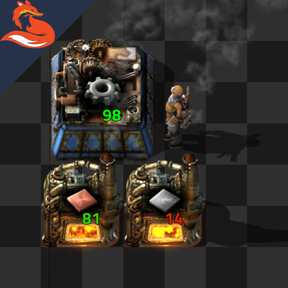
But sometimes, the expected behavior can be far from reality and the design doesn't work as it's supposed to do. FET keeps track of each assembler & every furnace in your factory, from when it gets build 'till its last breath, and reports what's the actual work output of your machine, in terms of efficiency and uptime ratio over its lifetime (not only the present), as a percent of the expected value. Here are some examples:

> Gears, belts & inserter assemblers working <50% of the time

> Science assemblers & Blue chips not working 100% of the time actually

> GCs assemblers on 70% of their max working capacity, furnace & pipes output limited

> Chem plants, furnaces and GCs starved on input resources
Disclaimer: the above pictures are just meant to show the mod's functionality, as a preview of the expected behavior
Additional info
- The efficiency trackers can be toggled
ON/OFFby simply pressing the shortcut icon on your shortcut bar. - To reset all the production stats, use the command
/fet-reset(achievement-friendly). It will reset all the machines' stats as if they were just built - not retroactive - due to API limitations, it's impossible to retrieve the built time of the machines. It's completely safe to add this mod mid-save, but it will only keep track of the production stats from its initialization moving forward
- Performance: should be quite optimized. The UPS drain goes from
0.005of a small save to1.0-1.2at gigabase size (source: AntiElitz's 100% save after completion). Obviously the higher the # of entities, the higher the # of stats drawn at runtime. - When turned
OFF, no stats are computed. When turnedON, the updates are distributed over multiple ticks to keep it as efficient as possible.
Known bugs & compatibility
As a QoL mod, this should be compatible with any other mods. Please feel free to report any issue on the mod portal page, on GitHub, or over on my Discord.
FAQs
- Does this mod replace calculator tools or bottleneck tools?
> No, each mod has its own functionality & scope and will tell you different information about your factory.
- Is it compatible with the other tools?
> Yes
- It doesn't show the values on top of the machines
> Check you've toggled the "clock" icon (Efficiency Tracker). If it doesn't show, please report the issue
- It shows <100 even if it's running full speed
> FET keeps track of the machine's activity from the moment it was built for its lifetime. The more time passes, the more the shown value will come close to the actual uptime ratio of the target machine. (i.e. if the machine starts crating after 5minute sit got build, the value will be low, but over a 10h period, those 5mins become really insignificant and the value will be closer to 100%)
Highlights
From source dataGame versions
Built for Factorio 2.1.
Footprint
Rated a light load on a server.
License
Published under MIT.
Factory Efficiency Tracker on Nxeon
From our catalogue- One-click install
- Supported on Nxeon Factorio servers. We download it from Factorio Mod Portal, place it, and restart the server.
- Server side
- Required on the server
- Server load
- light
- Smallest plan we suggest
- Factorio — 2 GB (2 GB RAM). This follows our own load rating above, not a benchmark.
- Latest build
- 2.1.0, released 2026-07-01
Run Factory Efficiency Tracker on a Factorio server
Pick a server or deploy a new one above; it is installed in one click.
What kind of mod it is
From the catalogTechnology & automation
Machines, power, logistics and automation.
Runs on your server
From source side supportFactorio Mod Portal lists Factory Efficiency Tracker as required on the server. Check its Factorio Mod Portal page to see whether players need it too.
Compatibility
- Game
- Factorio
- Runs on
- Serverrequired on the server
- Game versions
- 2.1
Verified at the source
- ✓Factorio Mod PortalOfficial listing, checked 2026-10-08Open ↗
- ✓AuthorRedRafe, as published on Factorio Mod Portal
- ✓LicenseMITFree












