








About Factory graph
From Factorio Mod PortalA tool to build a graph of recipes and products. It can be also compute a default setup of machines and its throughput.
Features
- Draw a graph of recipes connected by the products consumed and produced
- Automatic or manual layout of graph nodes
- Highlight of connected recipes
- Input of requested item or fluid
- Automatic computation of a machine layout
How to start
To build a graph, it is necessary to select the recipes that are included in the graph.
Start 1
- Enter graph mode (Alt K or top button)
- Select recipe visibility All
- Click on recipes to include
- Select recipe visibility Selection
- Click on product end point in recipe to display a list of recipe able to connect
Start 2
- Select recipe visibility Selection
- Click on button Add
- Select a Search item for example
- Select Path to build in action list
- Click the Select all button
Start 3
- In the nauvis surface, Control click on the graph button (top left). A selection tool is put on the cursor.
- Select the part of the base to analyze
Start 4
- Enter graph mode (Alt K or top button)
- Select recipe visibility Selection
- Click on button Add
- Select a Item to build
- Click on the combo box of one recipe, it adds the recipe to the selection
- On the recipe object in the graph, click on the products of the recipe to add more connected recipes (red rectangle below).
Graph edition
- On graph, Left click select or deselect a recipe (toggle)
- On graph, Right click remove a recipe from a graph and get it at cursor. It can be put at another position on the graph. The key Delete has the same effect.
- On graph, Control Left click edit the properties of a recipe especially for production
- On graph, use the arrow Up, Down, Left, Right to move a recipe under the mouse cursor
- The tools Deconstruction planner unselects the recipes
- Blueprinting works as excepted especially to cut and paste part of the graph or save in blueprint book
- In panels, Right click on a recipe open the recipe list panel
Production
Once the recipes are selected, the production panel (button Production) allows to define the expected output of product. Click on a product to define the quantity of this product. A negative value means that the product in consumed by the recipes and not produced (can be used to compute the end product quantity from the ingredients).
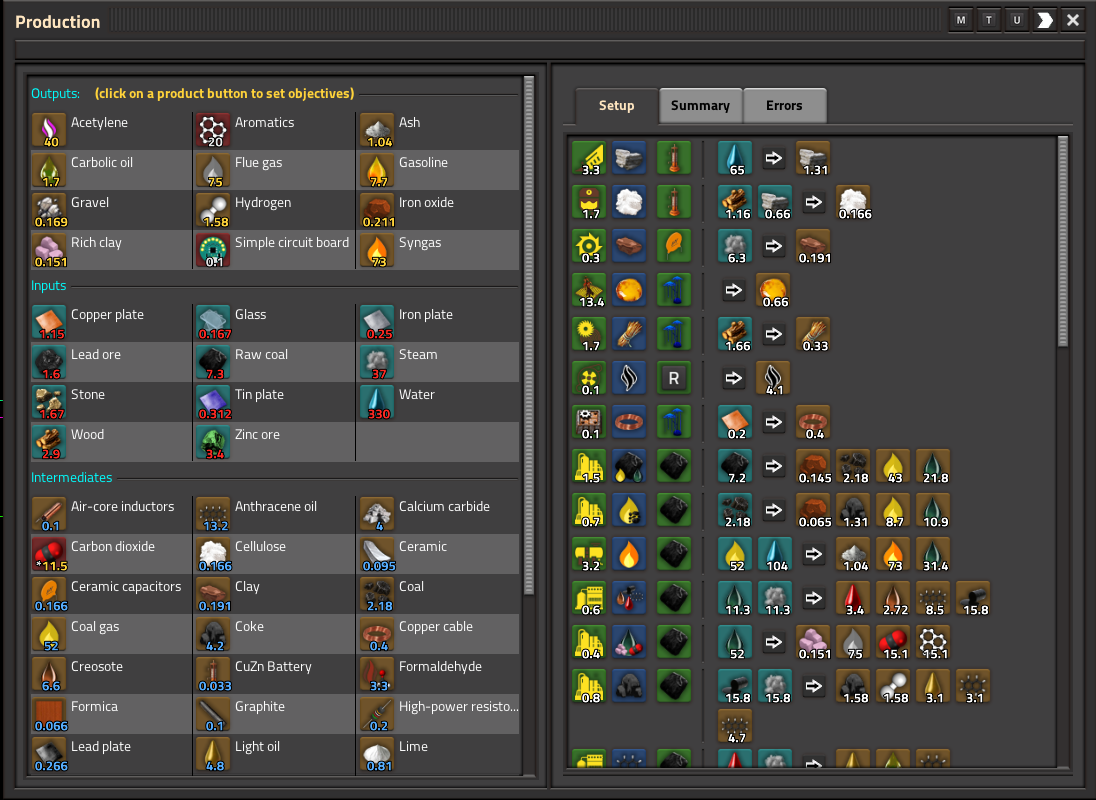
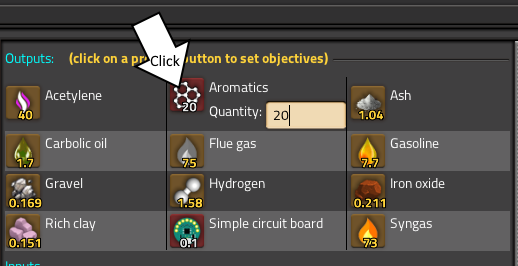
The matrix solver tries to compute the production/consumption of all products assuming that all intermediates products are consumed by the selected recipes.
If all works fine, a setup of machine is proposed.
If the matrix solver failed, it probably means that the constraint on intermediates products should be relaxed. Ctrl Click on some products to release the constraints (generally the products that are injected outside or are in excess, such as water or byproducts). The mods tries to propose some item/fluid but the choice are often not relevant. It is not easy to find the right products to unconstraint. In Space exploration, good choice is "Thermofluid 25" and "Blank data card" for first level research.
Manual mode
In the manual mode, you can select the count of machine for each machine individually with a (+)/(-) button. The mod compute the consumed and produced quantity for each items/fluid. You can add 10/1/0.1 machines to have accurate computation.
The manual mode is active if there is no target production defined, or if the automatic mode fails to solve the define objectives. it can also be activated with the button <M> on the top of the production panel. In this case, the count of machine is copied from the automatic mode and can be modified.
Layers
A layer can be assigned to a recipe (Shift click on recipe on graph). A layer can be any signal. The current layer is choosen in the general settings.
If the visibility "setting" is selected, only layers selected in the general settings are displayed and present in the production panel. But the layers has no effect on the production computation (only display)
Recipe panel
The recipe panel display the list of recipe that consume or product a specific item or fluid. It shows also the currently selected recipe.
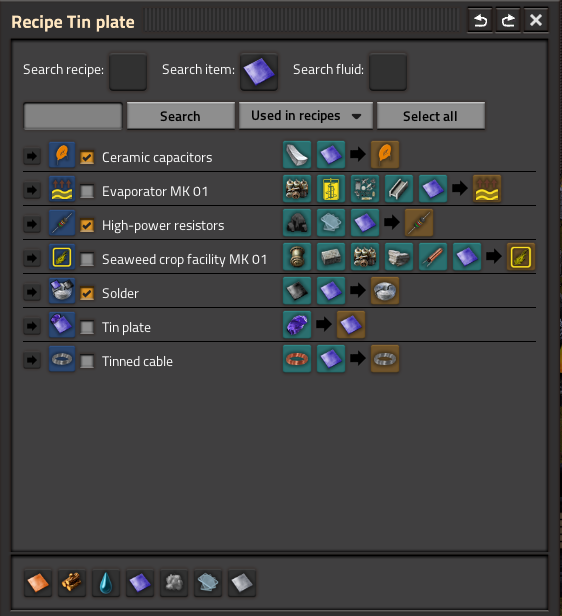
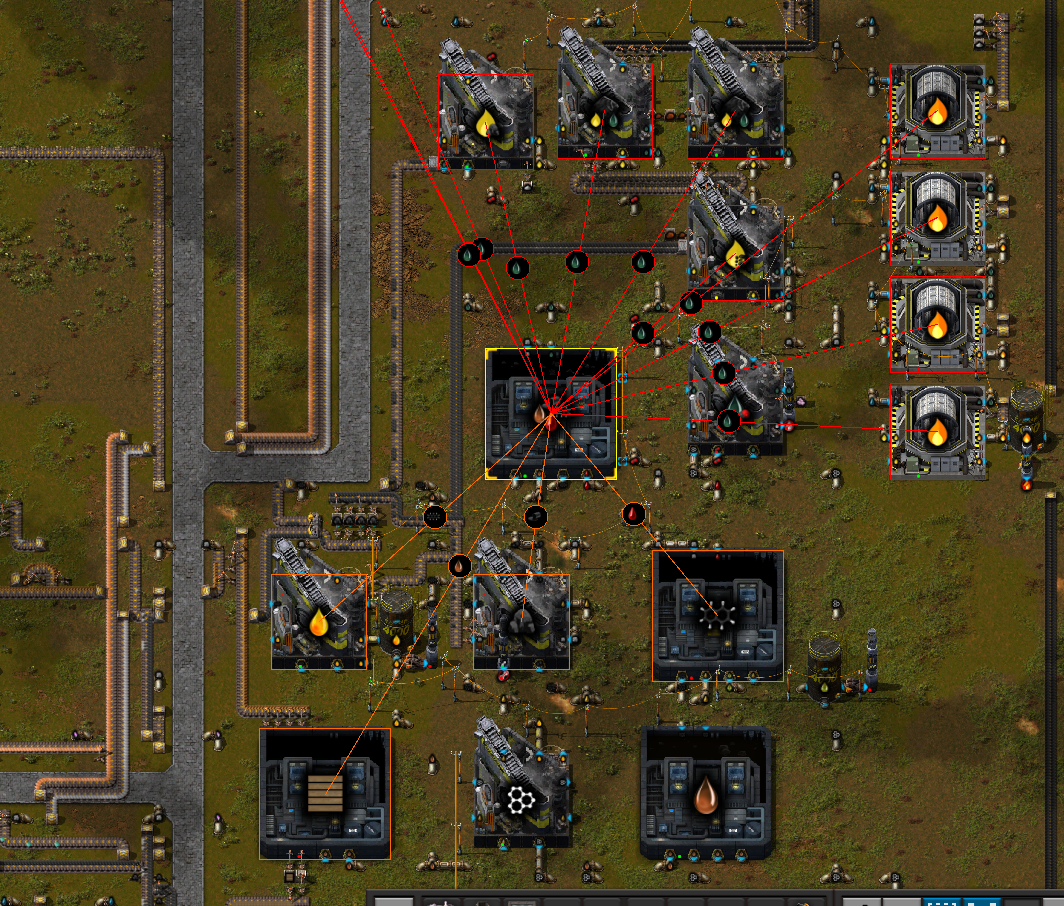
A click on the button  allows to position the recipe on the graph. Shift Click find the machines in the origin surface which run the recipe, and highlight them.
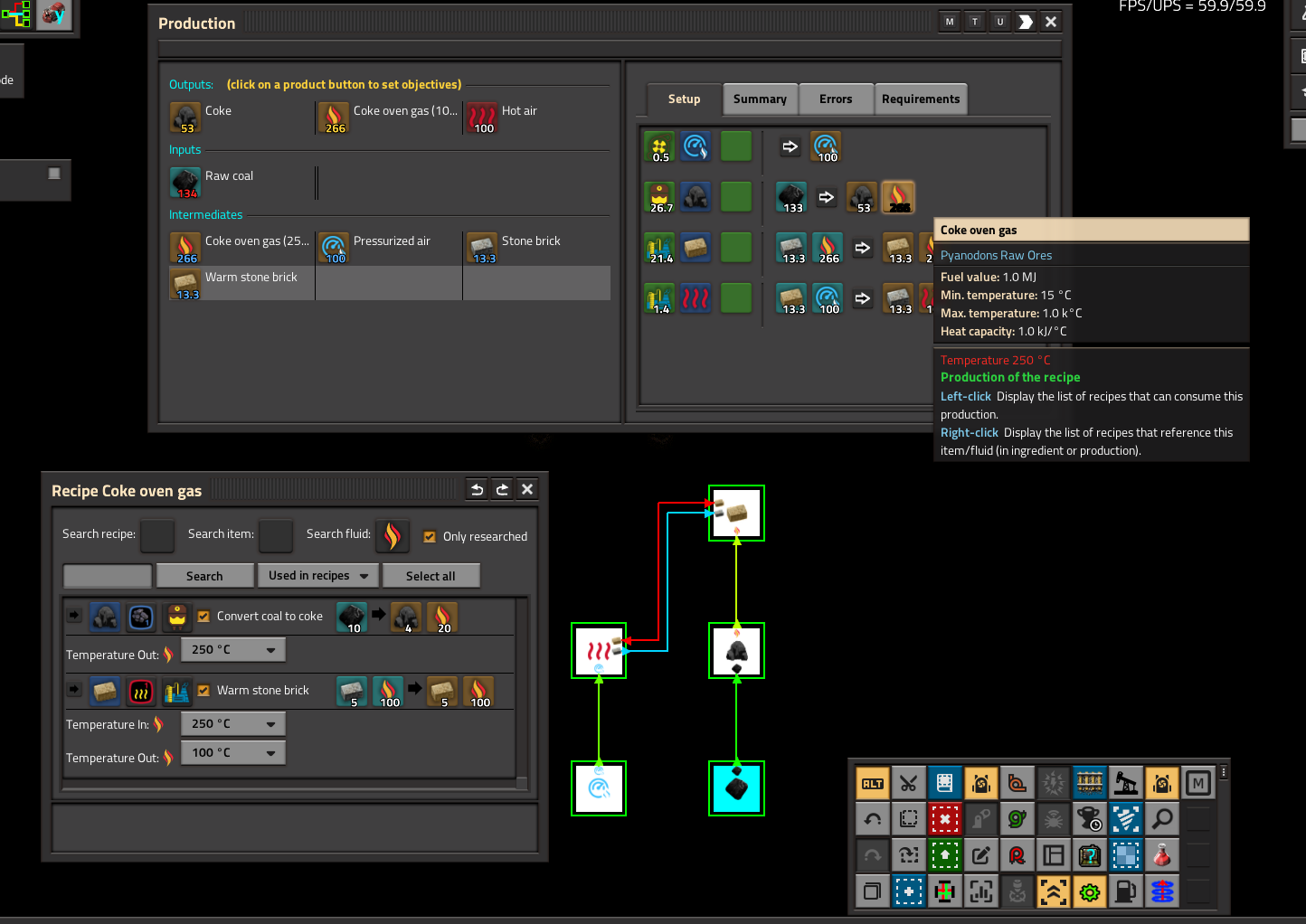
Temperature
- In some recipes, it is possible to choose the temperature for some input fluids or some output fluids.
- Fluid with different temperatures are considered as different products and cannot be connected together.
- The values of the temperatures are the temperature of the output fluids of the the known recipe. At this time, it is not possible to define new temperatures, but this functionality will be added if necessary.
Commands
- <CONTROL><LEFT-CLICK> on a recipe or a product in the graph will lock the display of dash lines. Another <CONTROL><LEFT-CLICK> will unlock the display of dash lines.
- In the origin surface, <SHIFT><CONTROL><RIGHT-CLICK> on a machine show other machines sharing product or ingredients (view description)
Highlights
From source dataGame versions
Built for Factorio 2.0.
Footprint
Rated a light load on a server.
License
Published under MIT.
Factory graph on Nxeon
From our catalogue- One-click install
- Supported on Nxeon Factorio servers. We download it from Factorio Mod Portal, place it, and restart the server.
- Server side
- Required on the server
- Server load
- light
- Smallest plan we suggest
- Factorio — 2 GB (2 GB RAM). This follows our own load rating above, not a benchmark.
- Latest build
- 2.0.26, released 2026-05-24
Run Factory graph on a Factorio server
Pick a server or deploy a new one above; it is installed in one click.
What kind of mod it is
From the catalogTechnology & automation
Machines, power, logistics and automation.
Runs on your server
From source side supportFactorio Mod Portal lists Factory graph as required on the server. Check its Factorio Mod Portal page to see whether players need it too.
Compatibility
- Game
- Factorio
- Runs on
- Serverrequired on the server
- Game versions
- 2.0
Verified at the source
- ✓Factorio Mod PortalOfficial listing, checked 2026-10-08Open ↗
- ✓AuthorTelkine2018, as published on Factorio Mod Portal
- ✓LicenseMITFree












