






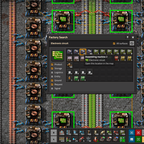

About Factory Search
From Factorio Mod PortalSearch your factory for items, fluids, entities, signals, tags and more with Shift + F. Displays a list of matching buildings: clicking on a result opens it in the map. Can search all planets/surfaces (Space Age, Space Exploration, etc). Alt + Shift + Click on anything (e.g. built entity, inventory item, recipe) to open the search with that item selected.
Factory Search
Have you ever asked yourself any of these questions?
"Where are the repair packs being made?"
"How many green circuit machines do I have?"
"Which planet did I build my iron smelters on?"
If so, then Factory Search might be the mod for you!
Similar to BeastFinder and Where is it Made?. This mod was made to provide an easy-to-use and clean-looking interface that can perform cross-surface searches and immediate viewing of search results in the map view (and across planets with Space Exploration).
Doesn't 2.0 have built-in search?
Factorio 2.0 has some brilliant built-in search functionality (Product, Tag, and Train stop search, Resource search). However, you might still want to use Factory Search for the other search modes that vanilla can't do, such as searching for items in storage, modules in machines, requests for an item, or signals. Factory Search is also useful for searching across all planets at once, whereas built-in search only searches your current planet.
Features
- Press
Shift + Fto open search interface (can be changed in Settings > Controls) - Pick any combination of the following search modes
- Ingredient: Search for machines that consume this item (either as ingredient or fuel)
- Product: Search for machines that produce this item or fluid
- Storage: Search for containers that contain this item or fluid
- Logistics: Search for logistics entities that are transporting this item
- Module: Search for machines that are using this module
- Entity: Search for built entities of this item, including resource patches
- Ground: Search for this item on the ground
- Request: Search for logistic containers that are requesting this item
- Signal: Search for entities that are sending this signal
- Tag: Search for tags on the map that have this icon
- Factory Search will present a list of machines matching the selected search modes, grouped by name and proximity
- Displays results from all planets/surfaces, so works well with Space Age and Space Exploration
- Click on a result group to open it in remote view
Alt + Shift + Clickon any game object (e.g. built entity, inventory item, recipe) to open the search interface with that item selected- Supports multiplayer and compatible with any mod. No UPS impact when not in use, but searching may freeze the game for a couple of seconds on larger maps
- Background search can be enabled to search in the background instead of freezing the game (enabled by default in multiplayer)
Check out Xterminator's mod spotlight here (though this version is from 1.1 and quite old).
Future Updates?
- More streamlined item selection workflow
- Integration with Recipe Book and Quick Item Search
- Better support for PvP so that corpses and ground items aren't shown in hidden chunks
- 'Expanded' view, with inline cameras like the train overview GUI (not for many months…)
Translation
You can help by translating this mod into your language using CrowdIn. Any translations made will automatically be included in the next release.
Thank you to:
- raiguard for flib (GUI library), Quick Item Search (provided initial framework), and Better Alert Arrows (arrow sprite)
- Atria for various contributions
- justarandomgeek for the excellent mod debugger
- Earendel for the character corpse icon
Highlights
From source dataGame versions
Built for Factorio 2.1.
Footprint
Rated a light load on a server.
License
Published under MIT.
Factory Search on Nxeon
From our catalogue- One-click install
- Supported on Nxeon Factorio servers. We download it from Factorio Mod Portal, place it, and restart the server.
- Server side
- Required on the server
- Server load
- light
- Smallest plan we suggest
- Factorio — 2 GB (2 GB RAM). This follows our own load rating above, not a benchmark.
- Latest build
- 1.15.0, released 2026-06-23
Run Factory Search on a Factorio server
Pick a server or deploy a new one above; it is installed in one click.
What kind of mod it is
From the catalogTechnology & automation
Machines, power, logistics and automation.
Runs on your server
From source side supportFactorio Mod Portal lists Factory Search as required on the server. Check its Factorio Mod Portal page to see whether players need it too.
Compatibility
- Game
- Factorio
- Runs on
- Serverrequired on the server
- Game versions
- 2.1
Verified at the source
- ✓Factorio Mod PortalOfficial listing, checked 2026-10-08Open ↗
- ✓AuthorXorimuth, as published on Factorio Mod Portal
- ✓LicenseMITFree












