







About Moon Logic
From Factorio Mod PortalAdds Lua-programmable circuit network combinator. Based on Sandboxed LuaCombinator and LuaCombinator2 mods. Probably won't work in multiplayer games.
Deprecated: this mod is not maintained for current Factorio 2.x release, at least at the moment. There is an updated version of it available here - https://mods.factorio.com/mod/Moon_Logic_2 - try using that instead.
Important: This mod should probably cause desyncs in multiplayer games Mod code uses things which are likely to desync mp games, and I only test singleplayer, so it's highly unlikely that it will "just work" in mp.
Description
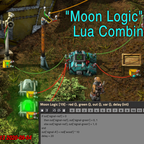
Adds Moon Logic Combinator that runs Lua code that can read red/green wire signal inputs and set outputs.
Based on other LuaCombinator mods, but instead of adding more complexity and features, mostly removes them to keep it simple and clean. I.e. no syntax highlighting, code formatting, binding to factorio events, etc.
General principle is that it's not a replacement for Vim/Emacs or some IDE, but just a window where you paste some Lua code/logic or type/edit a couple of lines. And not a mod development framework either - only a combinator to convert circuit network inputs to outputs, nothing more.
Mostly created because I like using such Lua combinators myself, and all other mods for them seemed to be broken and abandoned atm. Fixing/maintaining these is much easier without few thousand lines of extra complexity in there.
"Moon Logic" Combinator is because it's programmed in Lua - "moon" in portugese (as Lua itself originates in Brazil).
Mod Options
Startup Mod Settings:
- Red Wire Label - Lua environment name for in-game "red" circuit network values. Changes all labels in the GUIs as well.
- Green Wire Label - same as Red Wire Label, but for the other wire color.
These can be useful when playing with other mods that change colors, for labels to match those. Note that red/green input tables are always available in the environment too, for better code/snippet compability.
- GUI Signals Update Interval
Interval in game ticks (60 ticks = 1 second at 1x game speed) between updating signal table in the UI. Only relevant when main combinator UI window is actually open. Default is 1 - update signal side-window on every tick. Note that with higher interval values, signals flapping on/off synced to it will be impossible to notice there.
- Enable Code Editing History
Toggles between smooth and pleasant editing or undo/redo buttons on top working for all non-saved code changes. If you don't use these buttons to undo minor changes (they still keep history of saved changes), be sure to uncheck this.
UI hotkeys can also be customized in the Settings - Controls game menu.
There is an optional hotkey (Ctrl-E) for opening these combinators from anywhere on the map, which kinda breaks basic game mechanics in a way similar to various "Long Reach" mods, but can be useful if code breaks too often and is hard to reach for debugging all the time.
Lua Code
Lua is a very simple and easy-to-use programming language, which fits entirely on a couple pages. This mod allows using it to script factorio circuit network logic directly from within the game.
-- Trivial one-liner examples:
- Set constant output signal value:
out.wood = 1
- Simple arithmetic on an input:
out.wood = red.wood * 5
- Ever-increasing output counter:
out.wood = out.wood + 1
- Update counter once per second (see game tick):
delay, out.wood = 60, out.wood + 1
- +1 counter every tick while signal-W input is non-zero:
delay, irq, out.wood = 2^30, 'signal-W', out.wood + 1
- Different value on each output wire:
out['red/wood'], out['green/wood'] = -3, 10
Click in-game "Quick Reference" button in combinator window for a full list of all special values and APIs there, default hotkeys and other general info.
-- Control any number of things at once:
local our_train = 17 -- hover over train to find out its ID number
local train_loaded, train_unloaded -- locals get forgotten between runs

if red['signal-T'] == our_train then
  if not var.inbound_manifest_checked then
    -- Emit alarm signal for underloaded train arrival while it's on station
    -- Note how outputs persist until they are changed/reset
    out['signal-info'] = red['sulfur'] < 100 or red['solid-fuel'] < 200
    var.inbound_manifest_checked = true
  end

  out['signal-black'] = red.coal < 500 -- load coal
  out['signal-grey'] = red.barrel < 20 -- load barrels

  train_loaded =
    not (out['signal-black'] or out['signal-grey']) -- cargo limit
    or (var.coal == red.coal and var.barrels == red.barrel) -- no change since last check
  var.coal, var.barrels = red.coal, red.barrel -- remember for the next check

  local inbound_cargo = red['sulfur'] + red['solid-fuel']
  train_unloaded = inbound_cargo ~= var.inbound_cargo -- that's "not equals" in Lua
  var.inbound_cargo = inbound_cargo

  out['signal-check'] = train_loaded and train_unloaded -- HONK!
  if out['signal-check']
    then var.inbound_manifest_checked = false end -- reset for the next arrival

  delay = 2 * 60 -- check on cargo loading every other second
else
  out = {} -- keep inserters idle and environment clean
  delay = 20 * 60 -- check for next train every 20s
  irq = 'signal-T' -- any train on station will interrupt the delay
  irq_min_interval = delay -- to sleep when other train triggers that irq signal
end
As comments in the code might suggest already, it's a train station automation example.
-- Toy example - 7-segment digit display for a ticking 0-9 counter:
Highlights
From source dataGame versions
Built for Factorio 1.1.
Footprint
Rated a light load on a server.
License
Published under CC BY-SA 4.0.
Moon Logic on Nxeon
From our catalogue- One-click install
- Supported on Nxeon Factorio servers. We download it from Factorio Mod Portal, place it, and restart the server.
- Server side
- Required on the server
- Server load
- light
- Smallest plan we suggest
- Factorio — 2 GB (2 GB RAM). This follows our own load rating above, not a benchmark.
- Latest build
- 0.0.83, released 2022-09-26
Run Moon Logic on a Factorio server
Pick a server or deploy a new one above; it is installed in one click.
What kind of mod it is
From the catalogTechnology & automation
Machines, power, logistics and automation.
Runs on your server
From source side supportFactorio Mod Portal lists Moon Logic as required on the server. Check its Factorio Mod Portal page to see whether players need it too.
Compatibility
- Game
- Factorio
- Runs on
- Serverrequired on the server
- Game versions
- 1.1
Verified at the source
- ✓Factorio Mod PortalOfficial listing, checked 2026-10-08Open ↗
- ✓Authormk-fg, as published on Factorio Mod Portal
- ✓LicenseCC BY-SA 4.0Free












