







About Picker Extended Version
From Factorio Mod PortalEnhances the players pipette tool with features such as quick blueprints, quick planners, ghost reviving, entity moving, orphan finding and more
Picker Extended! Now with pipette extension
Extended version of the picker mod by Tinyboss
Picker ghost revivier
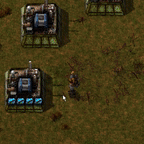
Hover over a ghost and use the Factorio pipette tool to pick the entity that places it. Press the pipette tool button again to revive the ghost. Reviving a ghost keeps all of its settings and module requests. Picker extended will also try and fill module slots of revived ghosts if they have requests. Hover over any damanged entity and press CONTROL+Q with nothing in your hands to grab a repair tool from your inventory. Hover over any item request proxy and press Q to search your inventory for the requested modules/items and insert them. Recomend using this with the same keybinds as clean cursor and pipette tool. Picker extend can also pick up selected items on the ground and put it in your hands.
Hover any any ghost entity with the item in your hand and it will automatically revive it.

Picker additional Planners
Screenshot Planner for taking screenshots of an area, Ore eraser planner count and erase ores (If you are an admin). Upgrade planner converted to a picker planer and has the recipe hidden. Open the planner menu with SHIFT-B to quickly grab any available planner, or cycle through all planners with CTRL+Q

Picker Crafter
Alt+Q on an entity and picker will try to craft that entity if you have the items in your inventory. Can be bound to Q for even quicker crafting access.
Picker Zapper
Have an inventory full of pesky blueprints? Try dropping them on the ground by using the drop item keybind (default Z) and they will be zapped away into the nether. There is also a per player option to keep your main inventory free of blueprints and deconstruction planners. There is also a per player toggle to zap everythingin the inventory that is dropped with Z

Picker Pipe Cleaner
Call a plumber on any fluidbox by selecting the pipe and pressing CONTROL+DELETE. This will loop through all connected pipes and remove the selected fluid allowing your pipes to freely flow again.

Picker Auto Hide Minimap
Automatically hides the minimap when you are hovering over a logistic container. This option can be disabled in the mod settings screen.

Picker Automatic Orphan Finder
Highlights nearby underground belts and pipes that are not connected to anything underground when hoving over belts or pipes. Can be disabled per player in mod options.

Picker Wire Tools
Cycle between Red, Green, and Copper wires in your inventory with SHIFT+Q for quickly working with combinators. CONTROL+DELETE to remove all wires from the entity.

Picker Belt Brush
With a transport or underground belt in your hand hit pad increase or decrease buttons to change the width of your belts you can place at once. Once you have reached the desired width you can press CONTROL+SHIFT+R to create a corner blueprint of that width, Pressing CONTROL+SHIFT+R again will get a mirrored copy of the corner. Pressing CONTROL+SHIFT+B will cycle through all the available balancers. Feel free to submit your own balancer design if you don't like the included ones.
Additional tools include inputs and outputs for ungerground belt and pipe brushes CTRL+SHIFT+R to cycle from max distance to 0, and cascading underground belts CTRL+SHIFT+B with a belt brush of undergrounds to cycle from max distance to 0
Picker Belt Upgrader (soon)
Quickly upgrade a section of belt by pressing the hotkey while hovering over the old belt while holding the belt type you want to upgrade to.
Highlights
From source dataGame versions
Built for Factorio 1.1.
Footprint
Rated a light load on a server.
License
Published under MIT.
Picker Extended Version on Nxeon
From our catalogue- One-click install
- Supported on Nxeon Factorio servers. We download it from Factorio Mod Portal, place it, and restart the server.
- Server side
- Required on the server
- Server load
- light
- Smallest plan we suggest
- Factorio — 2 GB (2 GB RAM). This follows our own load rating above, not a benchmark.
- Latest build
- 4.1.4, released 2022-05-04
Run Picker Extended Version on a Factorio server
Pick a server or deploy a new one above; it is installed in one click.
What kind of mod it is
From the catalogWeapons, items & crafting
New weapons, gear, items and the recipes to make them.
Runs on your server
From source side supportFactorio Mod Portal lists Picker Extended Version as required on the server. Check its Factorio Mod Portal page to see whether players need it too.
Compatibility
- Game
- Factorio
- Runs on
- Serverrequired on the server
- Game versions
- 1.1
Verified at the source
- ✓Factorio Mod PortalOfficial listing, checked 2026-10-08Open ↗
- ✓AuthorNexela, as published on Factorio Mod Portal
- ✓LicenseMITFree












