Artisanal Reskins: Bob's Mods
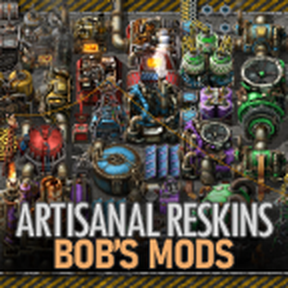
Reskins items, entities, and technologies within Bob's mods to add tier colors and icon labeling. Features high-res icons and updated sprites to align with vanilla Factorio, and supports player-customizable tier labels, colors and mapping. Part of the Artisanal Reskins series.
Description
Artisanal Reskins: Bob's Mods
*Reskins Series mods* Artisanal Reskins: Angel's Mods Artisanal Reskins: Bob's Mods Artisanal Reskins: Compatibility Artisanal Reskins: Library
*A work-in-progress complete visual overhaul of Bobingabout's suite of mods* This mod reskins the items, structures, equipment, and technologies added to Factorio by Bob's Mods, adding tier coloring and labels. Care has been taken to emulate and align with Factorio's vanilla aesthetics.
*For an interactive sliding comparison of this reskin to standard Bob's mods, click here, showcasing version 2.1.2. Updated 2022-03-19.*
This is a work-in-progress, and though most items, structures, and equipment that I plan to touch have been touched, there are a few structures and items still to do.
*Update Schedule* Regular content and low-impact bugs will be released monthly. Critical bug fixes will be deployed on an as-needed basis. Locale updates will be released on the weekend of the week in which they are received from Crowdin.
*Localization* You are welcome to help with localization, please use this Crowdin project. You can find more details here.

Licensing
All content is licensed under MIT.
Structures and Items Showcase
*Updated and colored vanilla Factorio entities* Every structure has received attention, and hand-brushed artisanal color masks bring rich color without washing out the details, rust, and vibrant sprites created by the Factorio artists.

Icons have been updated to the latest high-resolution icons found in vanilla Factorio, with coloring matching the structures themselves. 
*Enhanced and original sprites for Bob's custom machines* Where Bob has added new machines not seen in vanilla, care has been taken to enhance existing sprites or create new, original sprites to provide high-resolution visuals that align with vanilla Factorio.
Furnaces of all shapes and sizes have been improved with details denoting their function, and pipe connections that seamlessly blend with the structure itself. 
Brand new sprites have been created, through donations from YuokiTani and original kitbashes of Factorio's base sprites. Pipe connections have been enhanced to match Factorio's pipes. Details have been added to help denote function. 
Custom icons have been created, ensuring that each new sprite does not look out of place next to vanilla icons. 
*Items and Equipment improvements* Though structures have been the priority, and only a few remain, work has begun on items and equipment, bringing the high-resolution icons from vanilla Factorio to Bob's mods.
For example, the alien science packs have been redone in glorious high-definition. 
And personal and vehicle equipment are receiving the same love and attention. 
*Remnants and debris* Where remnants exist in vanilla Factorio, colored remnants have been added in this reskin mod. Particle effects have likewise been tinted to match the color of the structure that was destroyed, for a more immersive, detailed experience.  If no remnant sprite was available, structures use generic remnants, and every structure and vehicle has had particle and explosion effects added.
Customization Features
*Progression vs Traditional Tier Mapping* Choose between coloring items and structures based on the name, where the first entry is always tier one, or on progression, where a best-approximation has been used to align items and structures with the ingredients and technology level you can expect to use them. Progression is used by default. 

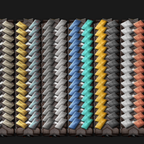
*Tier Label Style* Choose between 6 tier label styles, whatever suits your preference. Rounded Rectangles are used by default. Examples of each are shown below at 200% and 100% UI scale. Pixels have been hand-placed at 64px and 32px resolutions for improved clarity. 
*Custom Colors* Using 6 digit hex color codes, you can customize the tier colors used for structures, items, equipment and technology. If it has a tier color, you can change it, courtesy of extensive use of layered sprites and icons. In general, you will want to use colors with high saturation and vibrance. This is an advanced feature, so some experimentation and familiarity with hex color codes is necessary.
The example below was customized using the [pa
Ratings & reviews
Sign in to leave a rating or comment.