






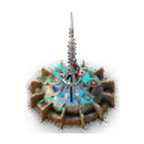
About Stasis Mine
From Factorio Mod PortalAdds weapons and streamer effects that takes everything in to a temporary stasis, with them becoming frozen and immune from damage.
Adds weapons that takes everything near by in to a temporary stasis, with them becoming frozen and immune from damage. Discovered as a by product of Effect Transmission (beacon) research gone wrong.
Weapon options include land mine, rocket and grenade.
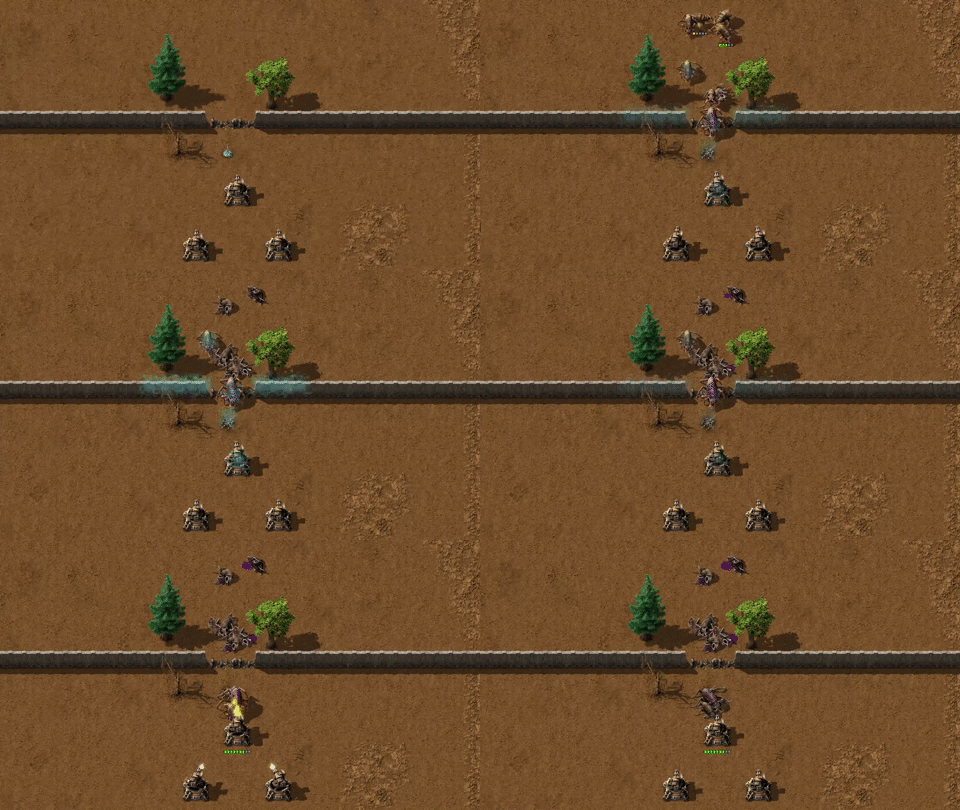
Also includes various features for use by Streamers.
Mod Settings
- Control if all or just opposing force's entities are frozen in stasis when a stasis weapon detonates.
- Control the time things are frozen for and how big the stasis blast area is.
- Settings to disable each of the stasis weapon types individually. This disables the technologies, recipes and item lists for the stasis weapon. It doesn't remove the items from the game so they can still be used via other mods/scripts in game. Each weapon default's to not being disabled.
- Settings for if trains and spider vehicles are separately affected by stasis or not. Trains are fully affected by stasis, rather than just some carriages. Spidertrons can never trigger landmines as this is just how Factorio works.
Notes
- Things already in a stasis can not be affected by another stasis triggering. Only "free" things can enter a stasis.
- Inspired by the Protoss Stasis Trap in StarCraft 2, but adapted for Factorio.
- Stasis land mines are themselves immune from the stasis effect. So making a dense minefield is fine.
- Vehicles that are placed in stasis are stopped instantly, however, once the stasis wears off the vehicles return to their original speed instantly. Trains maintain their train stop reservations through the stasis effect.
- Disabled vehicles are able to fire a single shot (in the chamber) of any weapon. This is just how Factorio appears to work for disabled vehicles.
- Players are prevented from getting in and out of vehicles in stasis. This is done via script and not a Factorio permission group to maintain compatibility with other mods & scenarios. If the player gets out of the vehicle and is found to be more than a short distance away it is assumed to be intentional, i.e. via a teleport command from another script. This is try and keep it compatible with streamer integrations that teleport players and won't be aware that their vehicle was being affected by a stasis.
- When a rolling stock affected by stasis is disconnected from other carriages the effect is the same as in regular Factorio, however, this may feel odd due to the delay in impact until he stasis effect has worn off. A side effect of the rolling stock being in stasis is that it can not be connected back to other carriages during the stasis effect, but it can be disconnected; this is just unfortunate default Factorio logic.
- Cars and spider-vehicles caught in a stasis are disabled (
active = false), however this property can't be applied to trains. Everything in stasis can be identified as they havedestructible = falseandopenable = false, which wouldn't normally be set on any regular Factorio entities; this can be used by other mods to exclude entities and vehicles affected by stasis as they would other weird modded entities.
Remotely triggering an area stasis effect via Lua script
You can remote trigger the areas stasis effect via a Lua script.
Arguments (in sequential order)
- Surface = Reference to the LuaSurface the effect to be generated on.
- Position = The MapPosition the effect will be generated at. This is a table with
xandykeys. - Our Force = Reference to the LuaForce or its name, that the effect is being generated on behalf of. Typically the
playernamed force. - Affected = Either
allorenemyentities are affected by the effect. If provided asnilthen the mod setting will be used. - Radius = How large the radius of the stasis effect will be. 1 or greater. The radius is a bit special, see notes. If provided as
nilthen the mod setting + 2 will be used. - Time = How many seconds (whole) the stasis effect will last. 5 or above. If provided as
nilthen the mod setting will be used.
Notes:
- Radius argument - The radius of the remote interface call isn't processed identically to how the stasis weapons detonation radius is. This is just due to how Factorio does things and the API options if provides. The weapon's detonation is to the edge of a target's collision box. The remote interface call is to the center of the entity. To try and balance this out to some degree the remote call will actually measure the radius distance + 2 to see if targets centers are within range. This does still mean that the 2 effect methods won't be perfectly equal for the same radius value.s
Example Code
Example code below to create a stasis effect at a static position with the specific radius and time values.
/sc remote.call("stasis_weapons", "stasis_effect", game.surfaces[1], {x=10,y=20}, "player", "all", 10, 30)Example code below to create a stasis effect on a player against their enemies with the mod default radius and time values.
/sc local player = game.connected_players[1]
if player then
    remote.call("stasis_weapons", "stasis_effect", player.surface, player.position, player.force, "enemy", nil, nil)
end
Remotely placing a single entity in stasis via Lua script
You can remote trigger the stasis effect on a single entity via a Lua script.
Arguments (in sequential order)
- Entity = Reference to the entity to place in stasis.
- Time = How many seconds (whole) the stasis effect will last. 5 or above.
Example Code
Example code below to stasis the player's vehicle/character for the set time.
/sc local player = game.connected_players[1]
if player thenHighlights
From source dataGame versions
Built for Factorio 1.1.
Footprint
Rated a light load on a server.
License
Published under Proprietary.
Stasis Mine on Nxeon
From our catalogue- One-click install
- Supported on Nxeon Factorio servers. We download it from Factorio Mod Portal, place it, and restart the server.
- Server side
- Required on the server
- Server load
- light
- Smallest plan we suggest
- Factorio — 2 GB (2 GB RAM). This follows our own load rating above, not a benchmark.
- Latest build
- 20.0.6, released 2022-10-16
Run Stasis Mine on a Factorio server
Pick a server or deploy a new one above; it is installed in one click.
What kind of mod it is
From the catalogWeapons, items & crafting
New weapons, gear, items and the recipes to make them.
Runs on your server
From source side supportFactorio Mod Portal lists Stasis Mine as required on the server. Check its Factorio Mod Portal page to see whether players need it too.
Compatibility
- Game
- Factorio
- Runs on
- Serverrequired on the server
- Game versions
- 1.1
Verified at the source
- ✓Factorio Mod PortalOfficial listing, checked 2026-10-08Open ↗
- ✓Authormuppet9010, as published on Factorio Mod Portal
- ✓LicenseProprietaryFree












