



About Vehicle Control Center
From Factorio Mod PortalThe Vehicle Control Center displays all your vehicles on all surfaces, allows you to filter between vehicle types, their surfaces, and a filter for specific vehicles. Suitable for base game or space age, and can (should) handle modded surfaces and vehicles seamlessly.
Vehicle Control Center
Description
The Vehicle Control Center displays all your vehicles on all surfaces, allows you to filter between vehicle types, their surfaces, and a filter for specific vehicles. Suitable for base game or space age, and can (should) handle modded surfaces and vehicles seamlessly.
Inspired by Feidan's Spidertron Control Center that has unfortunately been left behind in 1.1
Key Features
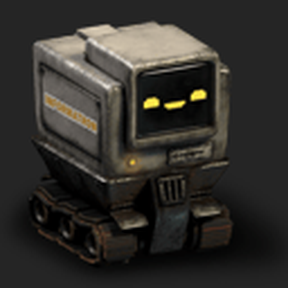
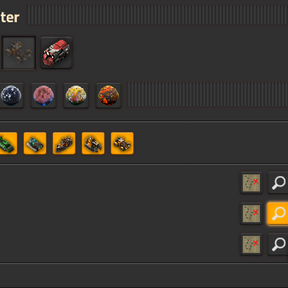
- Centralized Vehicle Management: View and manage all spidertrons, cars, and locomotives in one GUI, filterable by type or surface.
- Multi-Surface Support: Compatible with Space Age, displaying planets and space locations with custom icons and a dropdown selector.
- Interactive Controls:
- Locate vehicles with a temporary arrow indicator.
- Follow vehicles in map view with smooth tracking.
- View vehicle inventories directly from the GUI.
- Toggle train modes (manual/automatic) for locomotives.
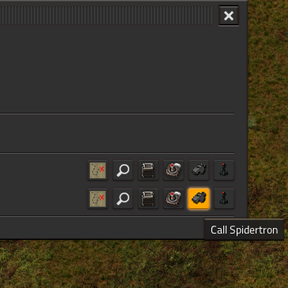
- Get spidertron remotes or call spidertrons to your location.
- Enhanced Remote Vehicle Control Integration: Connect to any vehicle (spidertrons, cars, locomotives) if Enhanced Remote Vehicle Control is installed.
How to Use
- Open the GUI using the shortcut or
ALT + V. (configurable in the settings) - Select a vehicle type (spidertrons, cars, locomotives, or all) using the tabs.
- Choose a surface (planet or space location) via buttons or the dropdown.
- Filter vehicles by name to focus on specific types.
- Use action buttons to locate, follow, view inventories, or control vehicles.
- For spidertrons, get remotes or call them to your position; for trains, toggle manual/automatic mode.
Compatibility
- Space Age: Fully supports multi-surface environments with proper planet/location formatting.
- Enhanced Remote Vehicle Control: Enables direct control of any vehicle.
- Works with any mod adding custom vehicles (spidertrons, cars, locomotives).
Requests + Bugs
- Please message me via the discussion tab for tweaks, crashes and bug fixes.
- I am open to adding buttons for compatibility for other mods.
- Modded Planet Selector may require custom sprites to be created.
Highlights
From source dataGame versions
Built for Factorio 2.0.
Footprint
Rated a light load on a server.
License
Published under Custom License.
Vehicle Control Center on Nxeon
From our catalogue- One-click install
- Supported on Nxeon Factorio servers. We download it from Factorio Mod Portal, place it, and restart the server.
- Server side
- Required on the server
- Server load
- light
- Smallest plan we suggest
- Factorio — 2 GB (2 GB RAM). This follows our own load rating above, not a benchmark.
- Latest build
- 1.2.1, released 2026-06-05
Run Vehicle Control Center on a Factorio server
Pick a server or deploy a new one above; it is installed in one click.
What kind of mod it is
From the catalogVehicles & ships
Cars, boats, aircraft, ships and other things to drive or fly.
Runs on your server
From source side supportFactorio Mod Portal lists Vehicle Control Center as required on the server. Check its Factorio Mod Portal page to see whether players need it too.
Compatibility
- Game
- Factorio
- Runs on
- Serverrequired on the server
- Game versions
- 2.0
Verified at the source
- ✓Factorio Mod PortalOfficial listing, checked 2026-10-08Open ↗
- ✓Authorceeloman, as published on Factorio Mod Portal
- ✓LicenseCustom LicenseFree