






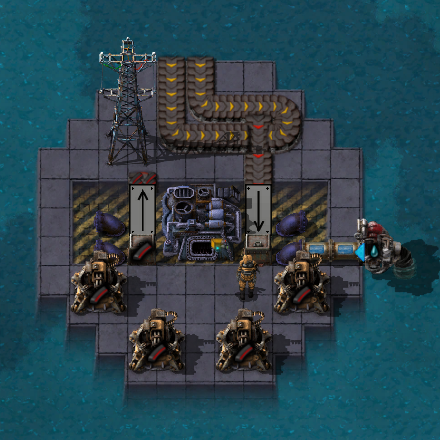

About Warptorio2 Official Planets Pack
From Factorio Mod PortalExamples of how to add planets to Warptorio2 from another mod.
Official Warptorio2 Planets Pack.
This mod currently doesn't contain any code or assets, instead this is just a placeholder with optional dependencies for all existing warptorio planets, functioning as a convenient mod pack.
FAQ
Adding planets by other mods.
It is possible in warptorio for other mods to add their own planets to the generation cycle. Feedback on discord or the discussion would be appreciated. Please refer to main mod page: https://mods.factorio.com/mod/warptorio2
Planet API Remote Commands
The following functions can be accessed using remote.call("warptorio","function_name",variable_x,variable_y,...)
"warp"
Input: string planet_name, Returns: nil Desc: Forcibly warps the platform to the specified planet. This is useful for testing and debugging purposes.
"getplanets"
Input: nil Returns: warptorio.Planets This is a copy of the entire planets table at the time of being called.
"getplanet"
Input: string name, Returns: warptorio.Planets[ name ] This is a copy of a specific planet
"getresources"
Input: nil Returns: A number-keyed table of all resource prototype names. Useful for detecting mod resources.
"getglobal"
Input: string table_key, Returns: A variable from the warptoro global table. If there is a better way to do this please let me know.
"registerplanet"
Input: table planet_table, Returns: nil The use of this function is described below.
"generateplanet"
Input: string planet_name, Returns: map_gen_settings generation of the desired planet. This is useful for testing and debugging purposes.
"tiledefault"
Input: string tile_name, Returns: nil This sets a specific tile's noise probability expression to -1 million by default when spawning a new planet, including uncharted, ensuring it will never spawn unless otherwise required. Example of this seen with the swamp planet.
Planet Table Registration
Remotes only work in on_init and on_load events, so all registrations must be made there.
First Planet
local swamp={ key="swamp", -- the internal name of the planet name="A Swamp Planet", -- the "nice name" of the planet desc="A Planet Flavour Text Descriptor", -- Flavourtext zone=99, -- The warpzone at which this planet starts to appear rng=12, -- The weighted chance for this planet to appear compared against all other eligible planets }
local function RegisterPlanets() remote.call("warptorio","registerplanet",swamp) -- register our planet with Warptorio remote.call("warptorio","tiledefault","deepwater-green",false) -- Force swamp water to never spawn (see data.lua) remote.call("warptorio","tiledefault","water-green",false) -- Force swamp water to never spawn (see data.lua) end script.on_init(RegisterPlanets) script.on_load(RegisterPlanets)
Learn by example
There are a tonne of options and settings when it comes to map generation, and it can be quite difficult to understand.
In this example, we have registered our first planet, but it is the equivalent of uncharted.
Let's have a look at the full planet table and how each component works, then we can make our planet a bit more unique.
remote.call({ key="normal", name="A Normal Planet", zone=0, rng=PlanetRNG("normal"), desc="This world reminds you of home.", modifiers={{"nauvis"}}, gen=nil, -- The base planet map_gen_settings table tick_speed=nil, -- =(6060minutes) -- runs the tick calls every X ticks rest = false, -- flag waterless = false, -- flag
required_controls=nil, -- {"iron-ore"} -- Mod compatability: This planet REQUIRES a certain autoplace_control. required_tiles=nil, -- {"grass-1"} -- Mod compatability: This planet REQUIRES a certain autoplace_setting.tile NOT WORKING required_ents=nil, -- {"enemy-base"} -- Mod compatability: This planet REQUIRES a certain autoplace_setting.entity NOT WORKING required_decor=nil, -- {"shrub-x"} -- Mod compatability: This planet REQUIRES a certain autoplace_setting.decorative NOT WORKING
-- Call tables are used for remote interfaces: { "remote_interface","remote_name" } fgen_call=nil, -- Final function calls on map_gen_settings, behaving similar to a modifier function but planet specific. spawn_call=nil, -- Function calls after surface is created. tick_call=nil, -- Function calls per tick NOT WORKING chunk_call=nil, -- Functions called when a chunk is generated on the planet NOT WORKING warpout_call=nil, -- Function called upon warpout of this planet event{oldsurface=surface,oldplanet=planet_table,newsurface=surface,newplanet=planet_table} postwarpout_call=nil, -- Function called upon warpout of this planet event{oldsurface=surface,oldplanet=planet_table,newsurface=surface,newplanet=planet_table}
fgen=nil, -- function(map_gen_settings) end, -- planet modify function (warptorio internal) spawn=nil, -- function(surface_object, table_of_modifier_return_values) -- planet spawn function (warptorio internal) tick=nil, -- function(surface_object, event_variable) -- planet tick function (warptorio internal) chunk=nil, -- function(surface_object, event_variable) -- planet on_chunk_generated function (warptorio internal) warpout=nil, -- function(oldsurface,oldplanet,newsurface,newplanet) -- planet on warpout (warptorio internal) postwarpout=nil, -- function(oldsurface,oldplanet,newsurface,newplanet) -- planet on warpout (warptorio internal) })
Table components described in detail:
key : String
The internal planet name (see "getplanet")
name : String
The "nice name" of the planet, which is displayed after each warp. Is not currently set up to use locale.
desc : String
The flavour text which describes the planet. This is displayed after each warp. Is not currently set up to use locale.
zone : Integer
The warpzone # at which the planet will enter the planet chance table
rng : Integer
Highlights
From source dataFootprint
Rated a light load on a server.
License
Published under MIT.
Last update
Its author last shipped an update 7 yr ago.
Warptorio2 Official Planets Pack on Nxeon
From our catalogue- One-click install
- Supported on Nxeon Factorio servers. We download it from Factorio Mod Portal, place it, and restart the server.
- Server side
- Required on the server
- Server load
- light
- Smallest plan we suggest
- Factorio — 2 GB (2 GB RAM). This follows our own load rating above, not a benchmark.
- Latest build
- 0.0.6, released 2019-08-22
Recent builds
| Build | Released | Game versions | Loaders |
|---|---|---|---|
| 0.0.6 | 2019-08-22 | 0.17 | n/a |
| 0.0.5 | 2019-08-17 | 0.17 | n/a |
| 0.0.4 | 2019-08-16 | 0.17 | n/a |
| 0.0.3 | 2019-08-16 | 0.17 | n/a |
| 0.0.2 | 2019-08-10 | 0.17 | n/a |
| 0.0.1 | 2019-08-10 | 0.17 | n/a |
Dependencies
- Required: Warptorio2
- Optional: Warptorio2 Swamp Planet
- Optional: warptorio_planet_factory (factorio_portal, not in our catalogue)
- Optional: warptorio_planet_maze (factorio_portal, not in our catalogue)
- Optional: warptorio_planet_dangoreus (factorio_portal, not in our catalogue)
- Optional: warptorio_planet_mirror (factorio_portal, not in our catalogue)
- Optional: Warptorio2 Smog Planet
- Optional: Warptorio2 Magma Planet
Declared by the newest build that lists any. Required ones are installed with it on one-click installs.
Run Warptorio2 Official Planets Pack on a Factorio server
Pick a server or deploy a new one above; it is installed in one click.
What kind of mod it is
From the catalogWorld generation
Changes or adds to how new terrain, biomes and structures are created.
Runs on your server
From source side supportFactorio Mod Portal lists Warptorio2 Official Planets Pack as required on the server. Check its Factorio Mod Portal page to see whether players need it too.
Compatibility
- Game
- Factorio
- Runs on
- Serverrequired on the server
Verified at the source
- ✓Factorio Mod PortalOfficial listing, checked 2026-10-17Open ↗
- ✓AuthorPyroFire, as published on Factorio Mod Portal
- ✓LicenseMITFree












