






About BlockLocker
From HangarProtect chests, doors, etc. using signs. UUID compatible.
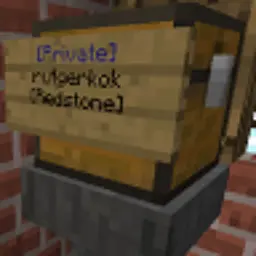
This plugin allows you to protect chests, doors, furnaces, dispensers, droppers, hoppers and many other blocks simply using signs. Once a sign is attached, only people listed on the sign can access the container. It uses no databases, all information is stored on sign attached to the protected block. So if you use WorldEdit to move a chest, the chest will still be protected.
Video
Video created by ServerMiner
Another video, by TheCiROMG, in Spanish:
Discord

Features

- Protect chest, doors, etc. simply by attaching a sign.
- Doesn't need a database, the plugin just looks for attached signs.
- Allow other players to access your protection.
- Allow groups to access your protection.
- Groups are defined using permission nodes, scoreboard teams, or using supported plugins like Factions and Towny.
- UUID support
- Players can change their names without losing access to their protected blocks.
- Stores UUIDs on signs in an invisible way, so UUIDs are saved between server restarts.
- Supports double doors and double chests (double trapped chests too): you only need one sign to protect both blocks.
- Shows a message to players placing a chest, so that they know chests can be protected.
- Automatically closes doors when a [Timer:X] tag is added, or when a default door close time has been specified in the config file.
- Automatically let protections expire if the owner hasn't logged in for X numbers of days. (Disabled by default.)
- Redstone support
- Redstone contraptions cannot open protected doors, unless a [Redstone] tag is added.
- Hoppers (minecart hoppers too!) cannot take or put items, unless a [Redstone] tag is added.
- Update notifications
- Server owners get notified when there is a BlockLocker update available.
- The update checker works asynchronously, it will never block the server.
- The update checker can of course be toggled off.
- Configuration
- Add extra blocks, for example TNT, levers or note blocks.
- You can set that "attachable" blocks like levers can be protected by attaching a sign on the block the lever is attached on (no need to put signs on the lever itself!)
- All messages can be translated.
- Reload config files while the server is running using
/blocklocker reload
Documentation (usage, configuration, permissions and commands)
Please see the documentation tab.
Bugs
If you have found a bug, please report it! You can report it either on the Discord or on Github. Please provide instructions for me how I can reproduce the bug.
Frequently asked questions (FAQ)
Can you add this feature? I'm still maintaining this plugin, but I've decided to no longer add features myself that I'm not personally interested in. If you would like a new feature, code it yourself! (Or ask someone else to code it for you.) Once you're done, a pull request on Github would be very much appreciated! :)
Some features that would be nice:
- A permission node to allow people to view chests, but not to modify the contents of the chest.
- Some way to let players add items to a certain chest, but not remove them.
Some features that wouldn't work:
- A shop function to buy items from chests. This will quickly grow out of hand. It's better to code this as a separate plugin. For example, ChestShop (as of version 3.12) integrates with BlockLocker so that you can buy and sell items from your protected chests. This integration is possible because BlockLocker offers a simple API for other plugin authors to check if a chest is protected.
- A command that shows all your protected chests. This would require keeping a database of all chests. Right now, all information is stored on the signs. Using a database would mean that copying chests to/from schematic files and moving them around with WorldEdit would no longer work correctly.
- Limiting the number of chests of a player. This would also require keeping a database of all chests.
How do I change the color scheme of messages, [Private] and [More Users]? Open plugins/BlockLocker/translations-en.yml (if you're using another language, open up that file instead) and add/remove color codes. For example private: "&9[Private]" results in a blue [Private] tag. You can make it as advanced as you like, see for example this website that generates color gradients.
How can I disable the plugin for certain worlds? Use your permission plugin to do this! Simply deny the permission node blocklocker.protect in any world where you don't want players to use BlockLocker. In LuckPerms, world-specific permission are possible via the Context system. For example: /lp user Bob permission set blocklocker.protect false world=world_nether.
**Hoppers cannot put items into/take items from protected chests. How can I fix this?** Add a line with the text [Redstone] or [Everyone] to the sign.
**Hoppers can put items into/take items from protected chests. How can I fix this?** This isn't caused by BlockLocker, but it's caused by setting disable-move-event to true in your paper-world-defaults.yml file (in the config folder). If this is set to true, then plugins cannot react to item movement in hoppers anymore. So you need to set this to false, there is no other workaround.
Highlights
From source dataGame versions
Supports 24 Minecraft versions, the newest being 26.3.
Loaders
Runs on Paper.
Footprint
Rated a light load on a server.
What kind of mod it is
From the catalogBuilding & decoration
Blocks, furniture, decorations and building tools.
Runs on your server
From source side supportHangar lists BlockLocker as required on the server. Check its Hangar page to see whether players need it too.
Compatibility
- Game
- Minecraft
- Loaders
- Paper
- Runs on
- Serverrequired on the server
- Game versions
- 26.3 and 23 earlier
- Requires
- One-click install needs a Paper server.
Verified at the source
- ✓HangarOfficial listing, checked 2026-10-01Open ↗
- ✓AuthorRutger, as published on Hangar
- ✓LicenseMITFree








