







About Create: Ballast
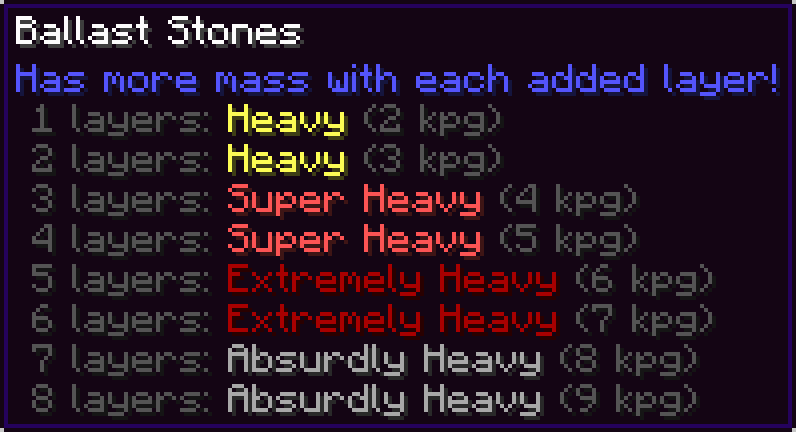
From ModrinthAdds a new layerable block that has more mass with each added layer. Useful for balancing your aeronautics builds!
This is an addon for Create: Aeronautics, you won't find much use for it without that mod.
Adds Ballast Stones, a dense, layerable block that has more mass with each added layer. Useful for ballancing your aeronautics builds!
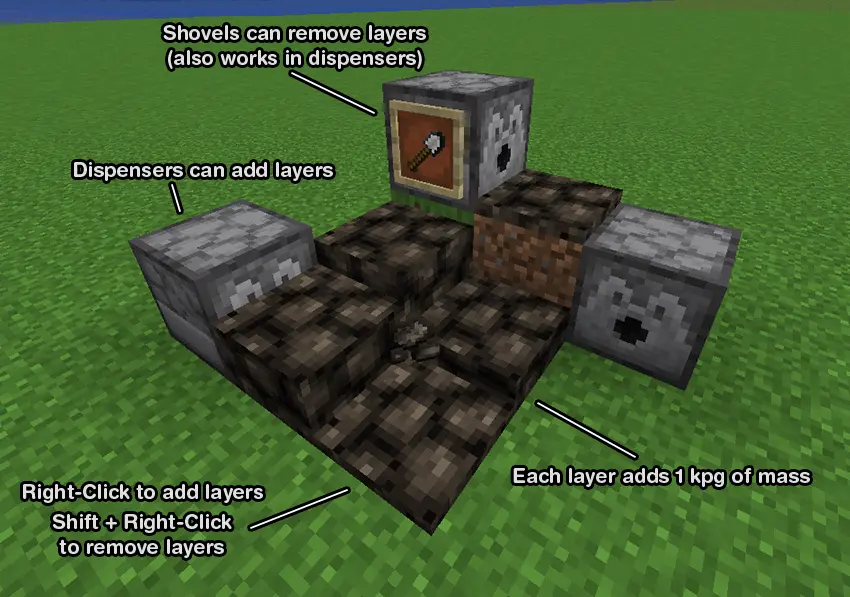
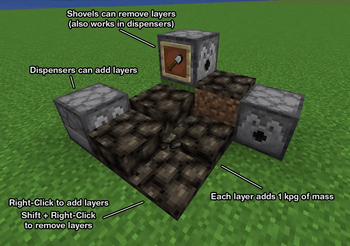
Right-click to add a new layer. Shift + Right-Click with ballast or an empty hand to remove a layer. Right-Clicking with a shovel can also remove a layer.
Dispensers can add layers, and remove layers with a shovel.
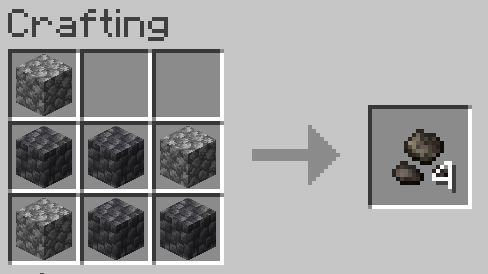
Crafted with 7 of any type of cobblestones (shapeless)
FAQ
Q: What is ballast?
A: Ballast is dense material used as a weight to provide stability to a ship or hot air balloon. Ships today use water as ballast, but historically large stones known as ballast stones were used.
Q: Why would I want this mod?
A: Ships and airships in Create: Aeronautics can be tricky to ballance, especially since the heaviest blocks in the mod are only 4 kpg. This mod allows you to easily ballance the weight distribution on your ship without needing to place dozens of metal blocks all over your ship and ruining its aesthetic.
Q: Can you add water tank ballast?
A: Create: Aeronautics already plans to add weight for filled water tanks in an upcoming update. To maintain compatability when that update is released, I won't be adding it to this mod.
Q: When removing a layer of ballast stones using a dispenser, the ballast stones item is placed into the dispenser's inventory which can cause it to be placed again. How can I make sure layers are removed consistently?
A: You can have a hopper or pipe with a filtering setup remove the ballast stones from the dispenser but not the shovel. Or you can fill every slot in the hopper with shovels and the ballast stones will just drop on the ground instead of being placed into the dispenser, and you can use a hopper beneath the ballast stones to collect it.
Attribution
Textures were modified from https://github.com/malcolmriley/unused-textures
Highlights
From source dataGame versions
Built for Minecraft 1.21.1.
Loaders
Runs on NeoForge.
Footprint
Rated a light load on a server.
What kind of mod it is
From the catalogBuilding & decoration
Blocks, furniture, decorations and building tools.
Runs on your server
From source side supportModrinth lists Create: Ballast as required on the server. Check its Modrinth page to see whether players need it too.
Compatibility
- Game
- Minecraft
- Loaders
- NeoForge
- Runs on
- Serverrequired on the server
- Game versions
- 1.21.1
Verified at the source
- ✓ModrinthOfficial listing, checked 2026-10-01Open ↗
- ✓Authorgeonegames, as published on Modrinth
- ✓LicenseLicenseRef-All-Rights-ReservedFree








