








About Create: Improve
From ModrinthThis mod adds a series of features and tools that enhance the Create mod experience.
This mod adds a series of features and tools that enhance the Create mod experience.
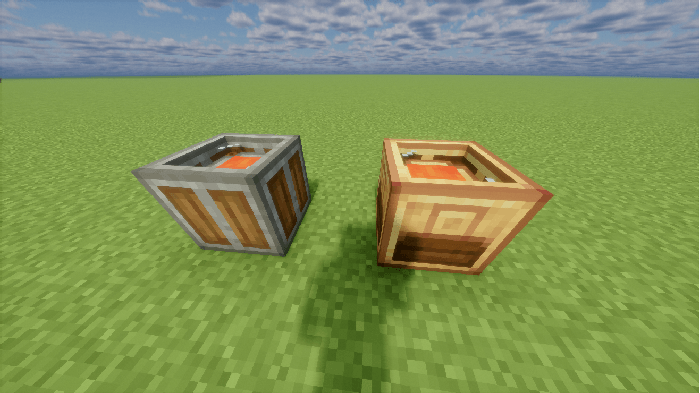
Scrap Bucket
Available in Andesite and Brass variants.
The Andesite Scrap Bucket destroys any items or fluids inserted into it via logistics components.
The Brass Scrap Bucket additionally extracts EXP Ingots from destroyed items and fluids at a low efficiency. EXP Ingots can be retrieved by sneaking and right-clicking empty-handed, or extracted via logistics components.
Items or filters can be placed in the side filter slot of the Brass Scrap Bucket, or configured via its GUI, to restrict insertion by filter.
Furthermore, when placed beneath a storage container (for either items or fluids), a target stock level for a specific item or fluid can be set in the GUI. When the filtered item's stock (or total stock if no filter is set) in the container above exceeds this value, the excess will be automatically inserted into the Scrap Bucket and destroyed.
Network Manager
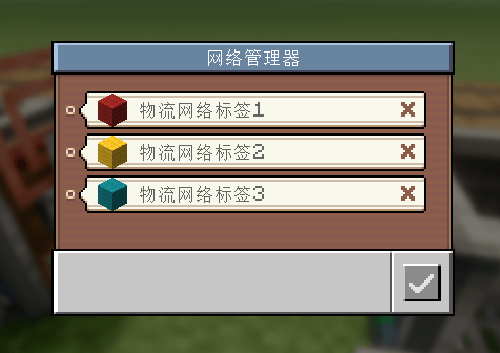
The Network Manager allows you to create and manage tags for existing logistics networks, and assign names and icons to these tags.
It also enables quick configuration of the network connections for placed logistics components using existing tags.
Labeled Redstone Link
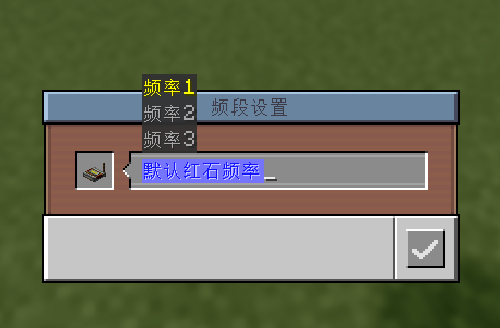
The Labeled Redstone Link functions essentially the same as Create's Redstone Link, but uses text strings as frequencies.
Only Labeled Redstone Links with matching text frequencies can transmit redstone signals. Like the Wireless Redstone Link, frequencies can be copied and pasted using the Clipboard.
Additionally, similar to how prepending # to a logistics network address in the Clipboard allows quick network assignment, prepending @ to a frequency lets players quickly configure the Link's frequency, with shortcut suggestions provided during configuration.
Batch Mechanical Crafter
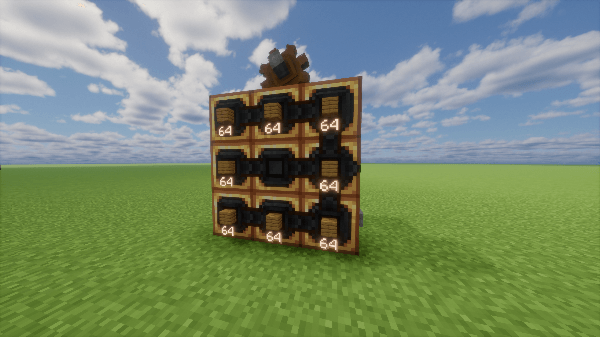
A Mechanical Crafter that supports batch crafting. Works the same as a regular Mechanical Crafter, but each slot can hold a full stack of items and crafts them simultaneously. When processing packages with crafting requests, it always needs to be paired with a Batch Repackager.
When processing packages that carry crafting requests, if the amount of materials in a package exceeds the quantity that can be used in a single batch craft, the package will remain in the packager to wait for the next batch of crafting.
Batch Repackager
Functions the same as a Repackager, processing packages from Batch Crafting requests into a format the Batch Mechanical Crafter can accept. Supports multiple package input/output when raw material quantity exceeds a single package capacity, and also supports packages where a single request contains multiple recipes.
For raw material packages carrying crafting requests, the Batch Repackager will always output packages containing integer multiples of the materials required for a single craft of the corresponding recipe.
To make this easier to understand, assume a request uses 128 Iron Ingots and 768 Planks to craft 128 Shields:
The Input: There are three raw material packages: one containing 2x64 Iron Ingots, one with 9x64 Planks, and one with 3x64 Planks.
The Output: In this scenario, the Repackager will output them as follows:
First Package: Contains 74 Iron Ingots (64+10) and 444 Planks (6x64+60). It fills the package as much as possible while ensuring the output always contains integer multiples of the required crafting materials.
Second Package: Contains 54 Iron Ingots and 324 Planks (5x64+4).
Multiple Recipes: In cases where a single request contains multiple recipes (typically when manually requested via the Storage Manager), it will process the recipes sequentially and output the required raw material packages for each specific recipe.
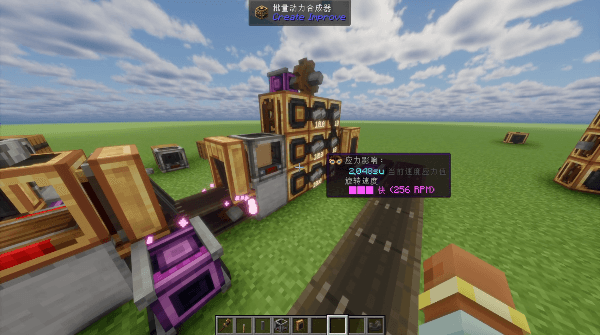
Template Panel
Added a new type of Factory Gauge used to define a Template Chain for template production.
A valid Template Chain must have ordinary Factory Gauges as leaf nodes, and every Template Panel must have an address configured.
Template Panels are configured in the same way as Factory Gauges, and support demand‑mode requests and Mechanical Crafting, but cannot initiate requests on their own and must be used together with a Work Warehouse.
In a valid Template Chain, all items set on Template Panels can be used for template production.
After configuring a Template Chain, you can see available template productions in the Stock Keeper menu, and request template production if there is an available Work Warehouse.
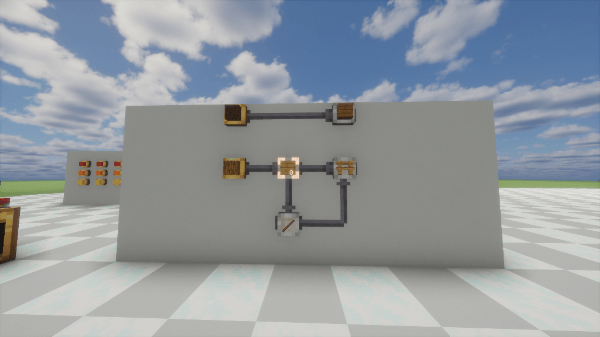
Work Warehouse
A block used for template crafting, with two placement modes: standalone or placed flush against a block. The Work Warehouse must be configured with an address for receiving materials. When placed flush against a storage block, its address should be set to that connected storage's address.
There must be at least one valid Work Warehouse in the logistics network to perform template production. The number of Work Warehouses determines how many template productions can run simultaneously.
Highlights
From source dataGame versions
Built for Minecraft 1.21.1.
Loaders
Runs on NeoForge.
Footprint
Rated a light load on a server.
What kind of mod it is
From the catalogWeapons, items & crafting
New weapons, gear, items and the recipes to make them.
Runs on your server
From source side supportModrinth lists Create: Improve as required on the server. Check its Modrinth page to see whether players need it too.
Compatibility
- Game
- Minecraft
- Loaders
- NeoForge
- Runs on
- Serverrequired on the server
- Game versions
- 1.21.1
Verified at the source
- ✓ModrinthOfficial listing, checked 2026-10-01Open ↗
- ✓AuthorMoloX, as published on Modrinth
- ✓LicenseMITFree








