







About Create Aeronautics: Stabilized
From ModrinthCreate Aeronautics doesn't have enough stabilization mechanisms
Create: Stabilized
There is no good way to stabilize a part of a simulated contraption in a simple and compact manner. Unless you are using this mod, as it adds 2 way to do that.
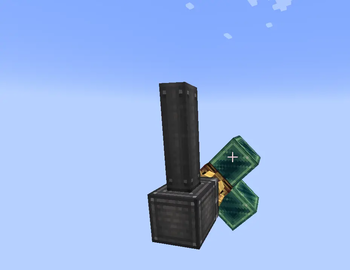
Stabilizer Bearing
Using this bearing, you will be able to stabilize a contraption. Of course if the Stabilizer bearing is placed in the world instead of a simulated contraption, it will just point the attached contraption upwards (or straight forward depending on the placement).
If you use it on a simulated contraption though, the attached contraption will be rotated to point up, no matter the rotation, but only around one axis.
When you rotate the cogwheel of the bearing, it will change the offset angle (if the offset angle is 180°, the attached contraption will point down instead of up)
Create: Stabilized also adds two more options to the regular Swivel Bearing, both of them work similarly to the Stabilizer Bearing, but it requires kinetic rotation to stabilizes, and depends on the rotation speed, so 256 rmp is the max stabilization speed, and 1 rmp is the lowest. Since it's on the Swivel bearing, it is more of an early game alternative
Highlights
From source dataGame versions
Supports 12 Minecraft versions, the newest being 1.21.11.
Loaders
Runs on NeoForge.
Footprint
Rated a light load on a server.
What kind of mod it is
From the catalogGameplay & overhauls
New mechanics, content and overhauls that change how the game plays.
Runs on your server
From source side supportModrinth lists Create Aeronautics: Stabilized as required on the server. Check its Modrinth page to see whether players need it too.
Compatibility
- Game
- Minecraft
- Loaders
- NeoForge
- Runs on
- Serverrequired on the server
- Game versions
- 1.21.11 and 11 earlier
Verified at the source
- ✓ModrinthOfficial listing, checked 2026-10-01Open ↗
- ✓AuthorARMURIII, as published on Modrinth
- ✓LicenseLicenseRef-All-Rights-ReservedFree








