






About Custom Paintings
From ModrinthAdd your own custom paintings to Minecraft.

Add your own custom paintings to Minecraft! Add as many as you like without being restricted to re-texturing vanilla paintings! Each painting can have a custom size and texture, and even name and artist labels. Using a custom "Painting Pack", add custom paintings to any world, even servers!
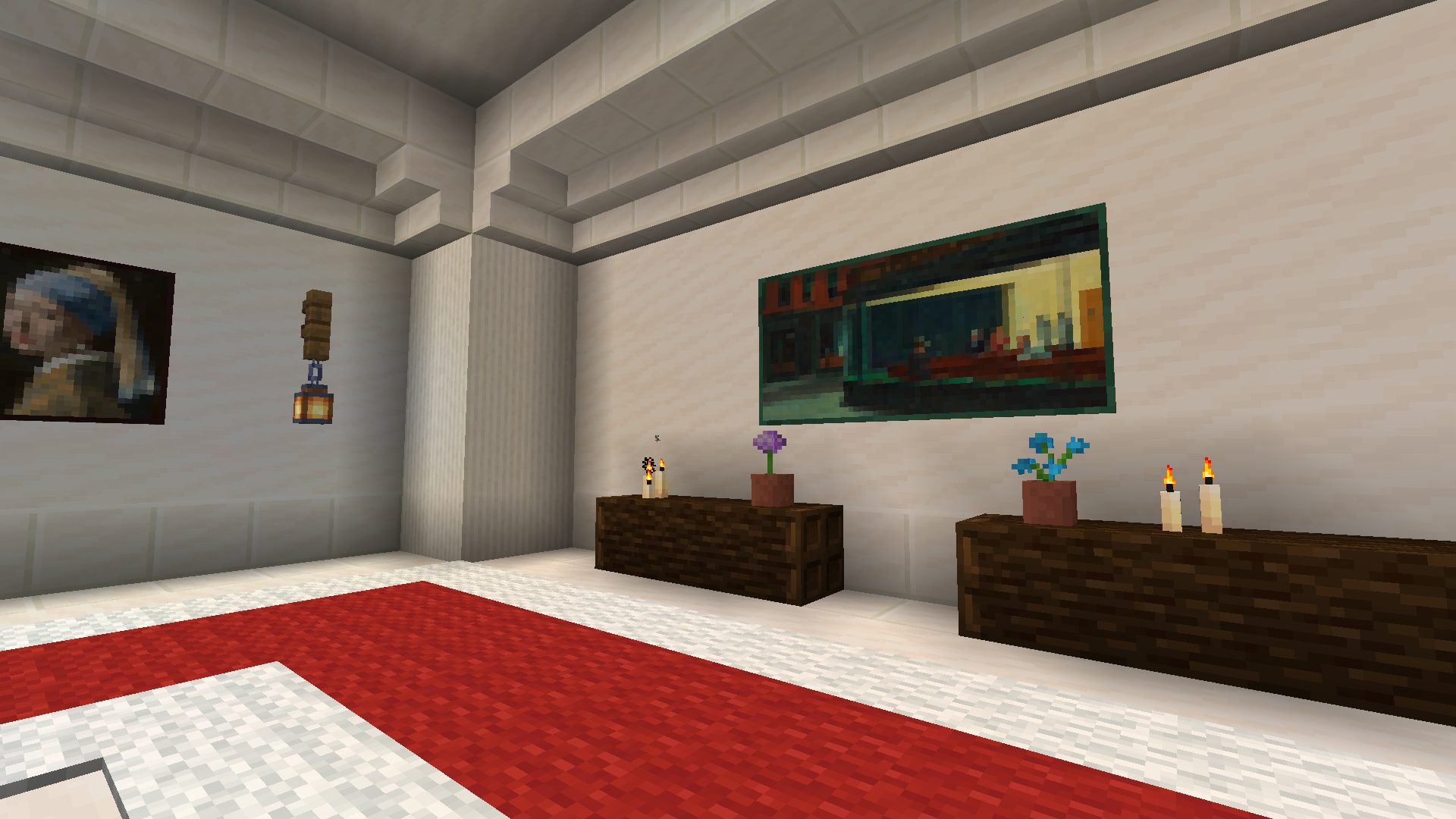
Out of the box, you'll also see a built-in pack containing the four elemental-themed paintings bundled in the game's assets that otherwise are not normally placeable. Enjoy your stylish Air, Earth, Fire, and Water paintings!

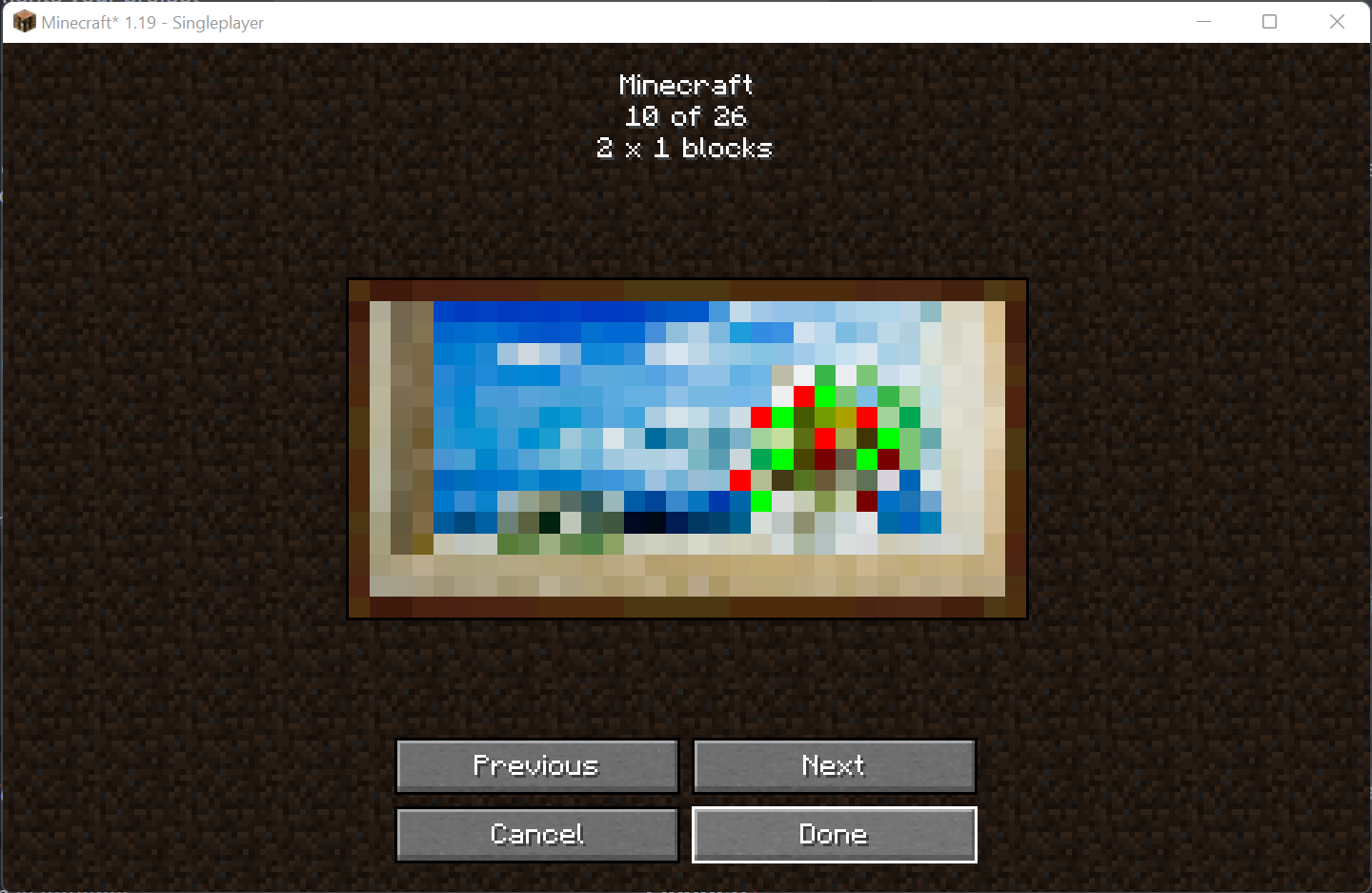
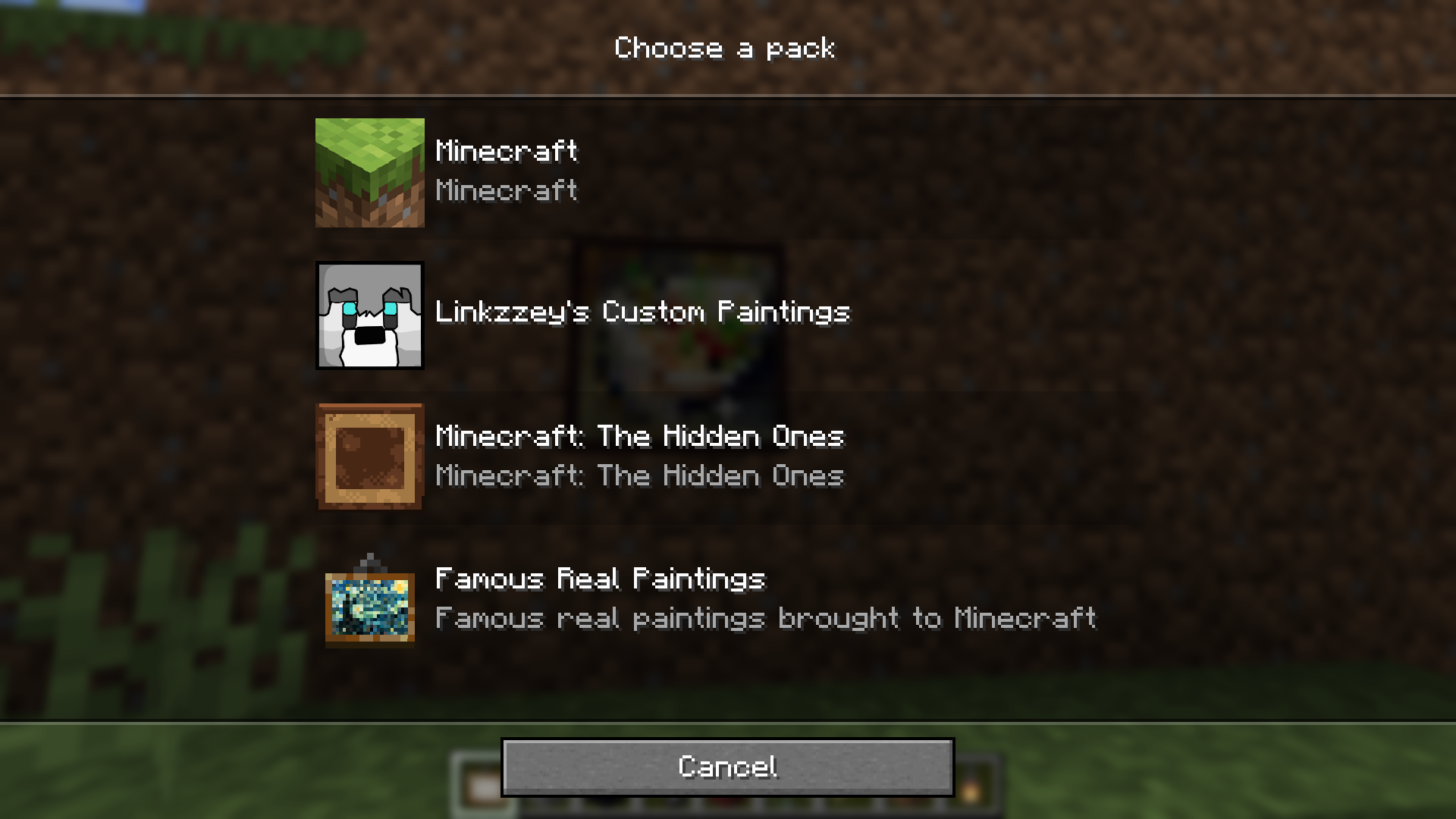
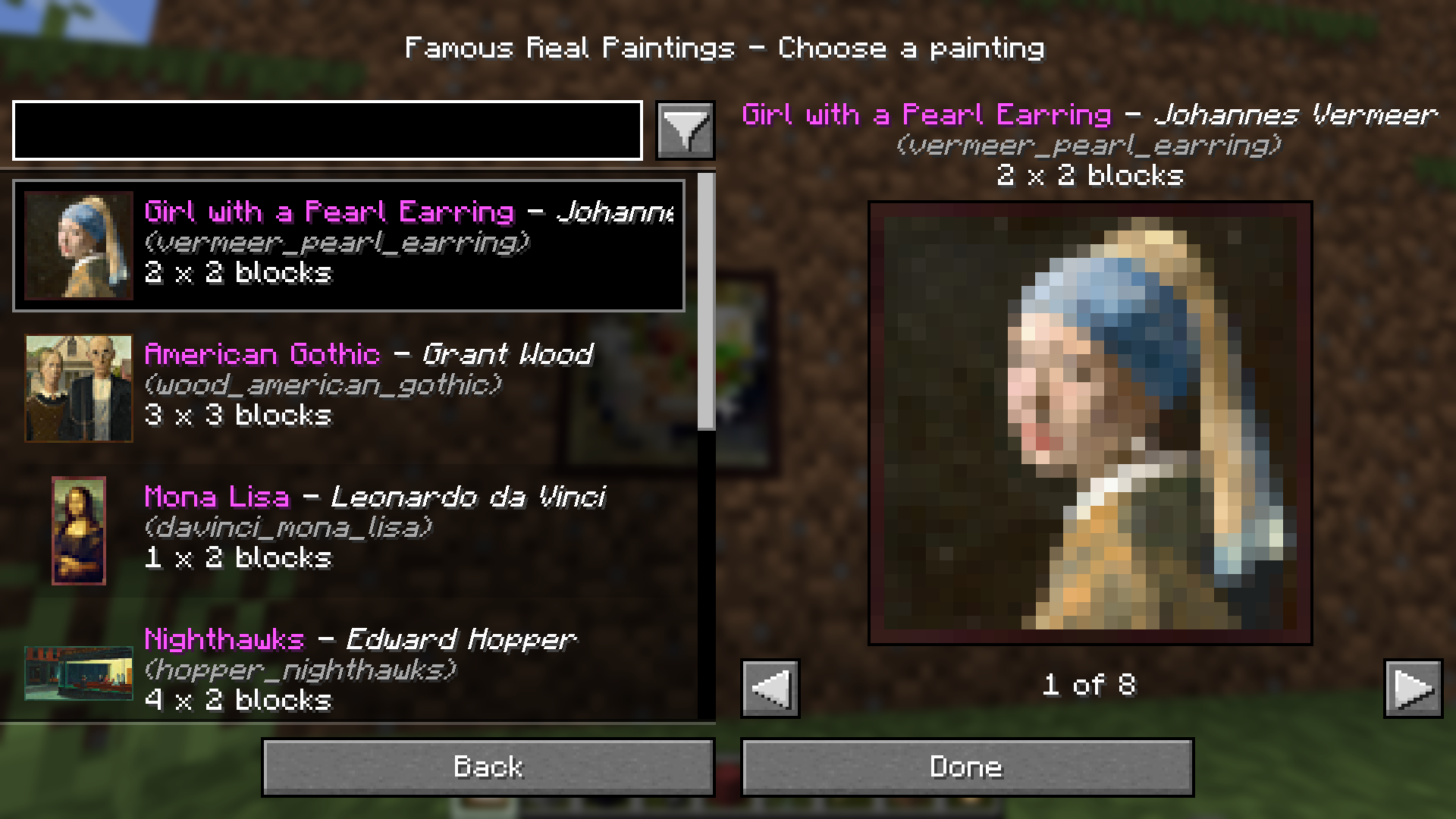
In order to better work with all the paintings in your game, this mod also creates a painting picker menu. Instead of the game placing a random choice every time, placing a painting will now open up a menu where you can choose a pack and painting, complete with search and filtering. Now you can place the exact painting you want first time, every time!
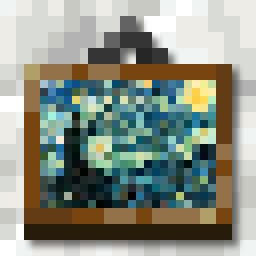
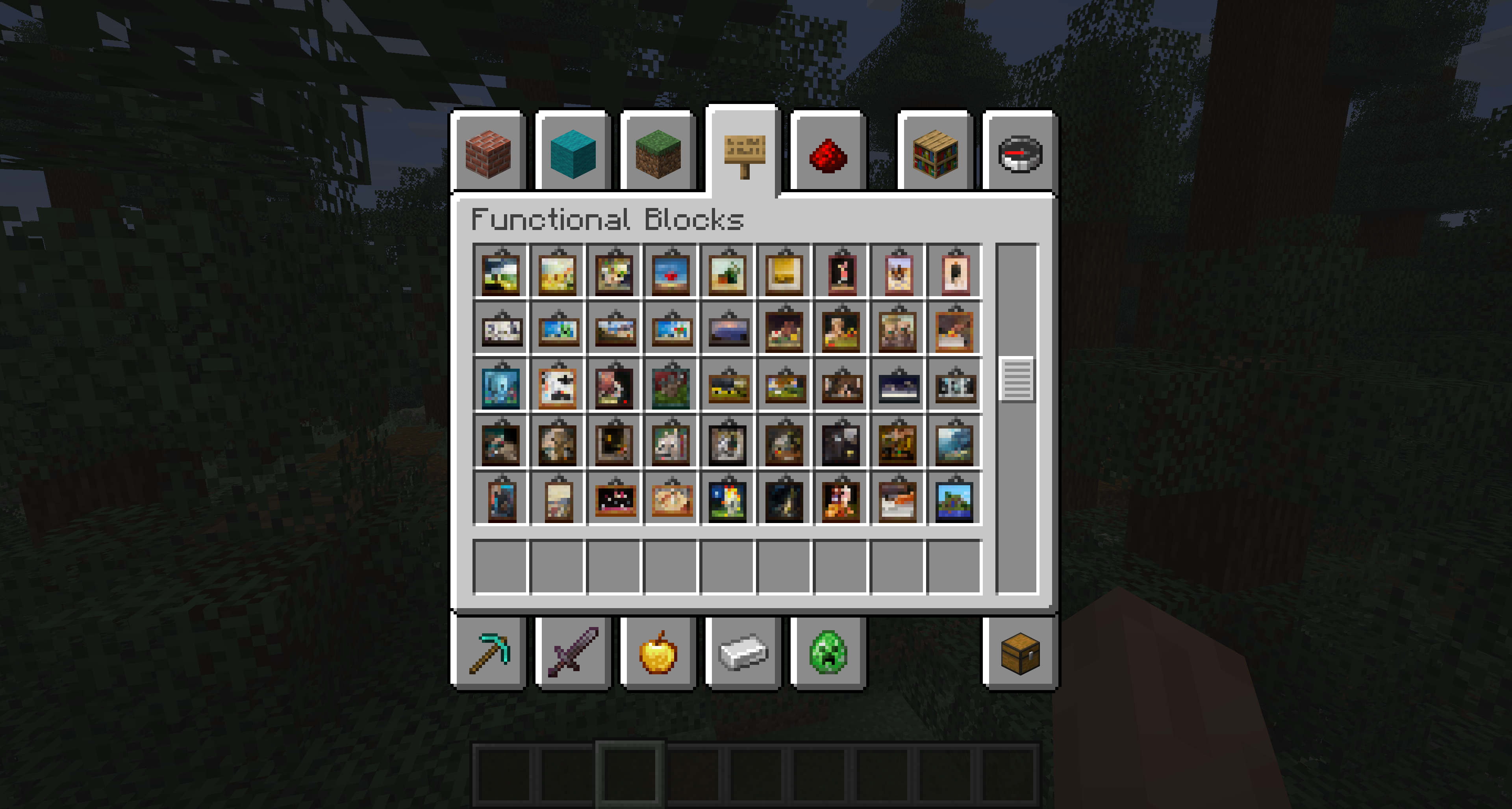
The mod also gives every painting its own custom item icon — both from your installed packs and from the vanilla variants! Each painting's artwork is scaled down and dressed up with a hanger and shadow to fit the standard 16×16 item shape, so you can tell what's what at a glance in your inventory, hotbar, and item frames. Heavily inspired by Vanilla Tweaks' "Unique Painting Items" resource pack. The custom-pack and vanilla rendering each have their own toggle in the client-side config.
Please note that _no_ new paintings are included in this mod. You need to supply your own! You can use this mod without adding and packs, and it'll still give access to the hidden paintings and the fancy new painting picker menu. However, if you're looking for a painting pack that supports this mod, check out my Famous Real Paintings pack that adds stylized representations of some of the worlds' most famous paintings from real life!
Adding a painting pack to your world
The simplest way to add a painting pack to your world is to drop it in the custompaintings folder inside the world save, i.e. .minecraft/saves/My Awesome World/custompaintings/FamousPaintings-1.0.zip. The pack can be in zip or folder form.
└── .minecraft/
    ├── config/
    ├── logs/
    ├── resourcepacks/
    ├── saves/
    │   └── My Awesome World/
    │       ├── advancements/
    │       ├── custompaintings/
    │       │   └── FamousPaintings-1.0.zip  ᐊ
    │       ├── data/
    │       ├── datapacks/
    │       ├── DIM1/
    │       ├── DIM-1/
    │       ├── entities/
    │       ├── playerdata/
    │       ├── poi/
    │       ├── region/
    │       ├── stats/
    │       └── level.dat
    ├── options.txt
    └── servers.dat
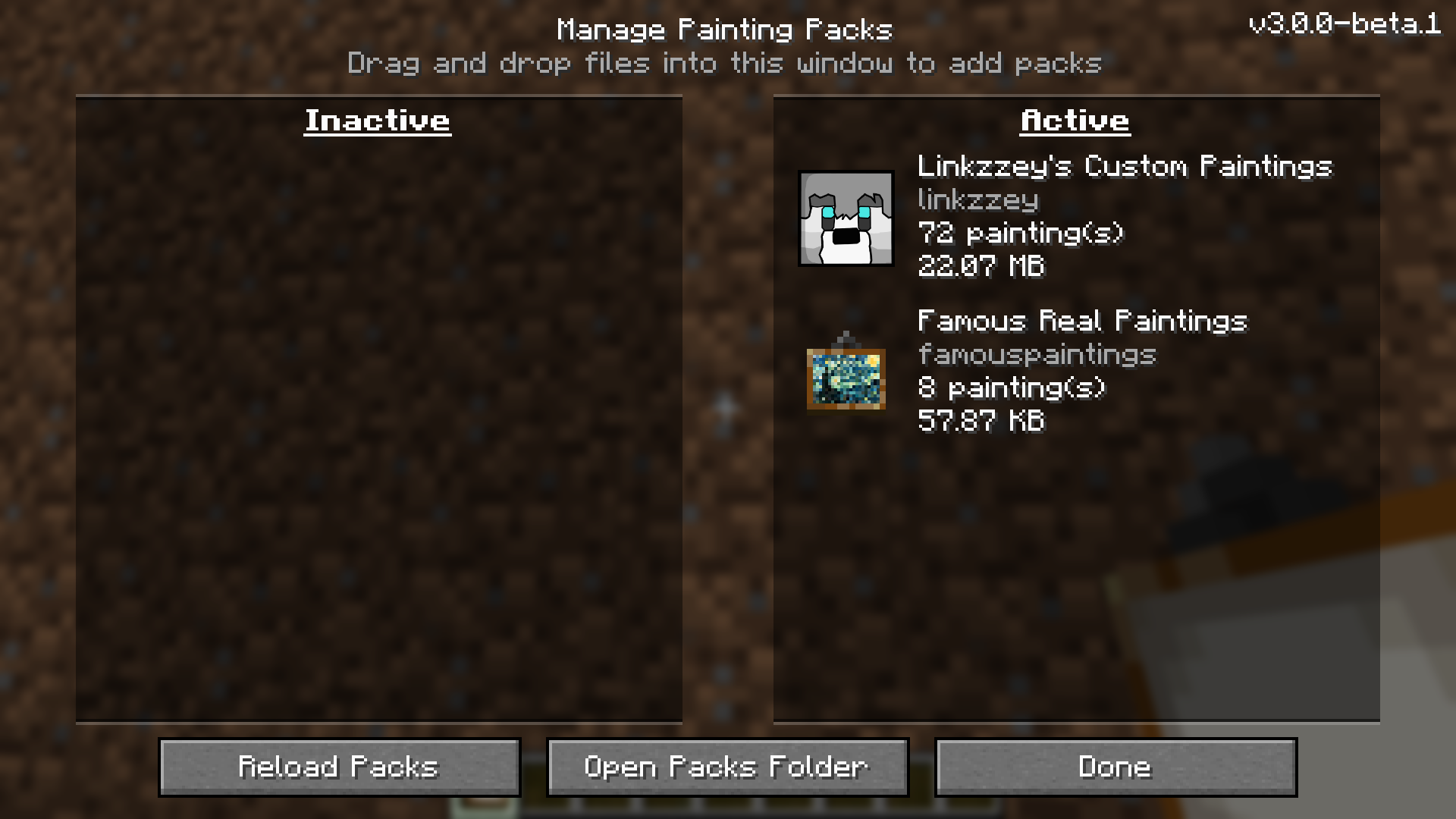
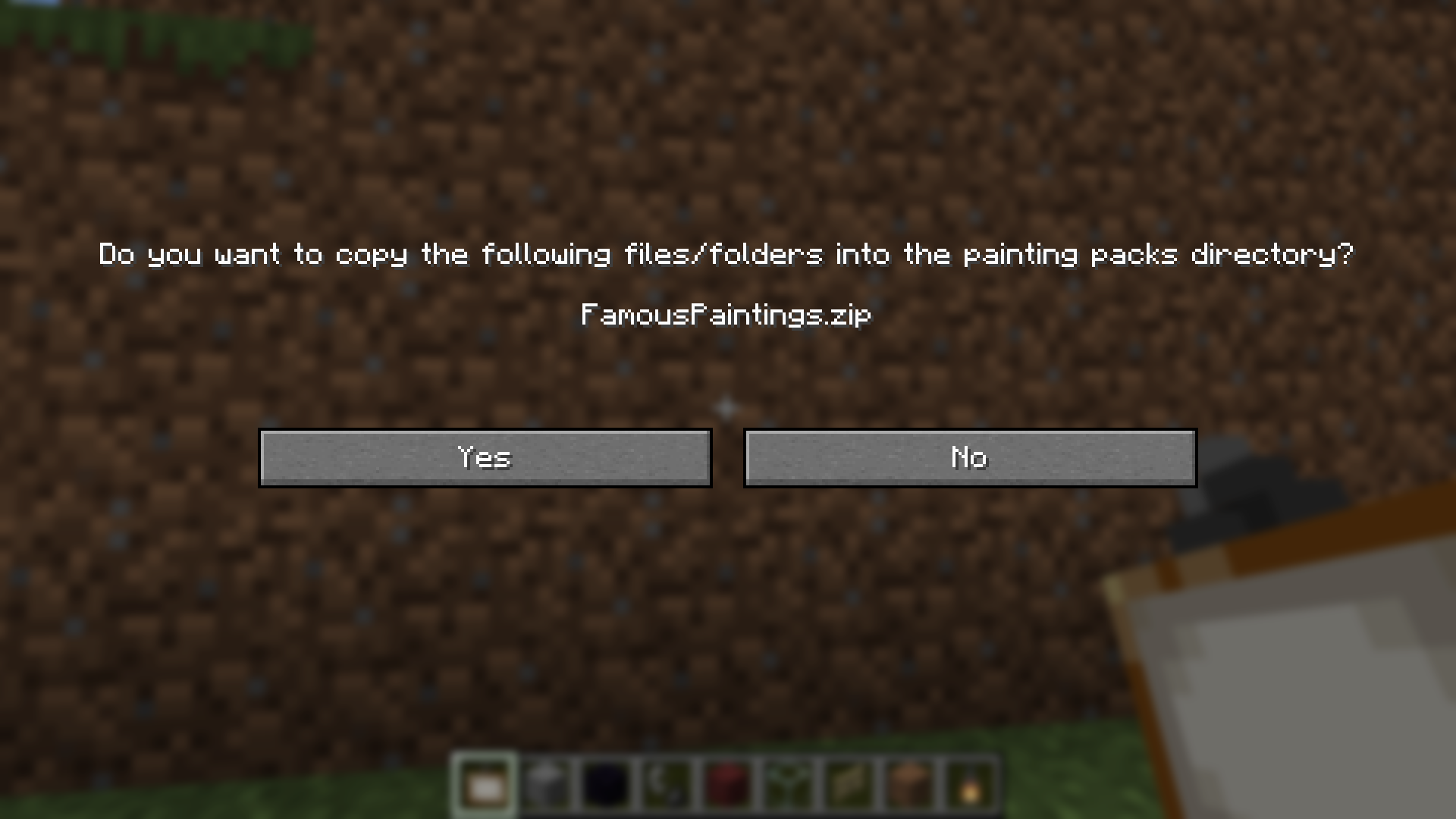
You can also add a pack to a world by open the mod's main menu (see below), navigating to the 'Manage Packs' screen, and dragging the pack zip file or folder onto your game window, similar to how you would do it with resource packs. The mod will take care of copying the files over and should automatically refresh the list for you to let you know it worked!
Creative inventory
Similar to vanilla paintings, all your custom paintings will show up in the creative inventory under functional blocks. The item models are all generated dynamically at runtime based on your supplied texture and painting dimensions to give a surprisingly high quality approximation of the painting! Heavily inspired by Vanilla Tweaks' "Unique Painting Items" resource pack. This functionality is toggleable via the config and config menu client side.
Stonecutter recipes
Based on the "Painting Picker" datapack from Vanilla Tweaks, all the unique items for your custom paintings will also be available as stonecutter recipes! Just pop in the generic/random painting item in the input and you'll be able to craft items bound to a specific painting, that will skip the UI and always place that variant! The same applies to vanilla painting variants — drop a generic painting in and pick the exact Kebab, Aztec, etc. you want, including the otherwise-unplaceable Air, Earth, Fire, and Water elementals. The custom-pack and vanilla recipes have their own toggles in the server-side/per-world config.
Adding a painting pack to your server
Adding a pack to a server must be done by a server admin with access to the server's filesystem. Similar to installing on a single player world, simply copy the pack into the custompaintings folder inside the server's world save.
Highlights
From source dataGame versions
Supports 29 Minecraft versions, the newest being 26.3.
Loaders
Runs on Fabric, Forge, NeoForge and Quilt.
Footprint
Rated a light load on a server.
What kind of mod it is
From the catalogGameplay & overhauls
New mechanics, content and overhauls that change how the game plays.
Runs on your server
From source side supportModrinth lists Custom Paintings as required on the server. Check its Modrinth page to see whether players need it too.
Compatibility
- Game
- Minecraft
- Loaders
- FabricForgeNeoForgeQuilt
- Runs on
- Serverrequired on the server
- Game versions
- 26.3 and 28 earlier
Verified at the source
- ✓ModrinthOfficial listing, checked 2026-10-01Open ↗
- ✓AuthorRoundaround, as published on Modrinth
- ✓LicenseMITFree








