






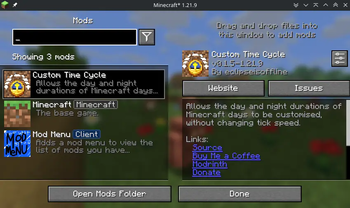

About Custom Time Cycle
From ModrinthAllows the day and night durations of Minecraft days to be customised, without changing tick speed.
Custom Time Cycle








Custom Time Cycle is a mod that allows changing the duration of Minecraft days and nights using a simple command, without changing tick speed. It is available for both Fabric and NeoForge. It can be used on servers (without being required on player clients), and in singleplayer.
Since Minecraft 26.1, Custom Time Cycle allows changing the duration/rate of change between every time marker for a clock, which are data-driven. This allows very granular control over the rate at which time for a clock progresses.
The mod also applies a small fix to villager behaviour, so that they still properly spawn iron golems with longer day/night durations than vanilla.
License
This mod is licensed under GNU LGPLv3.
Donating
If you like this mod, consider donating.
Discord
For support and/or any questions you may have, feel free to join my discord.
Version support
| Minecraft Version | Status | |-------------------|--------------| | 26.3.x | ✅ Current | | 26.2.x | ✔️ Available | | 26.1.x | ✔️ Available | | 1.21.11 | ✔️ Available | | 1.21.9+10 | ✔️ Available | | 1.21.6+7+8 | ✔️ Available | | 1.21.5 | ✔️ Available | | 1.21.4 | ✔️ Available | | 1.21.2+3 | ✔️ Available | | 1.21+1 | ✔️ Available | | 1.20.5+6 | ✔️ Available | | 1.20.4 | ✔️ Available | | 1.20.1 | ✔️ Available |
I try to keep support up for the latest drop of Minecraft. Updates to newer Minecraft versions may be delayed from time to time, as I do not always have the time to immediately update my mods.
Unsupported versions are still available to download, but they won't receive new features or bugfixes.
NeoForge ports are available for Minecraft 1.21+1 and for Minecraft 1.21.9 onwards.
Usage
Mod builds can be found on the releases page, as well as on Modrinth.
On Fabric, the Fabric API is required. When installed server-side, the mod is not required on clients. Durations of time markers can be configured for each periodic world clock and are saved across server restarts / world saves.
For clients, the time cycle of a world can be configured upon creation, by selecting the "More" tab at the top, then clicking the "Time Cycle" button. You can also configure default time cycle durations for all new created worlds, in the mod's global configuration screen. This can be accessed on Fabric using the ModMenu mod, and on NeoForge using the built-in mod menu. Global configuration is stored in .minecraft/config/customtimecyle.json.
The mod also adds a simple command, /timecycle, which can be used to alter the time cycle on servers and existing singleplayer worlds. Its usage is as follows:
/timecycle status- Shows a simple status message displaying which time durations and rates are currently in use in the current dimension.
/timecycle set <dayduration> <nightduration>- Modifies the durations of the Minecraft day and night in the current dimension.
/timecycle set from <from> to <to> duration <duration>- Modifies the duration in ticks between 2 time markers in the current dimension.
/timecycle set from <from> to <to> rate <rate>- Modifies the rate at which time progresses between 2 time markers in the current dimension.
/timecycle reset- Resets the rates of all time markers in the current dimension.
/timecycle of <clock> ...- Allows running all of the above commands, but for that specific clock instead of the one of the current dimension.
The rate modifications the mod makes apply on top of the vanilla /time rate command.
Using the /timecycle command requires the timecycle.command permission or operator level 2.
Modpack developers can also include the following file in the config folder to preconfigure time cycle durations for worlds on servers or clients:
{
  "daytime": <day time ticks>,
  "nighttime": <night time ticks>
}
How it works (technical explanation)
Since Minecraft 26.1, the game now has a "clock" concept. In vanilla, there are only 2 clocks, and only 1 that matters here: the minecraft:overworld clock, for the overworld dimension.
Clocks in Minecraft control timelines, and can progress at a custom rate, though by default, they progress at the same rate as the server's tick rate: 20 ticks per second. In vanilla, this rate can be configured for the entire clock, using the /time rate command.
Highlights
From source dataGame versions
Supports 25 Minecraft versions, the newest being 26.3.
Loaders
Runs on Fabric and NeoForge.
Footprint
Rated a light load on a server.
What kind of mod it is
From the catalogGameplay & overhauls
New mechanics, content and overhauls that change how the game plays.
Runs on your server
From source side supportModrinth lists Custom Time Cycle as required on the server. Check its Modrinth page to see whether players need it too.
Compatibility
- Game
- Minecraft
- Loaders
- FabricNeoForge
- Runs on
- Serverrequired on the server
- Game versions
- 26.3 and 24 earlier
Verified at the source
- ✓ModrinthOfficial listing, checked 2026-10-01Open ↗
- ✓Authoreclipseisoffline, as published on Modrinth
- ✓LicenseLGPL-3.0-onlyFree








