






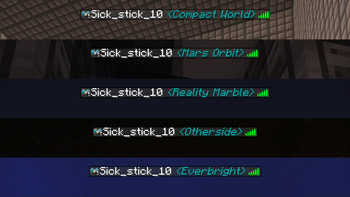

About Dimension Viewer
From ModrinthA highly customisable server-side mod for viewing which dimension each player is currently in from the tab list.
Dimension Viewer
A highly customizable server-side Minecraft mod for viewing what dimension players are currently in from the tab list.  > Now supporting Fabric, Forge & NeoForge! > > Fabric version requires Fabric API (CurseForge or Modrinth)
Compatibility
Dimension Viewer should be compatible with all dimensions. There may be some cases where the mod name shown on hover is not formatted correctly due to the use of the modid to get which mod a dimension is from.
Mods that make changes to the tab list name format (or even the regular display name) will likely cause issues with this mod but at the moment I cannot think of any to test with. If you find any issues, please leave an issue! Thank you!
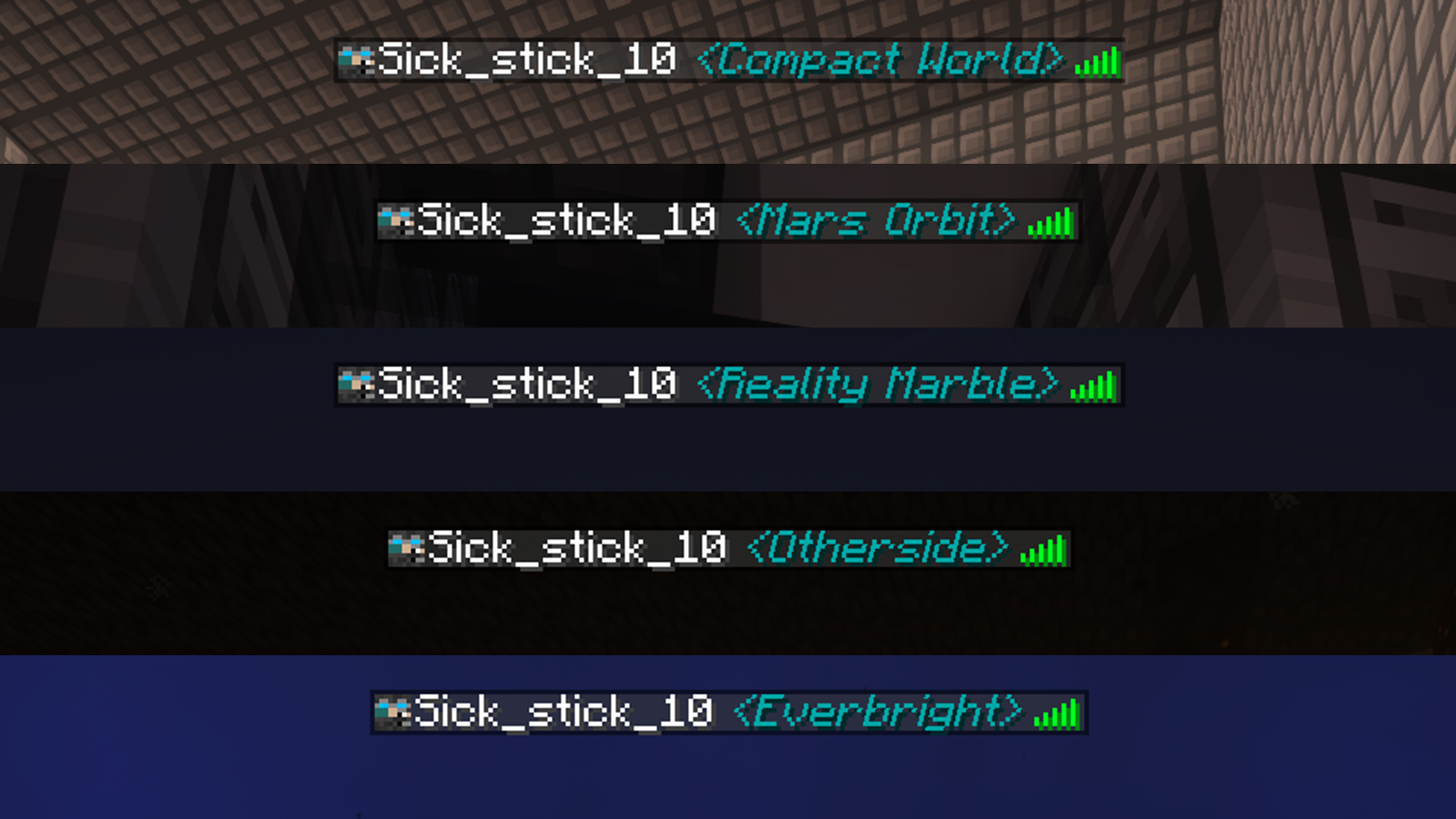
Features
Modded dimensions can now be coloured independently. 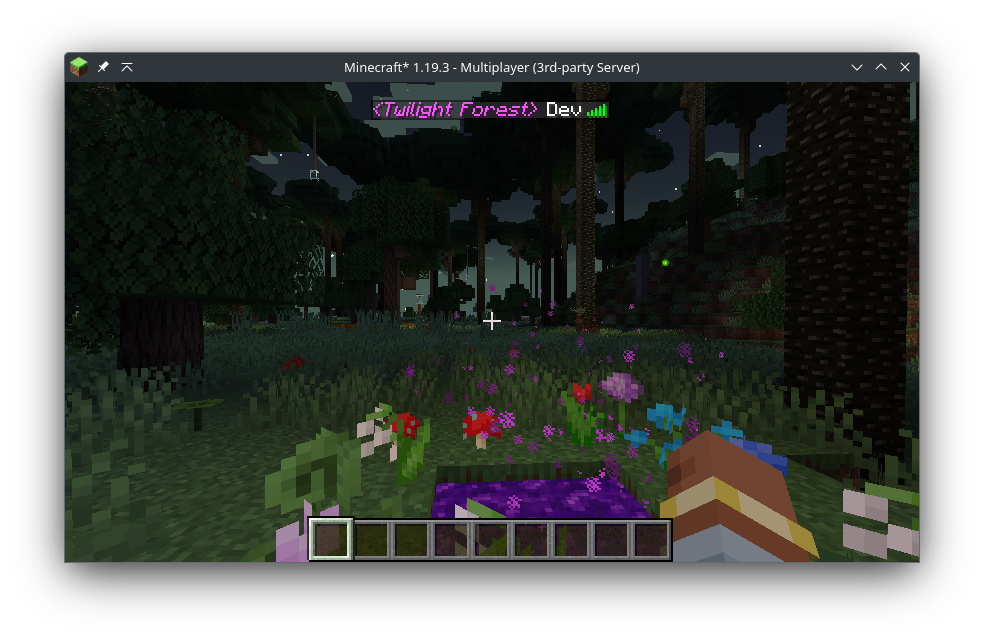
New in version 1.4.0
Dimension names can now be aliased to something else, allowing you to modify the name displayed per dimension. 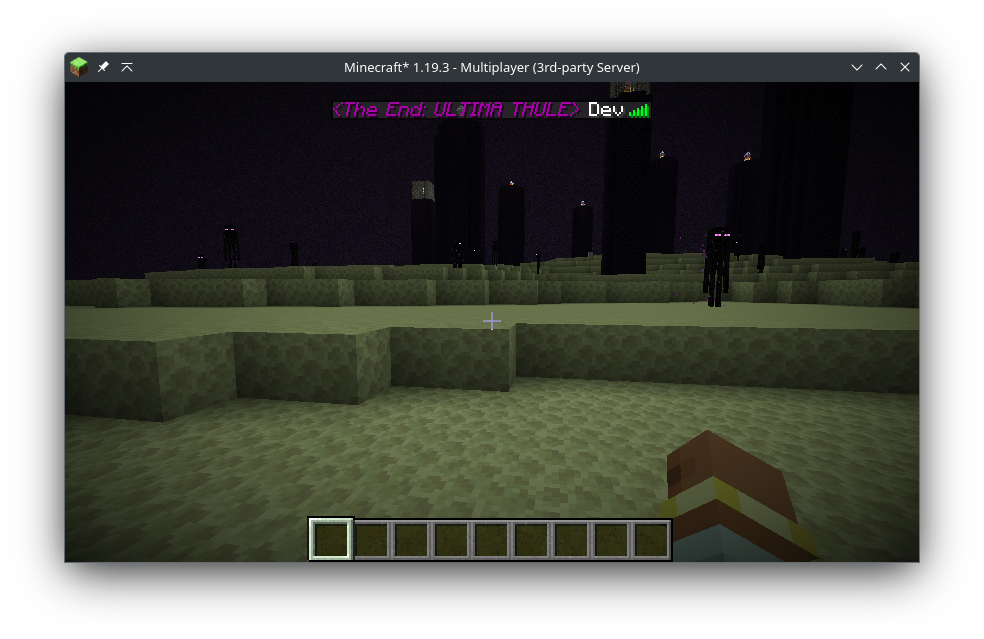
New in version 2.1.0
Configure the mod without touching the config file with slash commands! 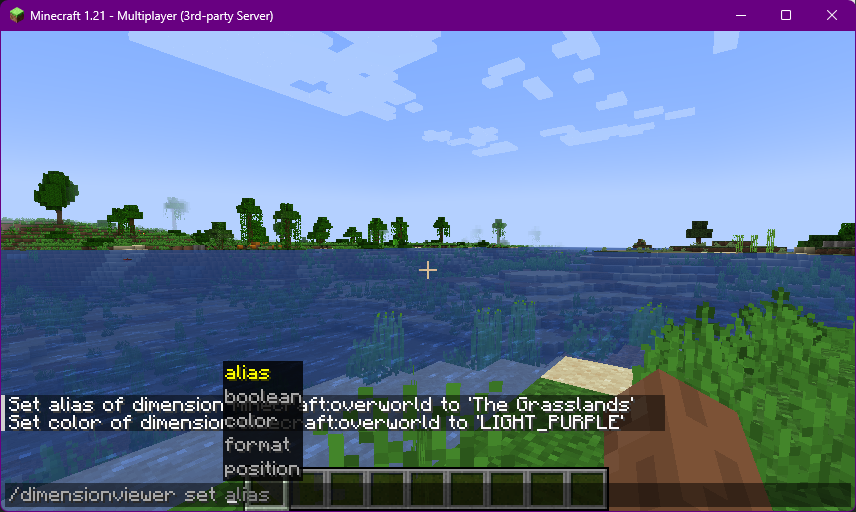
Configuration
By modifying the config file, you can change the colour* of the text on a per-dimension basis, allow showing the dimension in chat messages and change the overall format of the dimension with the ability to use Minecraft text formatting such as underlining, bold and italic fonts.
The config file is located in [Server Folder]/config/dimensionviewer-common.toml for (Neo)Forge or [Server Folder]/config/dimensionviewer.json for Fabric.
Any changes made will be applied as soon as the config file is saved. See below for an example config:
Example Configurations & Settings
Settings and What They Do
___
listFormat- String- The format that will be used to display the dimension in the player list or chat name. It supports a few tokens to tweak the layout.
%d- Dimension (required)%i- Italic%b- Bold%u- Underlined%s- Strikethrough%o- Obfuscate text%%- Literal %- Any character following a
%will be interpreted as a token and removed, so use%%if you want a percentage sign in the name dimensionPosition- String- Sets the position the dimension is shown in relation to the players name.
PREPEND- Before the player nameAPPEND- After the player namedefaultColor- String- Sets the default font colour to use if
PER_DIM_COLORis false or is a custom dimension that is not defined inMODDED_DIMS - Accepts any vanilla text colour:
DARK_RED,RED,GOLD,YELLOW,DARK_GREEN,GREEN,AQUA,DARK_AQUA,DARK_BLUE,BLUE,LIGHT_PURPLE,DARK_PURPLE,WHITE,GRAY,DARK_GRAY,BLACK - Also accepts the name of any custom colours defined in
CUSTOM_COLORS - The names must be UPPERCASE
overworldColor,netherColor&endColor- String- Used to change the colors of vanilla dimensions when
perDimColoris set totrue - Accepts the same inputs as
defaultColor perDimColor- Boolean- Used to enable individual dimension colouring. Disabling this will display all dimensions the same colour as defined in
DEFAULT_COLOR dimInChatName- Boolean- Used to toggle showing the dimension in a players name when sending chat messages
- When turned off, the players chat name will be unaffected and only the tab list name will show the players current dimension
enableAliases- Boolean- Used to toggle whether custom dimension names should be used.
- When enabled, any dimensions that match items in
DIM_ALIASESwill have their display names swapped for the aliased name. moddedDimensions- Array of Strings- Used to change the colors of custom modded dimensions
- Uses the format
modid:dim_id color - For example, Twilight Forest in Gold would be
twilightforest:twilight_forest GOLD dimensionAliases- Array of Strings- Used to show a custom name for a given dimension
- Uses the format
modid:dim_id New Name(Spaces allowed) - For example, to replace
OverworldwithThe Grasslandsyou would useminecraft:overworld The Grasslands - Has no effect if
ENABLE_ALIASESis false - [VERSION 2.0.0+] Allows the use of tokens in the alias (see
listFormat) - Make only the overworld text bold with
minecraft:overworld %b%d customColors[VERSION 2.0.0+] - Array of Strings- Used to define custom font colors in either HEX format or RGB format.
- Uses the format
COLOR_NAME #HEXfor hexadecimal colours orCOLOR_NAME r000 g000 b000for RGB colors. - The name of the color must be UPPERCASE
- Hexadecimal numbers must be 6 characters long. Truncated hex values and hex w/ alpha values are not supported at this moment.
- For example, a custom pink hex color would be
HOT_PINK #C62F75 - Another example, a custom purple RGB color would be
FUTURE_PURPLE r152 g154 b255
(Neo)Forge Example
The (Neo)Forge configuration file contains comments for every setting and the valid options available for the setting.
Highlights
From source dataGame versions
Supports 23 Minecraft versions, the newest being 1.21.11.
Loaders
Runs on Fabric, Forge and NeoForge.
Footprint
Rated a light load on a server.
What kind of mod it is
From the catalogGameplay & overhauls
New mechanics, content and overhauls that change how the game plays.
Runs on your server
From source side supportModrinth lists Dimension Viewer as required on the server. Check its Modrinth page to see whether players need it too.
Compatibility
- Game
- Minecraft
- Loaders
- FabricForgeNeoForge
- Runs on
- Serverrequired on the server
- Game versions
- 1.21.11 and 22 earlier
Verified at the source
- ✓ModrinthOfficial listing, checked 2026-10-01Open ↗
- ✓AuthorSick_Stick_10, as published on Modrinth
- ✓LicenseMITFree








