







About Elevator
From HangarA very simple elevator by using blocks!

# Elevator

Elevator:

  # Set the block for use with the elevator
  # Block ID can be found on this site https://hub.spigotmc.org/javadocs/bukkit/org/bukkit/Material.html
  BlockType: IRON_BLOCK

  # Set the max distance between blocks.
  BlockDistance: 50

  # Enable or disable particles on the elevator
  EnableParticle: true

  # Change the particle effect on the elevator
  # Particle list can be found here https://hub.spigotmc.org/javadocs/spigot/org/bukkit/Particle.html
  ParticleType: SPELL_WITCH

  # Set the amount of particles to display
  ParticleCount: 20

  # Change the sound when teleport
  # All the sounds can be found here https://hub.spigotmc.org/javadocs/spigot/org/bukkit/Sound.html
  UsageSound: entity.enderman.teleport

  # Change the sound of linked elevator blocks
  ActivateSound: entity.player.levelup

Teleporter:

  # Set the block for use with the teleporter
  # Block ID can be found on this site https://hub.spigotmc.org/javadocs/bukkit/org/bukkit/Material.html
  BlockType: SEA_LANTERN

  # Enable or disable particles on the elevator
  EnableParticle: true

  # Change the sound when teleport
  # All the sounds can be found here https://hub.spigotmc.org/javadocs/spigot/org/bukkit/Sound.html
  UsageSound: entity.enderman.teleport

  # Set warmup time
  WarmupTime: 3

# Disable or enable plugins hook. Disabling hooks will bypass claim restrictions
Hooks:
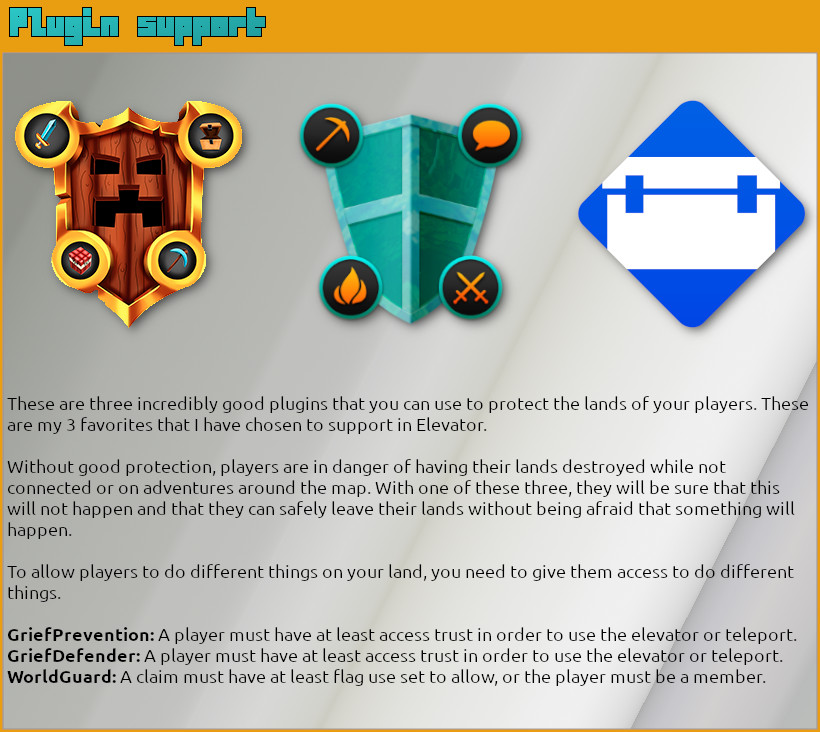
  GriefPrevention: true
  WorldGuard: true

Cooldown:

  # Disable or enable cooldown
  EnableCooldown: false

  # Set cooldown time in seconds
  Time: 30

  # Translate cooldown message to your own language
  Locale: '&cElevator is on cooldown. Please wait for another %time% seconds!'

# Set your own messages for the elevators
ElevatorLocale:
  ElevatorUp: '&aGoing up'
  ElevatorDown: '&aGoing down'
  ElevatorDanger: '&4Danger! You cannot use the elevator to this location. You might die!'
  ElevatorActivated: '&aThe elevator is active'

# Set your own messages for the teleporters
TeleporterLocale:
  Danger: '&cDanger! The location is not safe!'
  LinkSelf: '&cYou can''t link to the same teleporter.'
  Cancelled: '&cTeleportation cancelled!'
  Initialized: '&bTeleportation initialized'
  Warmup: '&bPlease wait &9%time% &bseconds while the teleporter initialize! Don''t move!'
  UnvalidBlock: '&cNot a valid teleporter block detected!'
  Exist: '&cThis teleporter already exist!'
  Unexist: '&cOne or more teleporters does not exist. Check for spelling errors.'
  Added: '&eTeleporter has been added as &6%tpname%'
  LinkExist: '&cOne or more teleporters are already linked.'
  NoOwner: '&cYou are not allowed to link those teleporters.'
  Linked: '&eYou have successfully linked teleporter &6%teleport1% &ewith &6%teleport2%'
  Removed: '&eTeleporter &6%tpname% &ehas been removed'
  Unlinked: '&6%teleport1% &ehas successfully unlinked with &6%teleport2%'
  NoDestination: '&c%tpname% has no destination!'
  ListHeader: '&e---- ====== [ &6Your teleporters &e] ====== ----'
  ListNoTeleporters: '&cYou don''t have any teleporters yet'
  SpecifyTeleporter: '&cPlease specify a teleporter!'
  SpecifyMoreTeleporter: '&cPlease specify at least two teleporters!'
  PermissionBlocks: '&cYou dont have permission to set more teleporters!'
  HelpHeader: '&e---- ====== [ &6Teleporters &e] ====== ----'
  HelpAdd: '&6/teleporter add &f- &eSet teleportation block'
  HelpHelp: '&6/teleporter help &f- &eThis help page'
  HelpLink: '&6/teleporter link &f[tpblock1] [tpblock2] - &eLink two teleportation blocks togheter'
  HelpList: '&6/teleporter list &f- &eGet a list of all your teleporters'
  HelpRemove: '&6/teleporter remove &f- &eRemove a teleportation block'
  HelpUnlink: '&6/teleporter unlink &f[tpblock1] - &eUnlink two teleportation blocks. Only need to specify one.'

# Set your own messages for all others
MiscellaneousLocale:
  Permission: '&cSorry, but you do not have permissions to do that.'

- Download the plugin
- Stop the server
- Drag the file to the servers plugin folder
- Start the server
For more information please read the Elevator wiki with more detailed information.
Highlights
From source dataGame versions
Supports 29 Minecraft versions, the newest being 1.20.1.
Loaders
Runs on Paper.
Footprint
Rated a light load on a server.
What kind of mod it is
From the catalogListed on Hangar as “Plugins”
Building & decoration
Blocks, furniture, decorations and building tools.
Runs on your server
From source side supportHangar lists Elevator as required on the server. Check its Hangar page to see whether players need it too.
Compatibility
- Game
- Minecraft
- Loaders
- Paper
- Runs on
- Serverrequired on the server
- Game versions
- 1.20.1 and 28 earlier
- Requires
- One-click install needs a Paper server.
Verified at the source
- ✓HangarOfficial listing, checked 2026-10-01Open ↗
- ✓AuthorBaktus79, as published on Hangar
- ✓LicenseUnspecifiedFree








