







About FabricExporter
From ModrinthFabric mod that adds a Prometheus exporter with general metrics of your server
FabricExporter


Fabric mod that adds a Prometheus exporter with general metrics of your server.
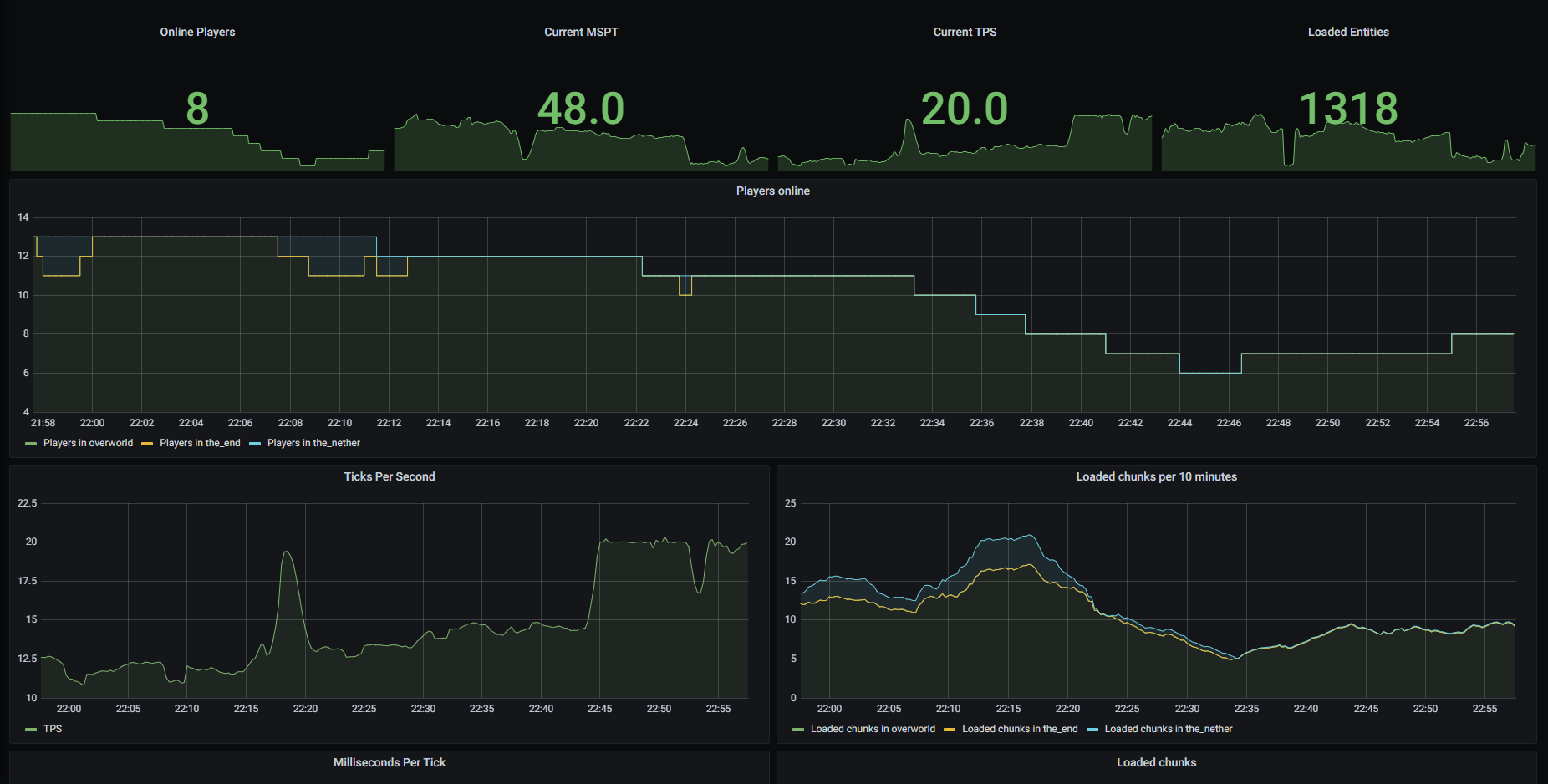
It's a server-side mod that exposes metrics of your Fabric server in Prometheus format. So, it requires you to have at least Prometheus installed to collect provided metrics. I recommend also using Grafana to visualize data.
If you want to get TPS and MSPT metrics, you should also install Spark as mod for your Fabric server.
Exposed metrics
Here is a list of metrics that are collected by FabricExporter.
- Metrics collected by Minecraft doesn't require anything, but may cause errors when running on old Minecraft versions
- Metrics collected by Spark require Spark to be installed
You can disable any of these metrics in config.
| Prometheus name | Description | Config property | Collected by | |---------------------------------|----------------------------------------------------|------------------------------|----------------| | minecraft_loaded_chunks | Amount of currently loaded chunks on server | enable-loaded-chunks | Minecraft | | minecraft_total_loaded_chunks | Amount of total loaded chunks on server | enable-total-loaded-chunks | Minecraft | | minecraft_mspt | Count of milliseconds per tick (MSPT) | enable-mspt | Spark | | minecraft_tps | Count of ticks per second (TPS) | enable-tps | Spark | | minecraft_players_online | Amount of currently online players on your server | enable-players-online | FabricExporter | | minecraft_entities | Amount of currently loaded entities on your server | enable-entities | FabricExporter | | minecraft_handshakes | Count of handshake requests | enable-handshakes | FabricExporter |
Getting started
To use this mod you should have at least Fabric server and Prometheus installed.
Installing mod
- Download the mod from Releases page.
- Drop downloaded mod jar to the
modsfolder. - Start your server to generate config file.
- Open
config/exporter.properties, ensure thatserver-portvalue is an open port that can be accessed by your Prometheus and change it if required. - Restart the server if you made changes in config.
Configuring Prometheus
- Open your Prometheus config file (it located at
/etc/prometheus/prometheus.ymlby default).
sudo nano /etc/prometheus/prometheus.yml- Add FabricExporter endpoint to the
scrape_configssection.
Don't forget to replace 127.0.0.1 with address of your server and 25585 with port specified in server-port property in exporter.properties file.
- job_name: 'fabric'
  static_configs:
- targets: ['127.0.0.1:25585']- Restart Prometheus service.
sudo service prometheus restartImporting Grafana dashboard
If you want to use Grafana, you can use my dashboard as template. I assume that you have already created a Prometheus data source in Grafana. So, let's import dashboard for FabricExporter.
- Log in to your Grafana and go to
Create -> Importtab. - Type
14492in "Import via grafana.com" field and click "Load". - On the next page change settings as you wish and click "Import".
Configuring
After your server starts, FabricExporter will create exporter.properties file in the config folder. You should use this file to configure the mod. In this file you can see some general settings and metrics settings.
General settings
| Property | Description | Default value | | -------- | ----------- | ------------- | | server-port | Port on what the web server will listen for requests | 25585 | | update-interval | Interval between gauge metrics updates in milliseconds | 1000 | | use-spark | If set to false, FabricExporter will be independent from Spark | true |
Metrics settings
You can disable any metric that registered via MetricRegistry (all metrics by default) using exporter.properties file. Names of properties consist of enable and metric name without prefix and _ replaced with -. For example, if you want to disable minecraft_players_online, you should set enable-players-online to false. You can also see list of available properties in "Exposed metrics" section. If you can't find property for some metrics, you can manually add it. All metrics are enabled by default.
License
MIT license. Read more in LICENSE
Highlights
From source dataGame versions
Supports 23 Minecraft versions, the newest being 26.2.
Loaders
Runs on Fabric.
Footprint
Rated a light load on a server.
What kind of mod it is
From the catalogGameplay & overhauls
New mechanics, content and overhauls that change how the game plays.
Runs on your server
From source side supportModrinth lists FabricExporter as required on the server. Check its Modrinth page to see whether players need it too.
Compatibility
- Game
- Minecraft
- Loaders
- Fabric
- Runs on
- Serverrequired on the server
- Game versions
- 26.2 and 22 earlier
Verified at the source
- ✓ModrinthOfficial listing, checked 2026-10-01Open ↗
- ✓Authorruscalworld, as published on Modrinth
- ✓LicenseMITFree








