






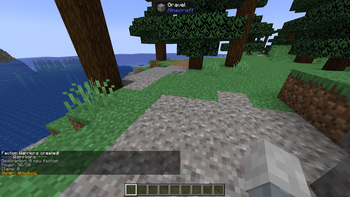

About Factions Proper
From ModrinthA mod that adds the ability to create Factions just like classic factions servers. Claim chunks, go to war, compete for territory.
Factions Proper is a comprehensive mod for Minecraft that encourages geopolitics, land claiming, and warfare. Forge alliances, claim your territory, build your power, and lay siege to your enemies. It closely resembles the classic factions mods and plugins from old school Minecraft multiplayer.
Please message me or join my Discord if you would like to request a feature, report a bug, or have questions about the mod. I tend to reply quickly and would be happy to add new features for people.
As far as I know, this is the only fully-functional factions mod in Forge 1.20.1.
The Power System: Your faction's strength is measured in Power. Unlike other factions mods and plugins, faction power is tracked at the faction level, not the player level.
Factions start with 50 by default and this is configurable.
Gain Power: Factions passively gain power for every hour that at least one member is online. By default, 12 power per hour, which is configurable. The rate does not increase with additional members online.
Lose Power: Factions lose power when a member dies. The penalty is higher for a PvP death than for a PvE death. By default, 15 power lost from a PVP death and only 5 for PVE deaths.
The Dragon Egg: Get a one time permanent boost to your faction's power with Ender Dragon's egg using the /f dragonegg command. This is meant to encourage players to be the first to get the ender dragon egg.
If the owner of a faction tries to disband a faction with a power deficit merely to instantly reset to full power by creating a new faction, that player will incur a power deficit that will take effect upon creating the new faction. This merely exists to prevent abuse of the power system.
Land Claiming: Claim chunks of the world for your faction. Once claimed, your land is protected from other players interacting with blocks, placing blocks, breaking blocks, and opening containers. Combat is allowed. The number of chunks you can claim is limited by your current power level. If your power drops below the number of chunks you own, your faction becomes vulnerable to a siege.
Siege Warfare: a faction is vulnerable to siege when current claims exceed current power.
Stand in an enemy's vulnerable territory and use /f siege to begin an siege.
Sieges are timed events with escalating phases, allowing attackers to first open containers, then build and break blocks, and finally overclaim the defender's land. The total time for a siege is 90 minutes (configurable), but opening containers merely takes a few minutes of siege.
A siege can fail if all attackers go offline, move too far away from the defender's territory (150 blocks by default), or if any member of the attacking faction dies for any reason. After a siege ends, the defending faction is granted a period of immunity, by default 2 hours.
The initiation of a siege is put in the server's public chat so everyone can see it is happening and potentially intervene.
Attackers will have a glowing effect during a siege to prevent them from merely hiding and waiting out the phases.
Server Zones: The world features two special, permanent factions managed by server admins:
SafeZone: A protected area where PvP, building, breaking, and container access are all disabled. This would be useful for a spawn point.
WarZone: A lawless, free-for-all area where there are no protections, and anything goes. This would be useful if the admins want to designate a certain part of the map as unclaimable but still destructible.
Commands
All commands start with /f.
Player Commands (Available to Everyone)
/f help: Shows the list of available commands.
/f create <name>: Creates a new faction with you as the owner.
/f list: Displays a list of all factions on the server.
/f who [faction_name or playername]: Shows detailed information about a faction (power, claims, members). If no name is given, it shows your own.
/f power [faction_name or playername]: same as /f who, above.
/f join <faction_name>: Accepts an invitation to join a faction.
/f leave: Leaves your current faction.
/f chat <public|faction|ally>: Switches between chat channels.
/f map: Displays a text-based map of claims in your surrounding area.
Faction Admin Commands (For Faction Admins and Owners)
/f access <add|remove|list> <faction|player> [faction_name or playername] <break/place/container/interact/all> <time in minutes>: grants temporary access to other players and factions to your territory.
/f invite <player>: Invites a player to your faction. Invites last 90 seconds by default.
/f deinvite <player>: Revokes a pending invitation.
/f kick <player>: Kicks a member from your faction.
/f claim [radius]: Claims the chunk you are standing in. You can optionally specify a radius (e.g., /f claim 2) to claim a square of chunks.
/f unclaim [radius]: Unclaims the chunk you are standing in or a radius of chunks.
/f unclaim all: Unclaims all of your faction's territory.
/f desc <description>: Sets your faction's public description.
/f rename <new_name>: Changes your faction's name.
/f ally <faction_name>: Sets your diplomatic relation with another faction to Ally.
/f neutral <faction_name>: Sets your diplomatic relation with another faction to Neutral.
/f enemy <faction_name>: Sets your diplomatic relation with another faction to Enemy.
/f autoclaim: Toggles automatically claiming wilderness chunks as you walk into them.
/f siege: Initiates a siege on the vulnerable faction territory you are standing in.
/f totalwar <start|end> <faction_name>: sends a PROPOSAL to start a total war with another faction which, if accepted, allows both sides to freely interact in each others' chunks. Normal siege and power rules still apply. The total war can only be ended upon mutual agreement.
/f color <color_name>: Sets the color of your faction's name in chat and on the map.
/f dragonegg: Uses the Dragon Egg from your inventory for a permanent max power bonus. Configurable.
Highlights
From source dataGame versions
Built for Minecraft 1.20.1.
Loaders
Runs on Forge.
Footprint
Rated a light load on a server.
Factions Proper on Nxeon
From our catalogue- One-click install
- Supported on Nxeon Minecraft servers. We download it from Modrinth, place it, and restart the server.
- Server side
- Required on the server
- Server type needed
- Forge
- Server load
- light
- Smallest plan we suggest
- Minecraft — 1.5 GB (2 GB RAM). This follows our own load rating above, not a benchmark.
- Latest build
- 3.6, released 2026-03-20
Game versions by loader
| Loader | Game versions | Newest |
|---|---|---|
| Forge | 1.20.1 | 1.20.1 |
From 5 recorded builds of Factions Proper.
Recent builds
| Build | Released | Game versions | Loaders |
|---|---|---|---|
| 3.6 | 2026-03-20 | 1.20.1 | Forge |
| 3.4 | 2026-01-23 | 1.20.1 | Forge |
| 3.3 | 2026-01-20 | 1.20.1 | Forge |
| 2.9 | 2025-09-07 | 1.20.1 | Forge |
| 2.4 | 2025-08-23 | 1.20.1 | Forge |
Run Factions Proper on a Minecraft server
Pick a server or deploy a new one above; it is installed in one click.
What kind of mod it is
From the catalogAdmin & protection
Permissions, moderation, anti-cheat and land protection for the people running the server.
Runs on your server
From source side supportModrinth lists Factions Proper as required on the server. Check its Modrinth page to see whether players need it too.
Compatibility
- Game
- Minecraft
- Loaders
- Forge
- Runs on
- Serverrequired on the server
- Game versions
- 1.20.1
Verified at the source
- ✓ModrinthOfficial listing, checked 2026-10-17Open ↗
- ✓Authorglowguy1, as published on Modrinth
- ✓LicenseCC-BY-NC-SA-4.0Free









