







About InteractiveChat DiscordSRV Addon
From ModrinthIntegrate InteractiveChat features and more into DiscordSRV!
About
This is an addon for my other plugin, InteractiveChat. With this addon, you will be able to have InteractiveChat Placeholders translated on DiscordSRV discord messages. As well as sharing items, and inventories to discord and sharing images and gifs to the game from discord!
Features
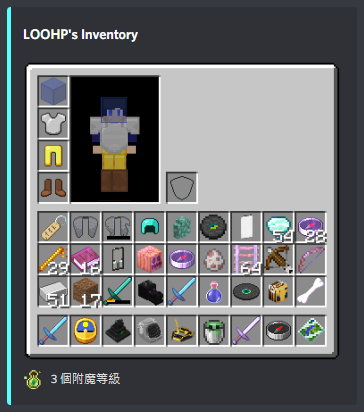
1. Display Item / Inventory / EnderChest Contents on Discord
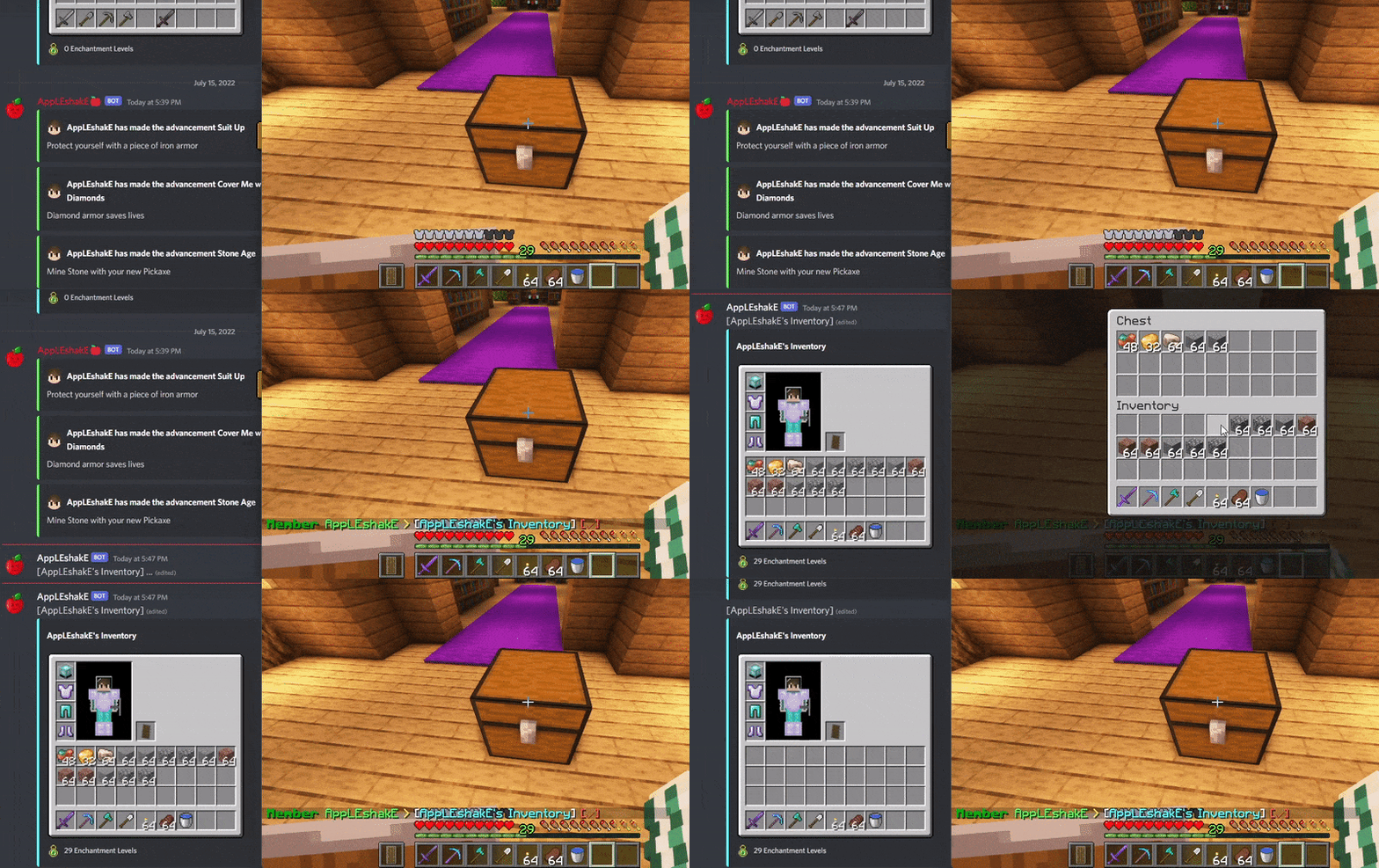
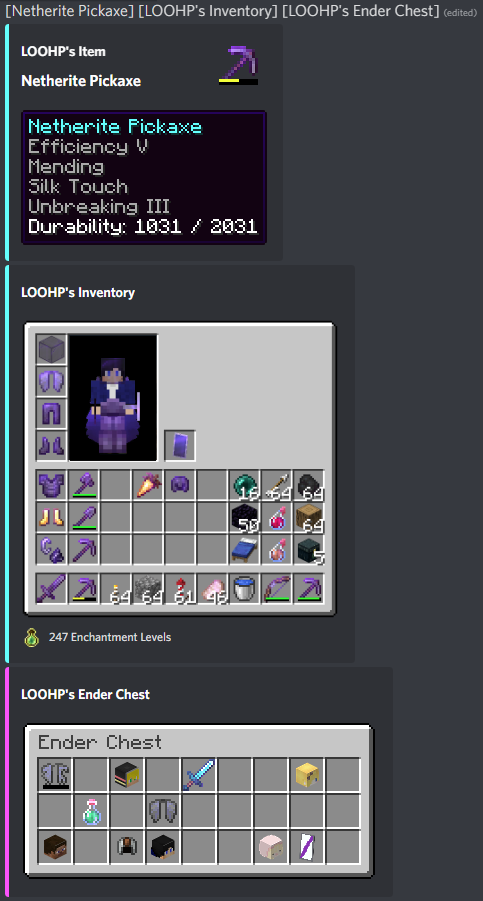
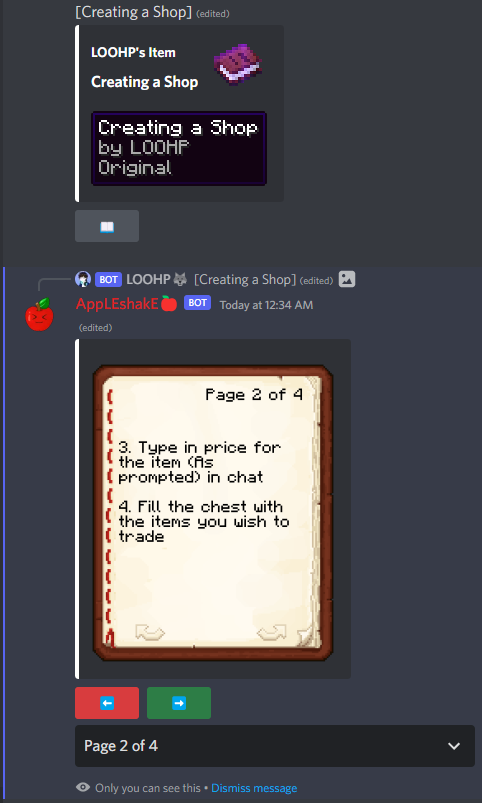
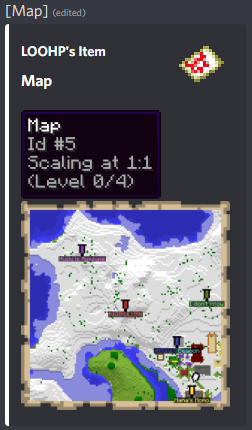
_Included in the generated inventory / item image:_
- Inventory Background
- Player Inventory Puppet with Armor, Elytra and Hat Items/Blocks
- Item Image
- Durability Indicator
- Item Amount
- Banner Pattern
- Decorated Shield Banner Pattern
- Enchantment Effect
- Dyed Leather Armor Color
- Broken Elytra Texture
- Armor Trims
- Decorated Pot Patterns
(And possibly more!)
_Included in the generated item description / tooltip:_
- Item Image
- Item Amount
- Item Type / Display Name
- Item Lore
- Item Potion Effects
- Item Enchantments
- Dyed Leather Armor RGB Color
- Firework Rocket Flight Duration
- Firework Data
- Unbreakable
- Filled Map Contents (Including Markings)
- Filled Map Data
- Clock Time
- Compass Direction
- Crossbow Charge State
- Crossbow Charged Item
- Container Contents Image (E.g. Shulker Box Contents)
- Banner patterns
- Shield patterns
- Item attributes
- Item CanDestroy & CanPlaceOn blocks
- Writable/Written Book Contents
- Written Book Data
- Bundle Contents
- GoatHorn Type
- Armor Trims
- Decorated Pot Patterns
(And possibly more!)
If I missed any, send me a message!
2. Translate InteractiveChat Placeholders on Discord
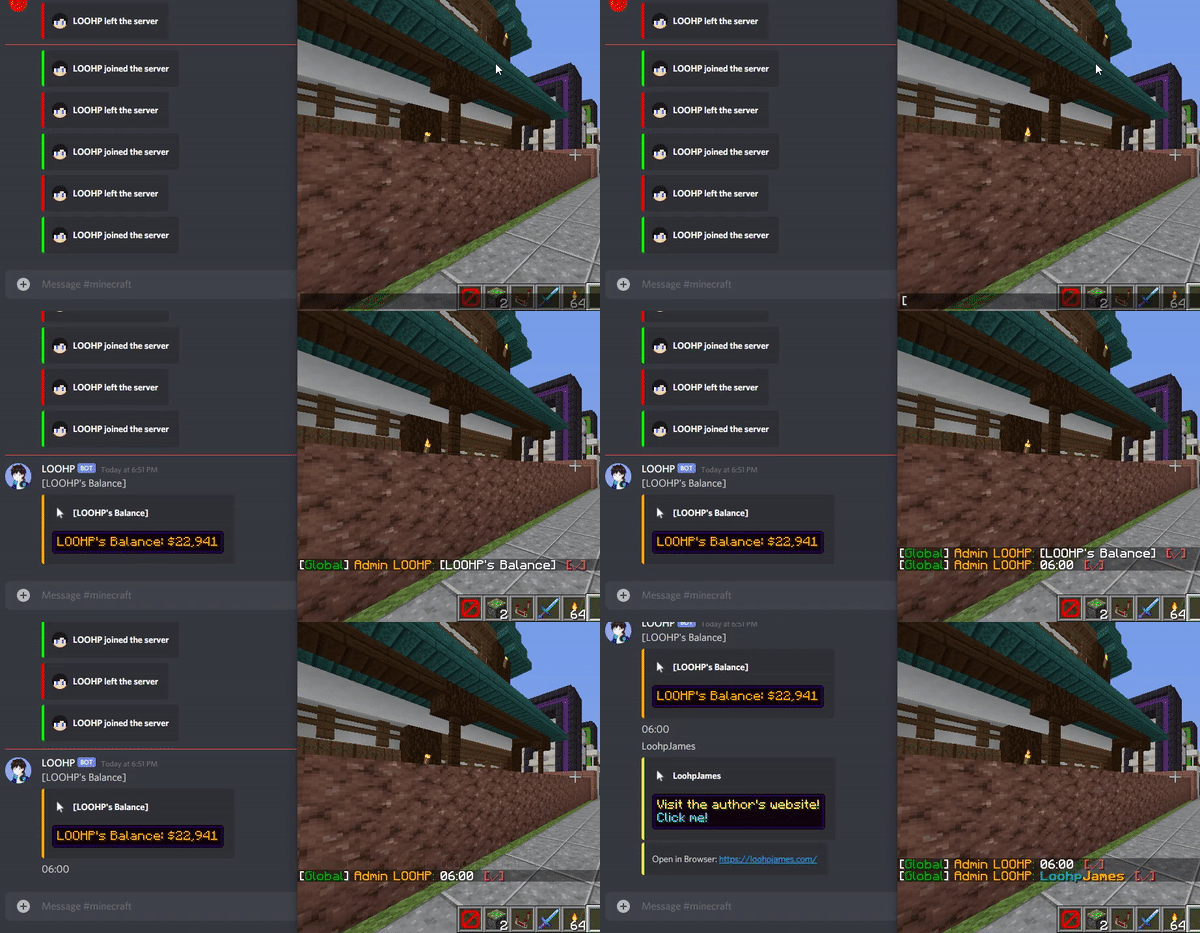
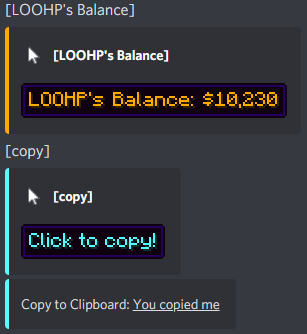
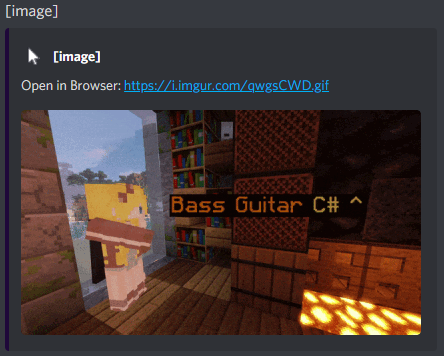
_Included:_
- Placeholder replaced with Replace Text if available
- Hover Text showed if available
- Click Event showed if available and is type OPEN_URL or COPY_TO_CLIPBOARD
3. Preview Images from Discord on Maps (Works with jpg, png and gif)
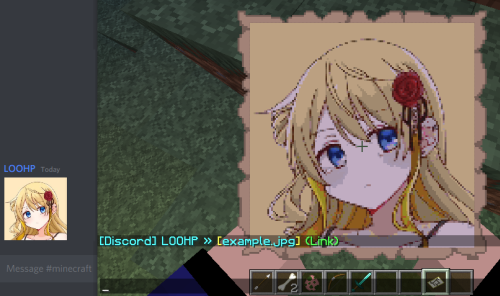
Yes! Gif will be animated up to 20 frames per second.
Do not worry! You cannot actually get the map as an item nor will your original item in hand be overridden, so it is survival server friendly.
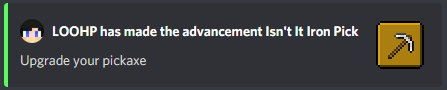
4. Beautify Advancement Messages
Show the Item icon of the advancement in the discord message Works with datapack advancements as well!
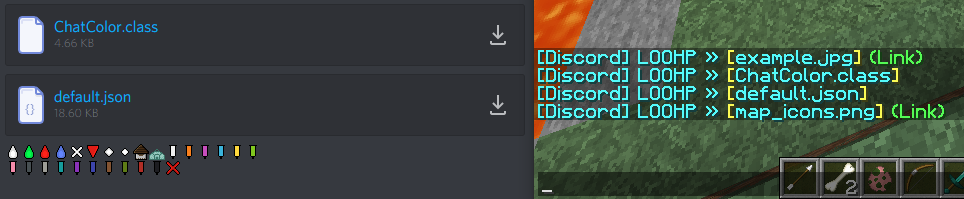
5. Convert Attachments from Discord into Pretty Clickable and Hoverable Messages
6. Discord Commands
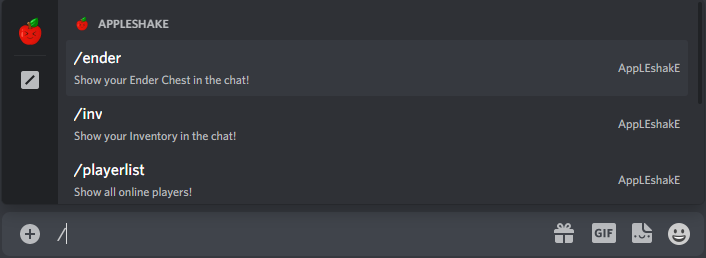
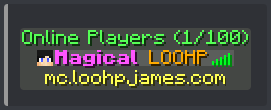
_Currently available commands:_ (excluding sub-commands)
- _/item_ - Share the item in your inventory at the selected slot
- _/inv_ - Share the inventory of your/someone's discord linked in-game account
- _/ender_ - Share the ender chest of your/someone's discord linked in-game account
- _/playerlist_ - An in-game tablist style display of online players
- _/playerinfo_ - Show info regarding a player
- _/resourcepack_ - Show resource packs installed on ICD
7. Resource Packs Support
You can apply your own resource pack and have anything you'd expect from installing a resource pack on your Minecraft client applied! That includes but not limited to:
- _Custom Fonts_
- _Custom Textures_
- _Custom Block Models_
- More Info: https://github.com/LOOHP/InteractiveChat-DiscordSRV-Addon/wiki/Resource-Pack
8. Language of Your Choice
Certain messages (Such as item names) are translated to your preferred language set in the config. The language file will be automatically downloaded from Mojang so you won't have to translate them yourself!
All other messages can be changed in the config.
The formatting can be altered in the config to suit your liking!
Dependencies
- InteractiveChat (And its dependencies, requires the latest dev build)
- DiscordSRV (1.26.0-SNAPSHOT or above)
Installation
- Put InteractiveChatDiscordSrvAddon.jar into the plugins folder along with the required dependencies
- Start the server _(Note that it will take some time to download the assets)_
- Edit the config (if you need to)
- Restart the server (if you changed something in the config in step 3)
Development Builds
Showcase Server
Want to give the plugin a try?
IP: mc.loohpjames.com
API
Highlights
From source dataGame versions
Supports 74 Minecraft versions, the newest being 26.2.
Loaders
Runs on Folia, Paper, Purpur and Spigot.
Footprint
Rated a light load on a server.
What kind of mod it is
From the catalogGameplay & overhauls
New mechanics, content and overhauls that change how the game plays.
Runs on your server
From source side supportModrinth lists InteractiveChat DiscordSRV Addon as required on the server. Check its Modrinth page to see whether players need it too.
Compatibility
- Game
- Minecraft
- Loaders
- FoliaPaperPurpurSpigot
- Runs on
- Serverrequired on the server
- Game versions
- 26.2 and 73 earlier
Verified at the source
- ✓ModrinthOfficial listing, checked 2026-10-01Open ↗
- ✓AuthorLOOHP, as published on Modrinth
- ✓LicenseGPL-3.0-onlyFree








