






About Loot Explorer
From ModrinthMakes containers containing loot tables appear in the creative inventory.
Minecraft-LootExplorer ===============
Overview
The Loot Explorer Mod for Minecraft helps the Minecraft content developer by making containers containing loot tables appear in the creative inventory.
Works in Minecraft 1.21
Requires FabricAPI
Features
Loot Chests
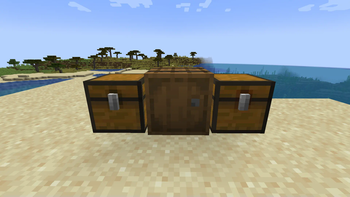
- Creative Inventory: A new tab in the creative inventory with containers that have loot table nbt within them.
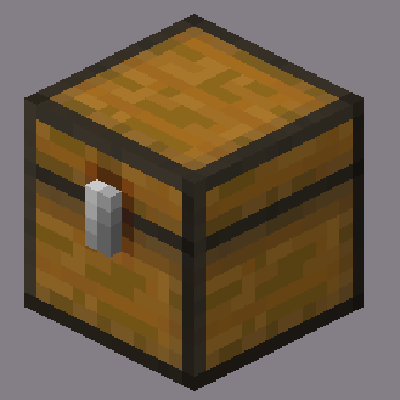
- Container Options: The loot table containers include the three vanilla variants of chests, barrels, and trapped chests.
- Copy Loot Table: With the use of the Copy Lore key bind, you can easy copy the lore of any item, allowing to copy the loot table location of the containers.
- Data Pack Compatibility: Loot Tables that come from created data packs are also detected and created.*
Installation
- Download the Loot Explorer Mod file.
- Ensure you have Minecraft Fabric Loader installed.
- Place the mod file into your Minecraft
modsfolder. - Start Minecraft using the Fabric profile.
Dependencies
- Required: FabricAPI
Configuration
Mod Configuration File
- There currently is no configuration file for this mod as it's fairly simple
Usage
Getting Containers
- Creative Inventory: When in the creative inventory, there is now a new tab labeled Loot Tables that contains all variants of containers of each loot table found.
- Random Chests: The chests will generate random loot based on the loot table whenever they are placed down.
- Lore Copying: While holding a chest in your hand, press the Copy Lore keybind, and the lore of the chest will be copied into your clipboard.
Contributions
Contributions are welcome! If you have ideas for new features, optimizations, or bug fixes, please feel free to open an issue or submit a pull request on the mod's GitHub repository.
*In order to detect the loot chest, the directory must be in the style of "namespace/loot_table/chests" or "namespace/loot_table/loot"
Highlights
From source dataGame versions
Supports 5 Minecraft versions, the newest being 26.2.
Loaders
Runs on Fabric and NeoForge.
Footprint
Rated a light load on a server.
What kind of mod it is
From the catalogWeapons, items & crafting
New weapons, gear, items and the recipes to make them.
Runs on your server
From source side supportModrinth lists Loot Explorer as required on the server. Check its Modrinth page to see whether players need it too.
Compatibility
- Game
- Minecraft
- Loaders
- FabricNeoForge
- Runs on
- Serverrequired on the server
- Game versions
- 26.2 and 4 earlier
Verified at the source
- ✓ModrinthOfficial listing, checked 2026-10-01Open ↗
- ✓AuthorVgLevelUp, as published on Modrinth
- ✓LicenseMITFree








