







About Mc2Discord
From ModrinthLink your Minecraft server chat with your Discord (integration, bridge)

Link your Minecraft server chat with your Discord
/!\ This mod needs configuration to work properly. Please take a look to the wiki: https://github.com/DenisD3D/Mc2Discord/wiki
Features
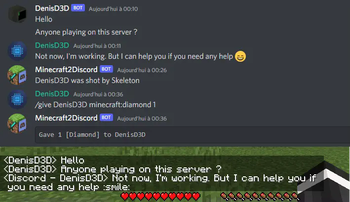
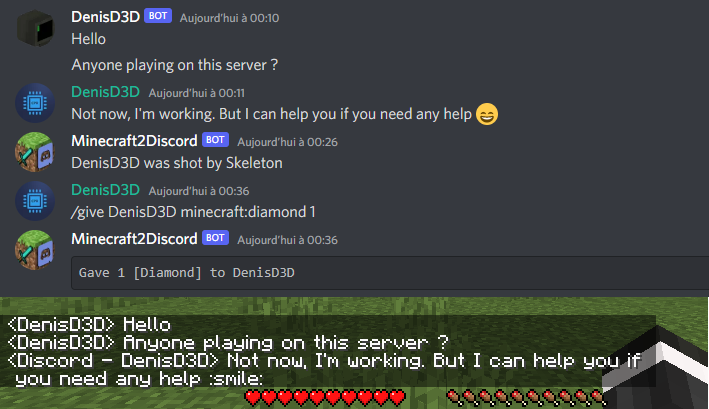
- Send Minecraft chat message to your Discord server
- Send message in your Discord server to the Minecraft chat
- Send game events message to Discord (player join, player leave, death, etc.)
- Display player's head as profile picture in Discord thanks to webhook mode
- Execute Minecraft commands on Discord
- Customize bot presence (eg: playing at xxx) and channel name / topic
- Provide an invitation link to your Discord server with the /discord command
- Forward the server console to discord (useful for admins)
- Hide player on Discord (useful for admins, integrate with VanishMod)
- Account linking (forced or optional)
- Fully customizable, easy configuration (messages, behavior, etc.)
- Relay others mods announcements
- Works with Emojiful to display emojis ingame
Try without installing
Join the official demo server hosted by MtxServ
- Join the demo discord channel #access-demo
- Start the sever with /start command (server is usually stopped)
- Connect to m2d-demo.denisd3d.fr with minecraft 1.20.2 Vanilla
Installation
A quick configuration is mandatory for the mod to work. Steps are described on the wiki: https://github.com/DenisD3D/Mc2Discord/wiki
If you need any help or want new features, you can join the Discord support server
You can also watch the video tutorial:
<iframe width="560" height="315" src="https://www.youtube.com/embed/PI9j-rwiHoo" title="YouTube video player" frameborder="0" allow="accelerometer; autoplay; clipboard-write; encrypted-media; gyroscope; picture-in-picture" allowfullscreen></iframe>
Misc
Links
- Discord (Support): https://discord.gg/rzzd76c
- CurseForge (Download): https://www.curseforge.com/minecraft/mc-mods/mc2discord/
- Modrinth (Download): https://modrinth.com/mod/mc2discord
- Github (Source): https://github.com/DenisD3D/Mc2Discord
- Wiki: https://github.com/DenisD3D/Mc2Discord/wiki
Highlights
From source dataGame versions
Supports 33 Minecraft versions, the newest being 26.3.
Loaders
Runs on Fabric, Forge, NeoForge and Quilt.
Footprint
Rated a light load on a server.
What kind of mod it is
From the catalogChat & community
Chat, voice, Discord, clans and other community features.
Runs on your server
From source side supportModrinth lists Mc2Discord as required on the server. Check its Modrinth page to see whether players need it too.
Compatibility
- Game
- Minecraft
- Loaders
- FabricForgeNeoForgeQuilt
- Runs on
- Serverrequired on the server
- Game versions
- 26.3 and 32 earlier
Verified at the source
- ✓ModrinthOfficial listing, checked 2026-10-01Open ↗
- ✓AuthorDenisD3D, as published on Modrinth
- ✓LicenseApache-2.0Free








