






About Multitool
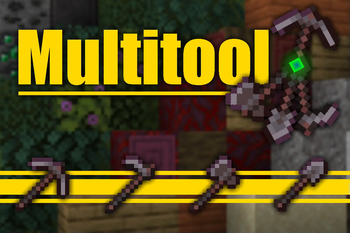
From ModrinthCombine all the tools into the Multitool
 Multitool
<font color="#00ff00">Do you hate it when your whole inventory is cluttered by tools?
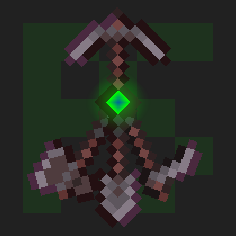
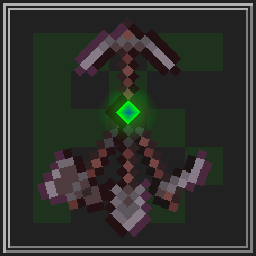
Well, with this data pack you can combine all the tools into the Multitool.</font>


Features
The Multitool can always break blocks meant for the axe, hoe, pickaxe or shovel, no matter what form it is currently in.
If you look at a block, the Multitool switches to a tool suited for that block like an axe to strip logs or a shovel to create paths.
When sneaking while looking at tillable blocks, the Multitool swaps to a hoe, so you can create fresh farmland.
You can enchant the Multitool! It supports any enchantment that you can normally put onto a tool.
The Multitool has 3 times the durability of a regular tool made from the same material.
Mutlitool even supports resource packs, like this one by Dukette, it turns the Multitool into a halberd!
How to get
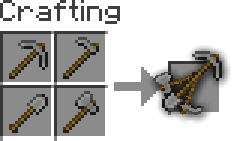
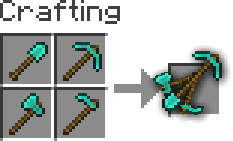
To craft a Multitool, you just need to combine all four types of tools of the same material in the crafting grid.
Adding or removing a Multitool
You can generate your own Multitool data pack simply by configuring a config and building it
> This also works for modded tools but note that some mods break data packs so I won't guarantee compatability or support
_If Python is allready installed, you should just be able to run pip install beet to install beet_
- Clone or download the GitHub repository
- Add or remove
materialsinmultitool_config.ymland configureoverwrites, for mods where a tool isn't following vanilla's naming scheme
> You can easily find the namespace by looking at the item in your inventory after pressing F3 + H, it should be in the form <namespace>:<material>_<tool>
- Move to this folder with a terminal and run
beet, it should create a folder calledbuildwith your data pack in it




Highlights
From source dataGame versions
Supports 28 Minecraft versions, the newest being 1.21.10.
Loaders
Runs on Data pack, Fabric, Forge, NeoForge and Quilt.
Footprint
Rated a light load on a server.
What kind of mod it is
From the catalogWeapons, items & crafting
New weapons, gear, items and the recipes to make them.
Runs on your server
From source side supportModrinth lists Multitool as required on the server. Check its Modrinth page to see whether players need it too.
Compatibility
- Game
- Minecraft
- Loaders
- Data packFabricForgeNeoForgeQuilt
- Runs on
- Serverrequired on the server
- Game versions
- 1.21.10 and 27 earlier
Verified at the source
- ✓ModrinthOfficial listing, checked 2026-10-03Open ↗
- ✓AuthorPuckiSilver, as published on Modrinth
- ✓LicenseMITFree








