






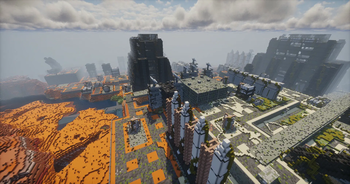

About Pomkots World (Lost Cities add-on)
From ModrinthGenerates a sci-fi flavored, post-apocalyptic world. This is an add-on for Lost Cities.
What's This?
This is an add-on for Lost Cities that generates a sci-fi flavored, post-apocalyptic world!
This is one of the elements to support the Survival Mode integration of Pomkots Mechs, a high-speed custom mech mod
Demo Movie
<iframe width="560" height="315" src="https://www.youtube-nocookie.com/embed/m9ViPblu3qs" title="YouTube video player" frameborder="0" allow="accelerometer; autoplay; clipboard-write; encrypted-media; gyroscope; picture-in-picture; web-share" allowfullscreen></iframe>
Please Read (Important!)
- This is currently in super alpha. Expect rapid updates and changes.
- Be sure to use it in a new world with a fresh configuration.
- Does NOT include enemy mech spawns, custom recipes, or quests yet — those will come later as part of a separate modpack.
- Many structures are still pretty empty inside (especially interiors).
Need Your Help!
- I plan to keep adding a ton of ruined structures in future updates!
- If you're interested in helping build or submitting your own ruins, I'd love to collaborate!
- Please feel free to DM me on X (Twitter)!
Ruined Cities Added
- Heavily decayed urban cities
- Abandoned industrial factory zones
- Derelict port areas
- Ruined mega-solar facilities
- Military base ruins
Scattered Ruins Added
- Abandoned gas stations
- Collapsed farming plants
- Ruined garages
- Process factory ruins
- Lighthouse ruins
- Observation towers
...and more!
How to Use (and Recommended Settings)
Preparation
- Place Lost Cities and this mod in your modpack's mods folder.
- Launch Minecraft.
Creating a New World
- Start by creating a new world.
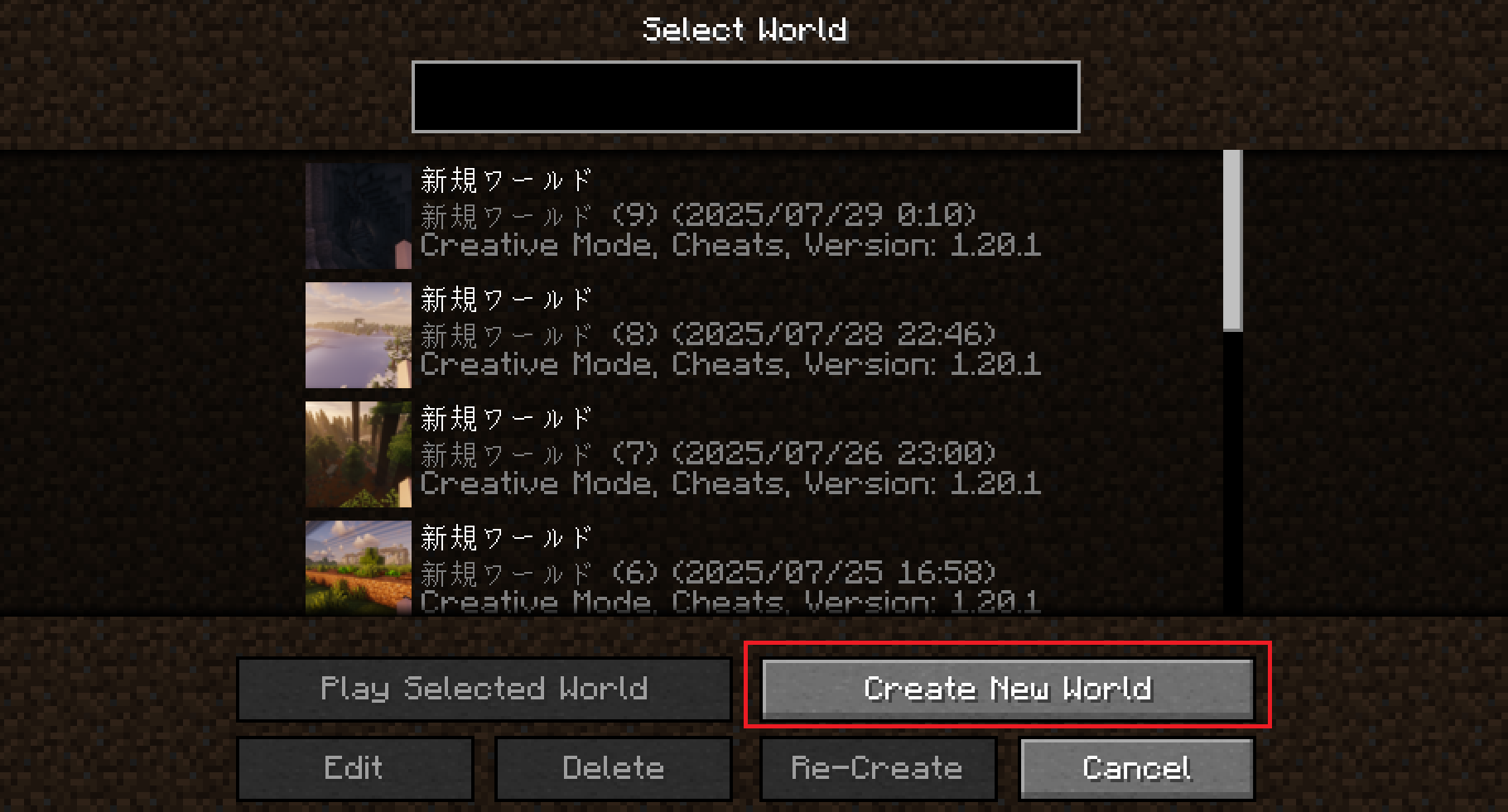
- Set the World Type to Large Biomes (recommended).
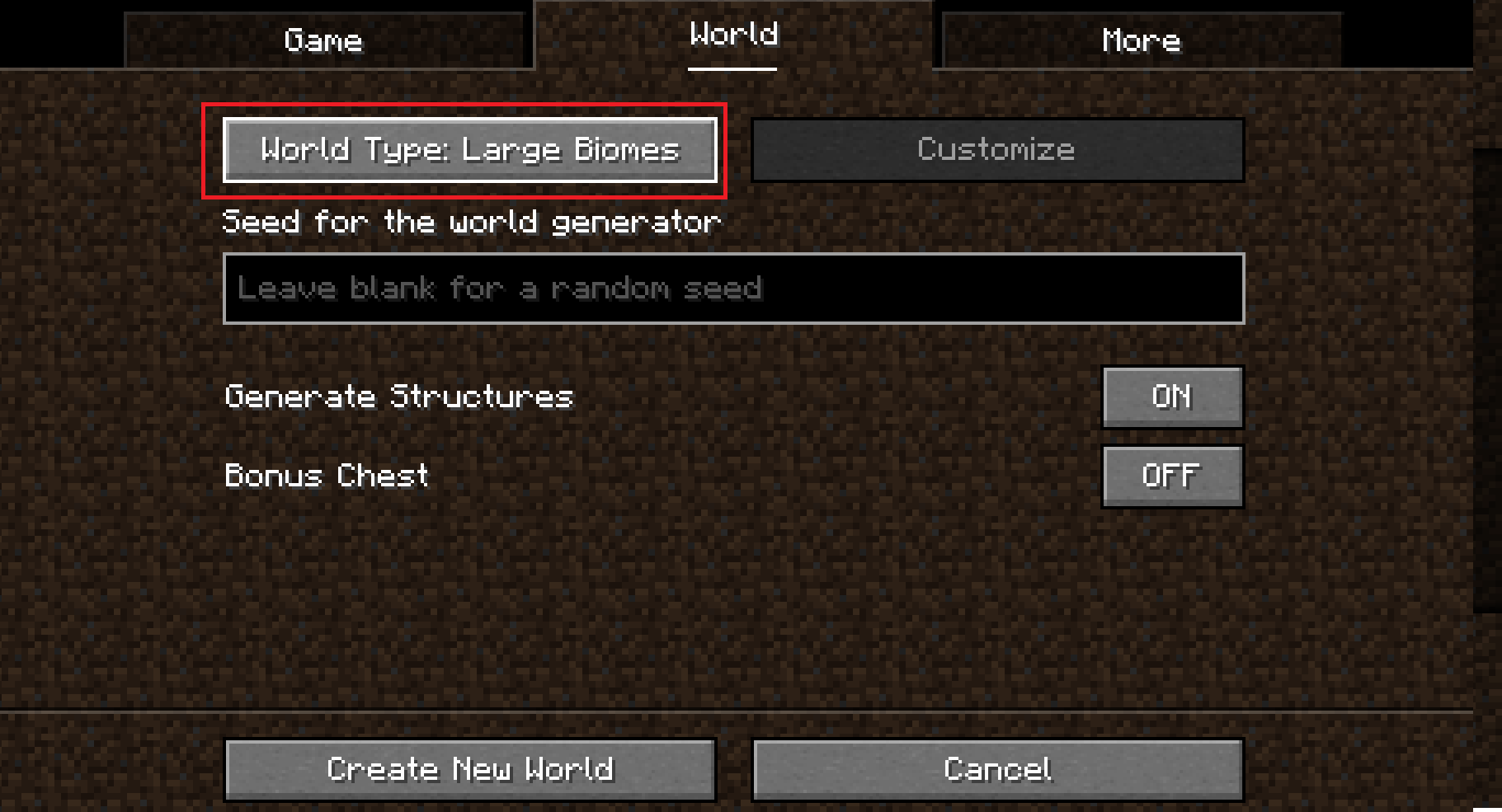
- Go to the More tab and click the Cities button.
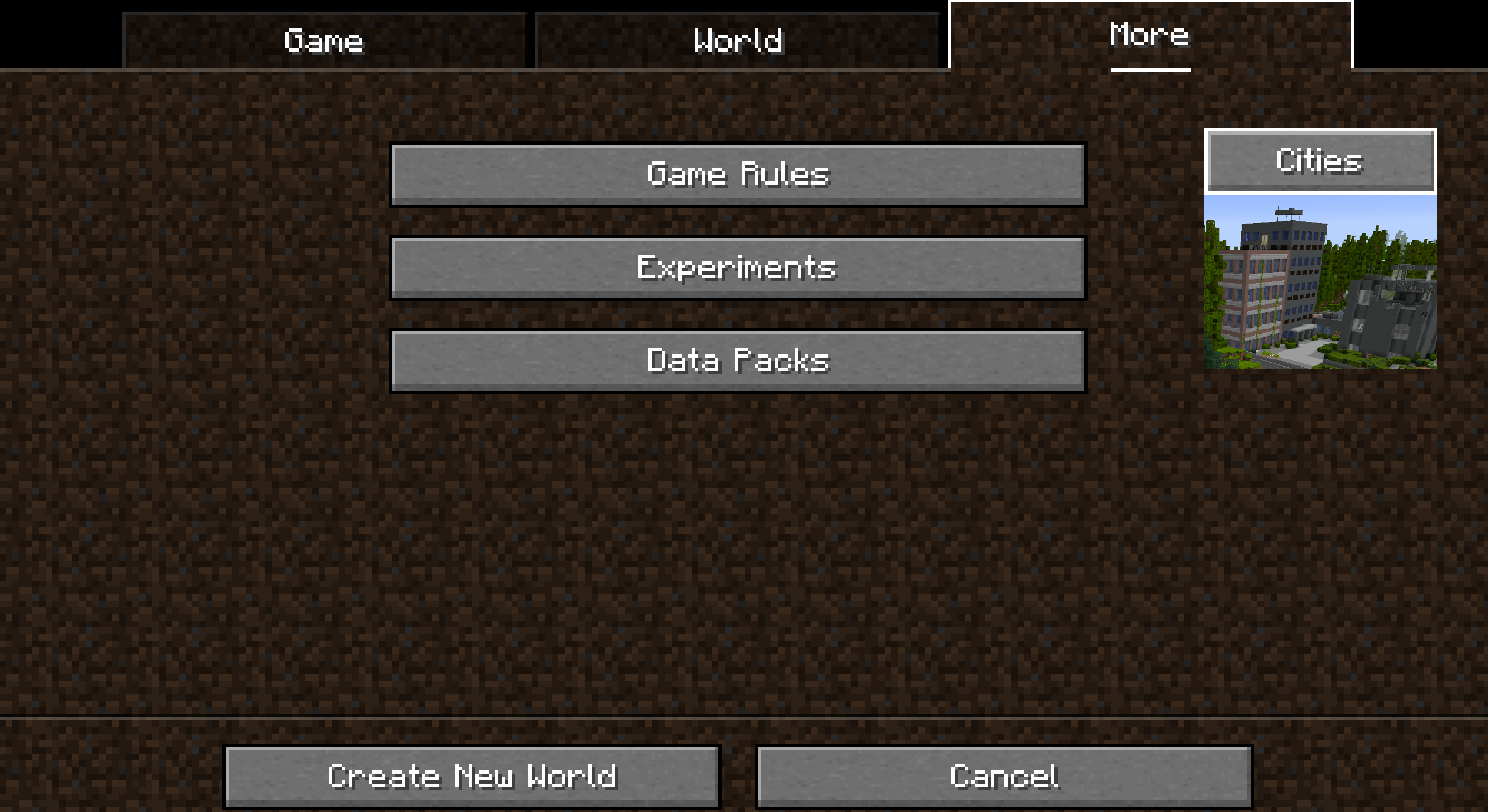
- Click the Profile button several times until you select rarecities.
(You can use other profiles too, but this one is recommended!) 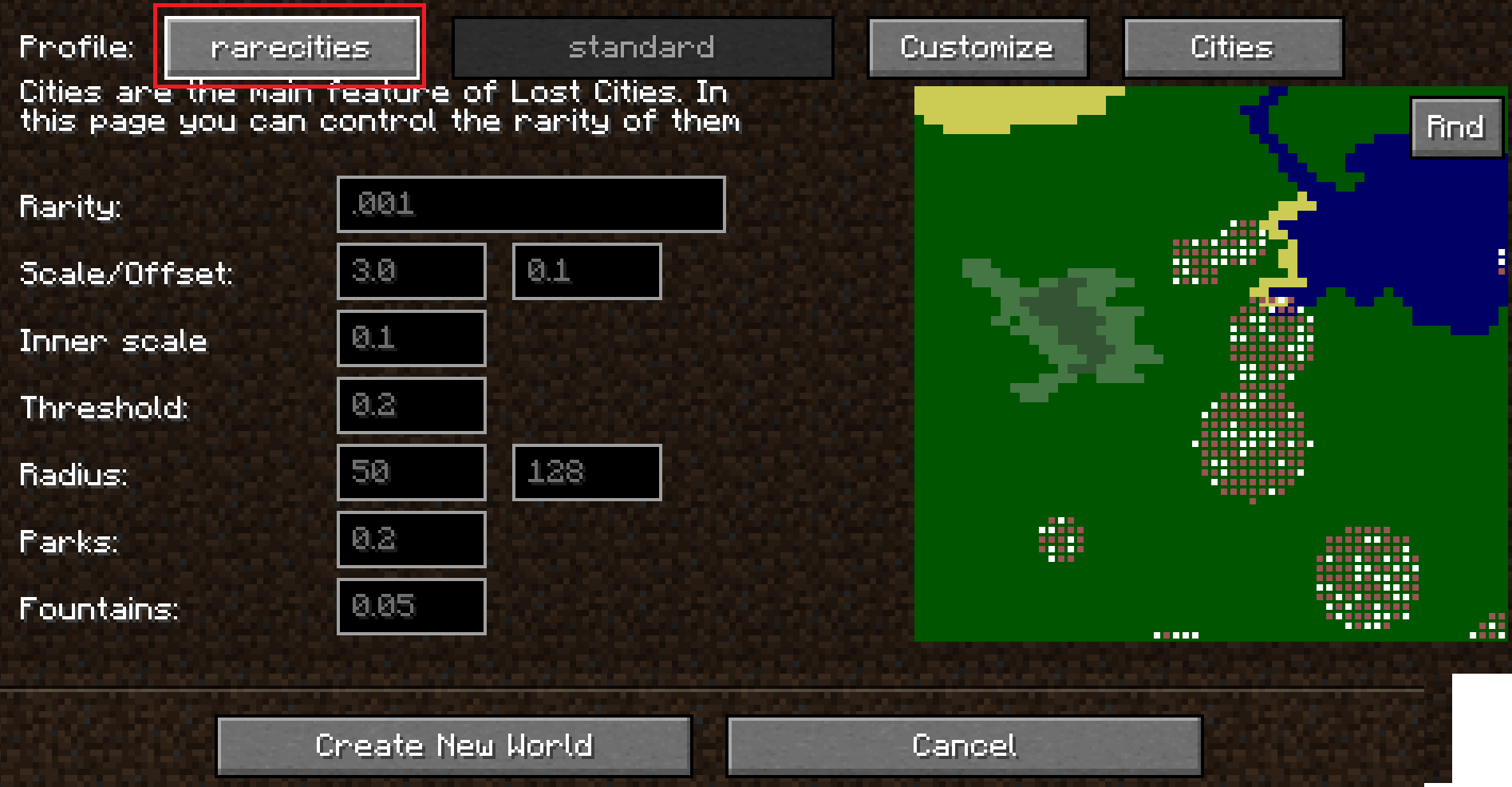
- Click the Customize button once. Then, click the setting that says standard several times until you see pomkotsmechs:pomkotsworld.
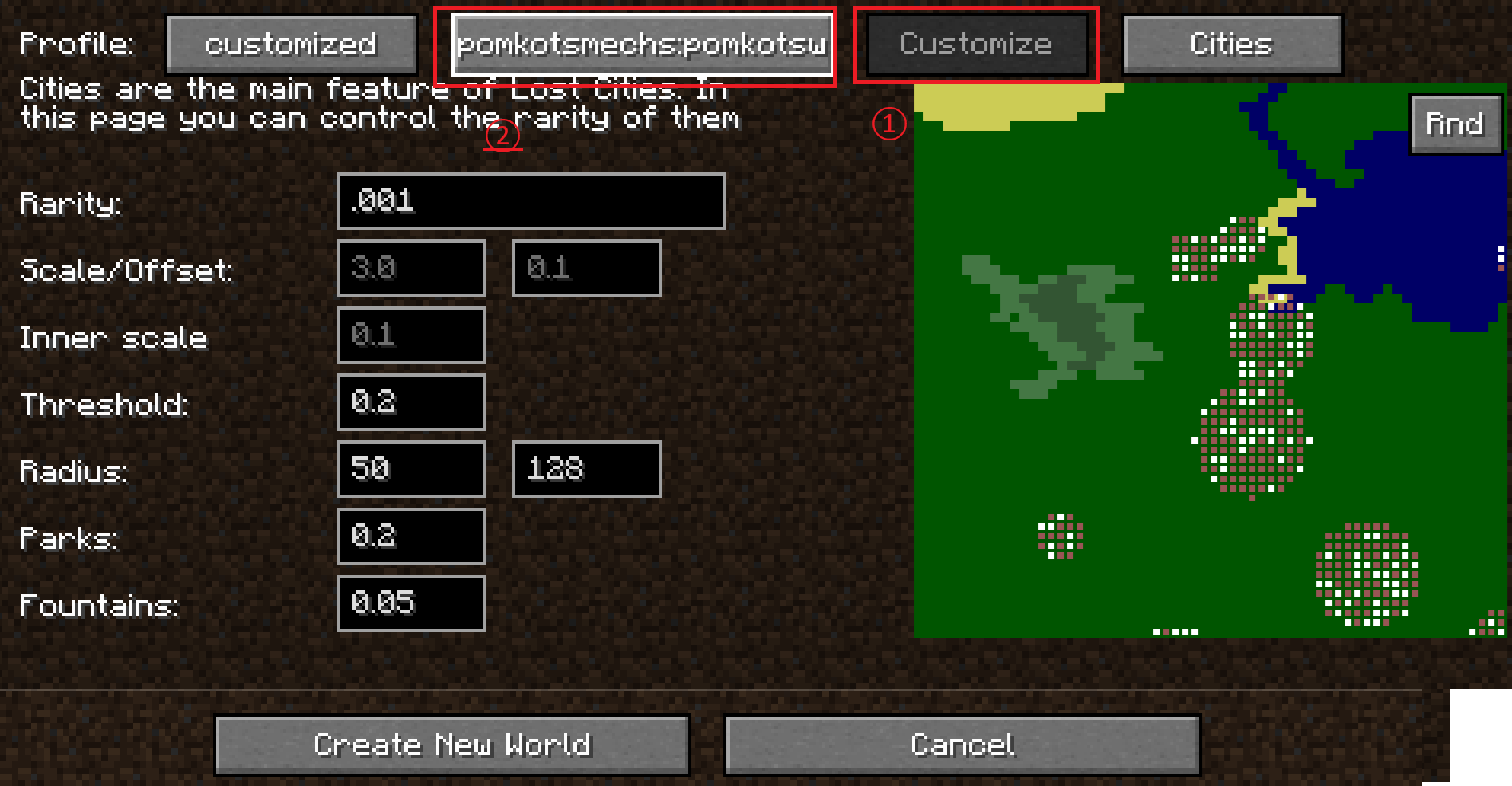
- Set the Radius to 300.
(Recommended: sets the max radius of a city to 300 blocks.) 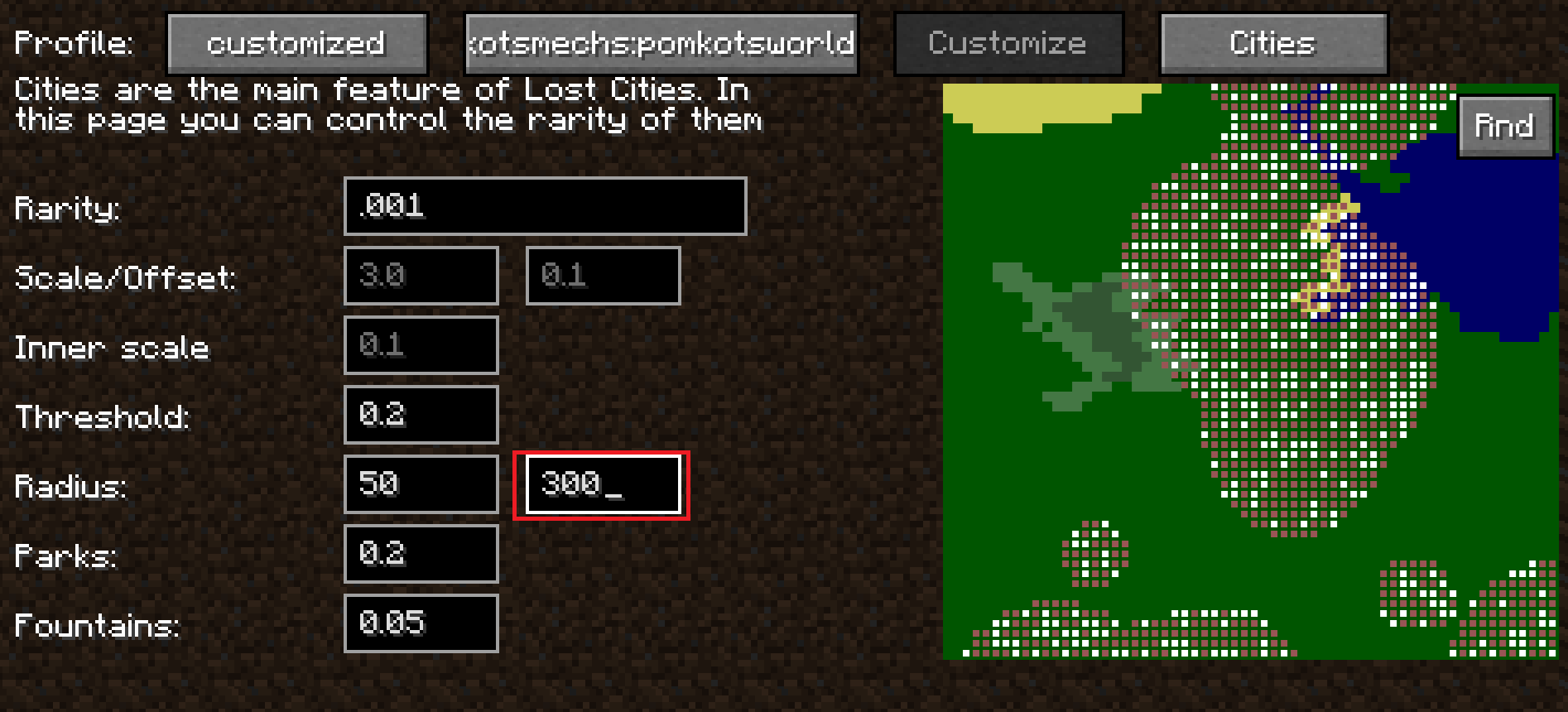
- Click the Cities button.
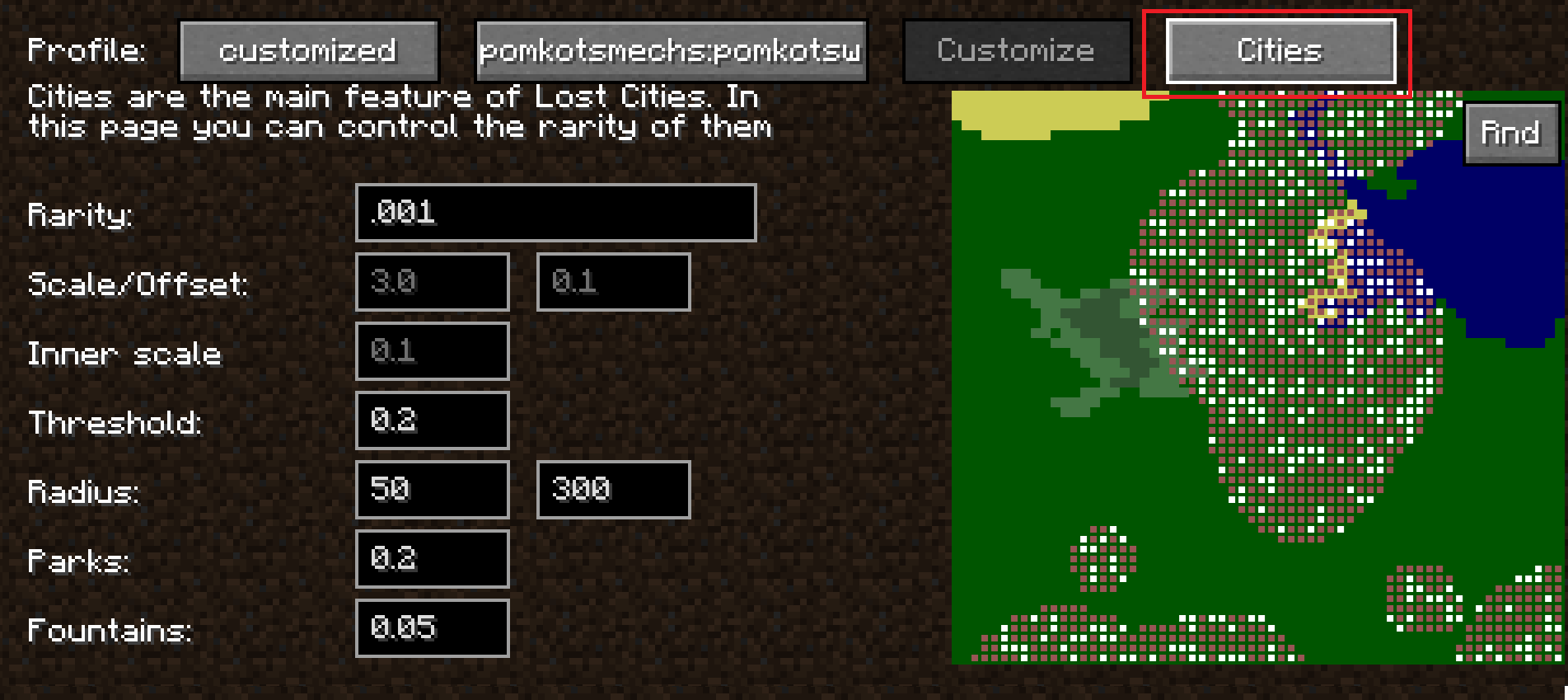
- Adjust the building generation settings to your liking.
(Check the Lost Cities documentation for more detail!) 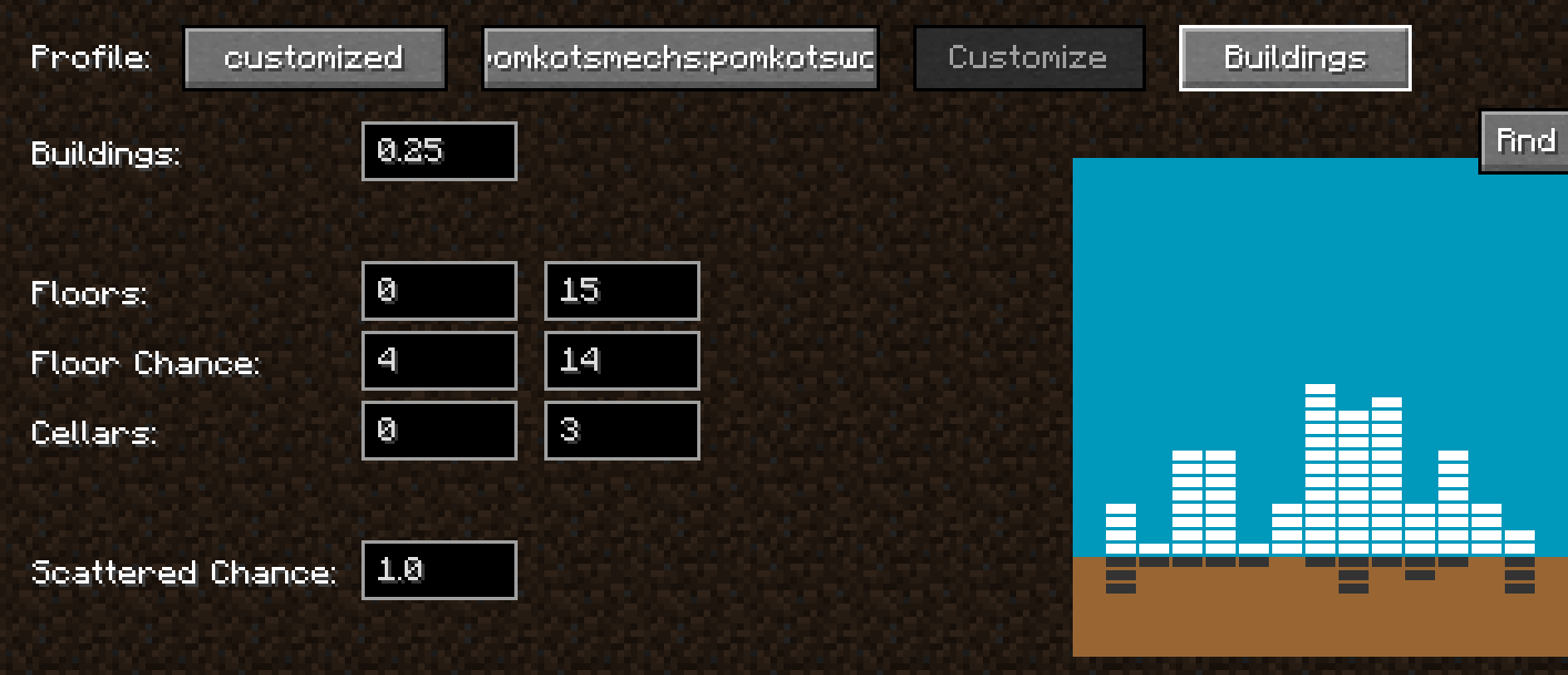
Reference Links
Lost Cities official usage:https://www.mcjty.eu/docs/mods/lost-cities/
Acknowledgment
Huge, ultra-super thanks to McJty for creating the amazing mod Lost Cities! It’s a mod full of infinite possibilities and incredible potential. Wishing continued success and prosperity of Lost Cities!
Contributor
Pine-san(@Pining_Pine on X): Thanks for providing Aircraft and Warship!
Highlights
From source dataGame versions
Built for Minecraft 1.20.1.
Loaders
Runs on Forge.
Footprint
Rated a light load on a server.
What kind of mod it is
From the catalogGameplay & overhauls
New mechanics, content and overhauls that change how the game plays.
Runs on your server
From source side supportModrinth lists Pomkots World (Lost Cities add-on) as required on the server. Check its Modrinth page to see whether players need it too.
Compatibility
- Game
- Minecraft
- Loaders
- Forge
- Runs on
- Serverrequired on the server
- Game versions
- 1.20.1
Verified at the source
- ✓ModrinthOfficial listing, checked 2026-10-01Open ↗
- ✓Authorgrc_mcs, as published on Modrinth
- ✓LicenseLicenseRef-All-Rights-ReservedFree








