







About Portable Blueprints
From ModrinthTired of manually building the same structures over and over, like roads, street lamps, or houses? This mod is perfect for you! Scan your structure and create a blueprint so you can rebuild it instantly with just one click!
📐 Build Faster with Blueprints!
Tired of manually building the same structures over and over, like roads, street lamps, or houses? This mod is perfect for you! Scan your structure and create a blueprint so you can rebuild it instantly with just one click!
Video Full Showcase & Features
<iframe style="width: 670px;" src="https://www.youtube.com/embed/2cPo9JCO-Xo" width="670" height="397" allowfullscreen="allowfullscreen"></iframe>
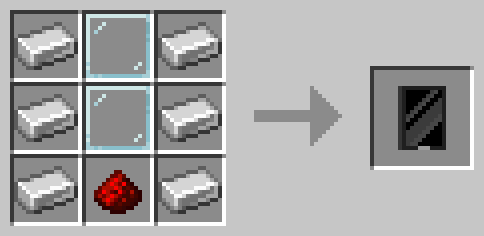
📜 Recipes:
🔹 Tablet
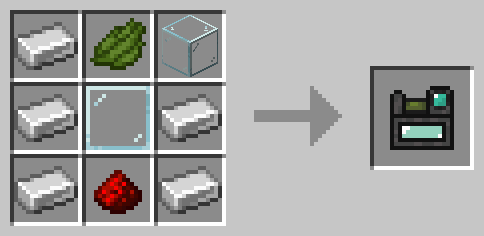
🔹 Scanner
- From version 1.9.3 and below:
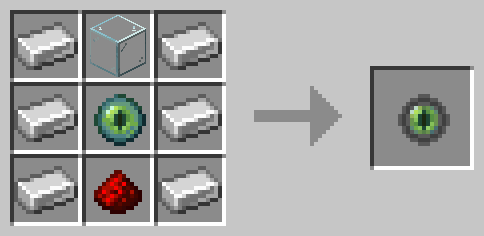
- From version 2.0.0 and above:
🏗️ Main Features
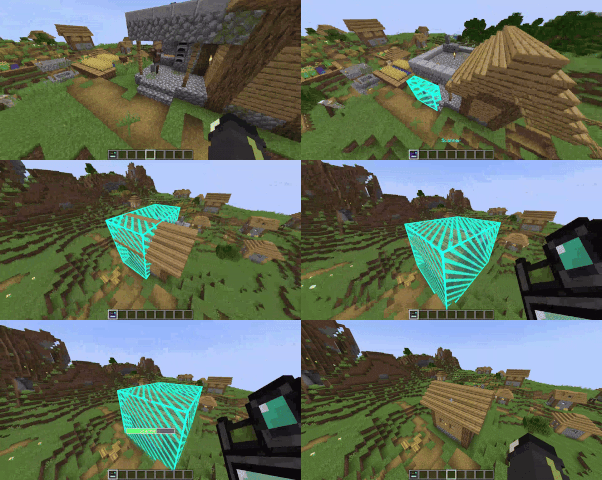
🔹 Scanner – Scan any structure to save it as a blueprint.
- Right-click a block to set the first corner.
- Right-click another block to set the second corner.
- Once the area is selected, give it a name and save the structure.
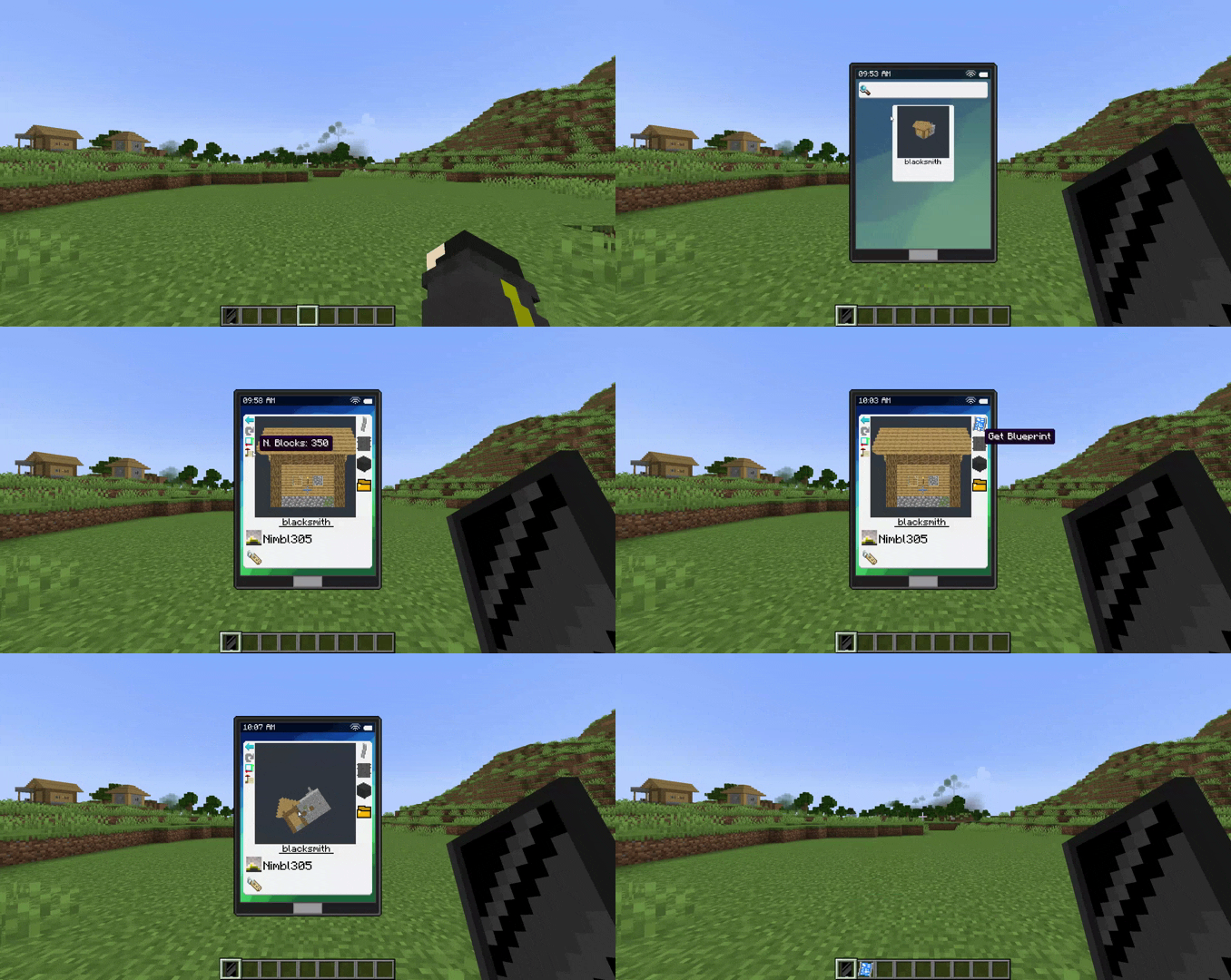
🔹 Tablet – Easily manage your blueprints.
- View your saved structures.
- Delete blueprints you no longer need.
- Obtain the blueprint item to place it in the world.
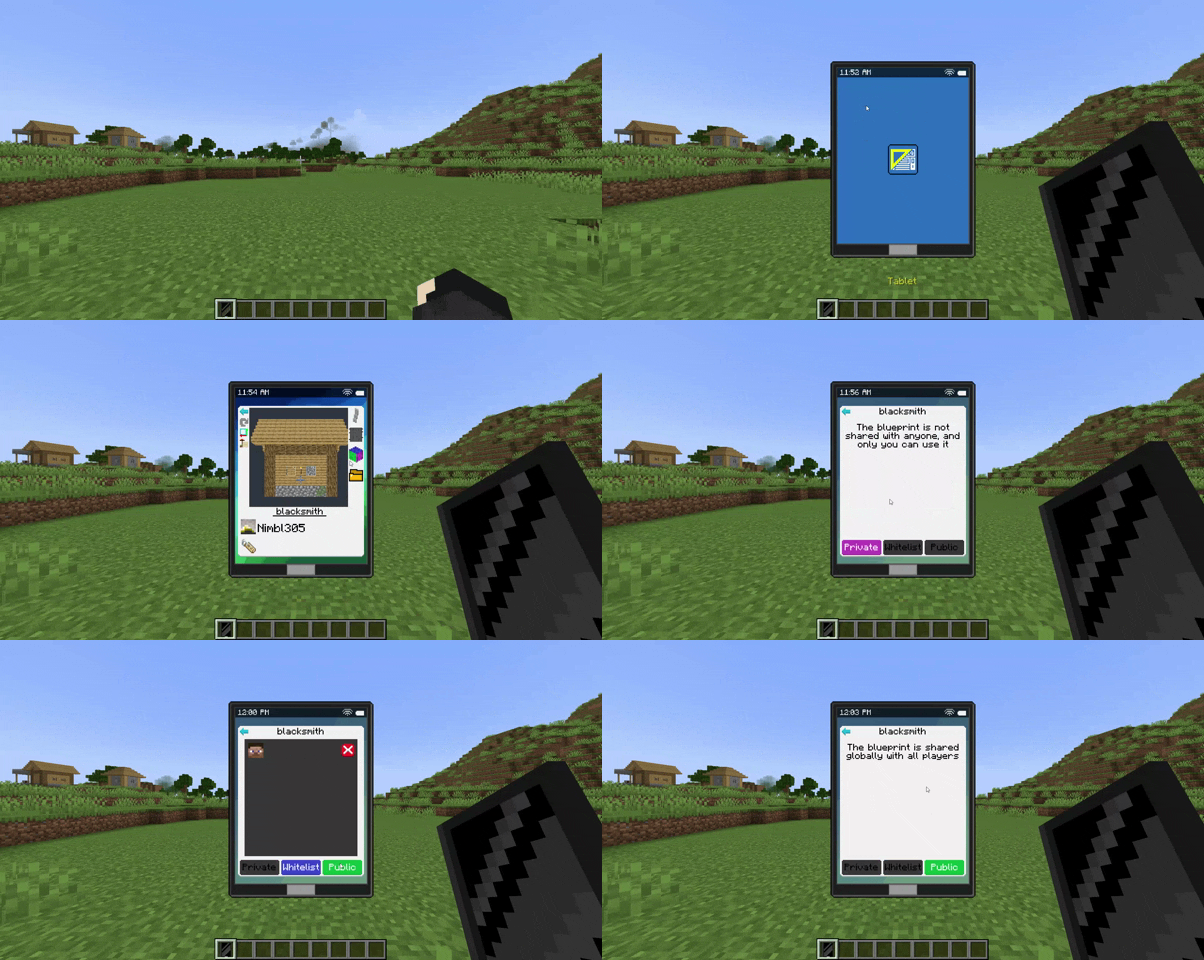
- Share your blueprints with other players in the same world.
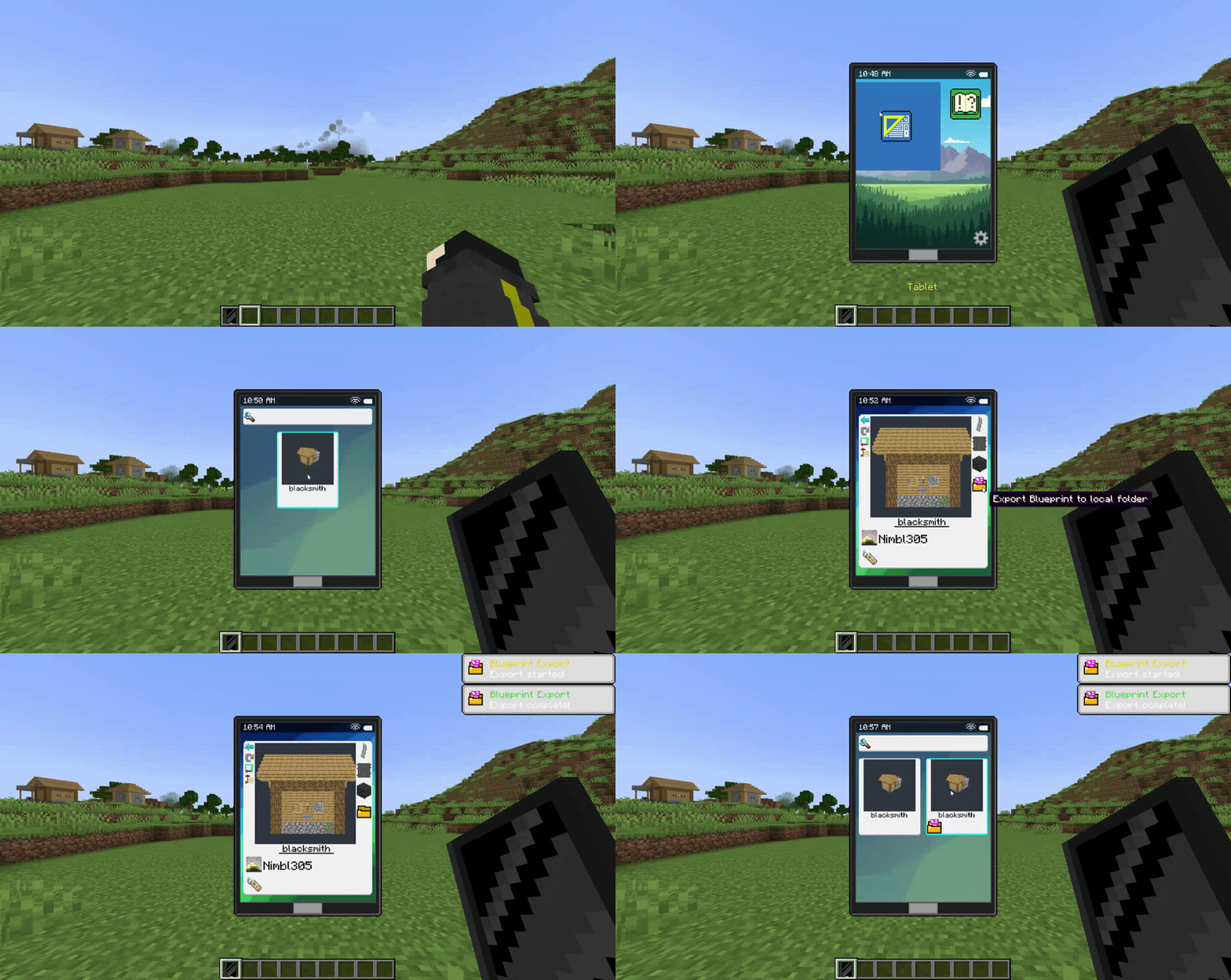
- Export and import global blueprints to use them across different worlds.
- Access server-provided blueprints.
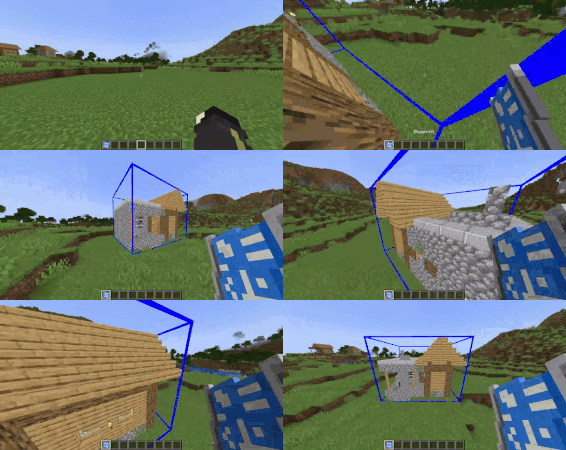
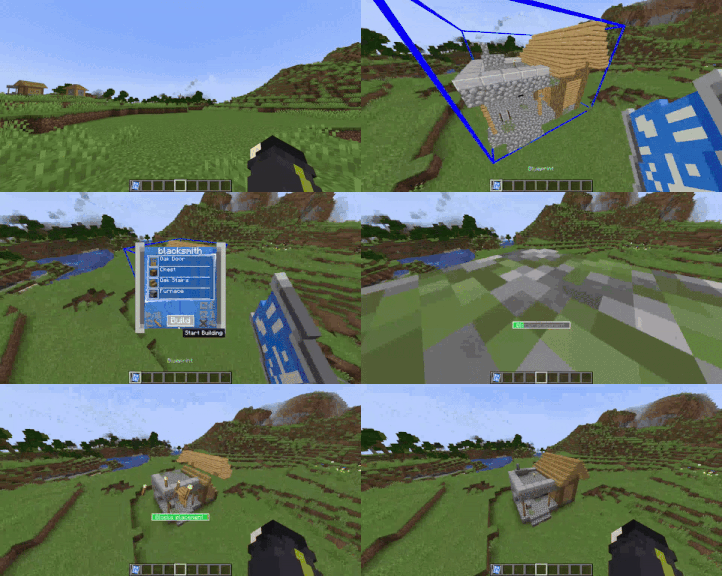
🔹 Blueprint – Build your saved structures effortlessly!
- Select the origin point by clicking on a block.
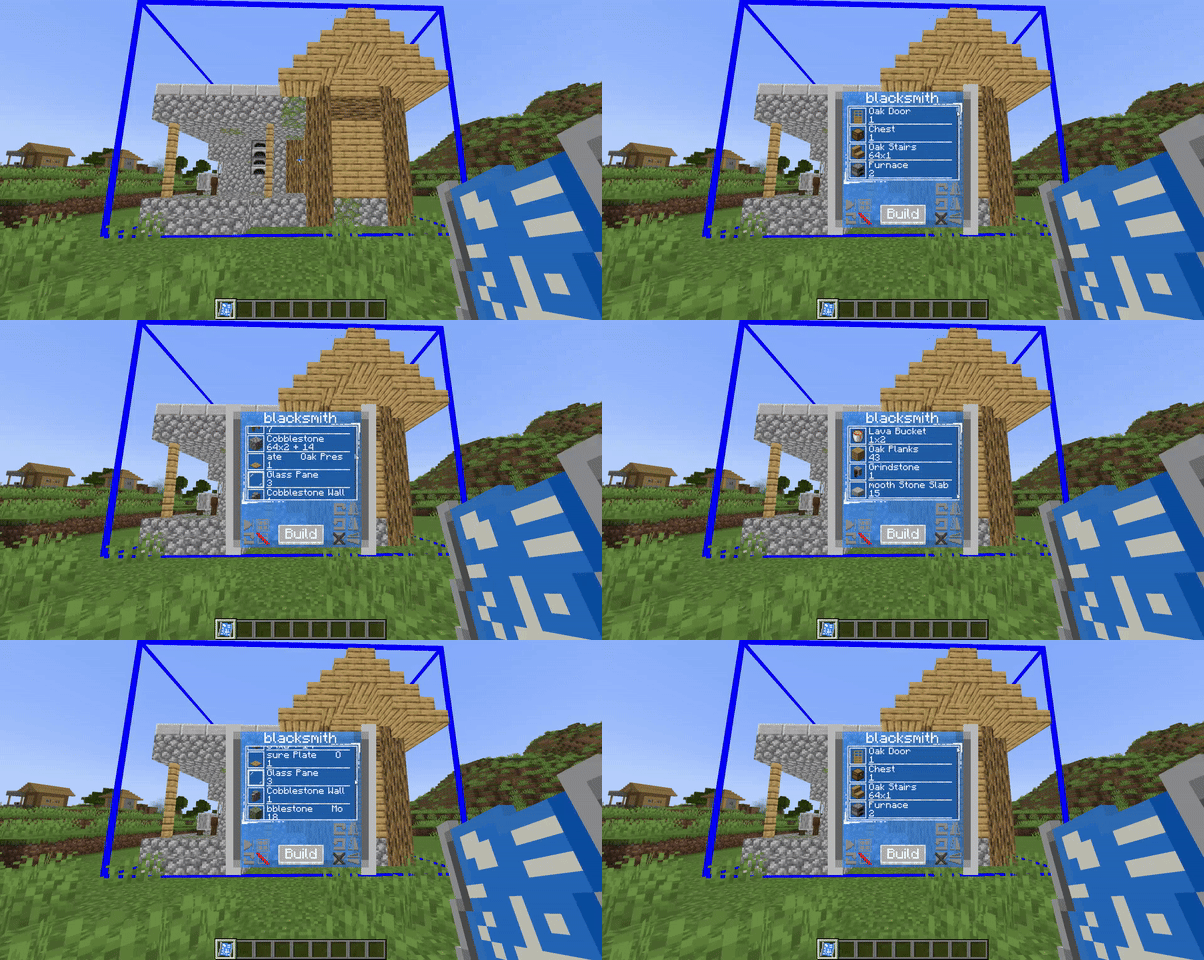
- A holographic preview will show exactly how the structure will be placed.
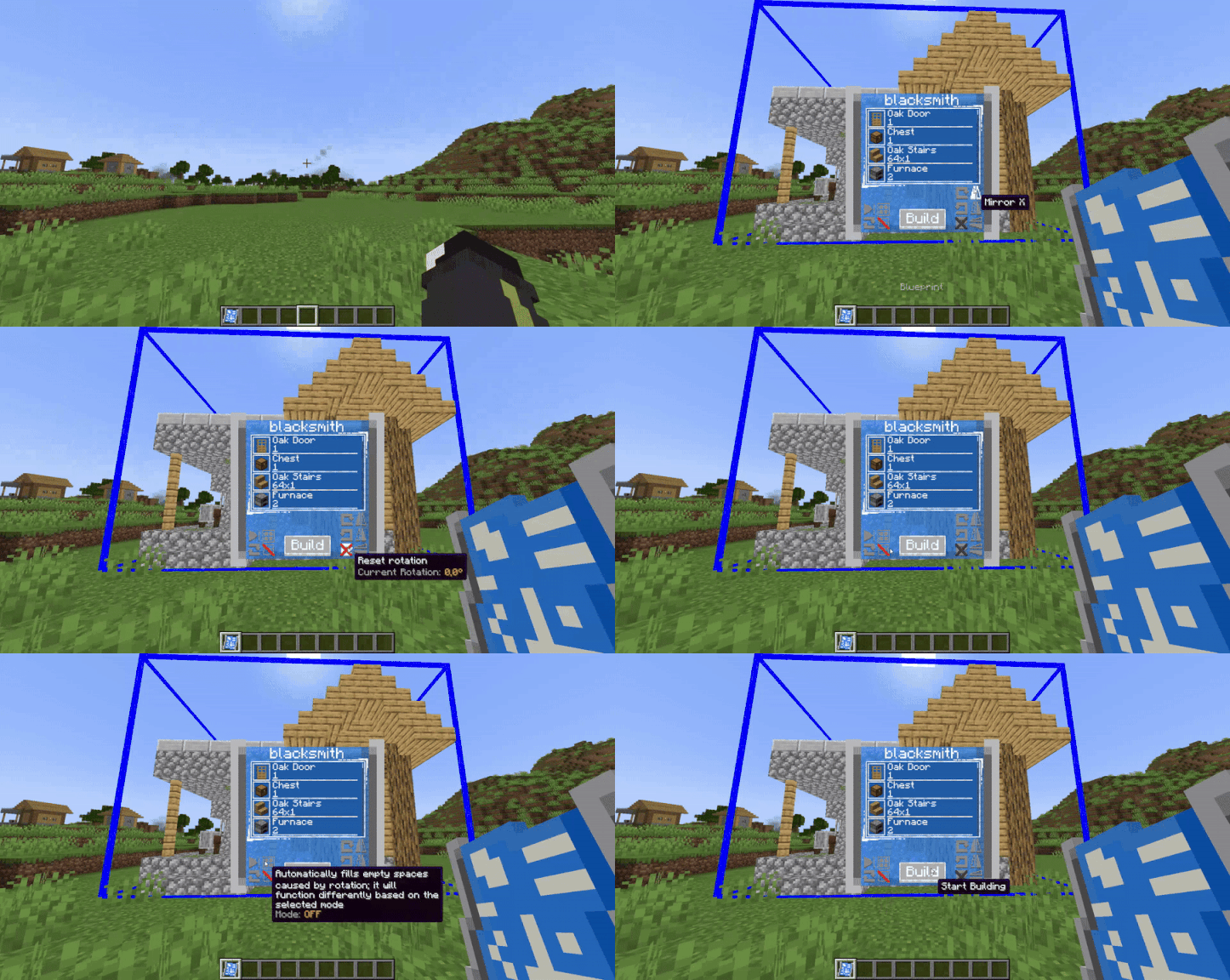
- Open the menu (Shift + Right-click in the air) to:
✅ Check the required materials.
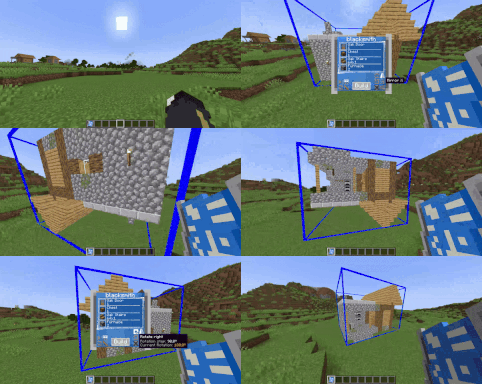
🔄 Rotate or mirror the structure along the X, Y, and Z axes.
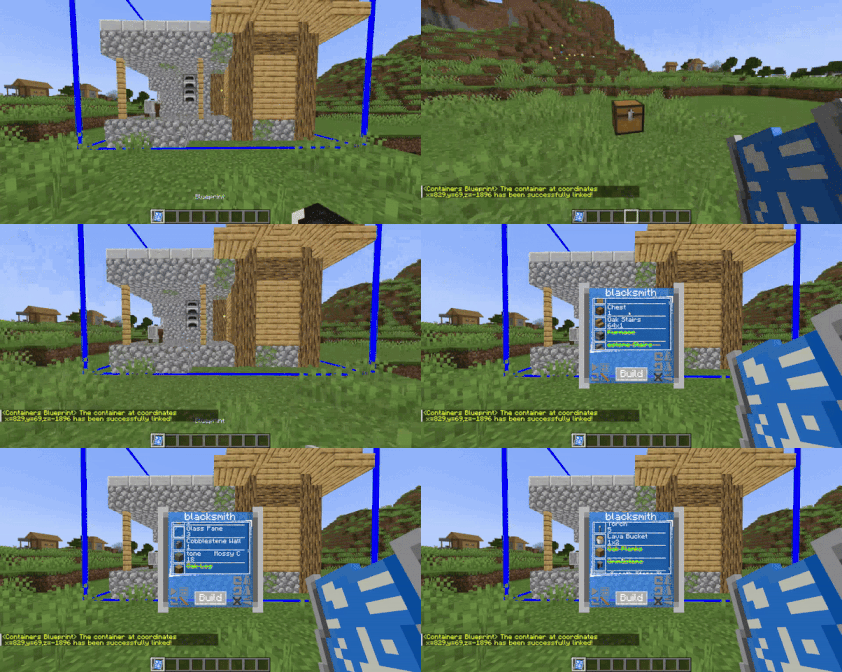
📦 Assign containers (Shift + Right-click the container, like: chests, shulker boxes, barrels, etc.) to store materials, allowing you to build large structures without inventory limitations!
⚙️ Customizable Limits with Gamerules
By default, the mod includes certain limits, such as the maximum number of blocks that can be selected with the scanner and the number of blueprints each player can store. However, these limits can be adjusted using gamerules:
📏 Set the maximum number of blocks in a scanned area:
From version 1.1.4 and below:
<pre>/gamerule maxStructureBlockCount <integer></pre> From version 1.2.0 and above:
<pre>/gamerule maxScannerBlockCount <integer></pre>
📜 Set the maximum number of blueprints a player can have:
From version 1.9.3 and below:
<pre>/gamerule maxBlueprintsForPlayer <integer></pre> From version 2.0.0 and above:
<pre>/gamerule maxDigitizedStructuresForPlayer <integer></pre>
Highlights
From source dataGame versions
Supports 3 Minecraft versions, the newest being 1.21.1.
Loaders
Runs on Forge and NeoForge.
Footprint
Rated a light load on a server.
What kind of mod it is
From the catalogBuilding & decoration
Blocks, furniture, decorations and building tools.
Runs on your server
From source side supportModrinth lists Portable Blueprints as required on the server. Check its Modrinth page to see whether players need it too.
Compatibility
- Game
- Minecraft
- Loaders
- ForgeNeoForge
- Runs on
- Serverrequired on the server
- Game versions
- 1.21.1 and 2 earlier
Verified at the source
- ✓ModrinthOfficial listing, checked 2026-10-01Open ↗
- ✓AuthorNimblonia, as published on Modrinth
- ✓LicenseMITFree








