






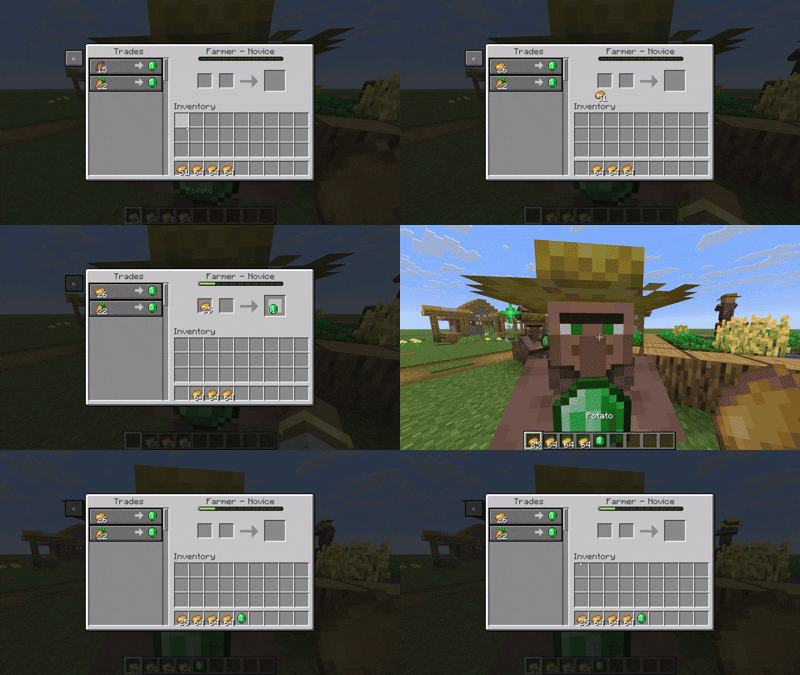

About Reroll-Trades
From ModrinthReroll villager trades with a button or keybind (R). Free rerolls —
Reroll Trades
Keep the trades you want. Reroll the rest.
Reroll Trades lets you refresh a villager’s offers right from the trading screen, keep matching offers, and undo your last roll.
Reroll with a click
Open a villager’s trading screen and click ↻, or press R. Rerolling costs no emeralds, items or XP, and the screen stays open.
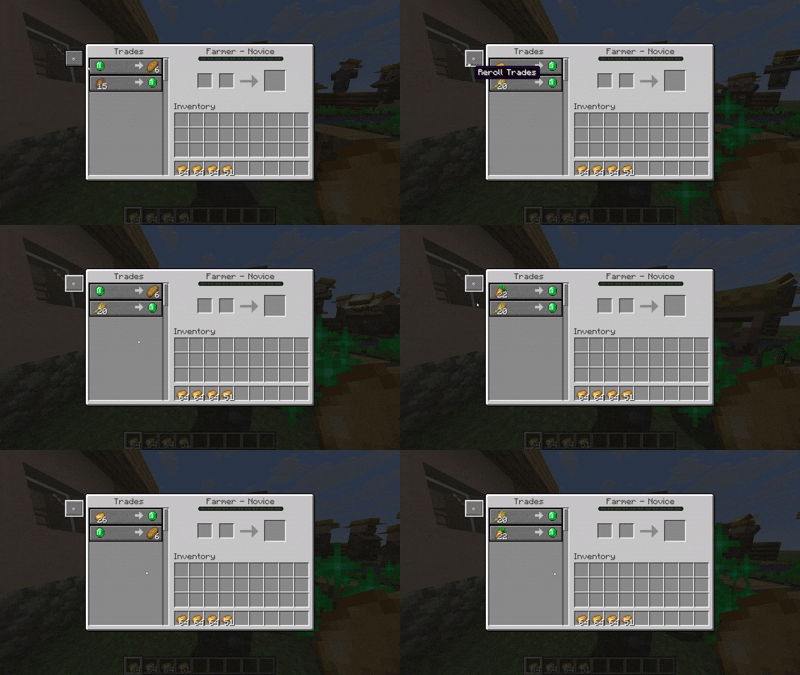
Once anyone completes a trade with that villager, rerolling is disabled for everyone, including after restocks or world reloads.
Keep the good offers
New in 3.2.0: set targets that automatically lock matching offers while you manually reroll the remaining slots.
Click the L button in the trading screen, then:
- Choose an item, its type or enchantment, and a level when needed.
- Set a minimum or maximum price, or leave either bound blank.
- Save the target and keep rerolling until it matches.
For example, look for Mending for 10 emeralds or less. Matching offers already on screen can lock immediately, and offers found in later rerolls lock automatically.

The icon picker supports all 13 villager professions and shows candidates for the villager’s current profession and level. It also includes trades where villagers buy items, such as paper. For these trades, the condition uses the number of items you give the villager.

Use the displayed base price range as a guide. Discounts and demand still affect prices, even after an offer is locked.
The Saved tab shows your targets and their lock status. Remove a target to release its slot. Targets are saved with the villager and shared between players.
Undo and settings
Use ↶ to restore your last roll while the same trading screen is open. The default Undo window is 30 seconds, and locked offers are kept.
Server owners can configure cooldowns, reroll limits, sneak requirements and Undo in config/reroll-trades-server.json.
Buttons, key hints, sounds and particles can be adjusted through Mod Menu on Fabric, the NeoForge mod settings, or config/reroll-trades-client.json. Change the R keybind in Minecraft’s Controls settings.
The UI follows Minecraft’s language setting, with English and Japanese translations. Browse the picker using page buttons or the scroll wheel.
Installation
- Choose the Fabric or NeoForge download for your Minecraft version.
- On Fabric, install Fabric API. Mod Menu is optional.
- For multiplayer, install matching 3.2.0 versions on the server and every player’s client.
Works with villagers. Wandering traders are not supported.
Highlights
From source dataGame versions
Supports 17 Minecraft versions, the newest being 26.3.
Loaders
Runs on Fabric and NeoForge.
Footprint
Rated a light load on a server.
What kind of mod it is
From the catalogCreatures & NPCs
Adds or changes creatures, NPCs and how they behave.
Runs on your server
From source side supportModrinth lists Reroll-Trades as required on the server. Check its Modrinth page to see whether players need it too.
Compatibility
- Game
- Minecraft
- Loaders
- FabricNeoForge
- Runs on
- Serverrequired on the server
- Game versions
- 26.3 and 16 earlier
Verified at the source
- ✓ModrinthOfficial listing, checked 2026-10-01Open ↗
- ✓AuthorMisemise, as published on Modrinth
- ✓LicenseMITFree








