







About Slabbed
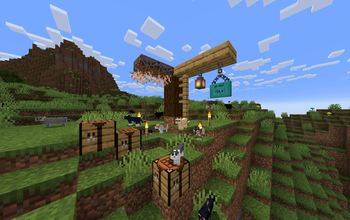
From ModrinthPut torches on slabs! Hang lanterns from slabs! Place blocks on slabs! Stack blocks on those blocks on those slabs! Slabbed makes it work! Slabbed!!!
FINALLY! Put stuff on slabs!
Hang lanterns from slabs! Stack blocks on slabs! Stack blocks on those blocks on those slabs! Your slabs finally get the love they deserve 💖
What Slabbed does
Slabs are the overlooked middle child of Minecraft building. They look like they should support things, connect to things, and behave like real building surfaces, but the game often treats them like awkward not-quite-blocks instead.
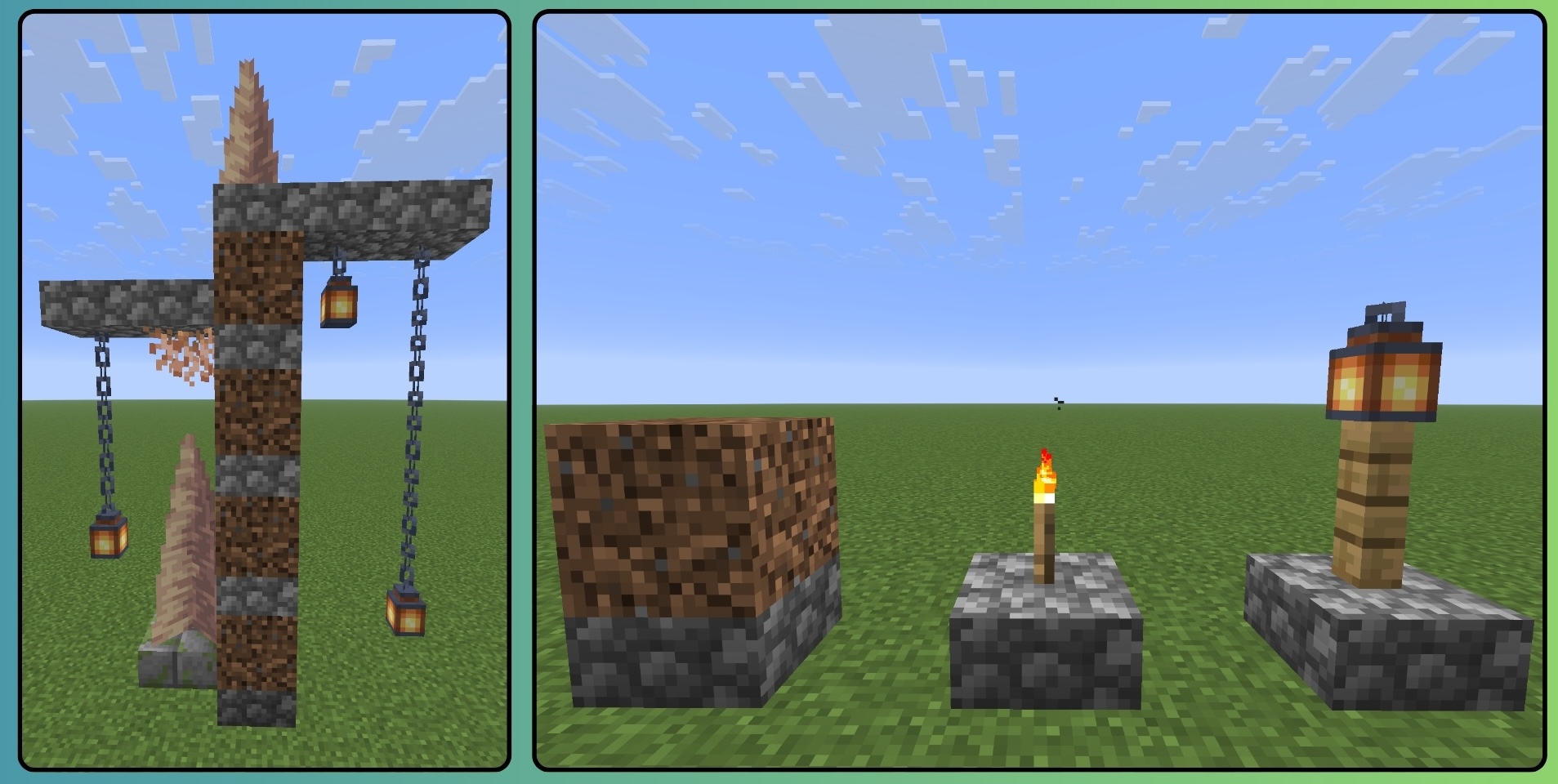
Slabbed changes that. Supported blocks and objects treat slabs like actual building surfaces. Torches, hanging things, bits and bobbles, blocks, and more! They sit where the _slab surface really is instead of floating, refusing to place or landing somewhere you very obviously did not aim._ Errybody loves slabs, and now with Slabbed they're truly functional! 'Bout time.
| In vanilla Minecraft | ✨_With Slabbed_✨ | |---|---| | ❌ Many blocks want a full block underneath them. Slabs do not always count, which is lame. | ✅ Supported blocks and objects can use slab surfaces and sit at the correct height. | | ❌ Lanterns, torches, signs and other objects may float, refuse to attach or land at full-block height. | ✅ Common standing and hanging objects line up with the slab surface supporting them. | | ❌ Building upward from slabs gets floaty and sad. | ✅ Blocks can stack naturally through slab-supported structures. | | ❌ What you see and what Minecraft thinks is there may disagree. | ✅ The block, its outline and what your crosshair actually targets stay together. | | ❌ A block may change height after something nearby updates. | ✅ Newer Slabbed files record its placement height and keep it there. |
🔒 New: your blocks stay where you put them
Older Slabbed builds worked out a block's height while you looked at it. Mostly fine! Except when it wasn't: break something nearby, place something next to it, let a chunk reload, and a block you placed ages ago could quietly decide to sit somewhere else. Nobody asked it to. It just did.
Now the height is decided once, at the moment you place the block, and then it is locked. Neighbors can come and go. Chunks can reload. The block does not care. It stays exactly where you put it.
> ⚠️ One catch... That locked-in height only exists for blocks placed by the new builds. If you open an older world, things you already lowered won't have that record, and they'll sit at normal height instead. Nothing is deleted or corrupted — but back up any world you care about before opening it in a new build, and try a copy first. Automatic conversion for old worlds is on my list.
Countered’s Terrain Slabs compatibility
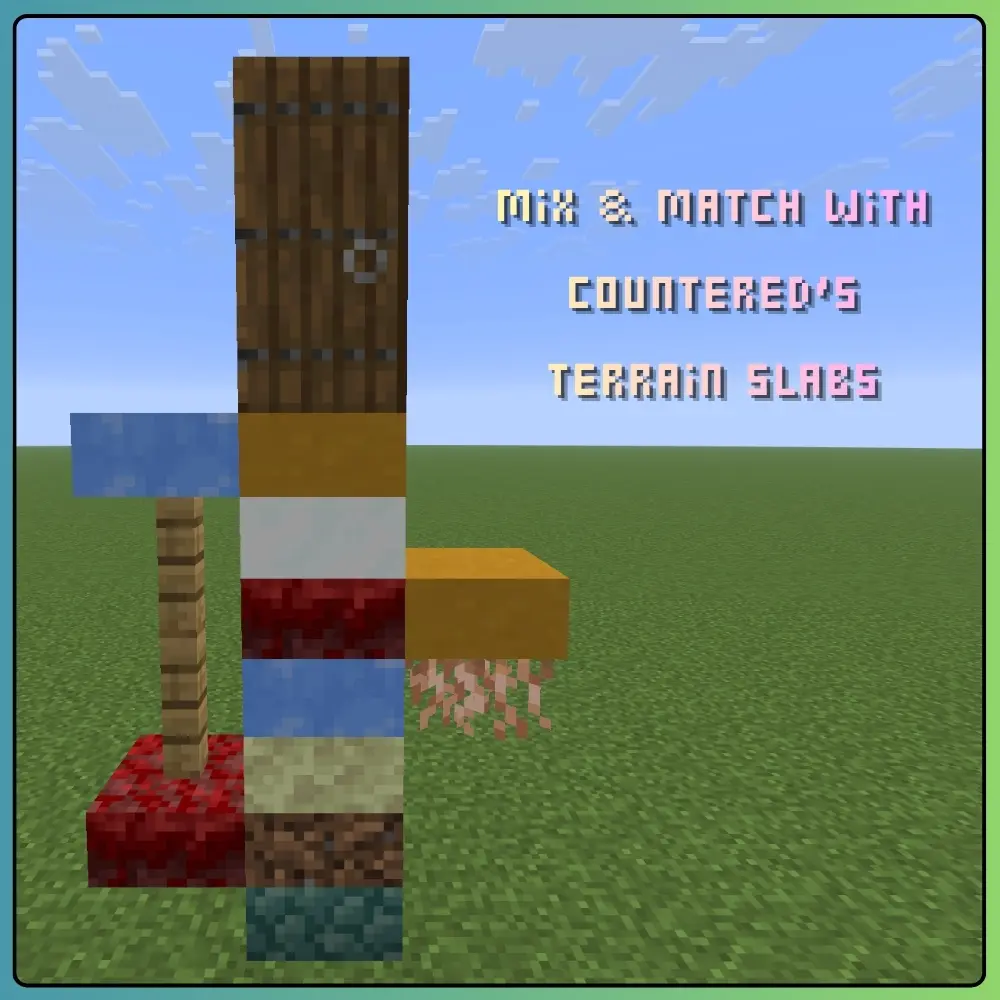
Countered's Terrain Slabs is optional but highly recommended if you enjoy more natural, layered terrain — the two work together seamlessly.
In newer 0.5.2 files, Terrain Slabs slabs placed by a player behave much more like vanilla slabs:
- They can seat on lowered supports.
- They can cantilever at the matching height.
- They stack and descend with the structure.
- They support the blocks and objects placed on them.
- They are no longer silently refused or left floating at grid height in supported arrangements.
Naturally generated Terrain Slabs terrain is deliberately left under Terrain Slabs’ control. Slabbed does not stamp saved placement heights onto world generation and turn the landscape into a festival of see-through seams.
Compatibility differs between Slabbed files, and very deep or heavily mixed arrangements can still have version-specific limits. Check the release notes for the exact file you use.
Slabby foliage remains important, obviously.
✧ Still pre-release
Slabbed files are currently alpha or beta, depending on the Minecraft and loader line.
The common behavior has received a frankly unreasonable amount of focused testing, but heavily customized modded blocks can still need dedicated compatibility work—especially mods that replace rendering, collision, placement, models or world movement.
Older Minecraft lines also do not automatically inherit every improvement from the newest file. If a feature matters to your build, check the changelog for that exact download rather than assuming every slab in every timeline has achieved enlightenment.
If something looks wrong, it probably is, and it is probably worth reporting.
Just check whether somebody has already reported it first, pleeease.
Compatibility
| Minecraft | Loader | |---|---| | 26.2 | Fabric | | 26.1 / 26.1.2 | Fabric | | 1.21.11 | Fabric | | 1.21.1 | Fabric and NeoForge | | 1.20.1 | Forge |
- Fabric builds require Fabric API.
- Slabbed supports singleplayer and multiplayer.
- For multiplayer, install Slabbed on both the client and server when possible so placement data, visuals, outlines and targeting all agree.
- Not every Minecraft and loader line has the same Slabbed feature set yet. Always choose the file made for your exact game version and read its notes on the Versions page.
Reporting bugs
Bug reports are super duper helpful! The most useful reports include:
Highlights
From source dataGame versions
Supports 7 Minecraft versions, the newest being 26.3.
Loaders
Runs on Fabric, Forge and NeoForge.
Footprint
Rated a light load on a server.
What kind of mod it is
From the catalogBuilding & decoration
Blocks, furniture, decorations and building tools.
Runs on your server
From source side supportModrinth lists Slabbed as required on the server. Check its Modrinth page to see whether players need it too.
Compatibility
- Game
- Minecraft
- Loaders
- FabricForgeNeoForge
- Runs on
- Serverrequired on the server
- Game versions
- 26.3 and 6 earlier
Verified at the source
- ✓ModrinthOfficial listing, checked 2026-10-01Open ↗
- ✓AuthorPeetsa, as published on Modrinth
- ✓LicenseGPL-3.0-onlyFree








