







About Tables & Chairs 2
From ModrinthModular, functional, and customisable tables and chairs for your Minecraft game, built from the ground up for performance. Vanilla furniture originally based on Axel's Tables & Chairs!
Tables & Chairs 2
Probably the nicest looking, stable feeling and performant table and chair datapack. Originally based on Axel's Tables and Chairs, rewritten from the ground up by me. It uses all the latest datapack features to bring you a solid mod-like experience!
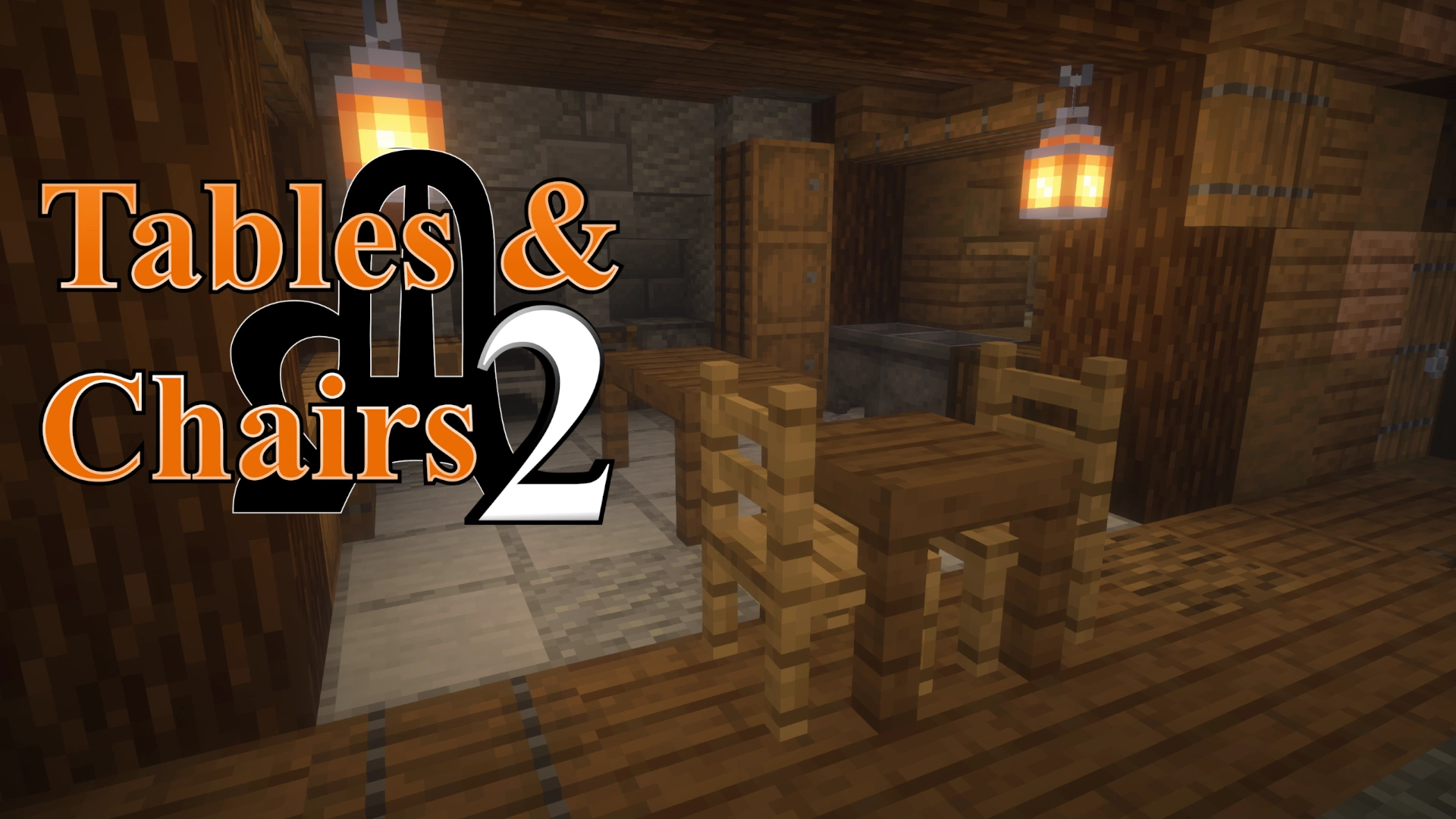
screenshot by Joel Duggan @ twitch.tv/joelduggan
RESOURCE PACK REQUIRED (unless installed as a mod)
Chairs
Right click: sit on chair Left click (2x): destroy chair Shift right click: rotate chair Shift left click: move chair
Right click with a carpet to add a custom carpet layer. To take it off, right click again with shears or break the chair entirely.
Tables
A custom block that should work as expected.
Placing tables next to each other will automatically connect them together. Shift-placing prevents connections. To destroy, hold left click on the table-top with a proper tool until it breaks.
TIP: Left clicking it with an item will put it into an 'edit' mode briefly. Use this mode while shifting to place blocks and items on top of it as if it were a regular block.
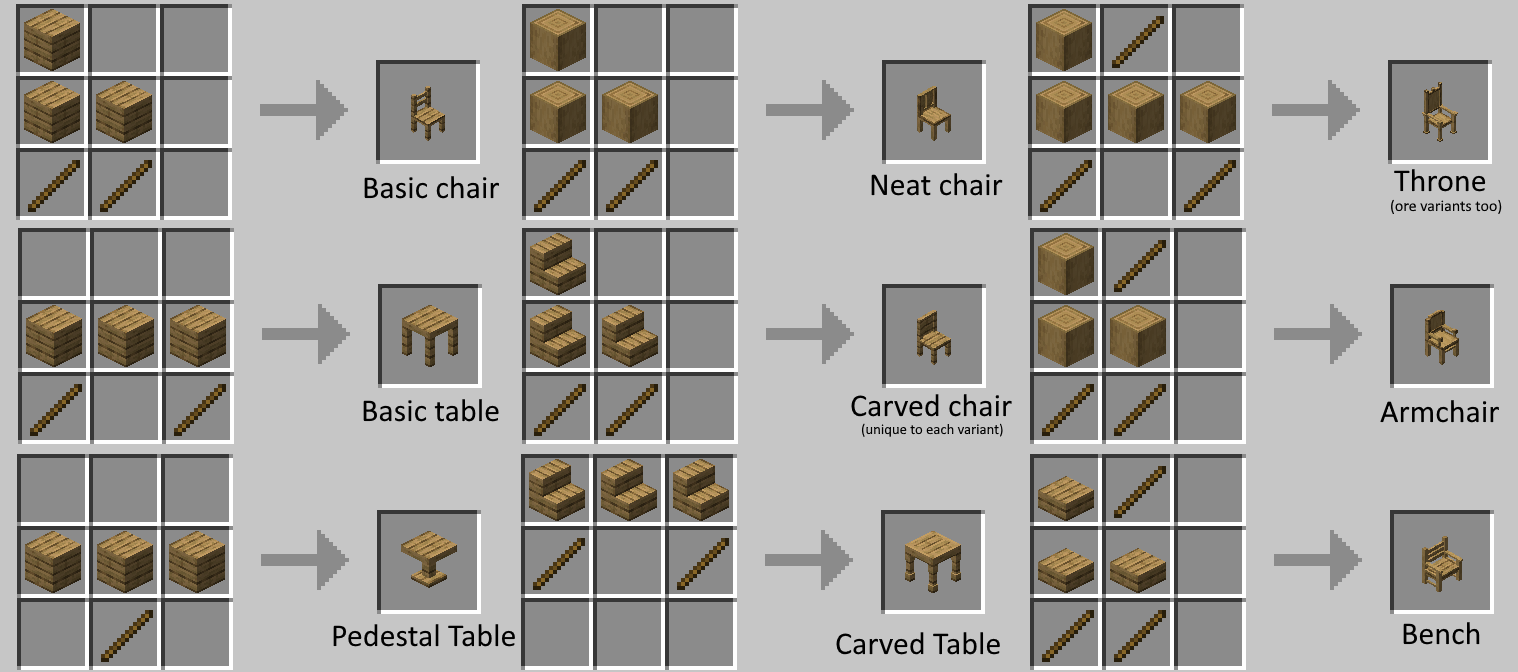
Crafting recipes
A wide variety of customisable furnitures are available to craft across all standard wood types (including ore types for the Throne), each compatible with 16 colours of carpet overlays. The Carved variant features a unique 3D model for each wood material.
In creative mode players can quickly browse and obtain furniture items using the `/function tac:give` command, which mirrors the standard /give syntax.
All custom models were designed by Axel // Chuckchuck!
<iframe width="560" height="315" src="https://www.youtube-nocookie.com/embed/Sph59REpqvQ" title="YouTube video player" frameborder="0" allow="accelerometer; autoplay; clipboard-write; encrypted-media; gyroscope; picture-in-picture; web-share" allowfullscreen></iframe>
Axel's Tables & Chairs was the original version of this pack. This is an updated port that takes full advantage of the technologies provided to us in recent versions. It's much more performant and uses no ticking functions. It only uses one that runs every 15 seconds that checks for broken furniture placements.
As we go along, I would like you to send me feedback on the discord server, or an Issue on Github page. --- Discord ---- Github ---
Why make this a datapack?
Unlike traditional mods, these elements will persist within your world across all future updates and releases while the resource pack is enabled. This works through the use of vanilla features that cannot be overwritten, making it safe to add into your main survival worlds and ensure your builds for the future. However if anything bad happens then there are solutions for any case (continued below).
Removing and Upgrading
Either convert your existing furniture into block-based equivalents (ex. chair > stair, table > planks) or clear them entirely. You can even convert old _Axel's Tables & Chairs_ content into _Tables & Chairs 2_. It's safe and easy.
Simply enter the command below and follow the instructions.
/function tac:configFor older versions, this may be /function tac:xxx/, and you'll have to browse them manually.
Available Conversion Modes
- Upgrade
- Upgrades all T&C1 furniture into T&C2.
- Replace
- Replaces all furniture with block-based equivalents.
- Clear
- Removes all furniture from the area.
WARNING: All changes are permanent and cannot be undone. Testing in backups is recommended. Proceed with caution.
Highlights
From source dataGame versions
Supports 12 Minecraft versions, the newest being 26.2.
Loaders
Runs on Data pack, Fabric, Forge, NeoForge and Quilt.
Footprint
Rated a light load on a server.
What kind of mod it is
From the catalogPerformance
Makes the game or server run faster or lighter without changing how it plays.
Runs on your server
From source side supportModrinth lists Tables & Chairs 2 as required on the server. Check its Modrinth page to see whether players need it too.
Compatibility
- Game
- Minecraft
- Loaders
- Data packFabricForgeNeoForgeQuilt
- Runs on
- Serverrequired on the server
- Game versions
- 26.2 and 11 earlier
Verified at the source
- ✓ModrinthOfficial listing, checked 2026-10-01Open ↗
- ✓Authormisterk7_-, as published on Modrinth
- ✓LicenseMITFree








