







About TerraMath
From ModrinthCreate custom terrain using mathematical functions and formulas for unique procedural world generation.






Description
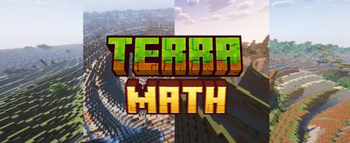
TerraMath is a Minecraft 1.20 - 1.21.x mod that allows you to customize world generation using mathematical functions. Create unique landscapes by defining terrain height through mathematical formulas!
You can also join my Discord to find more formulas or share yours.
Features
- Custom world generation through mathematical formulas
- Adjustable basic generation parameters (scale, height, variation, smoothing)
- Configurable noise overlay on top of your base formula
- Support for mathematical constants in formulas
How to Use on Client
- World generation settings interface
Parameter Configuration
- Go to "World" tab in world creation screen
- Open the terrain settings screen
- Enter your desired formula in the field
- Adjust additional parameters (optional):
- Scale
- Base Height (determines average surface level)
- Height Variation (amplitude of changes)
- Smoothing (terrain transition smoothness)
- Choose noise type and settings (optional):
- Noise type: Perlin, Simplex, Blended, Normal
- X, Y, Z coordinate multipliers
- General noise height multiplier
How to Use on Server
- Start the server with TerraMath mod installed
- Check the config folder, there will be a
terramath.jsonfile - Set the necessary parameters manually in the file, or...
- ...configure the mod on your client
- Set the parameters and save the config
- Transfer the config file to the server's config folder
Important Server Notes:
- For the config to apply to a new world, make sure the
useDefaultFormulaparameter in the config is set totrue - After changing config settings, you'll need to delete the existing world and restart the server for the new terrain formula to take effect
- Alternatively, you can transfer your entire world folder from a client to the server - the world will continue to generate according to the same formula without requiring config changes
Formula Examples
Basic wavy landscape:
sin(x)
Spiky volcanic-like terrain with steep slopes:
abs(sin(x/10))exp(cos(z/15))8 + tanh(sqrt(x^2 + z^2)/20)*15
Rolling mountains:
sin(x/8)cos(z/8)10 + abs(sin(x/20))15 + sqrt(abs(x/10))5
Some crazy and heavy thing:
round(sin(x/15))10 + round(cos(z/15))10 + sqrt(abs(sin((x+z)/20)))*15
Terraced landscape with plateaus:
floor(sin(x/20) cos(z/20) 5) * 4 + sqrt(x^2 + z^2)/10
Crater-filled terrain:
10 (1 - exp(-((x/30)^2 + (z/30)^2) / 2)) + 5 perlin(x/50, 0, z/50)
Available Functions and Operators
Mathematical Functions:

Trigonometric:
- sin(x) - sine
- cos(x) - cosine
- tan(x) - tangent
- csc(x) - cosecant
- sec(x) - secant
- cot(x) - cotangent
- asin(x) - inverse sine
- acos(x) - inverse cosine
- atan(x) - inverse tangent
- atan2(x,y) - two-argument inverse tangent
- acsc(x) - inverse cosecant
- asec(x) - inverse secant
- acot(x) - inverse cotangent

Hyperbolic:
- sinh(x) - hyperbolic sine
- cosh(x) - hyperbolic cosine
- tanh(x) - hyperbolic tangent
- asinh(x) - inverse hyperbolic sine
- acosh(x) - inverse hyperbolic cosine
- atanh(x) - inverse hyperbolic tangent
- csch(x) - hyperbolic cosecant
- sech(x) - hyperbolic secant
- coth(x) - hyperbolic cotangent
- acsch(x) - inverse hyperbolic cosecant
- asech(x) - inverse hyperbolic secant
- acoth(x) - inverse hyperbolic cotangent

Root and Power:
- sqrt(x) - square root
- cbrt(x) - cube root
- root(x,n) - nth root of x
- pow(x,y) - x raised to power y
- exp(x) - exponential (e^x)

Logarithmic:
- ln(x) - natural logarithm
- lg(x) - base-10 logarithmHighlights
From source dataGame versions
Supports 12 Minecraft versions, the newest being 1.21.4.
Loaders
Runs on Fabric and Forge.
Footprint
Rated a light load on a server.
What kind of mod it is
From the catalogListed on Modrinth as “Mods”
World generation
Changes or adds to how new terrain, biomes and structures are created.
Runs on your server
From source side supportModrinth lists TerraMath as required on the server. Check its Modrinth page to see whether players need it too.
Compatibility
- Game
- Minecraft
- Loaders
- FabricForge
- Runs on
- Serverrequired on the server
- Game versions
- 1.21.4 and 11 earlier
Verified at the source
- ✓ModrinthOfficial listing, checked 2026-10-01Open ↗
- ✓Authoraddavriance, as published on Modrinth
- ✓LicenseGPL-3.0-onlyFree








