







About The Block Keeps Ticking
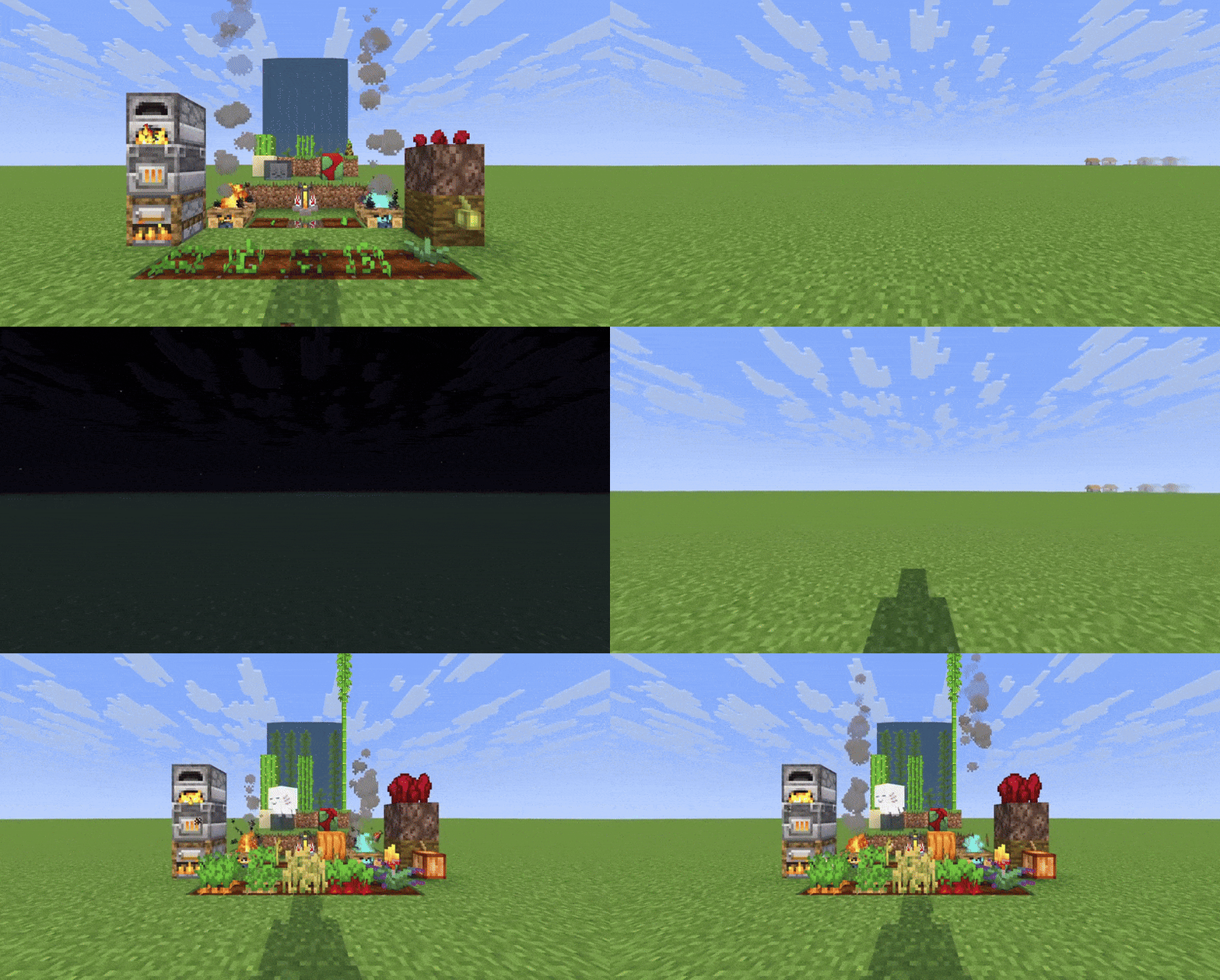
From ModrinthSimulates block ticking and entity growth in unloaded chunks, so your farms, furnaces, and passive mobs keep growing and working even when you're far away.
The Block Keeps Ticking

This wonderful mod icon was created by Sulmino_ on Twitter/X.
Simulate block ticking and entities in unloaded chunks
The Block Keeps Ticking is a complete rewrite of Alive World, (which is a fork of Presence Not Required) that allows blocks and entities to continue progressing in unloaded chunks, so your farms, furnaces, and passive mobs keep growing and working even when you're far away.
Features
- Simulate When Away: Simulate blocks and entities in unloaded chunks when you are away from those chunks.
- Block Support:
- Block Entities: Furnaces, Campfires, Brewing Stands
- Crops & Stems: Wheat, Carrots, Potatoes, Beetroots, Torchflowers, Pumpkins and Melons
- Nether Wart: Growth progression
- Cocoa Beans: Growth progression
- Trees: Sapling growth
- Leaves: Decay progression
- Growing Plants: Kelp, Bamboo, Sugar Cane, Cactus
- Dried Ghast & Sniffer Eggs: Hydration and hatching progression
- Budding Amethyst: Growth progression
- Cauldrons: Water and lava dripping
- Mud: Mud above Dripstone conversion to clay
- Sweet Berry Bushes: Growth progression
*Note: Due to the way Sniffer Eggs and Dried Ghasts are processed, some precision is lost during simulation.
- Time Modes: Choose between world time (only progresses when playing) or real time (progresses even when offline).
- Simulate After Sleeping: Time skips (e.g. from sleeping) will simulate loaded chunks for the duration of the time skip.
- Lazy Tax setting: Configure a percentage reduction of simulated ticks to slow down simulation for your prefered balance level.
- Per-Object Configuration: Enable or disable simulation for specific blocks and entities individually.
- Serverside: When installed on a server, players do not need to install the mod. Can also be installed in singleplayer worlds.
Configuration
You can configure the following values with ModMenu and YetAnotherConfigLib, or by editing config\the-block-keeps-ticking.json.
- Time Source: Choose between "World Time" (only progresses when playing) or "Real Time" (progresses even when offline). Real Time works well with lazy tax. (Default: World Time)
- Simulate After Sleeping: When enabled, time skips (e.g. from sleeping) will simulate loaded chunks for the duration of the time skip. (Default: false)
- Min Inhabited Time (ticks): Chunks with less inhabited time than this are not simulated. Keeps exploration lag down.
6000is 5 minutes.0always simulates. Range: 0–24000. (Default: 6000)
- Lazy Tax (%): Simulated ticks are reduced by this percentage. Increasing this value slows down simulation in unloaded chunks. Range: 0-99. (Default: 0)
- Debug Logging: Enables detailed logging when simulation occurs, including scan vs simulate timings, inhabited-time skips, and staggered catch-up slices. (Default: false)
- Ticking Objects: Individual toggles to enable or disable simulation for each supported block type and entity. All are enabled by default.
⚠️ Warning: This mod stores Fabric chunk attachments. Removing it may cause harmless log spam about unknown attachment types. This is a Fabric limitation, not a bug in the mod.
***
API usage
The Block Keeps Ticking exposes a small API so other mods can register their own ticking objects to be simulated in unloaded chunks. Read more about this on Github.
Highlights
From source dataGame versions
Supports 10 Minecraft versions, the newest being 26.2.
Loaders
Runs on Fabric.
Footprint
Rated a light load on a server.
What kind of mod it is
From the catalogBuilding & decoration
Blocks, furniture, decorations and building tools.
Runs on your server
From source side supportModrinth lists The Block Keeps Ticking as required on the server. Check its Modrinth page to see whether players need it too.
Compatibility
- Game
- Minecraft
- Loaders
- Fabric
- Runs on
- Serverrequired on the server
- Game versions
- 26.2 and 9 earlier
Verified at the source
- ✓ModrinthOfficial listing, checked 2026-10-01Open ↗
- ✓AuthorMagicJinn, as published on Modrinth
- ✓LicenseMITFree








