








About Genesis
From ModrinthA space mod for Valkyrien Skies
Welcome to Genesis, a revolutionary new space mod utilizing Valkyrien Skies and Pehkui to deliver as immersive of a space experience as possible.
<iframe width="560" height="315" src="https://www.youtube-nocookie.com/embed/_-Euz21R4v8" title="YouTube video player" frameborder="0" allow="accelerometer; autoplay; clipboard-write; encrypted-media; gyroscope; picture-in-picture; web-share" allowfullscreen></iframe>
Space

Genesis adds a space dimension to the game with customizable orbiting planets and stars. In order to deliver the most seamless space experience possible, it utilizes Pehkui and Valkyrien Skies to shrink everything in the space dimension down to 1/16 of the size, resulting in extremely quick movement for ships without the problem of running into unloaded chunks. Thanks to the fact that everything is either a render or a Valkyrien Skies ship, world height no longer matters either.
- New planets and stars can be added/changed through datapacks which have customizable size, color, texture, atmosphere, gravity, orbit speed/distance, day length, and more!
- Planets can be linked to dimensions from any mod, so you will travel to that dimension when you visit that planet in space.
- There is an asteroid belt around the solar system with destructible asteroids. It can be found 25,000 blocks away from the Sun at an approximate y level of 64.
- The skyboxes on planets are a direct view into space from that planet, so all celestial objects you can see in the sky except for the distant stars are visitable, and any new celestials you add with a datapack will automatically appear in the skies of all planets!

By default, Genesis only includes the Earth, the Moon, and the Sun as celestial objects. If you want more celestials but don't want to create your own, consider installing one of these addons!
Dataplanets
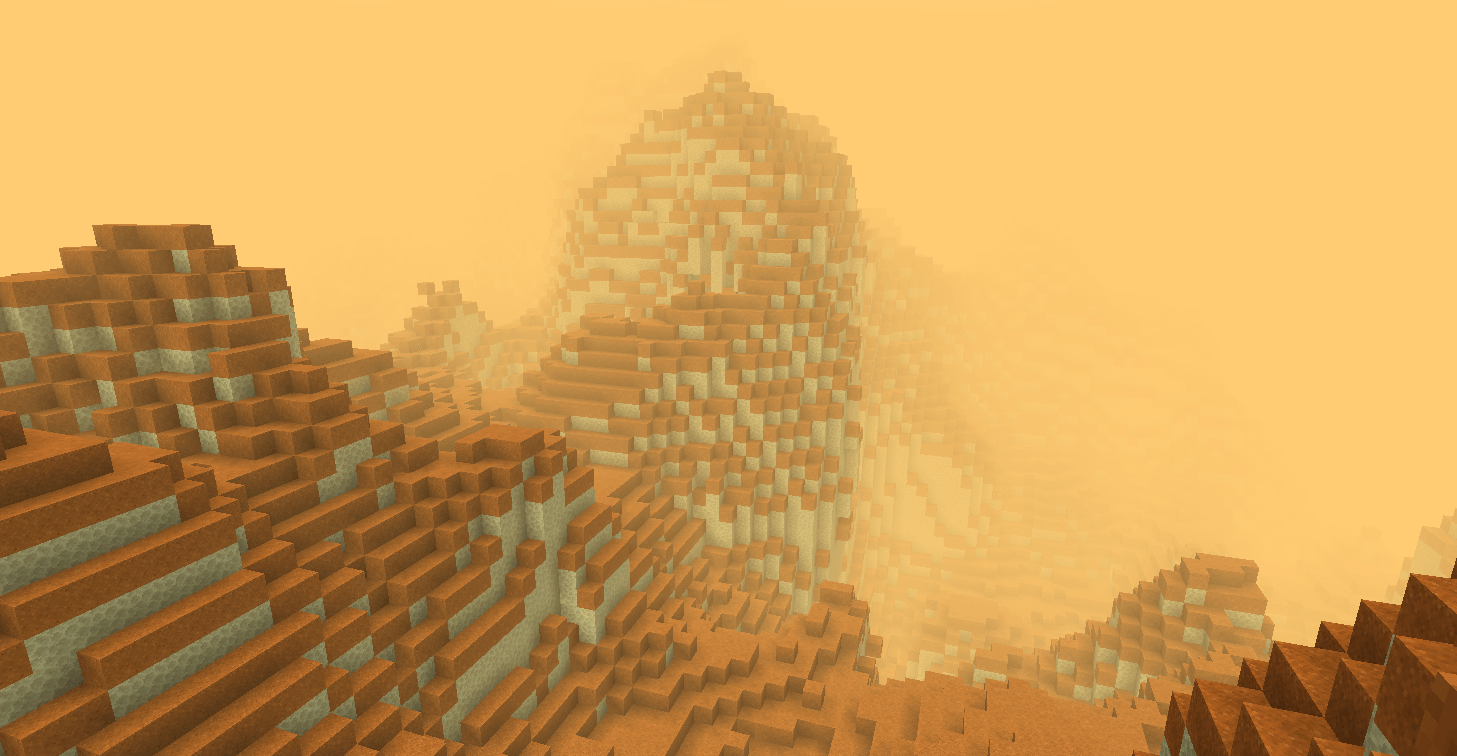
This mod adds infinite procedurally generated planets and star systems to Genesis space. It starts with 5 planets in the Solar system and one additional star with planets around it, and you can right-click with the star system theory item to generate as many new star systems as you like, all without even leaving the world!
Genesis: Ad Astra

This mod adds all of the planets from Ad Astra to Genesis Space and integrates the oxygen and gravity mechanics from Ad Astra into Genesis as well. Install this for the most complete survival experience.
Progression
There are two tools to help you on your interplanetary travels: The Void Engine, and the Navigation Projector.
The Void Engine is a multiblock structure which grants access to a hyperspace dimension that compresses your coordinates similarly to the Nether, but by a much greater amount. It is basically necessary to have for interplanetary and interstellar travel due to how far apart things are. To make it, you need three things: a Void Core, Void Engine frame blocks, and a Void Engine Interface.
- Void Cores can be obtained by mining deep below the surface of the moon for Void Core Ore, which drops Void Shards.
- To build the engine, surround the core entirely with valid frame blocks (Void Engine Frame, Void Engine Viewport, Void Core Reflector Panel, Void Focus) including diagonals, but leave a spot for the interface. You normally need to completely surround the core including diagonals, but Void Focuses reduce the humber of frame blocks you need for the core to awaken.
- The Void Engine Interface is placed onto the void core facing toward it (blue rings out). Once you do, the core should light up like an end portal and "awaken".
Usage: First, make sure it is on a Valkyrien Skies ship. Otherwise, it will explode when you activate it. Next, supply the interface with Forge Energy. To start the engine, give the interface a constant redstone signal, and the engine should begin spooling up. Once it completes its spool-up, it should warp you into subspace.

Both of these Void Engine setups are valid.
The Navigation Projector is a block that displays a scaled version of the solar system for finding planets. It will always show your position as a small white cube in the center of the projection. Planets appear as transucent blue cubes, and stars appear as translucent white cubes. This block is especially helpful while in subspace since planets are not visible there. So, while in subspace, the Navigation Projector and your memory are your only guides as to your location.
Future Plans
- Artificial gravity / players rotating with their ships
- Suffocation & life support systems for places without atmosphere
- Compatibility with the vanilla time/sleeping system
- Support for axial tilt and eccentric orbits
- The skybox of tidally locked planets rotating as the player moves
- New mechanics for the Void Engine
- Revamps of the Navigation Projector & Radar Display that make use of the ZPS data system
Highlights
From source dataGame versions
Built for Minecraft 1.20.1.
Loaders
Runs on Forge.
Footprint
Rated a light load on a server.
What kind of mod it is
From the catalogGameplay & overhauls
New mechanics, content and overhauls that change how the game plays.
Runs on your server
From source side supportModrinth lists Genesis as required on the server. Check its Modrinth page to see whether players need it too.
Compatibility
- Game
- Minecraft
- Loaders
- Forge
- Runs on
- Serverrequired on the server
- Game versions
- 1.20.1
Verified at the source
- ✓ModrinthOfficial listing, checked 2026-10-01Open ↗
- ✓AuthorG_Mungus, as published on Modrinth
- ✓LicenseApache-2.0Free








