






About Light Control
From ficsit.appControl the build-in lights with Art-Net / DMX. (External software required.)
Light Control Mod
This mod allows to control the build-in lights with Art-Net / DMX, a popular protocol used in stage lighting. External software is required to program a light show.
Light Show Demo
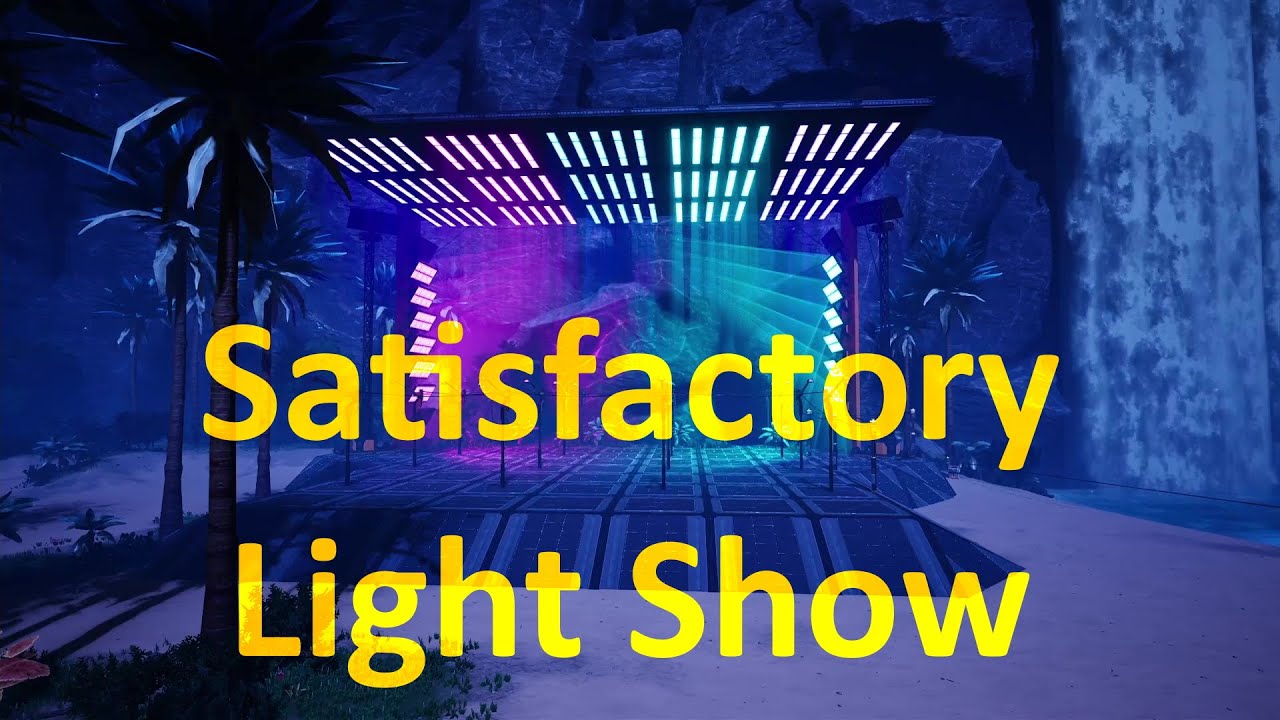 https://www.youtube.com/watch?v=rR7Teg_T_gs
The show was programmed with the light control software DMXControl: 
Usage
This mod adds an "Art-Net Lights Control Panel" building to the game. It is available in the AWESOME Shop when the regular Lights Control Panel is unlocked. The control panel will receive Art-Net data from an external light control software. All lights connected to the control panel can be configured within the control panel UI.
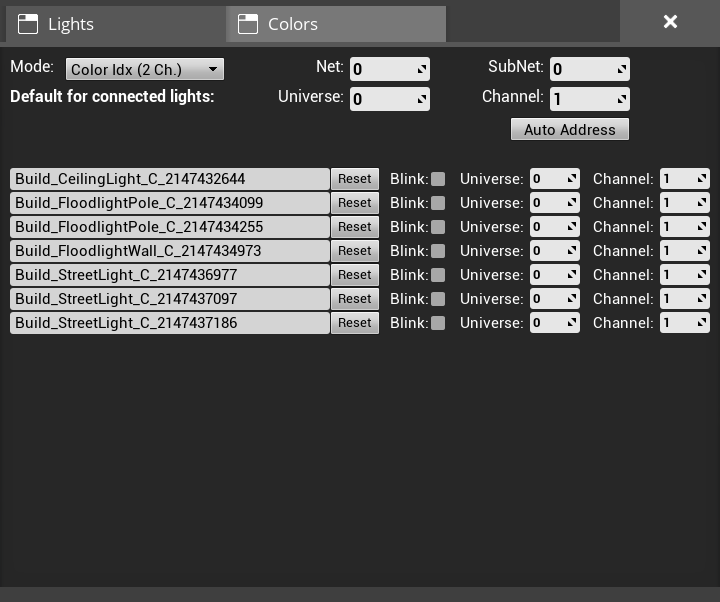
At the top are general settings to configure the mode as well as the Art-Net Net and Sub-Net the current Control Panel is listening on. There are three modes available, each using the DMX values in a different way:
Color Idx (2 Ch.): Uses 2 DMX channels, a dimmer and a color idx to select one of the 7 global color slots of the game.RGB (3 Ch.): Directly set RGB values using 3 DMX channels.Dimmer + RGB (4 Ch.): Directly set RGB values using 3 DMX channels with an additional dimmer channel.
A detailed description of the DMX channels is available in the tables below.
Further, the default start address which will be set as the initial value for all newly connected lights can be configured. Next, there is an Auto Address button allowing to continuously address all connected lights based on their location in the world. The automatic addressing starts at the current default address and increases the channel for each light based on the currently selected mode. The lights are ordered first west-to-east, then north-to-south, then bottom-to-top.
Below the general settings is a list of all lights connected to the current Art-Net Lights Control Panel. On the left is a text box, where it is possible to give each light a meaningful description. Next to it is a checkbox. If it is checked the light will start blinking. This allows to easily find a connection between the actual light and the name in the list. On the right, the start address of each light can be configured.
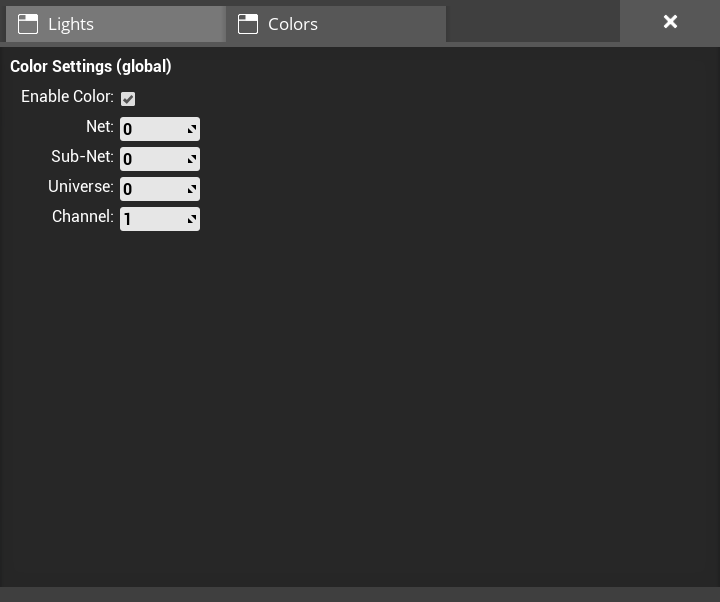
Within the color tab, the start address of the 7 global color channels can be configured. Please note, that the 7 color slots are a global game setting and shared between all lights and lights control panels. A detailed description of the DMX channels can be found in the table below. It is possible to disable the colors. This means the colors will not be changed via Art-Net and the colors set within a regular Light Control Panel are used.
Light Channel Table - Mode "Dimmer + RGB"
| Channel | Function | |--------:|-------------------| | 1 | Dimmer (0 - 100%) | | 2 | Red (0 - 100%) | | 3 | Green (0 - 100%) | | 4 | Blue (0 - 100%) |
Light Channel Table - Mode "RGB"
| Channel | Function | |--------:|------------------| | 1 | Red (0 - 100%) | | 2 | Green (0 - 100%) | | 3 | Blue (0 - 100%) |
Light Channel Table - Mode "Color IDX"
| Channel | Function | |--------:|----------------------------------| | 1 | Dimmer (0 - 100%) | | 2 | Color Slot Idx (see table below) |
| Value | Color Slot Idx | |----------:|----------------| | 0 - 35 | Color Slot 1 | | 36 - 71 | Color Slot 2 | | 72 - 107 | Color Slot 3 | | 108 - 143 | Color Slot 4 | | 144 - 179 | Color Slot 5 | | 180 - 215 | Color Slot 6 | | 216 - 255 | Color Slot 7 |
Color Channel Table
| Channel | Function | |--------:|---------------------------------| | 1 | Color Slot 1 - Red (0 - 100%) | | 2 | Color Slot 1 - Green (0 - 100%) | | 3 | Color Slot 1 - Blue (0 - 100%) | | 4 | Color Slot 2 - Red (0 - 100%) | | 5 | Color Slot 2 - Green (0 - 100%) | | 6 | Color Slot 2 - Blue (0 - 100%) | | 7 | Color Slot 3 - Red (0 - 100%) | | 8 | Color Slot 3 - Green (0 - 100%) | | 9 | Color Slot 3 - Blue (0 - 100%) | | 10 | Color Slot 4 - Red (0 - 100%) | | 11 | Color Slot 4 - Green (0 - 100%) | | 12 | Color Slot 4 - Blue (0 - 100%) | | 13 | Color Slot 5 - Red (0 - 100%) | | 14 | Color Slot 5 - Green (0 - 100%) | | 15 | Color Slot 5 - Blue (0 - 100%) | | 16 | Color Slot 6 - Red (0 - 100%) | | 17 | Color Slot 6 - Green (0 - 100%) | | 18 | Color Slot 6 - Blue (0 - 100%) | | 19 | Color Slot 7 - Red (0 - 100%) | | 20 | Color Slot 7 - Green (0 - 100%) | | 21 | Color Slot 7 - Blue (0 - 100%) |
Highlights
From source dataGame versions
Built for Satisfactory >=416835.
Footprint
Rated a light load on a server.
Last update
Its author last shipped an update 14 mo ago.
What kind of mod it is
From the catalogBuilding & decoration
Blocks, furniture, decorations and building tools.
Runs on your server
From source side supportficsit.app lists Light Control as required on the server. Check its ficsit.app page to see whether players need it too.
Compatibility
- Game
- Satisfactory
- Runs on
- Serverrequired on the server
- Game versions
- >=416835
Verified at the source
- ✓ficsit.appOfficial listing, checked 2026-10-01Open ↗
- ✓Authormoritz-h, as published on ficsit.app
- ✓LicenseNot published by the sourceFree








