About ModsApp
From ThunderstoreManage your mods settings - from your phone!
Mods App

Convenient preferences management for Schedule I mods.
Note: This mod requires Bars' fork of S1API (>=v3.0.1). You can get it on GitHub, Thunderstore or NexusMods.
Features
- New "Mods" app in the phone for easy access
- See all loaded mods, including their name, version, author, compatibility status (S1API/Mono/IL2CPP) and if they're enabled or not
- Powerful Search capabilities
- Search mods by name or author
- Search through all preferences using their names or descriptions (appearing in a separate "All Mods" section)
- Fuzzy search for better results even with typos or partial matches
- Comprehensive preference management:
- Support for multiple data types (boolean, integer, enum, vector3, string, float, keycode, color, lists, dictionaries)
- Organized categories for better preference organization
- Real-time editing with type-appropriate input controls
- Apply/Reset functionality for easy preference management
- Reset to Default option for individual entries to quickly revert changes
- Smart heuristics to automatically match preferences and configurations to their respective mods
- JSON configuration support for mods without MelonPreferences
- Manual JSON file path specification and live editing
- Clean, intuitive interface
- Text size scaling options for accessibility
- Collapsible categories for better organization
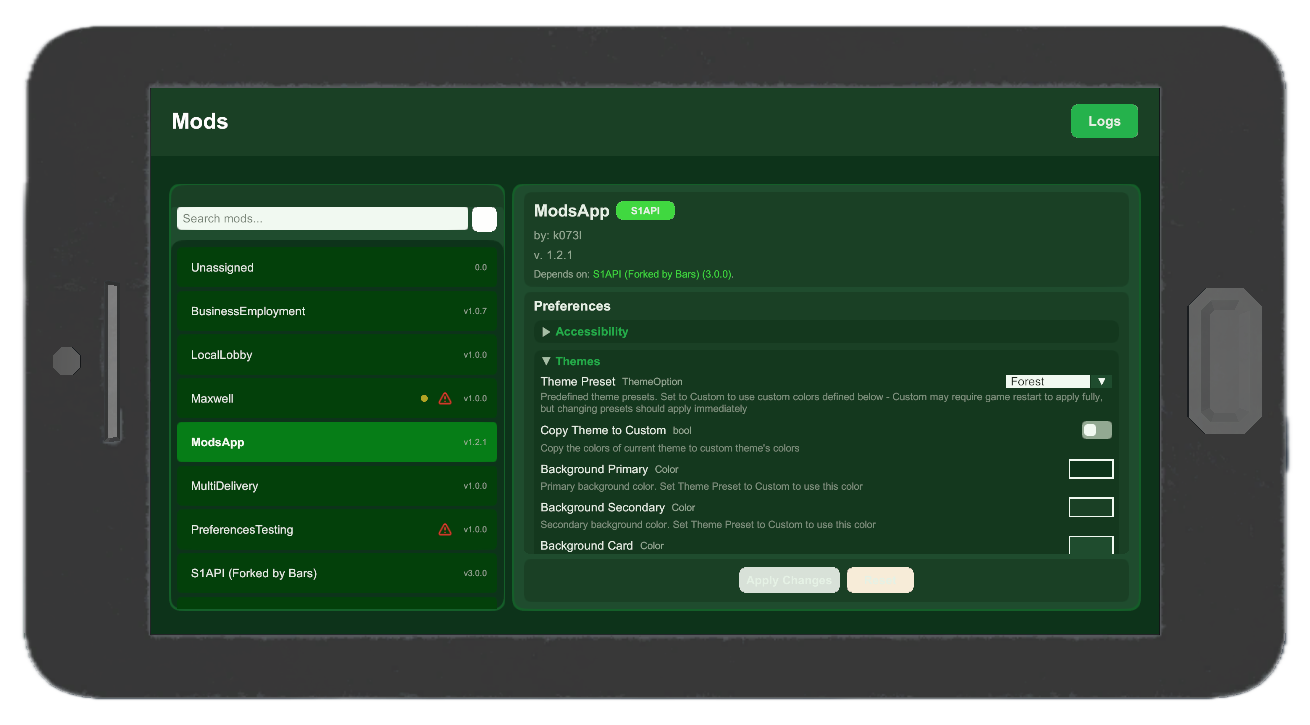
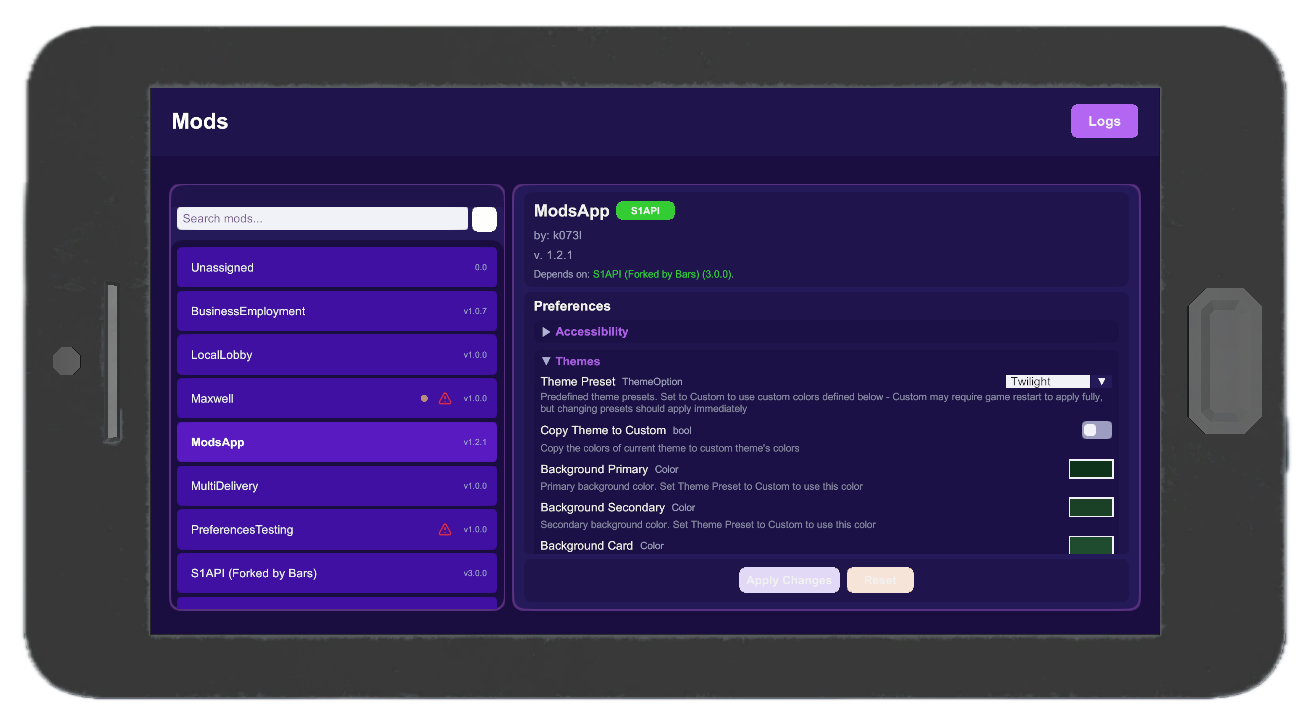
- Theme presets and custom theming options for personalization
- Mod changelog/readme viewer for easy access to information
- Dependency tracking to see which mods require others to function properly
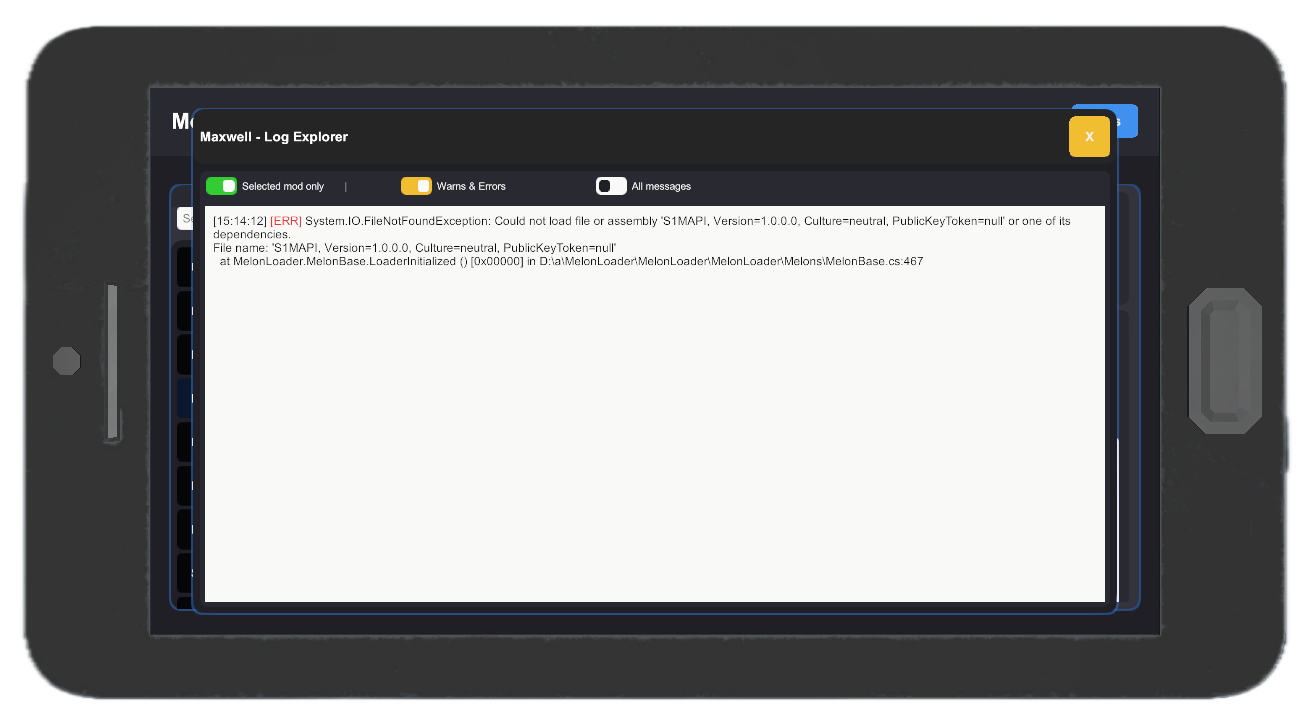
- In-app log explorer to view mod logs and errors without leaving the app
- Issues are visible at-a-glance with a notification badge on the app icon
- Open source (MIT License)
Important Notes
Preference Changes: When you modify preferences through this app, other mods may not immediately reflect the changes. The app will remind you when a restart might be necessary for changes to take effect. This depends on how individual mods handle preference updates.
If you're a mod developer, check out the preferences guide.
Enabling/Disabling Mods: This app supports enabling or disabling mods from version 1.2.2. The restart is required for the change to apply. Still, I'd recommend using a dedicated, mod platform aware mod manager, like Schedule I Mod Manager (SIMM), r2modman, Gale or Vortex just to name a few. They can handle loading/unloading mods, updates and some even have mod profile support.
Backup Your Configs: Always back up your configuration files before making changes. While the app is designed to be safe, unexpected issues can arise.
Screenshots
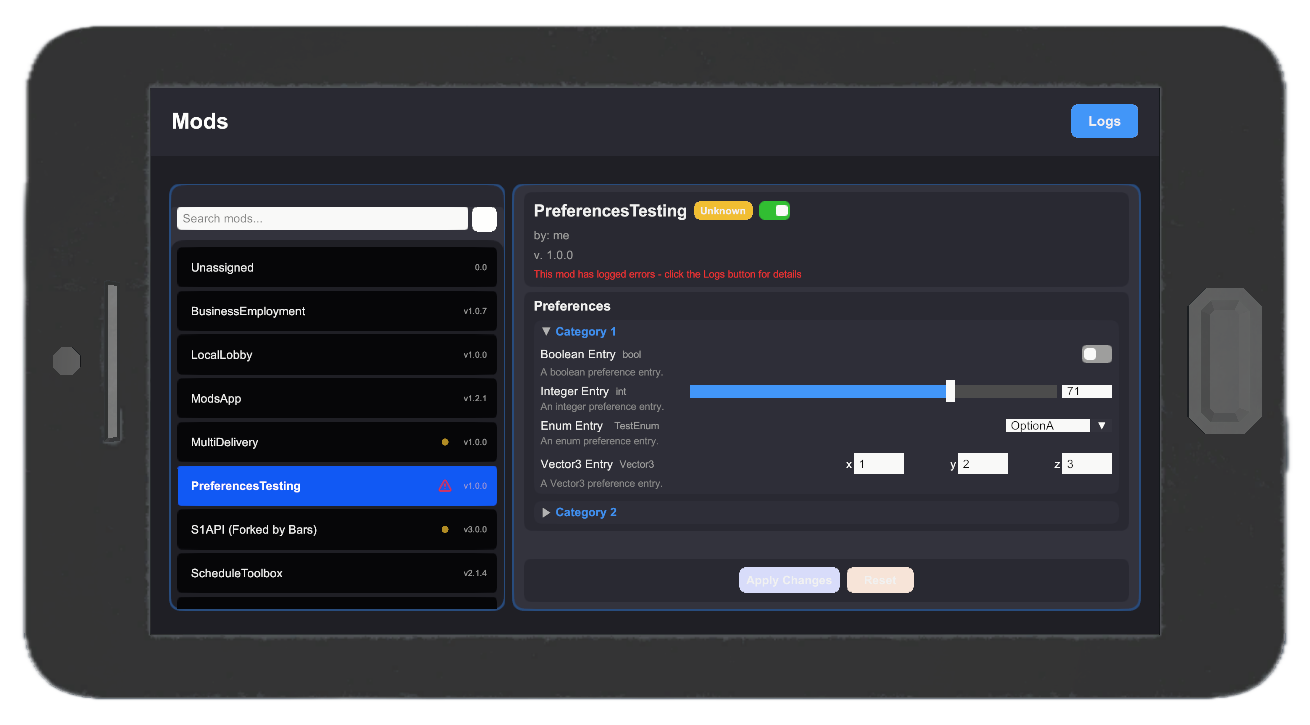
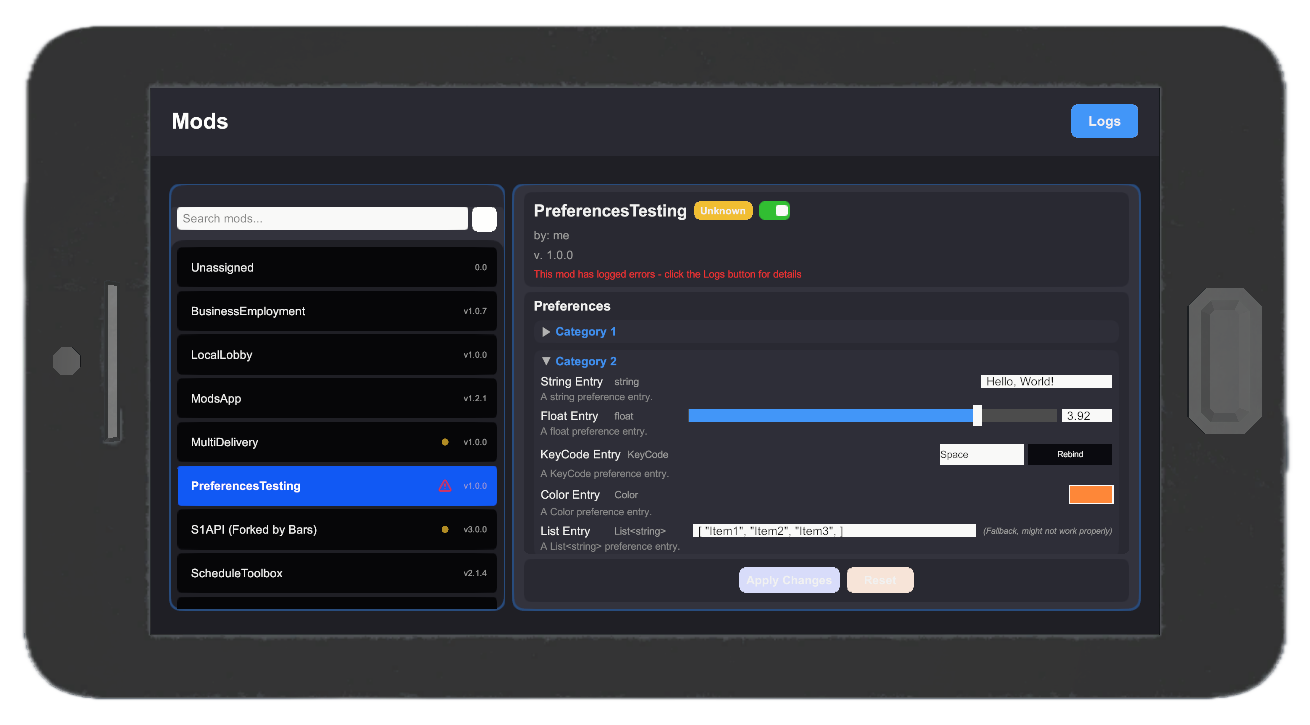
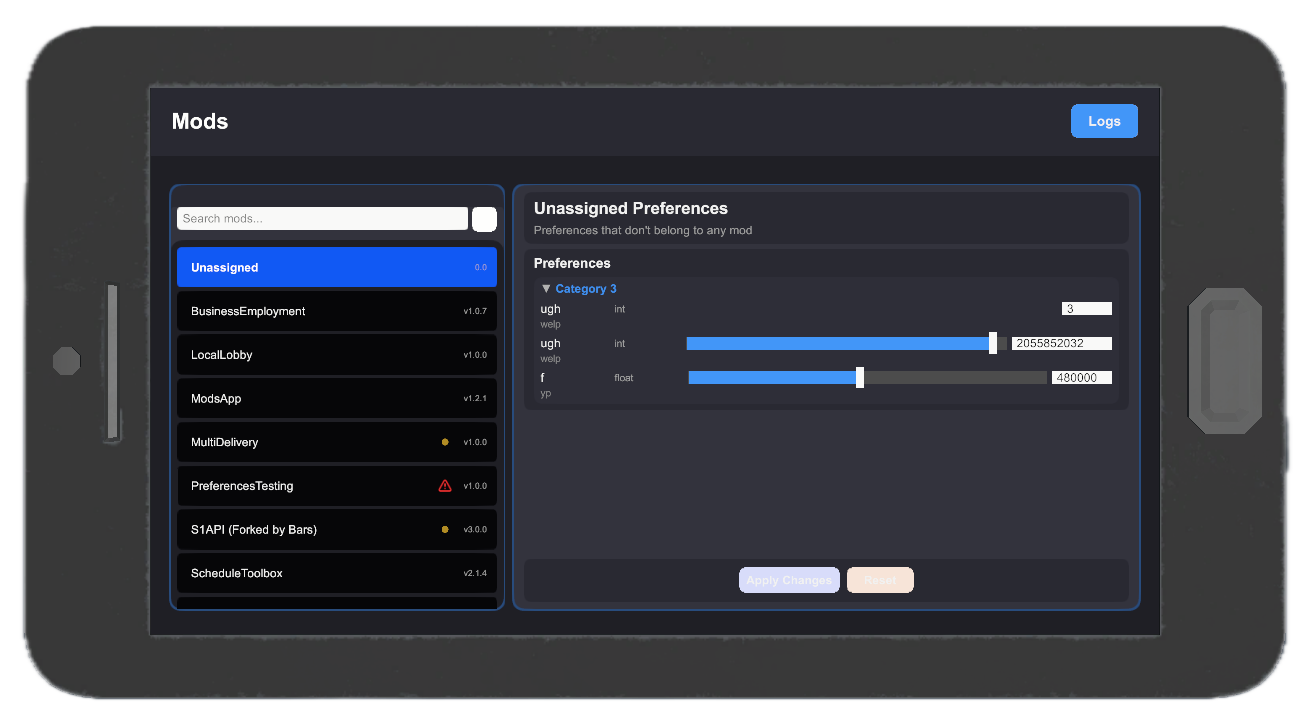
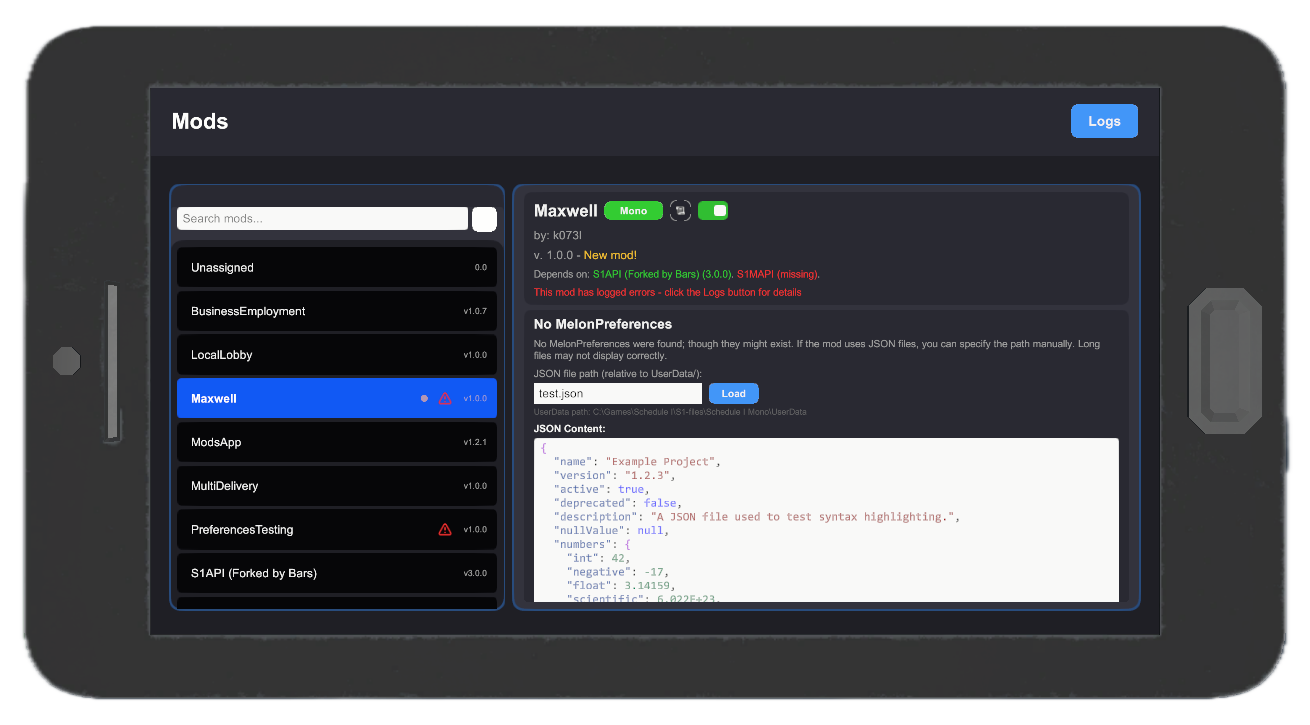
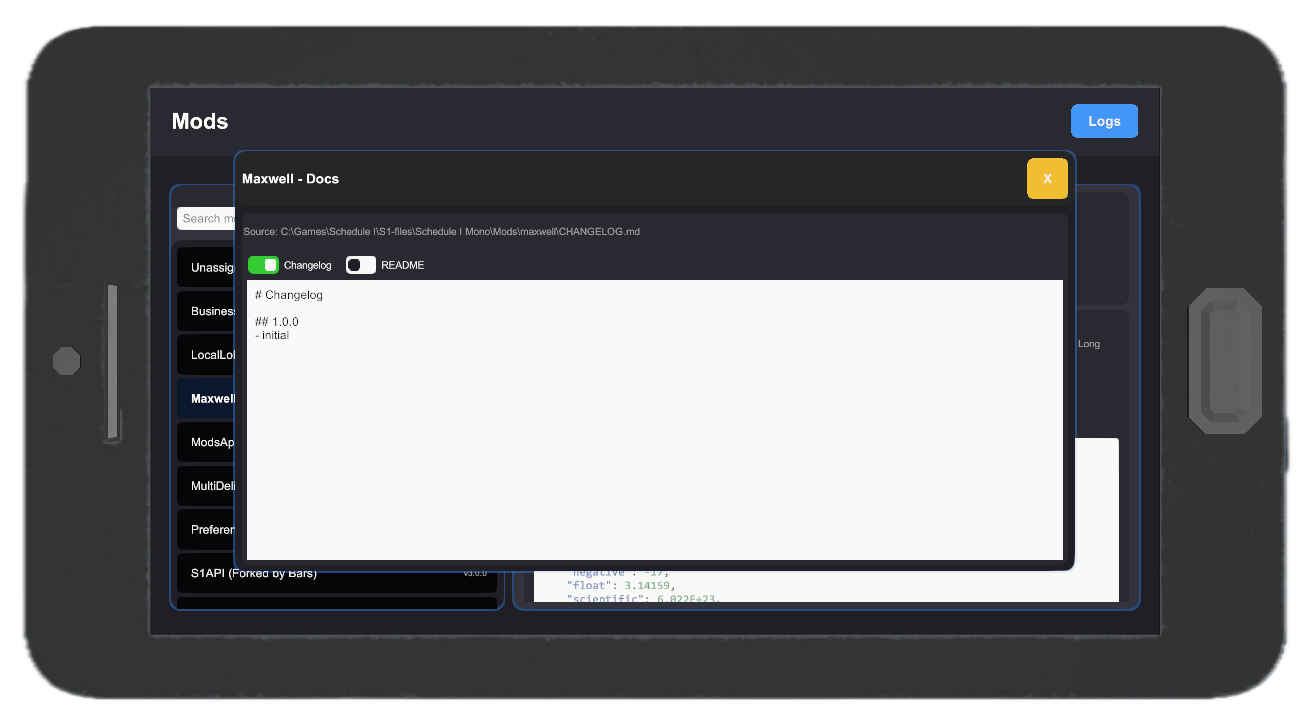

Select different themes:
Preferences Types Supported
MelonPreferences
- Boolean - toggle switch
- Integer/Float - number input, with optional slider if the entry uses a Validator with a specified range
- String - text input
- Enum - dropdown
- Color - color wheel picker
- KeyCode - key binding input
- Vector3/other float structs - three number inputs
- Lists - list editor that allows adding/removing/reordering/editing items in the list. Supports both simple types and complex types (some may use fallback handler instead of dedicated one).
- Dictionaries - dictionary editor similar to the list editor that allows adding/removing/editing key-value pairs.
There's also a fallback for unsupported types (like custom classes or structs) that is a text input. It may not work properly for all types.
JSON
Fallback to JSON configuration for mods that don't use MelonPreferences.
You can specify the path in the appropriate field. It's relative to UserData. If the file exists and is a valid JSON, you can edit it directly in the app. Changes are applied to the file on save (if valid JSON).
Highlights
From source dataLoaders
Runs on BepInEx.
Footprint
Rated a light load on a server.
Last update
Its author last shipped an update 7 mo ago.
ModsApp on Nxeon
From our catalogue- One-click install
- Not available. One-click install isn't available for this game's mods yet. Download it and upload it to your server in Files.
- Server type needed
- BepInEx
- Server load
- light
- Latest build
- 1.2.3, released 2026-04-22
Game versions by loader
| Loader | Game versions | Newest |
|---|---|---|
| BepInEx |
From 8 recorded builds of ModsApp.
Recent builds
| Build | Released | Game versions | Loaders |
|---|---|---|---|
| 1.2.3 | 2026-04-22 | n/a | BepInEx |
| 1.2.2 | 2026-04-06 | n/a | BepInEx |
| 1.2.1 | 2026-03-06 | n/a | BepInEx |
| 1.2.0 | 2026-03-04 | n/a | BepInEx |
| 1.1.1 | 2026-01-21 | n/a | BepInEx |
| 1.1.0 | 2026-01-09 | n/a | BepInEx |
Dependencies
- Required: MelonLoader
- Required: S1API Forked
Declared by the newest build that lists any. Required ones are installed with it on one-click installs.
What kind of mod it is
From the catalogGameplay & overhauls
New mechanics, content and overhauls that change how the game plays.
Compatibility
- Game
- Schedule I
- Loaders
- BepInEx
- Requires
- One-click install needs a BepInEx server.
Verified at the source
- ✓ThunderstoreOfficial listing, checked 2026-10-16Open ↗
- ✓Authork0Mods, as published on Thunderstore
- ✓LicenseNot published by the sourceFree