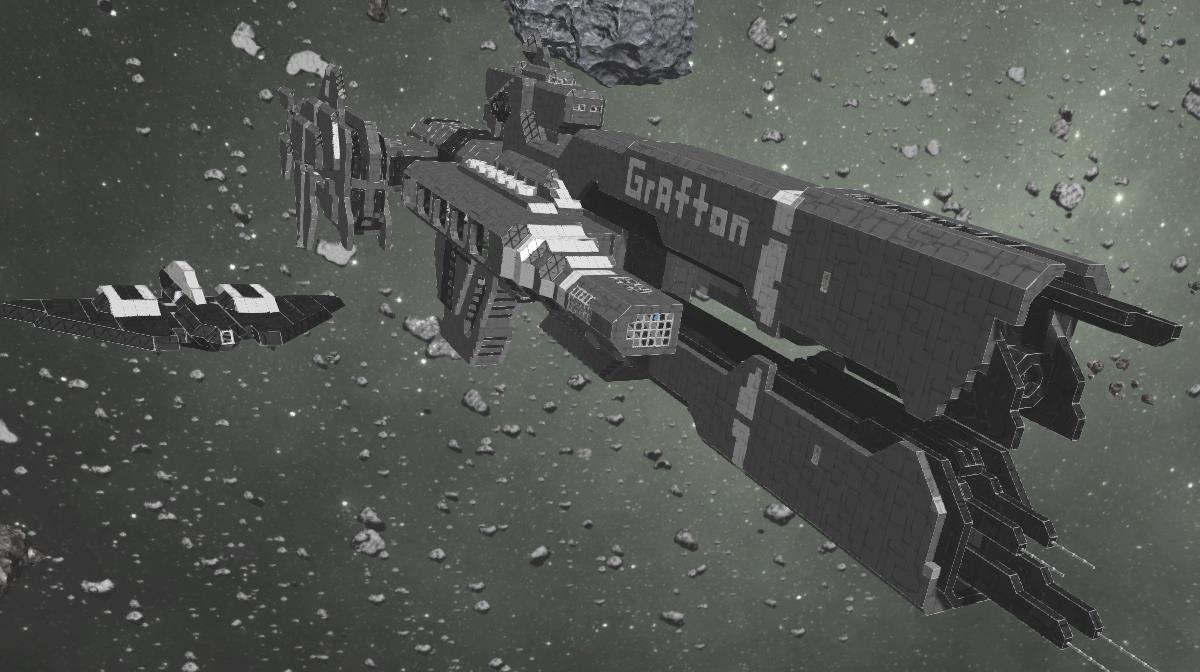
About UNSC Grafton
From Steam WorkshopThis ship is the former "UNSC Savannah", I updated it recently. ATalkingRocks project (UNSC Sarratoga) motivated me to put again some work into this project after some months. Hope you like the new paint job. Any constructive criticism is appreciated and c
UNSC Grafton on Nxeon
From our catalogue- One-click install
- Not available. One-click install isn't available for this game's mods yet. Download it and upload it to your server in Files.
- Server load
- light
- Smallest plan we suggest
- Space Engineers — 8 GB (8 GB RAM). This follows our own load rating above, not a benchmark.
Run UNSC Grafton on a Space Engineers server
Deploy a server above, then upload the file in Files.
What kind of mod it is
From the catalogListed on Steam Workshop as “Workshop”
Vehicles & ships
Cars, boats, aircraft, ships and other things to drive or fly.
Compatibility
- Game
- Space Engineers
Verified at the source
- ✓Steam WorkshopOfficial listing, checked 2026-09-24Open ↗
- ✓AuthorJD.Horx, as published on Steam Workshop
- ✓LicenseNot published by the sourceFree