






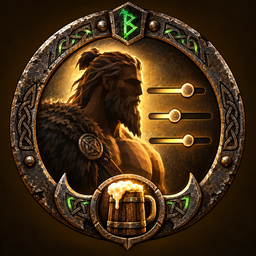
About MeadMakeover
From ThunderstoreExpanded character customization: easy sliders for body proportions, eye colour and tattoos, with server-controlled limits (Recommended, Custom or Unrestricted). Body by Beasty.
Mead Makeover
Body by Beasty
More character. More customization. Your server, your limits.
Mead Makeover expands Valheim's character creator with easy sliders for height and body proportions, custom eye colors, tattoos, and additional body shaping while giving server owners control over how far customization can go.
Everything is cosmetic. Hitboxes, colliders, camera position, attack origins, reach, and gameplay mechanics remain unchanged.
What You Can Customize
- Height and body proportions: twelve sliders (height, chest width and depth, waist width and depth, hips width and depth, thigh thickness, shoulder width, upper-arm thickness, calf thickness and leg length) with ready-made presets. Head, hands and feet keep their size, and your feet stay on the ground.
- Eye colour: pick a swatch or mix your own colour.
- Tattoos: a first set of tattoo designs with a choice of inks, drawn on the character's skin.
- Optional body shaping: Breast size and Butt size sliders for those who want them. A server or player can switch them off (
EnableShape). Worn armor limits how far they can show, so the body does not poke through.
Your look is saved with your character. Other players who have the mod see it; players without the mod see the normal character.
Server Controls / Range Policies
The slider limits are a server policy, so a server that installs the mod is never tied to anyone else's taste. Set RangePolicy in the configuration:
| RangePolicy | What it means | |---|---| | Recommended (default) | The ranges the mod was designed around (table below). | | Custom | You set the minimum and maximum of every slider yourself (section Range Policy - Custom Limits). | | Unrestricted | The widest ranges the mod supports (its technical limits). This is not unlimited: nothing ever goes past the technical limits. |
The connected server is authoritative. Install the mod on the server and set RangePolicy in the server's beastheim.meadmakeover.cfg. The server publishes its policy into the world; every player who joins uses the server's limits and ignores their own setting, so a player cannot widen a server's limits by changing their local config. If a server does not have the mod, connecting players use the Recommended ranges.
Single player and the character creator use your own RangePolicy setting, because there is no server to ask. If you build a character with ranges wider than a server allows, that server's limits apply when you join: everything is drawn clamped to them, and the character's saved values are never rewritten.
This is a cosmetic consistency tool, not anti-cheat: a modified client could publish any value, but every client with the mod clamps what it draws to the server's policy.
Ranges
Values are whole percent; Breast and Butt are steps of 0.5 cm.
| Slider | Recommended | Technical limit (Unrestricted) | |---|---|---| | Height | -15 / +20 | -30 / +40 | | Chest width, Chest depth | -40 / +40 | -60 / +60 | | Waist width, Waist depth | -40 / +40 | -60 / +60 | | Hips width, Hips depth | -10 / +10 | -40 / +40 | | Thigh thickness | -20 / +20 | -40 / +40 | | Shoulder width | -20 / +20 | -40 / +40 | | Upper-arm thickness | -20 / +20 | -40 / +40 | | Calf thickness | -30 / +30 | -50 / +50 | | Leg length | -15 / +20 | -30 / +40 | | Breast size | -10 / +10 | -40 / +40 | | Butt size | -10 / +10 | -40 / +40 |
How to Use
- Creating a character: customization is free. On the New Character screen press the Mead Makeover button (bottom right) or F6. The sliders apply to the preview as you move them; press Done in the panel, then Done on the character screen to save.
- After a character exists there is no always-on customization menu. In-world customization is an entry point that other mods or the server owner can authorize (a station, an NPC, a paid service). For testing and administration, an admin or the host can open it with a key you bind in
Service/DevOpenKey(unbound by default).
Configuration
Configuration file: BepInEx/config/beastheim.meadmakeover.cfg (created on first run). The Configuration Manager (F1) shows every entry with its allowed range.
| Section | Setting | Purpose | |---|---|---| | Range Policy | RangePolicy | Recommended / Custom / Unrestricted (above). | | Range Policy - Custom Limits | <Slider> Min, <Slider> Max | Used when RangePolicy = Custom. | | General | Enabled, CreatorButton | Master switch; show the button on the New Character screen. | | Exposure | EnableEyeColor, EnableTattoo, EnableShape, Enable<Slider> | Switch individual customization parts off. Must match on server and clients. | | Service | DevAllowAnyone, DevOpenKey | Testing only: let anyone open the in-world panel / bind a key. Off by default. | | Shape | Style, Subdivision, UnknownArmorCapCm | How the optional shaping is drawn, and how far it may show under armor the mod has no measurement for. |
Custom configuration. Set RangePolicy = Custom, then edit the pairs in Range Policy - Custom Limits (for example Height Min / Height Max).
- Every value is kept inside the technical limits in the table above.
- A minimum above its maximum falls back to the Recommended range for that slider, and the log says so.
- A range always includes 0, so a slider can return to neutral.
- Settings only change what is allowed. Existing characters are never rewritten.
The Validation section (LabMode) is a developer test mode. Do not enable it on a server or in normal play.
Multiplayer / Requirements
Requires BepInExPack_Valheim. Install the mod with your mod manager.
Highlights
From source dataLoaders
Runs on BepInEx.
Footprint
Rated a light load on a server.
Last update
Its author last shipped an update 46d ago.
MeadMakeover on Nxeon
From our catalogue- One-click install
- Supported on Nxeon Valheim servers, for BepInEx servers. We download it from Thunderstore, place it, and restart the server.
- Server type needed
- BepInEx
- Server load
- light
- Smallest plan we suggest
- Valheim — 2 GB (2 GB RAM). This follows our own load rating above, not a benchmark.
- Latest build
- 1.0.0, released 2026-10-07
Game versions by loader
| Loader | Game versions | Newest |
|---|---|---|
| BepInEx |
From 1 recorded build of MeadMakeover.
Dependencies
- Required: BepInExPack Valheim
Declared by the newest build that lists any. Required ones are installed with it on one-click installs.
Run MeadMakeover on a Valheim server
Pick a server or deploy a new one above; it is installed in one click.
What kind of mod it is
From the catalogQuality of life & UI
Small conveniences, tweaks and interface improvements players notice straight away.
Compatibility
- Game
- Valheim
- Loaders
- BepInEx
- Requires
- One-click install needs a BepInEx server.
Verified at the source
- ✓ThunderstoreOfficial listing, checked 2026-10-15Open ↗
- ✓AuthorBeasty, as published on Thunderstore
- ✓LicenseNot published by the sourceFree












