







About CatosInventorySorter
From ThunderstoreSort your player inventory by weight or quantity, with heaviest and largest stacks first.
Catos Inventory Sorter
By Catosaur.
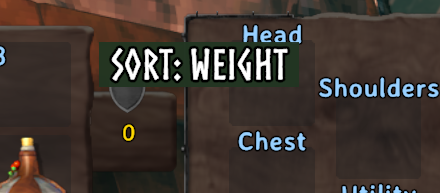
Sort your player inventory by weight or quantity. Weight sorting starts with the heaviest stacks; quantity sorting starts with the largest stacks. Click the in-game button or press F6 while your inventory is open.
The hotbar, equipped items, and bound items always stay in place. Client-side only; dedicated servers do not need this mod. It sorts player inventory, not chests.
Configuration
Edit BepInEx/config/com.catosaur.catosinventorysorter.cfg while the game is running. Changes are picked up automatically.
[Sorting]
SortMode = Weight
SpecialItemsMode = SortFirst
SpecialItemsOrder = Armor,Food,Arrows
SpecialItemsMode controls arrows, armor, and food:
SortFirst(default) moves them to the front of the sortable inventory area, before ordinary items.Ignoreleaves them in their current slots and sorts the remaining items around them.
SpecialItemsOrder controls the order of those categories. The default is armor first, then food, then arrows. Use any comma-separated order containing Armor, Food, and Arrows.
The regular sort can use Weight or Quantity. Both sort highest first by default; set WeightDescending or QuantityDescending to false for ascending order.
Installation
Install with a Valheim mod manager, or place CatosInventorySorter.dll in your client profile's BepInEx/plugins folder. BepInExPack Valheim is required.
Highlights
From source dataLoaders
Runs on BepInEx.
Footprint
Rated a light load on a server.
Last update
Its author last shipped an update 2 mo ago.
CatosInventorySorter on Nxeon
From our catalogue- One-click install
- Supported on Nxeon Valheim servers, for BepInEx servers. We download it from Thunderstore, place it, and restart the server.
- Server type needed
- BepInEx
- Server load
- light
- Smallest plan we suggest
- Valheim — 2 GB (2 GB RAM). This follows our own load rating above, not a benchmark.
- Latest build
- 0.2.0, released 2026-09-17
Game versions by loader
| Loader | Game versions | Newest |
|---|---|---|
| BepInEx |
From 2 recorded builds of CatosInventorySorter.
Recent builds
| Build | Released | Game versions | Loaders |
|---|---|---|---|
| 0.2.0 | 2026-09-17 | n/a | BepInEx |
| 0.1.0 | 2026-09-16 | n/a | BepInEx |
Dependencies
- Required: BepInExPack Valheim
Declared by the newest build that lists any. Required ones are installed with it on one-click installs.
Run CatosInventorySorter on a Valheim server
Pick a server or deploy a new one above; it is installed in one click.
What kind of mod it is
From the catalogQuality of life & UI
Small conveniences, tweaks and interface improvements players notice straight away.
Compatibility
- Game
- Valheim
- Loaders
- BepInEx
- Requires
- One-click install needs a BepInEx server.
Verified at the source
- ✓ThunderstoreOfficial listing, checked 2026-10-16Open ↗
- ✓Authorcatosaurluna, as published on Thunderstore
- ✓LicenseNot published by the sourceFree















