







About CDEV ChestUpgrade
From ThunderstoreUpgrade chests up to level 4 and 3x the slots, paid from your inventory; upgraded chests wear chains. Server + clients. / Улучшение сундуков до 4 уровня и x3 ячеек за ресурсы из инвентаря.
ChestUpgrade
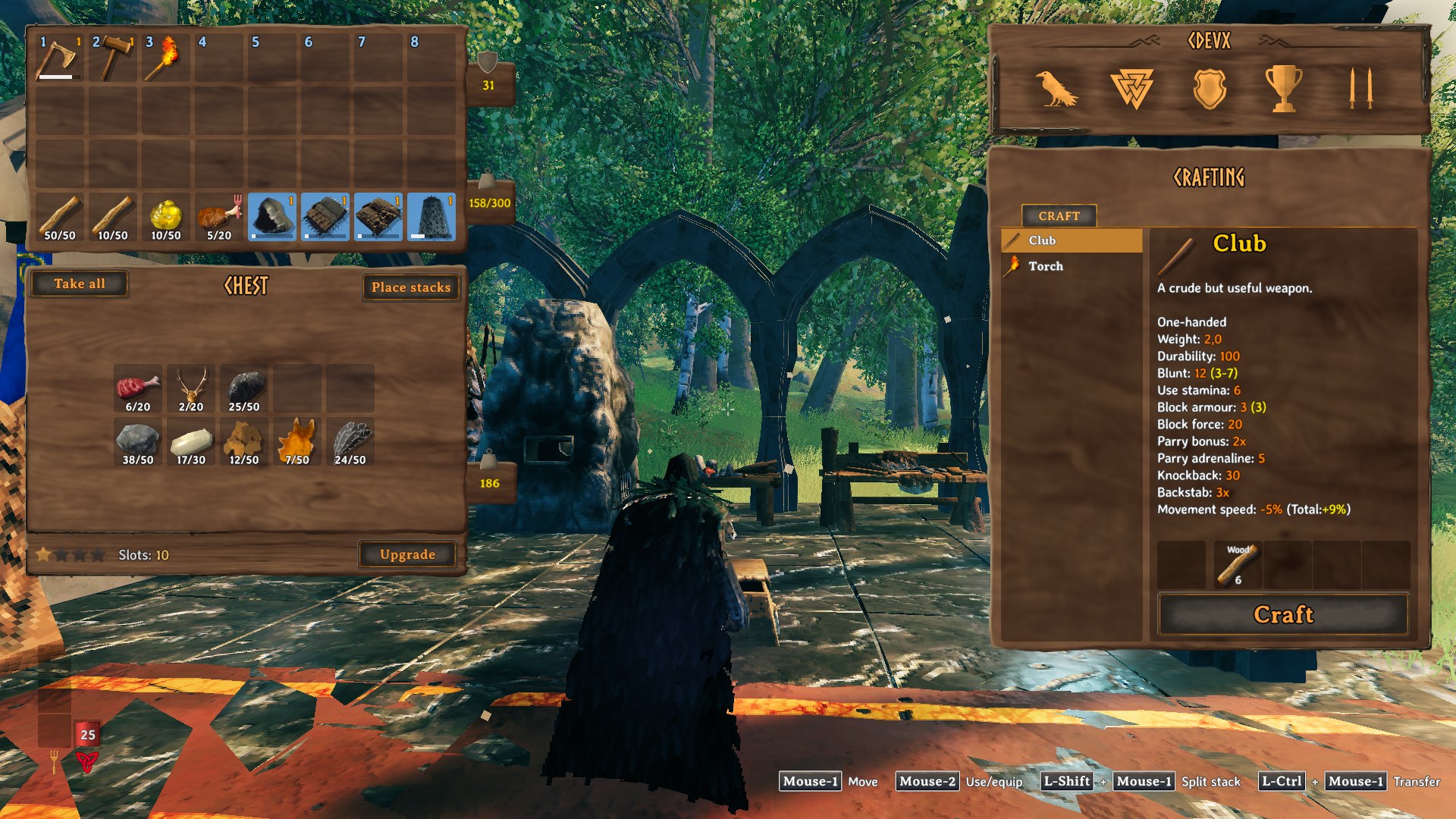
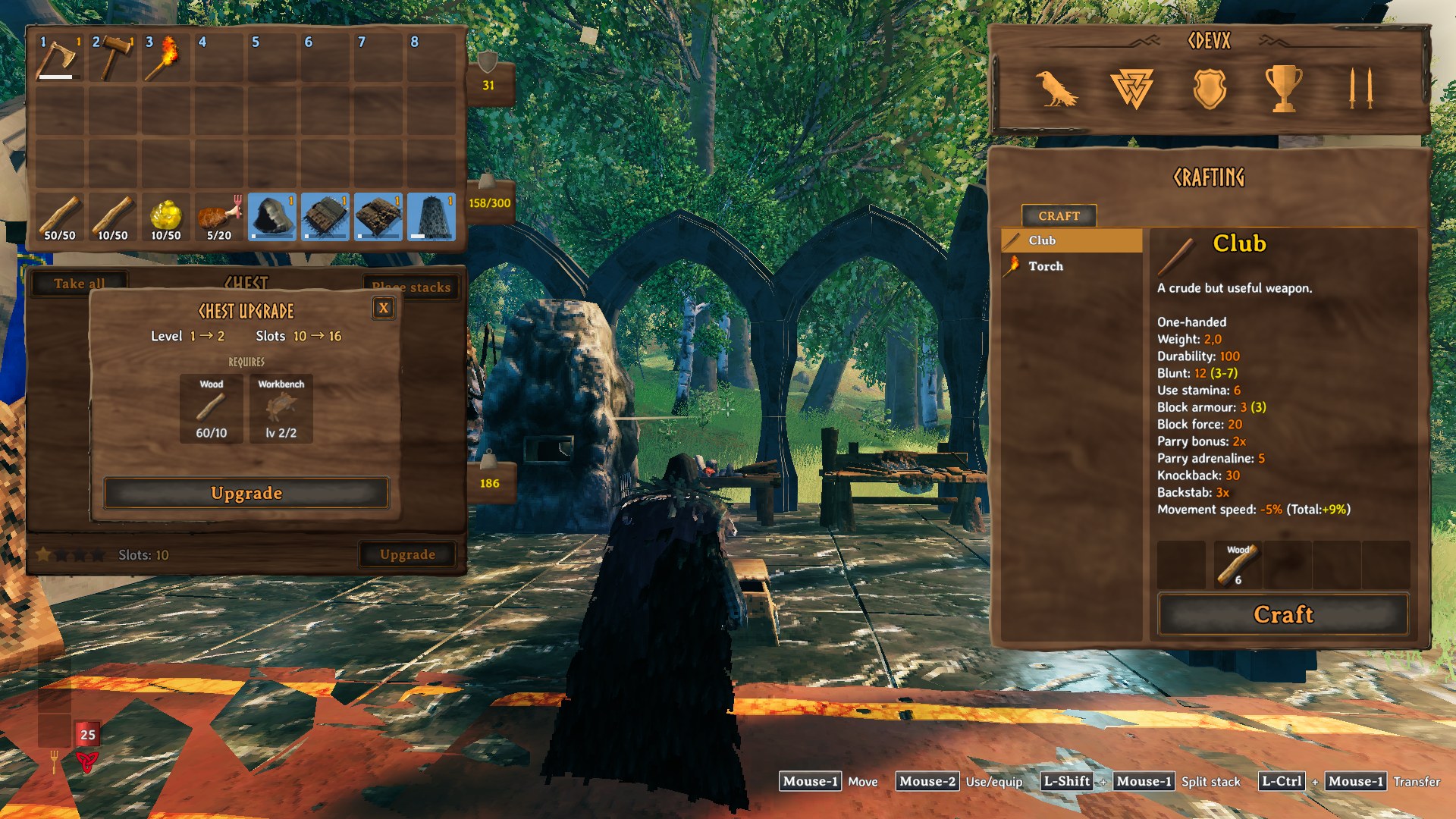
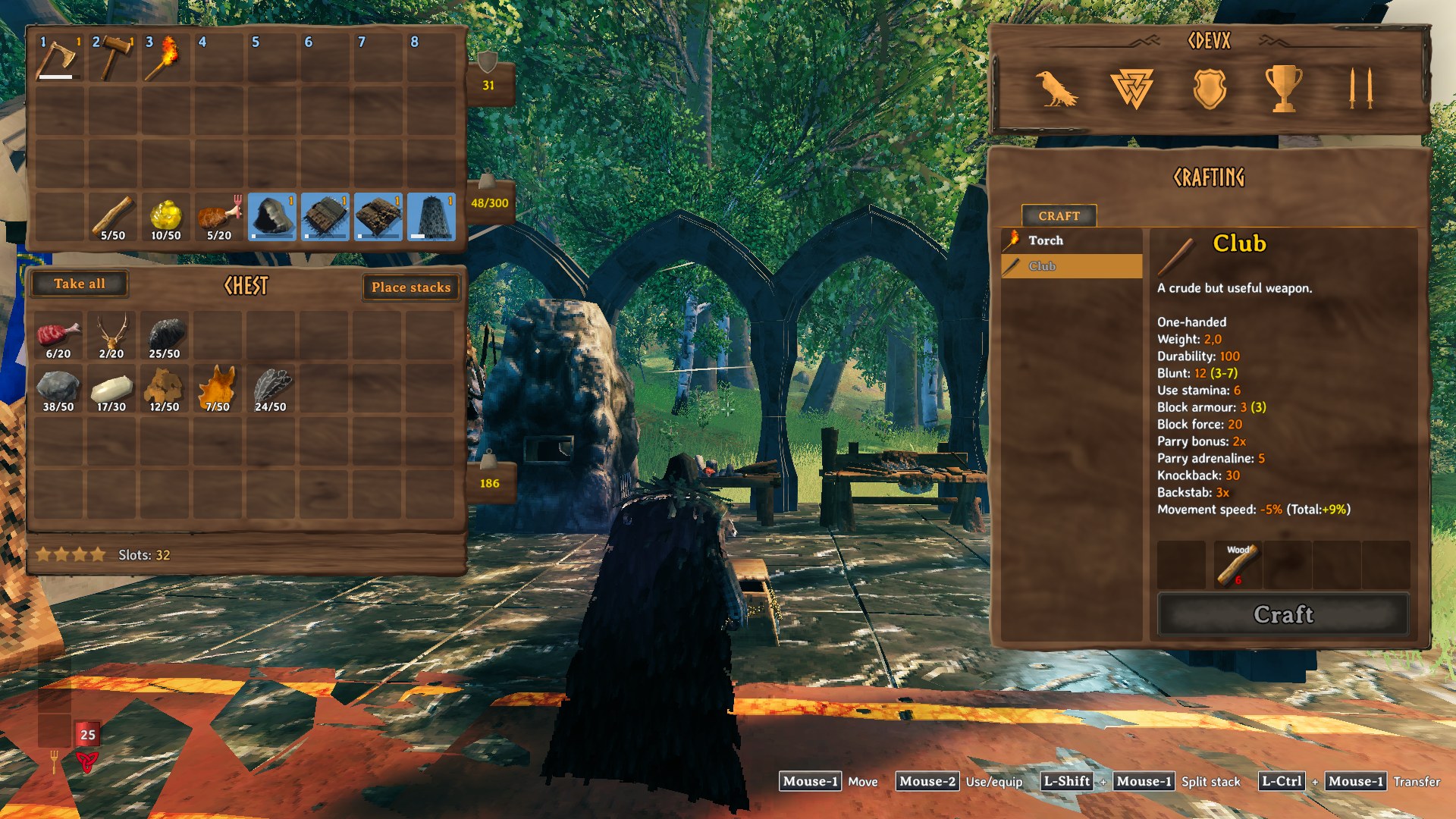
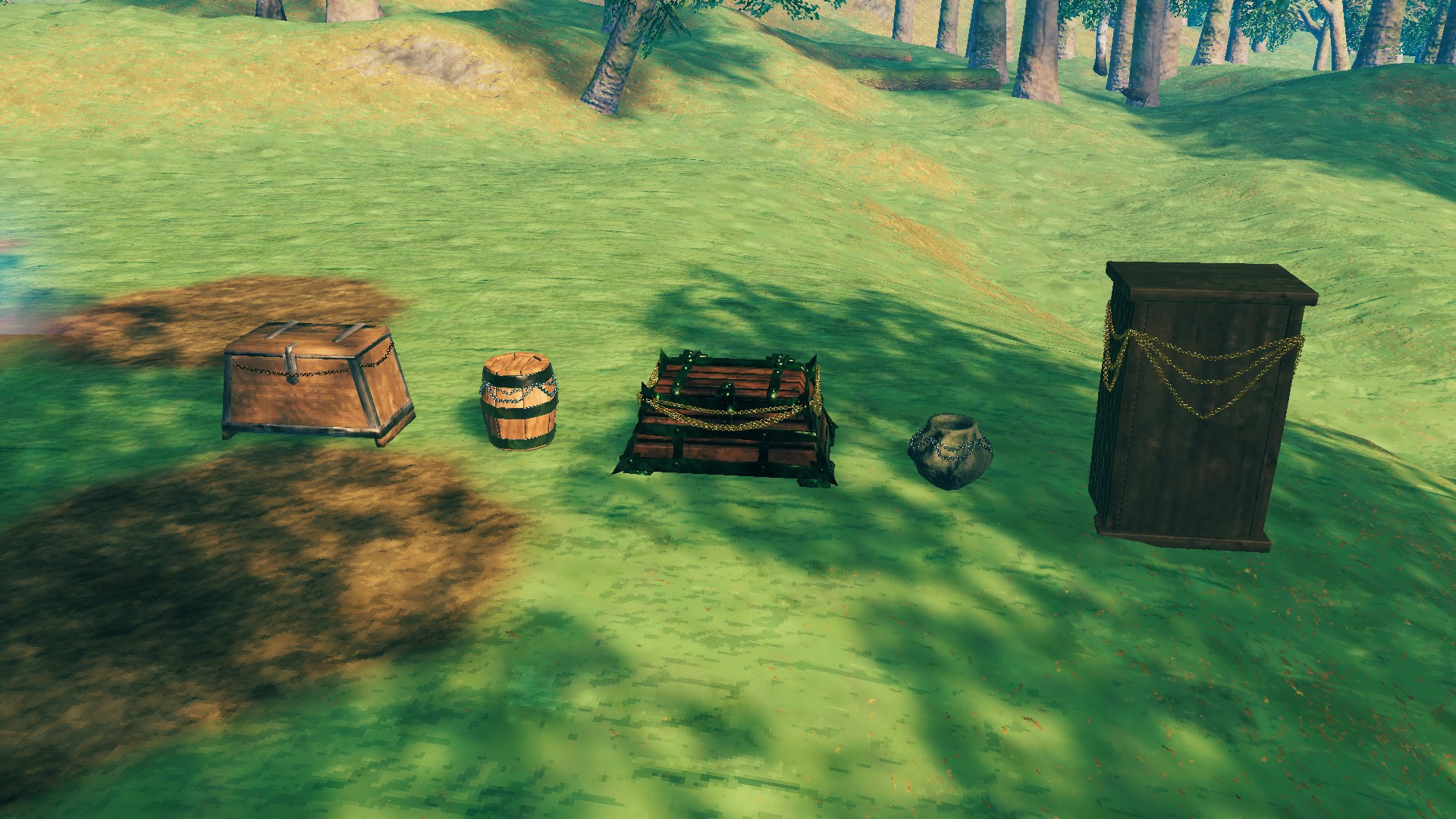
Upgrade your chests. Open a chest you built: a strip under the chest window shows its level as stars, its slot count and an Upgrade button, which opens a window with what the next level costs, each item as "have / need". (Русское описание — ниже.)
Features
- Four levels. Levels 2, 3 and 4 hold about 1.5, 2 and 3 times what the chest held when built, always in
full rows and as wide as the chest window allows (a 15-slot chest: 24, 32, 48).
- Paid from your inventory. Each level costs the chest's build materials times 1, 1.5 and 3 (a wood chest built
from 10 wood: 10, 15, 30 wood), and needs the chest's crafting station nearby at level 2, 3 and 4.
- Every storage: wood chest, reinforced chest, black metal chest, barrel, pots, wardrobe and the rest.
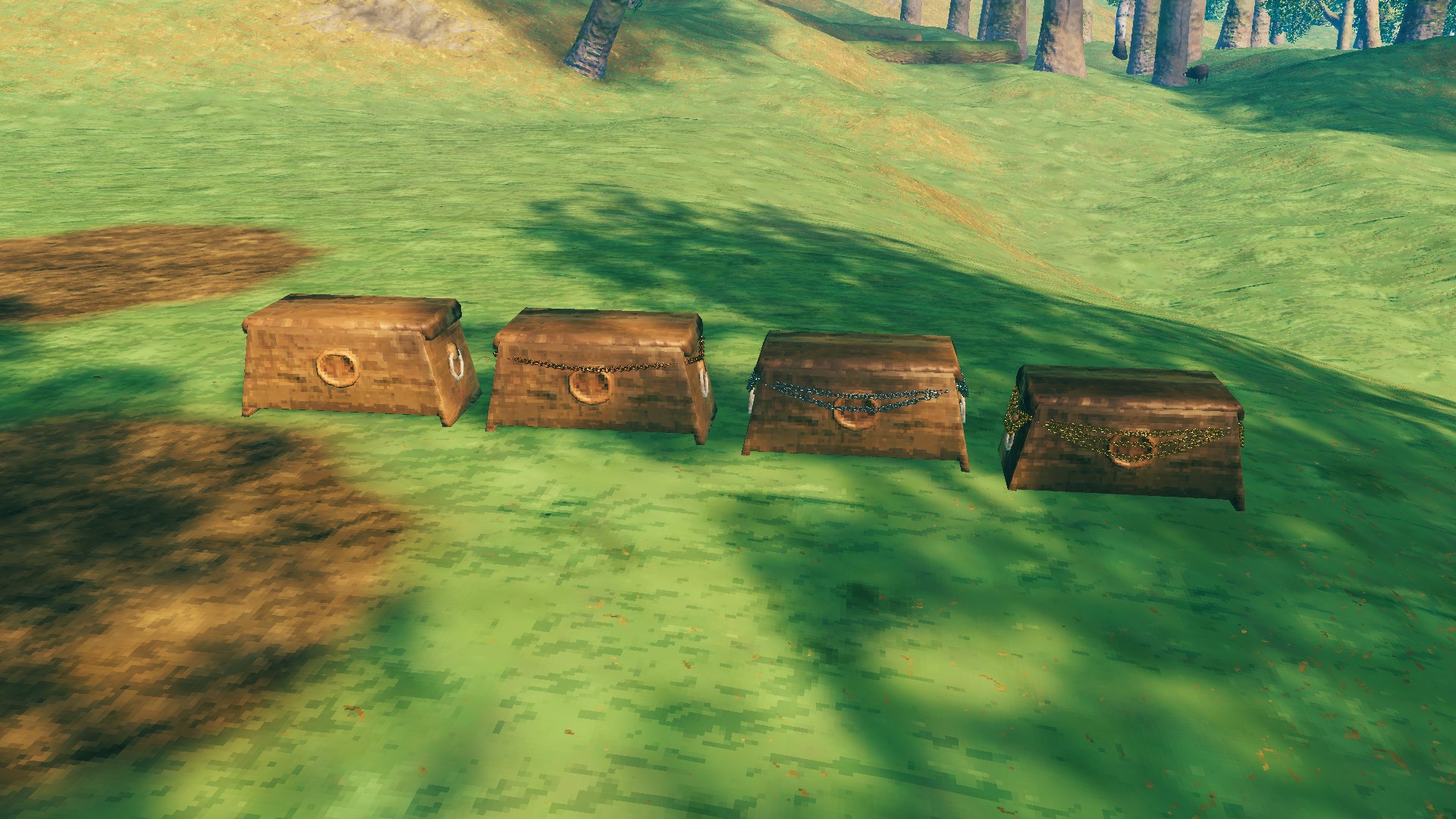
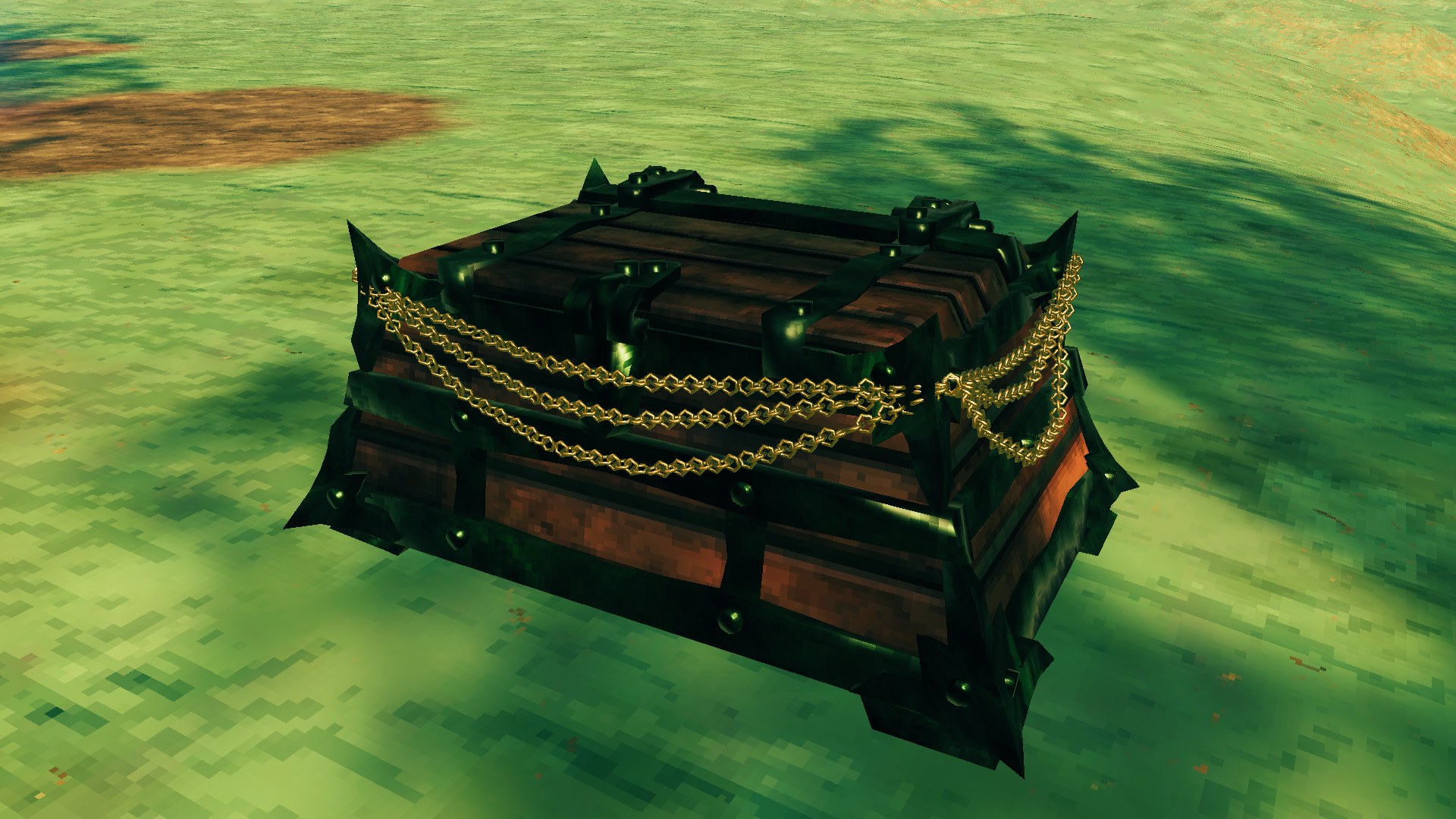
- Seen from every side: an upgraded chest has chains hung round it, one per upgrade — bronze, iron, gold.
- Hover a star to see how many slots that level gives.
- Big chests always open scrolled to the top.
- Nothing is lost: tearing an upgraded chest down returns what every level cost, together with its build
materials.
Settings
Set on the server, the same for everybody: capacity per level, widest row, cost multiplier or your own costs per chest, whether a station is needed, the refund, chests that cannot be upgraded (BepInEx\config\cdev.chestupgrade.cfg). Each player can hide the chains.
Installation
With a mod manager — install, done.
By hand:
- Install BepInExPack Valheim and
- Put the
CDEV.ChestUpgradefolder fromplugins/intoValheim\BepInEx\plugins\.
Multiplayer: the server and every player need the mod; players without it cannot join a server that has it.
Uninstalling: delete that folder. Items are never lost: a chest still shows every row that holds an item, only the empty upgraded rows are gone until the mod is back.
Works with
ValheimBiggerChests (upgrades start from its sizes) and QuickStackStore (its Sort fills a chest from the top row).
Texts in 35 languages. Licence: MIT. By CDEV — bug reports with BepInEx\LogOutput.log are welcome.
ChestUpgrade — по-русски
Улучшайте сундуки. Откройте построенный сундук: под окном сундука — полоска с уровнем в виде звёзд, числом ячеек и кнопкой Улучшить, которая открывает окно с тем, что стоит следующий уровень, — каждый предмет как «есть / нужно».
Возможности
- Четыре уровня. На уровнях 2, 3 и 4 сундук вмещает примерно в 1,5, 2 и 3 раза больше, чем при постройке, —
всегда полными рядами и так широко, как позволяет окно сундука (сундук на 15 ячеек: 24, 32, 48).
- Оплата из инвентаря. Каждый уровень стоит материалы постройки сундука, умноженные на 1, 1,5 и 3 (деревянный
сундук из 10 дерева: 10, 15, 30 дерева); рядом нужна станция сундука уровня 2, 3 и 4.
- Любое хранилище: деревянный, укреплённый, чёрный металлический сундук, бочка, горшки, шкаф и остальные.
- Видно с любой стороны: на улучшенном сундуке висят цепи, по одной за улучшение — бронзовая, железная, золотая.
- Наведите на звезду — увидите, сколько ячеек даёт этот уровень.
- Большие сундуки всегда открываются с самого верха.
- Ничего не пропадает: разобранный улучшенный сундук возвращает стоимость каждого уровня вместе с материалами
постройки.
Настройки
Задаются на сервере и одинаковы для всех: вместимость по уровням, наибольшая ширина, множитель стоимости или своя стоимость для каждого сундука, нужна ли станция, возврат, сундуки без улучшения (BepInEx\config\cdev.chestupgrade.cfg). Цепи каждый игрок может скрыть у себя.
Установка
Через менеджер модов — установите, и всё.
Вручную:
- Установите BepInExPack Valheim и
- Положите папку
CDEV.ChestUpgradeизplugins/вValheim\BepInEx\plugins\.
Мультиплеер: мод нужен серверу и каждому игроку; без него на сервер с модом не зайти.
Удаление: удалите эту папку. Предметы не пропадают: сундук показывает каждый ряд, в котором что-то лежит, пустые добавленные ряды исчезают до возвращения мода.
Совместимость
ValheimBiggerChests (улучшения считаются от его размеров) и QuickStackStore (его сортировка заполняет сундук с верхнего ряда).
Тексты на 35 языках. Лицензия: MIT. Автор CDEV — об ошибках пишите с файлом BepInEx\LogOutput.log.
Highlights
From source dataLoaders
Runs on BepInEx.
Footprint
Rated a light load on a server.
Last update
Its author last shipped an update 40d ago.
CDEV ChestUpgrade on Nxeon
From our catalogue- One-click install
- Supported on Nxeon Valheim servers, for BepInEx servers. We download it from Thunderstore, place it, and restart the server.
- Server side
- Optional on the server
- Server type needed
- BepInEx
- Server load
- light
- Smallest plan we suggest
- Valheim — 2 GB (2 GB RAM). This follows our own load rating above, not a benchmark.
- Latest build
- 0.1.1, released 2026-10-13
Game versions by loader
| Loader | Game versions | Newest |
|---|---|---|
| BepInEx |
From 2 recorded builds of CDEV ChestUpgrade.
Recent builds
| Build | Released | Game versions | Loaders |
|---|---|---|---|
| 0.1.1 | 2026-10-13 | n/a | BepInEx |
| 0.1.0 | 2026-10-11 | n/a | BepInEx |
Dependencies
- Required: BepInExPack Valheim
- Required: Jotunn
Declared by the newest build that lists any. Required ones are installed with it on one-click installs.
Run CDEV ChestUpgrade on a Valheim server
Pick a server or deploy a new one above; it is installed in one click.
What kind of mod it is
From the catalogQuality of life & UI
Small conveniences, tweaks and interface improvements players notice straight away.
Works on a server
From source side supportThunderstore lists server-side support for CDEV ChestUpgrade as optional: it can run on a server, but isn’t required there.
Compatibility
- Game
- Valheim
- Loaders
- BepInEx
- Runs on
- Serveroptional on the server
- Requires
- One-click install needs a BepInEx server.
Verified at the source
- ✓ThunderstoreOfficial listing, checked 2026-10-15Open ↗
- ✓AuthorCDEVx, as published on Thunderstore
- ✓LicenseNot published by the sourceFree












