






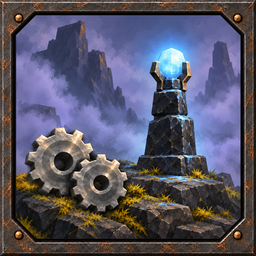
About MistlandsControl
From ThunderstoreCustomize Mistlands mining, cultivation, wisplight upgrades and the new buildable Wisp Tower. Adjustable yield, recipes and mist clearing. Server-synced gameplay settings.
Description
MistlandsControl adds configurable Black Marble mining, cultivation, Wisplight upgrades and a buildable Wisp Tower.
Overview
| Feature | Description | | --- | --- | | Black Marble | Mine Black Marble from natural Mistlands rocks and cliffs, and adjust yield from natural sources. | | Cultivation | Cultivate rocky Mistlands ground. | | Wisplights | Craft Level2 and Level3 Wisplights with adjustable clearing radii. | | Wisp Tower | Build a Black Marble tower with adjustable recipe, mist clearing, brightness and bounds display. | | Sky clearing | Optionally extend mist clearing upward from towers and upgraded Wisplights. | | Multiplayer | Gameplay settings are synced from the server and locked on clients. Bounds preferences and icons stay local. |
Configuration and values
Settings: BepInEx/config/dannanboi.mistlandscontrol.cfg
| Section / option | Default | Description | | --- | --- | --- | | Settings / Enable Mod | true | Enable the mod's features. | | All feature sections / Enable Section | true | Enable that section's features. | | Black Marble / Mine from mountains | true | Add Black Marble drops to natural Mistlands rocks and cliffs. | | Black Marble / Yield Multiplier | 1.00 | Multiply natural Black Marble yield. Range: 0.01–5.00. | | Cultivate / Allow cultivation everywhere | true | Allow cultivation on rocky Mistlands ground. | | De-Misting Items / Wisp Tower | true | Add Wisp Tower beside Wisp Torch in the Hammer menu. | | De-Misting Items / Wisp Tower Recipe | Wisp[5],Eitr[10],BlackMarble[30] | Materials required to build the tower. | | De-Misting Items / Demist Multiplier | 5 | Tower clearing radius relative to a Wisp Torch. Range: 1–10. | | De-Misting Items / Light Intensity | 1 | Tower brightness. Range: 0–3; 0 turns off its light. | | Wisplight and De-Misting Items / Elevation Increase | false | Extend clearing upward to reveal the sky. | | Wisplight and De-Misting Items / Elevation Multiplier | 1.0 | Increase vertical reach. Range: 1.0–3.0. | | De-Misting Items / Enable bounds toggle | true | Allow this player to toggle tower radius markers. | | De-Misting Items / Bounds Key | E | Shortcut for showing or hiding tower bounds. Local preference. |
Settings apply automatically when changed. Each feature section can be disabled independently. Gameplay settings are server-controlled in multiplayer; offline play uses local settings. Bounds controls remain editable by each player.
Yield Multiplier 1 gives normal yield, 0.5 halves it on average and 2 doubles it. It also affects natural bones and Dvergr structures. Player-built pieces refund their recipe materials without multiplication.
Elevation settings are independent for towers and upgraded Wisplights. Light intensity and elevation multipliers accept decimals. Turning off tower light does not affect mist clearing.
Wisplight settings
| Default item name | Default clearing radius | Default recipe | | --- | --- | --- | | Energized Wisplight | 2× regular Wisplight | Demister[1],Wisp[1],Silver[2] | | Ancient Wisplight | 3× regular Wisplight | dbmc_wisp2[1],Wisp[2],Silver[4] |
Under Wisplight, Lvl 2 Demist Multiplier and Lvl 3 Demist Multiplier accept decimals from 1.0 to 5.0, defaulting to 2.0 and 3.0.
The Level 2 and Level 3 Title, Description and Recipe options customize each upgrade. Each recipe requires the previous Wisplight and uses the regular Wisplight's crafting station. Use console item names and positive whole amounts: Item1[amount],Item2[amount].
Optional icons: place dbmc_wisp2.png and dbmc_wisp3.png in BepInEx/config/MistlandsControl/icons on each client. Use 64×64 PNGs. Icons reload automatically.
Wisp Tower bounds
Hover a placed Wisp Tower and press E by default to toggle its ground ring and light-blue radius circle on the minimap and full map. These markers show the horizontal clearing radius, update with radius changes and are not saved as map pins.
Manual Installation
- Install BepInEx for Valheim.
- Remove the previous mod DLL, then copy the included
BepInExfolder into your game or server folder. - Start the game or server, then adjust the config.
Compatibility
Supports single-player, hosted multiplayer and dedicated servers. Requires BepInEx 5 and matching MistlandsControl versions on the server and all clients.
dannanboi Mod Philosophy
My mods aim to be small and modular, stay close to Valheim's vanilla experience, and work well together or independently. Enable all features to make bigger changes, or choose the ones that suit your playstyle. Your run should be yours to customize. Features described as "an added bonus" or "nice to have" should always be optional. In multiplayer, the server controls gameplay settings, while visual settings stay local to each player.
Credits
You, the player. Thanks for using my mod!
Highlights
From source dataLoaders
Runs on BepInEx.
Footprint
Rated a light load on a server.
Last update
Its author last shipped an update 35d ago.
MistlandsControl on Nxeon
From our catalogue- One-click install
- Supported on Nxeon Valheim servers, for BepInEx servers. We download it from Thunderstore, place it, and restart the server.
- Server side
- Optional on the server
- Server type needed
- BepInEx
- Server load
- light
- Smallest plan we suggest
- Valheim — 2 GB (2 GB RAM). This follows our own load rating above, not a benchmark.
- Latest build
- 1.0.2, released 2026-10-18
Game versions by loader
| Loader | Game versions | Newest |
|---|---|---|
| BepInEx |
From 3 recorded builds of MistlandsControl.
Recent builds
| Build | Released | Game versions | Loaders |
|---|---|---|---|
| 1.0.2 | 2026-10-18 | n/a | BepInEx |
| 1.0.1 | 2026-10-14 | n/a | BepInEx |
| 1.0.0 | 2026-10-14 | n/a | BepInEx |
Run MistlandsControl on a Valheim server
Pick a server or deploy a new one above; it is installed in one click.
What kind of mod it is
From the catalogQuality of life & UI
Small conveniences, tweaks and interface improvements players notice straight away.
Works on a server
From source side supportThunderstore lists server-side support for MistlandsControl as optional: it can run on a server, but isn’t required there.
Compatibility
- Game
- Valheim
- Loaders
- BepInEx
- Runs on
- Serveroptional on the server
- Requires
- One-click install needs a BepInEx server.
Verified at the source
- ✓ThunderstoreOfficial listing, checked 2026-10-19Open ↗
- ✓Authordannanboi, as published on Thunderstore
- ✓LicenseNot published by the sourceFree












