






About Hoard
From ThunderstoreA hoard for your enchanted gear, per ward or shared, with a sortable, filterable list, plus a Rune Cache shelf for enchanting materials.
Hoard
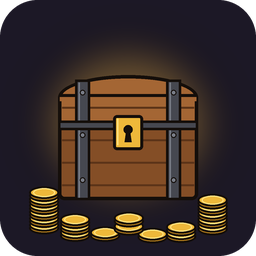
A hoard for your enchanted gear, shown as a list you can sort and filter instead of a chest grid. A Hoard inside your ward opens your ward's own store, shared with the players on that ward. A Hoard outside any ward opens a store the whole server shares (or, if the server chooses, each player's own). Stores grow as you beat bosses. A second piece, the Rune Cache, is a labelled shelf for runestones, shard stones and enchanting materials.
Requires EpicLoot. The Hoard only takes enchanted equipment.
The Hoard
- Build it with the hammer (Misc) near a workbench: 20 Wood, 10 Stone, 5 Resin.
- Items are kept on the server, not in the piece, so removing a Hoard with the hammer loses nothing. Nothing
damages it: raids, fire, weather and losing its support all leave it alone.
- It takes identified EpicLoot magic equipment, from any mod. Plain gear, unidentified items and materials are
refused with a message.
- You have to stand within 5 m to use it.
- An item from a mod you removed stays in the Hoard as "Unknown item" until the mod is back.
Which store a Hoard opens
- Inside a player's ward: that ward's own store. Only the ward's owner and the players on its list can open it.
Every Hoard inside the same ward opens the same store. A new ward starts with an empty store.
- Outside every ward: the shared store, which every such Hoard opens. A server can set this to each player's
own store instead (UnwardedHoards); then the shared store can't be opened until it's set back.
- Several wards over one Hoard: the ward whose store was set up first wins. If none has a store yet, the
nearest ward.
- A switched-off ward: its store still opens, for the players on its list. While a ward is off, anyone can add
themselves to its list at the stone, so the window warns you. A server can make it owner-only (OffWardAccess).
- A ward that's gone or switched off: its store is kept for its owner. Place a new ward and open a Hoard inside
it: the window offers Claim. Claim before depositing there, because a deposit starts a new store for that ward instead.
- The window's title always says which store you're in: Shared, Yours, or someone's ward.
Only the base game's wards count, and mods that use them (such as ProtectiveWards). Wards from WardIsLove, ArcaneWard or LegacyWard aren't recognised: Hoards near them open the shared store. If a mod changes the ward range only inside the game (ValheimPlus, BetterWards), set WardRange to the range it uses.
Tiers
Every store starts at 40 slots and upgrades on its own. You can upgrade at any Hoard of that store, one tier per boss. The boss has to be dead in the world. The materials come from your inventory, or with AzuCraftyBoxes also from nearby chests, as crafting does. The chest's look changes as it grows, and coin piles appear around it.
| Tier | Boss | Slots | Default cost | |---|---|---|---| | 1 | Eikthyr | 80 | Deer hide 10, Hard antler 1, Magic dust 5, Magic essence 2 | | 2 | The Elder | 120 | Bronze 10, Fine wood 10, Magic dust 10, Magic reagent 5 | | 3 | Bonemass | 180 | Iron 10, Chain 2, Rare dust 5, Rare essence 3 | | 4 | Moder | 240 | Silver 10, Wolf pelt 5, Rare dust 10, Rare reagent 5 | | 5 | Yagluth | 300 | Black metal 10, Linen thread 10, Epic dust 5, Epic essence 3 | | 6 | The Queen | 380 | Eitr 10, Yggdrasil wood 10, Legendary dust 5, Legendary reagent 3 | | 7 | Fader | 480 | Flametal 10, Grausten 10, Mythic dust 5, Mythic essence 3 |
The window
- To deposit, drag gear onto the list or Ctrl-click it in your inventory. To take, click a row or drag it out.
- Deposit all magic gear leaves your hotbar, equipped items, AzuExtendedPlayerInventory's slots and your
QuickStackStore favourites where they are.
- Filters: name, rarity, type, biome, upgrade level, set pieces, enchantments (all or any, with minimum values), and
up to three stat rows like "damage >= 120". Click a column to sort by it, and again to reverse.
- Hovering a row compares the item with what you have equipped.
- History tab: the store's recent deposits, takes, upgrades and claims, with who and when. Anyone who can open the store
can see it.
- Taking needs a free inventory slot. If your inventory fills up before the item arrives, it waits until you make
room.
- The game saves your character before a deposit when the item isn't in your last save exactly as it is now (picked
up, crafted, enchanted or taken from the Hoard since). That save is what lets Hoard recover from a crash without losing or duplicating anything.
- Gamepad: the stick moves through the list, A takes, X deposits all, Y changes the sort, LB moves to the list (press
it again to switch between Items and History), RB goes back to your inventory, and B closes. A on a Claim row claims it. Filters and the Upgrade button need a mouse.
The Rune Cache
A wardrobe with a shelf inside: one labelled slot for each material, rows Magic to Ancient, columns Dust, Essence, Reagent, Shard and Runestone. Empty slots show the material's faded icon. Shard stones and etched runestones go in the loose cells beside and below the shelf.
Highlights
From source dataLoaders
Runs on BepInEx.
Footprint
Rated a light load on a server.
Last update
Its author last shipped an update 55d ago.
Hoard on Nxeon
From our catalogue- One-click install
- Supported on Nxeon Valheim servers, for BepInEx servers. We download it from Thunderstore, place it, and restart the server.
- Server side
- Optional on the server
- Server type needed
- BepInEx
- Server load
- light
- Smallest plan we suggest
- Valheim — 2 GB (2 GB RAM). This follows our own load rating above, not a benchmark.
- Latest build
- 1.1.2, released 2026-09-28
Game versions by loader
| Loader | Game versions | Newest |
|---|---|---|
| BepInEx |
From 5 recorded builds of Hoard.
Recent builds
| Build | Released | Game versions | Loaders |
|---|---|---|---|
| 1.1.2 | 2026-09-28 | n/a | BepInEx |
| 1.1.1 | 2026-09-27 | n/a | BepInEx |
| 1.1.0 | 2026-09-27 | n/a | BepInEx |
| 1.0.1 | 2026-09-25 | n/a | BepInEx |
| 1.0.0 | 2026-09-25 | n/a | BepInEx |
Dependencies
- Required: BepInExPack Valheim
- Required: Jotunn
- Required: ConditionalConfigSync
- Required: EpicLoot
Declared by the newest build that lists any. Required ones are installed with it on one-click installs.
Pick a server or deploy a new one above; it is installed in one click.
What kind of mod it is
From the catalogQuality of life & UI
Small conveniences, tweaks and interface improvements players notice straight away.
Works on a server
From source side supportThunderstore lists server-side support for Hoard as optional: it can run on a server, but isn’t required there.
Compatibility
- Game
- Valheim
- Loaders
- BepInEx
- Runs on
- Serveroptional on the server
- Requires
- One-click install needs a BepInEx server.
Verified at the source
- ✓ThunderstoreOfficial listing, checked 2026-10-16Open ↗
- ✓AuthorHelixDev, as published on Thunderstore
- ✓LicenseNot published by the sourceFree












