







About PingMark
From ThunderstoreMark loot, creatures, and locations with named pings, colored outlines, and live distances. Sense what's hidden around you and share discoveries with your party.
PingMark
Share discoveries and keep your party on target!
See how far away every ping is, something vanilla Valheim never shows. Aim, press Z, and your friends see exactly what you found: a named marker, a colored outline and a live distance. Stand still and press Left Shift + Z to sense loot and creatures hidden in the dark around you.
📸 Screenshots
See what matters at a glance. Live distances, item names and creature highlights.
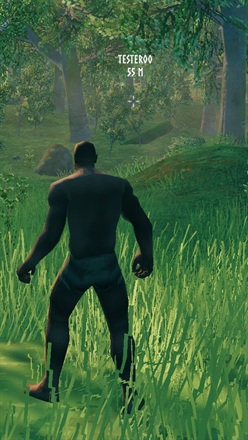
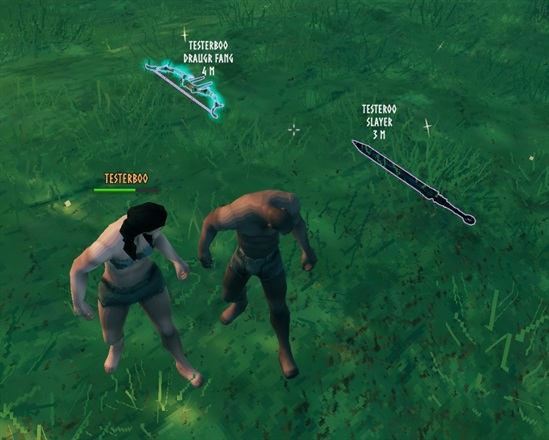
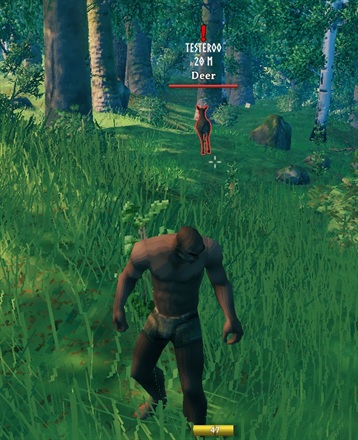
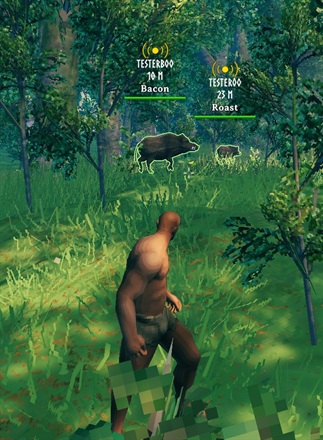
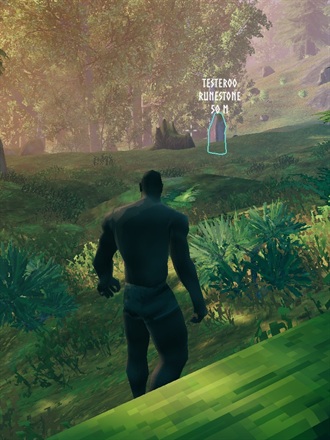
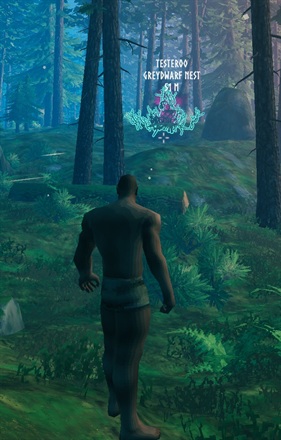
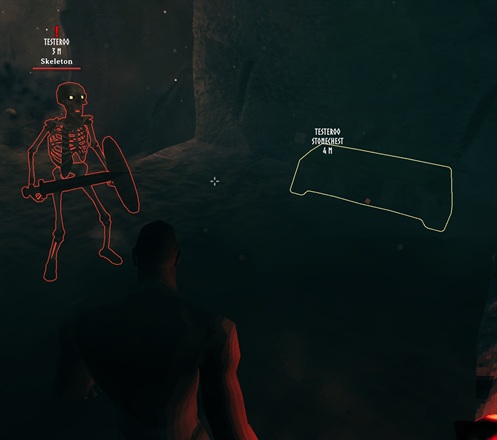
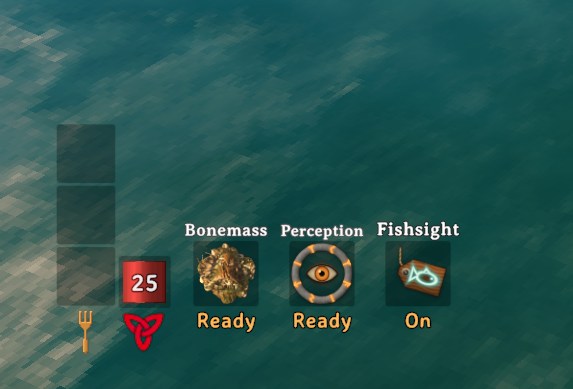
Sense what's hidden. Perception has its own slot next to your Guardian Power, showing when it's ready again.
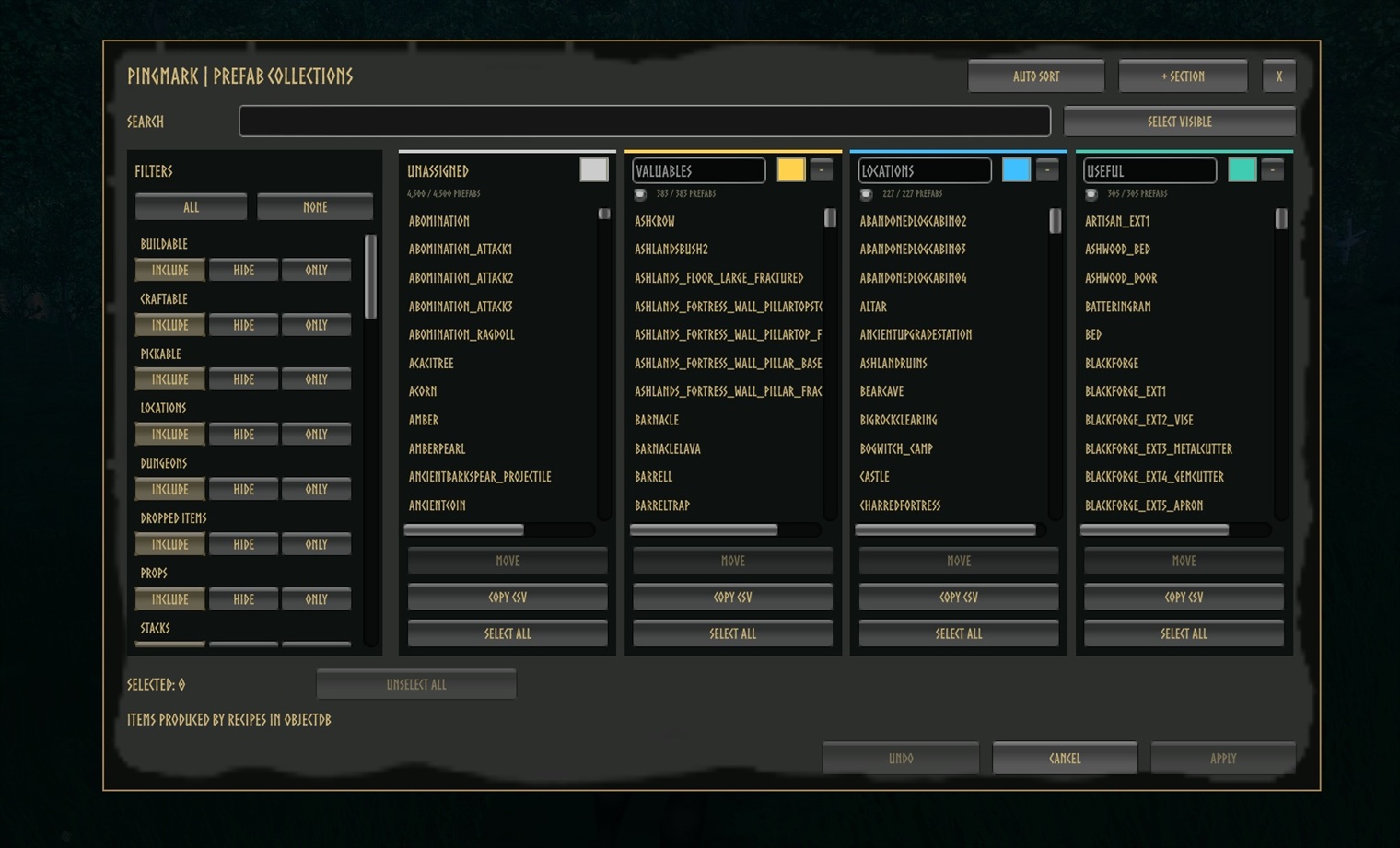
Choose what your party can mark. Objects and locations are sorted into searchable, color-coded collections.
🧭 Features
- 📏 Distance on every ping: world and map pings show who pinged and how far away it is, updating as you move. Works on regular map pings too.
- Aim and ping: mark what you are looking at with its name and an outline, even while running.
- Find the loot: dropped weapons, armor and materials glow so they're easy to spot in the grass, and so do cut logs and broken ore deposits.
- Track creatures: highlight a mob with a nameplate and distance that follow it, colored red (hostile) or green (friendly).
- 🔮 Perception: stand still and press Left Shift + Z to outline loot around you for 15 seconds, handy for coins and gems in dark dungeons. It senses whatever a ping could mark (listed objects, drops, and gravestones or players if enabled under Ping Targets), and nearby PingMark players see it too.
- Sense creatures: Perception also highlights every hostile and friendly creature around you, beyond the usual highlight limit (turn off Perceive Creatures to sense only objects).
- Like a Guardian Power: a Perception slot next to your power shows Ready or the time left; it's ready again 60 s after each use. Prefer a cost that grows with what you sensed? Switch Perception Fatigue Mode to
Relative. - Mark teammates: optionally highlight players instead of the spot they stood on (off by default).
- Your rules: pick which objects count as Valuables, Locations or Useful, and customize colors, labels, shortcuts and range.
🎮 Controls
| Shortcut | Action | | --- | --- | | Z | Highlight the creature you aim at, or ping the spot/object. | | Left Shift + Z | Perception (standing still): sense objects, drops and creatures near you (nearby PingMark players see them too). | | Right Ctrl + P | Turn PingMark on or off. | | Right Ctrl + Right Shift + P | Open the Prefab Collections menu (admins only on servers). |
🎛️ Ping and Perception can be rebound right in the game's Settings > Controls. The new key keeps the shortcut's modifier, so Perception stays on Left Shift. Every shortcut can also be changed in the config under 9 - Inputs.
🛠️ Prefab Collections Menu
Decide which objects get a name and outline when pinged.
- Search and filter every object and location in the game, including modded ones.
- Move objects between colored sections, or add, rename and remove sections.
- Find an object's ID: turn on Debug Ping Names (1 - General, shown with Advanced settings in Configuration Manager) and press Z on it; its IDs appear in the top-left corner.
- Auto Sort rebuilds the default Valuables, Locations and Useful sections, sorting modded objects too: traders and trader outposts, cut logs and deposits are listed, while rocks, roots and props that only drop wood or stone are left out. Undo reverts changes, Apply saves them. Copy YAML copies every section, including unapplied changes; Import YAML replaces all sections from the clipboard. A section's Import button replaces just that section from a copied CSV list or YAML section. Export Report writes every prefab's detected kinds and auto sort result to
BepInEx/config/JoksterCube.PingMark.AutoSortReport.csv, useful for checking modded prefabs.
> 🔒 On a server with PingMark, only admins can change collections, and the server checks every change. Collections are saved in BepInEx/config/JoksterCube.PingMark.Collections.yml and synced to all players.
Highlights
From source dataLoaders
Runs on BepInEx.
Footprint
Rated a light load on a server.
Last update
Its author last shipped an update 28d ago.
PingMark on Nxeon
From our catalogue- One-click install
- Supported on Nxeon Valheim servers, for BepInEx servers. We download it from Thunderstore, place it, and restart the server.
- Server side
- Optional on the server
- Server type needed
- BepInEx
- Server load
- light
- Smallest plan we suggest
- Valheim — 2 GB (2 GB RAM). This follows our own load rating above, not a benchmark.
- Latest build
- 1.5.0, released 2026-10-25
Game versions by loader
| Loader | Game versions | Newest |
|---|---|---|
| BepInEx |
From 8 recorded builds of PingMark.
Recent builds
| Build | Released | Game versions | Loaders |
|---|---|---|---|
| 1.5.0 | 2026-10-25 | n/a | BepInEx |
| 1.4.0 | 2026-10-25 | n/a | BepInEx |
| 1.3.0 | 2026-10-24 | n/a | BepInEx |
| 1.0.4 | 2026-10-05 | n/a | BepInEx |
| 1.0.3 | 2026-10-05 | n/a | BepInEx |
| 1.0.2 | 2026-10-05 | n/a | BepInEx |
Dependencies
- Required: BepInExPack Valheim
Declared by the newest build that lists any. Required ones are installed with it on one-click installs.
Run PingMark on a Valheim server
Pick a server or deploy a new one above; it is installed in one click.
What kind of mod it is
From the catalogQuality of life & UI
Small conveniences, tweaks and interface improvements players notice straight away.
Works on a server
From source side supportThunderstore lists server-side support for PingMark as optional: it can run on a server, but isn’t required there.
Compatibility
- Game
- Valheim
- Loaders
- BepInEx
- Runs on
- Serveroptional on the server
- Requires
- One-click install needs a BepInEx server.
Verified at the source
- ✓ThunderstoreOfficial listing, checked 2026-10-26Open ↗
- ✓AuthorJoksterCube, as published on Thunderstore
- ✓LicenseNot published by the sourceFree












