






About WorkbenchesPlus
From ThunderstoreSort and filter crafting menus: craftable first, categories, armor/weapon sets by biome tier.

Sorted by material and biome. Found in a second.
Every station sorts its recipes the same way, with headers by material and biome, armor sets and weapon materials kept together. Category chips, a weapon filter, search, favorites, a Dismantle tab, build range and auto repair. Does not change recipes or crafting logic.
> Client-side. Valheim 1.0 · BepInExPack 5.4.2350+ · Console players via crossplay cannot load the mod.

At a glance
|  |
 |
 |
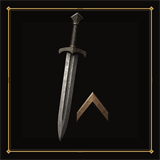 | |:---:|:---:|:---:|:---:| | Sorting
By material, biome and set | Search & favorites
Type a name, right-click to pin | Categories
Chips per station, weapon filter symbols | Upgrade
New value next to the current one |
|  |
 |
 |
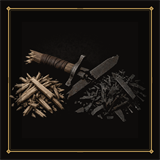
 | |:---:|:---:|:---:|:---:| | Dismantle
Break gear back into its materials | Multiplier
Arrows beside Craft, up to 99 | Build range
Shift+E: 50 to 200 m per station | Auto repair
Worn gear fixed one by one |
Works with: Path of Valheiman · crafting stations from other mods (Warfare, ...)
Sorting
- Headers by material and biome (Wood, Bronze, Iron, Silver, Black Metal, Flametal, ...), in progression order.
- Armor sets stay together (chest, helmet, legs, cape). Weapons of one material stay together, ordered by weapon type.
- Variants (Blood, Lightning, Frost/Fire, ...) sit directly behind the weapon they are made from. Deep North casts sit behind the item they cast.
- Food: Health, Stamina and Eitr headers, strongest food first. Feasts and fishing bait follow the biomes.
- Gear headers carry their biome, for example
Iron [Swamp]. Food shows its strongest bar after the name: Health red, Stamina yellow, Eitr blue. - The Forge of Potential list is sorted too. Nothing to set up: one order for everything.
Categories and search
- Chips under the repair button: Weapons, Armor, Shields, Tools, Ammo, Magic, Health, Stamina, Eitr, Feasts, Prep, Fish, Bait, Potions, Cast, Materials, Trinkets, Clothes, Misc. Empty chips are hidden. All shows the current station only.
- Weapons opens a box of symbols: 1-Hand, 2-Hand, Knives, Swords, Clubs, Axes, Spears, Polearms, Bows, Crossbows, Fists, Bombs. One symbol at a time; bows and crossbows only count under their own symbol.
- Search at the right end of the tab row: filter by recipe name or header (type "iron" for the Iron block).
- Favorites: right-click a recipe. Favorites form a block at the top of every list.
Crafting
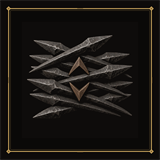
- Upgrade tab shows the current value next to the upgraded one, for example
Durability: 400 (now: 200). - Multi-craft arrows beside the Craft button set how many crafts to run (up to 99).
Dismantle
- A tab beside Craft / Upgrade: break station-crafted items back into their materials.
- Shows exactly which materials you get back before you dismantle. The refund percentage is configurable.
- Food and potions are never listed. Not available at the Forge of Potential.
Build range and auto repair
- Look at a station the hammer needs (workbench, forge, ...) and press Shift+E to cycle its build range: default, 50, 100, 150, 200 m. Saved on the station, not possible inside someone else's ward.
- Auto repair (off by default): worn armor, weapons and tools are repaired one at a time while you stand in a matching station's build range, once they drop to
AutoRepairBelowPercent(default 90 %). Needs roof and fire like normal repair.
Path of Valheiman
- While its Salvage / Disenchant tab or its category grid is open, Workbenches+ steps aside.
- Hover a recipe row to see the full Path of Valheiman item tooltip (rarity, stat ranges, tags).
- The search field sits behind its extra tab and never sticks out of the window.
- Optional
HidePathOfValheimanSalvage: only Dismantle at normal stations. Disenchant at the Rune Carver Table always stays.
Config
One file, BepInEx/config/com.morda.workbenchesplus.cfg:
Highlights
From source dataLoaders
Runs on BepInEx.
Footprint
Rated a light load on a server.
Last update
Its author last shipped an update 30d ago.
WorkbenchesPlus on Nxeon
From our catalogue- One-click install
- Supported on Nxeon Valheim servers, for BepInEx servers. We download it from Thunderstore, place it, and restart the server.
- Server side
- Optional on the server
- Server type needed
- BepInEx
- Server load
- light
- Smallest plan we suggest
- Valheim — 2 GB (2 GB RAM). This follows our own load rating above, not a benchmark.
- Latest build
- 1.1.0, released 2026-10-22
Game versions by loader
| Loader | Game versions | Newest |
|---|---|---|
| BepInEx |
From 8 recorded builds of WorkbenchesPlus.
Recent builds
| Build | Released | Game versions | Loaders |
|---|---|---|---|
| 1.1.0 | 2026-10-22 | n/a | BepInEx |
| 1.0.16 | 2026-10-10 | n/a | BepInEx |
| 1.0.15 | 2026-10-04 | n/a | BepInEx |
| 1.0.14 | 2026-09-25 | n/a | BepInEx |
| 1.0.12 | 2026-09-24 | n/a | BepInEx |
| 1.0.2 | 2026-09-18 | n/a | BepInEx |
Dependencies
- Required: BepInExPack Valheim
Declared by the newest build that lists any. Required ones are installed with it on one-click installs.
Run WorkbenchesPlus on a Valheim server
Pick a server or deploy a new one above; it is installed in one click.
What kind of mod it is
From the catalogQuality of life & UI
Small conveniences, tweaks and interface improvements players notice straight away.
Works on a server
From source side supportThunderstore lists server-side support for WorkbenchesPlus as optional: it can run on a server, but isn’t required there.
Compatibility
- Game
- Valheim
- Loaders
- BepInEx
- Runs on
- Serveroptional on the server
- Requires
- One-click install needs a BepInEx server.
Verified at the source
- ✓ThunderstoreOfficial listing, checked 2026-10-23Open ↗
- ✓AuthorMorda, as published on Thunderstore
- ✓LicenseNot published by the sourceFree












