







About DynamicPlatforms Bridges
From ThunderstoreBuild your own vanilla-friendly moving bridge over a framework. Six bridge types, configurable motion, controls and access. Public beta; placeholder UI.
DynamicPlatforms Bridges
Place a framework, build your own bridge over it, and let the framework handle the movement.

Give your harbour an opening bridge, your stronghold a drawbridge, or your next ambitious build a folding crossing. DynamicPlatforms Bridges supplies the moving framework, while you build the deck, railings, and decoration with Valheim's building pieces.
Public beta — please read
Version 0.2.0.
The core mod is intended to be generally feature complete, but it has not been extensively tested, particularly in multiplayer, with large structures, or alongside other mods.
The UI is currently a placeholder and has not had a UX pass. The menus and controls are functional, but their layout, wording, and ease of use are still being worked on. Please report confusing interactions as well as bugs.
Back up your world before testing. Report bugs, performance issues, UI feedback, and feature requests on Discord. Your feedback will help shape the release.
Six ways to move your own design
| Bridge type | Movement | | --- | --- | | Drawbridge | A single deck pivots around its hinge. | | Double drawbridge | Two leaves open from opposite ends. | | Vertical lift | The whole deck rises to open the crossing. | | Retractable | The deck slides back or telescopes into sections. | | Rolling | Linked sections curl into a rolling bridge. | | Fold-up | Linked sections fold into a stacked arrangement. |
The framework hides when you finish building, leaving your construction visible. Use familiar materials and details to make the bridge feel part of your world. This is a vanilla-friendly building tool, with vanilla assets used for the framework and buttons, rather than a fixed bridge model that decides the look for you.
More than an opening deck
- Customize the structure. Adjust width, length, anchor position, and hinge placement. Where the bridge type supports links, choose their dimensions to suit your design.
- Tune the motion. Set speed and easing, then adjust the relevant opening angle, lift height, retract distance, or folding direction. Double drawbridges can stagger their leaves, and an optional auto-close timer handles the return trip.
- Build at different poses. Work with the bridge closed, partly open, or fully open. Show, hide, or isolate links locally to make awkward sections easier to reach and build on.
- Place controls where they make sense. Bridge Buttons can toggle the bridge or act as dedicated open or close controls.
- Ride the movement. A player aboard does not prevent the bridge from moving. You can walk or jump rather than being locked in place; take care on steep or folding sections.
- Set access and protect settings. Choose Everyone, Ward access, or Builder only for operation. A separate builder lock protects edits.
- Name and find your bridges. YOUR BRIDGES lists your character's saved frames in the current world, including unloaded ones, with names, locations, and map markers.
DynamicPlatforms Bridges is standalone. You can use it on its own or alongside DynamicPlatforms Elevators.
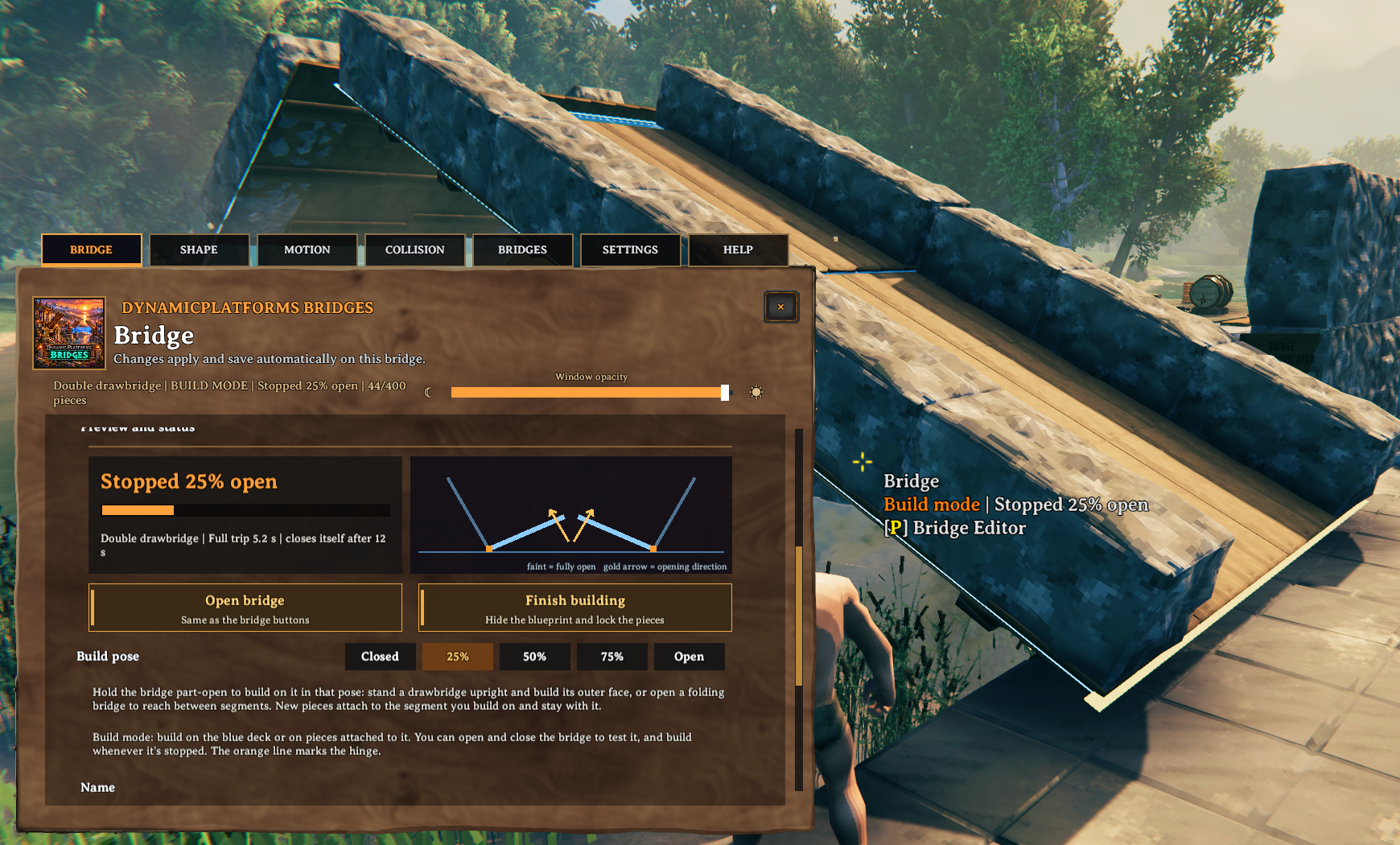
Build your own deck and work with the bridge held at different opening positions.
Getting started
- Find Bridge Frame and Bridge Button in the hammer's Dynamic Storage section. These beta pieces currently cost one Wood each.
- Place a Bridge Frame, look at it, and press P to open the editor. Choose your bridge type, dimensions, and motion settings.
- Build your deck, railings, and decoration on the blueprint in build mode. Build an actual deck: the blueprint hides when you finish.
- For linked bridges, use the build-pose and link visibility controls to help reach each section. Leave room for railings and other parts when they fold together.
- Select Finish building, place a Bridge Button, and try a slow opening and closing trip before increasing the speed.
To edit again, look at the frame, a bridge button, or an attached ordinary floor or wall and press P. Storage pieces retain their own appearance-editor shortcut. Return to build mode when changing the structure.
For management without looking at a bridge, check Bridge Editor → Open Your Bridges in the BepInEx mod settings. This opens the catalogue and resets the checkbox after use.
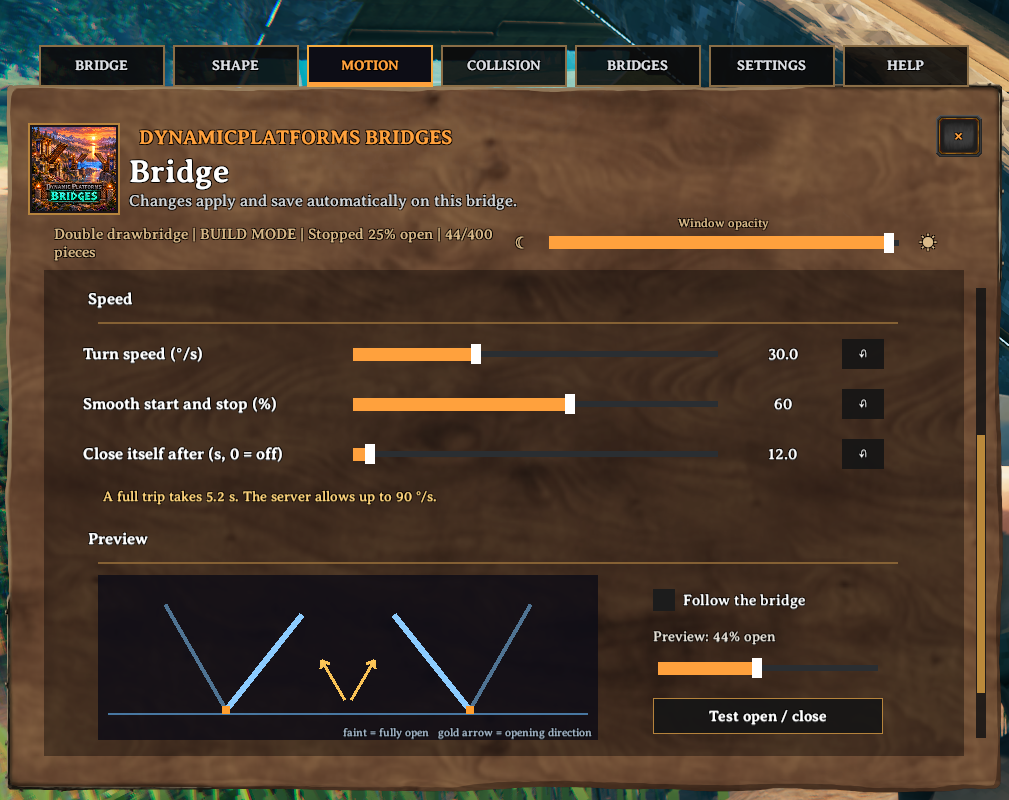
Adjust the movement and preview how your bridge opens before finishing the build.
Performance by design
DynamicPlatforms Bridges has been built from the ground up with performance in mind:
- Less repeated work per block. Attached pieces stop running their own attachment updates once linked, and stationary bridges avoid unnecessary member-position updates.
- Movement calculated together. Link poses are calculated in a shared pass and reused for the attached pieces, reducing repeated calculations on segmented bridges.
- Shared movement timing. Clients calculate travel from shared timing information rather than receiving a new position for every block on every frame. Saved positions are still updated periodically and at stops.
- Simpler collision during travel. Optional floor and side-wall boxes per link reduce the number of decorative solid colliders being moved. Doors, containers, control buttons, and triggers retain their relevant collision, and original solids return at stops.
Highlights
From source dataLoaders
Runs on BepInEx.
Footprint
Rated a light load on a server.
Last update
Its author last shipped an update 39d ago.
DynamicPlatforms Bridges on Nxeon
From our catalogue- One-click install
- Supported on Nxeon Valheim servers, for BepInEx servers. We download it from Thunderstore, place it, and restart the server.
- Server side
- Optional on the server
- Server type needed
- BepInEx
- Server load
- light
- Smallest plan we suggest
- Valheim — 2 GB (2 GB RAM). This follows our own load rating above, not a benchmark.
- Latest build
- 0.2.0, released 2026-10-13
Game versions by loader
| Loader | Game versions | Newest |
|---|---|---|
| BepInEx |
From 4 recorded builds of DynamicPlatforms Bridges.
Recent builds
| Build | Released | Game versions | Loaders |
|---|---|---|---|
| 0.2.0 | 2026-10-13 | n/a | BepInEx |
| 0.1.16 | 2026-10-13 | n/a | BepInEx |
| 0.1.6 | 2026-10-11 | n/a | BepInEx |
| 0.1.5 | 2026-10-11 | n/a | BepInEx |
Dependencies
- Required: Jotunn
- Required: BepInExPack Valheim
Declared by the newest build that lists any. Required ones are installed with it on one-click installs.
Run DynamicPlatforms Bridges on a Valheim server
Pick a server or deploy a new one above; it is installed in one click.
What kind of mod it is
From the catalogQuality of life & UI
Small conveniences, tweaks and interface improvements players notice straight away.
Works on a server
From source side supportThunderstore lists server-side support for DynamicPlatforms Bridges as optional: it can run on a server, but isn’t required there.
Compatibility
- Game
- Valheim
- Loaders
- BepInEx
- Runs on
- Serveroptional on the server
- Requires
- One-click install needs a BepInEx server.
Verified at the source
- ✓ThunderstoreOfficial listing, checked 2026-10-15Open ↗
- ✓AuthorMuji, as published on Thunderstore
- ✓LicenseNot published by the sourceFree












