






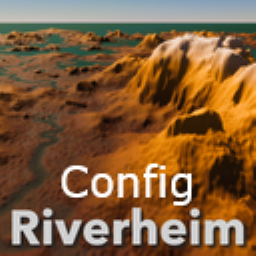
About Riverheim Config
From ThunderstoreServer-synchronized world-generation controls for Gurebu-Riverheim 1.2.x: world, rivers, lakes, biomes, landmass, mountains and terrain. Preview them in the AtlasBuilder UI.
Riverheim Config
Server-synchronized world-generation controls for Gurebu's Riverheim 1.2.x.
Riverheim itself has no player-facing options. This companion mod adds a config file for the parts of Riverheim's world generation that are safe to turn: world size and depths, rivers, lakes, biome placement and amounts, biome bands, landmass shape, mountains, river features, sub-biomes and terrain feel. Settings are applied at Riverheim's ConfigManager.GetConfig entry point, immediately before a world is generated.
Preview before you commit: every setting here is the same setting, with the same name and default, as in the Riverheim AtlasBuilder UI, a launcher for Gurebu's Riverheim AtlasBuilder. Draw maps of your seed with your settings, then Export config writes the config file for your server.
Controls
Every default is Riverheim 1.2.1's own value, and a setting left at its default is not written at all, so an untouched config generates stock Riverheim worlds even if a Riverheim update changes a default. The full list with defaults, ranges and descriptions is in SETTINGS.md; the config file carries the same descriptions.
- 1. World: world radius, tile spacing, sea floor depth, ocean biome depth, mountain height, starting area radius
- 2. Rivers: origin density and land-neighbour requirement, width formula, pruning, meanders
- 3. Lakes: budget and terrain-affinity settings
- 4. Biomes: placement bias for Meadows, Black Forest, Swamp, Plains and Mistlands
- 5. Biome Amounts: how much contested land each biome takes, now including Marsh and the lowland Black Forest variant from Riverheim 1.1.1
- 6. Biome Bands: how far from spawn Meadows fades out, where Swamp and Plains start and end, and where Mistlands starts (percent of the way to the world edge)
- 7. Landmass: how land clumps into continents or scatters into islands, the swirl, the central harbor, small-island removal, coastal trimming
- 8. Mountains: how much high ground becomes Mountain, how rejected mountains are cut down, minimum mountain size, selection randomness
- 9. River Features: channels through landmasses, the rainfall pattern that feeds rivers, how notable river sources, confluences and bends are
- 10. Sub-biomes: Mistglade rate and patch size, marsh and swamp base height, lowland Black Forest shaping
- 11. Terrain: cliffs, terracing, flatland amount, land slope, erosion, Meadows and Plains shaping
Every setting is enforced and synchronized by the server through ServerSync.
Bigger or smaller worlds: keep WorldRadius at 10500 and use Expand World Size stretching (this mod fixes Riverheim's forests, vegetation and forest-bound locations in stretched worlds, which were missing beyond about 10 km; tested in game with Expand World Size 1.45.0 at stretch 1.5) (Stretch world = Stretch biomes, and EWS World radius + World edge size = 10500 x stretch). Changing WorldRadius scales the biome bands but not the poles, the landmass swirl or the rainfall pattern, so it distorts the layout. One thing no mod setting can change: Valheim's terrain and vegetation shaders draw snow on everything more than about 8,000 m north of the centre, whatever the stretch, so in a stretched world the normal land between there and the Deep North looks snow-covered. It is only the look: biomes, weather, vegetation and locations are correct.
Installation
- Install
denikson-BepInExPack_Valheim5.4.2202 or newer. - Install Riverheim (Gurebu-Riverheim) 1.2.x on the server and every client.
- Install this mod on the server and every client.
- Start once to create
BepInEx/config/com.valheim.riverheim.config.cfg, then edit that file on the server, or write it with the AtlasBuilder UI's Export config.
Changing settings without restarting: the mod notices when the config file is saved, on a server or a client, and uses the new values for the next world that is created or loaded. A world that is already running keeps its terrain until it is loaded again. In single player you can also edit every setting from inside the game with a configuration manager (the F1 menu, for example Azu's UnOfficial ConfigManager); it shows each setting's description and allowed range. On a server, the server's file wins: it is sent to every player who joins.
Recommended presets
Ready-made settings in the presets folder of the repository. Copy one over BepInEx/config/com.valheim.riverheim.config.cfg, or pick it from the AtlasBuilder UI's Import config menu to see your seed first. Every one was generated on several seeds with Riverheim 1.2.1 and keeps all progression biomes.
Gentle, close to normal Riverheim with one clear theme:
Highlights
From source dataLoaders
Runs on BepInEx.
Footprint
Rated a light load on a server.
Last update
Its author last shipped an update 28d ago.
Riverheim Config on Nxeon
From our catalogue- One-click install
- Supported on Nxeon Valheim servers, for BepInEx servers. We download it from Thunderstore, place it, and restart the server.
- Server side
- Optional on the server
- Server type needed
- BepInEx
- Server load
- light
- Smallest plan we suggest
- Valheim — 2 GB (2 GB RAM). This follows our own load rating above, not a benchmark.
- Latest build
- 3.0.1, released 2026-10-25
Game versions by loader
| Loader | Game versions | Newest |
|---|---|---|
| BepInEx |
From 6 recorded builds of Riverheim Config.
Recent builds
| Build | Released | Game versions | Loaders |
|---|---|---|---|
| 3.0.1 | 2026-10-25 | n/a | BepInEx |
| 3.0.0 | 2026-10-25 | n/a | BepInEx |
| 1.0.3 | 2025-10-19 | n/a | BepInEx |
| 1.0.2 | 2025-10-18 | n/a | BepInEx |
| 1.0.1 | 2025-10-18 | n/a | BepInEx |
| 1.0.0 | 2025-10-18 | n/a | BepInEx |
Dependencies
- Required: BepInExPack Valheim
- Required: Riverheim
Declared by the newest build that lists any. Required ones are installed with it on one-click installs.
Run Riverheim Config on a Valheim server
Pick a server or deploy a new one above; it is installed in one click.
What kind of mod it is
From the catalogWorld generation
Changes or adds to how new terrain, biomes and structures are created.
Works on a server
From source side supportThunderstore lists server-side support for Riverheim Config as optional: it can run on a server, but isn’t required there.
Compatibility
- Game
- Valheim
- Loaders
- BepInEx
- Runs on
- Serveroptional on the server
- Requires
- One-click install needs a BepInEx server.
Verified at the source
- ✓ThunderstoreOfficial listing, checked 2026-10-25Open ↗
- ✓AuthorWackah, as published on Thunderstore
- ✓LicenseNot published by the sourceFree















