
Immersive Maps
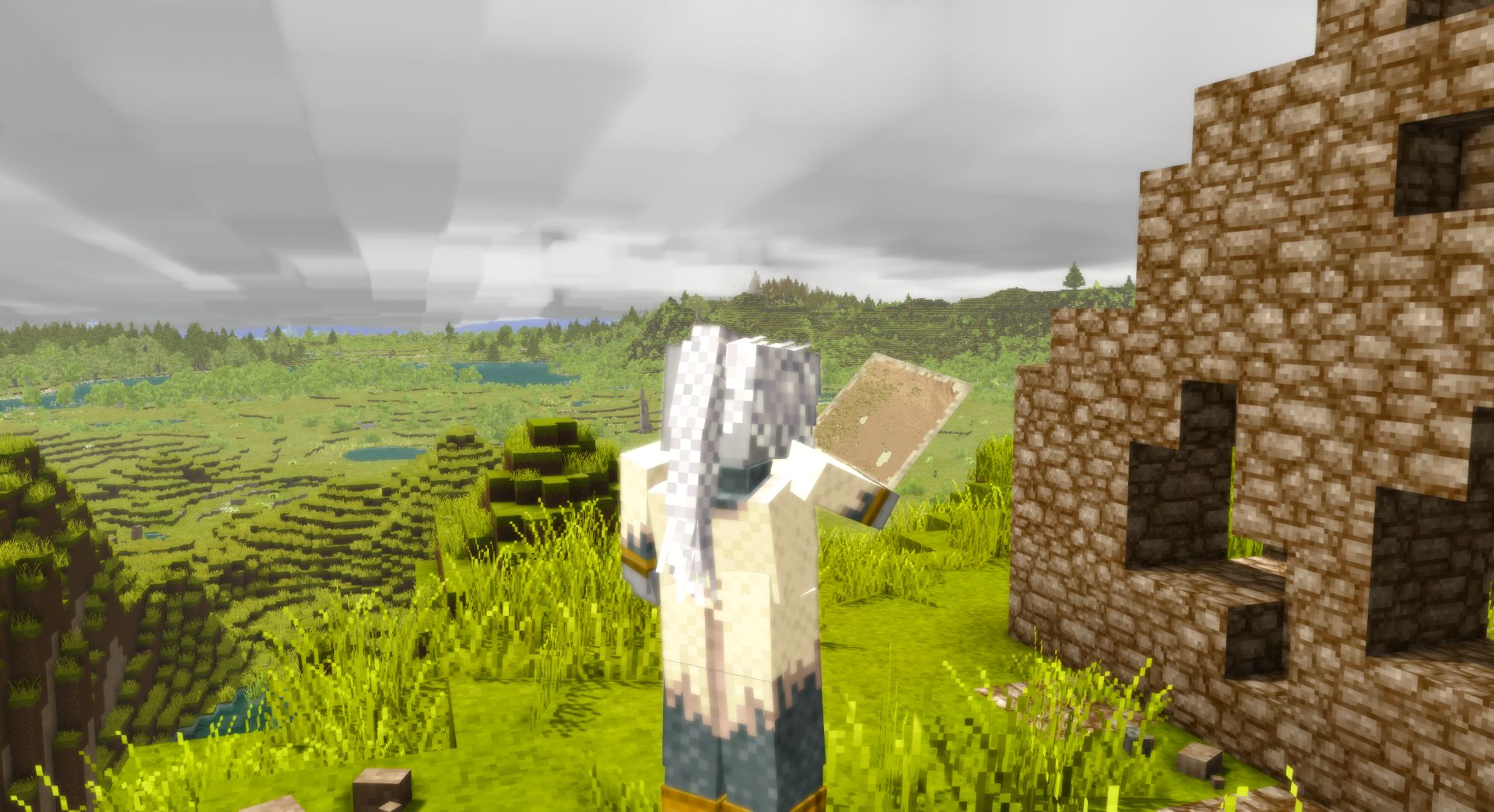
Immersive Maps adds new physical maps that the player can craft and hold in 3D space.
Description
<p style="text-align: center;"><span style="font-family: 'book antiqua', palatino, serif;"><img src="https://i.imgur.com/ujvNOlb.png" alt="" width="1080" height="180" /></span></p> <p style="text-align: center;"><span style="font-size: 14pt;">This mod aims to make maps and general navigation in the game more engaging, real and <em>immersive.</em></span></p> <p style="text-align: center;"><span style="font-size: 14pt;">Constantly having a map on my screen (or intermittently via hotkeys) just didn't sit right with me in VS, and being able to see terrain incredibly far beyond what I have actually explored spoiled some of the excitement.</span></p> <p style="text-align: center;"><span style="font-size: 14pt;">So what am I to do? I've played a fair bit with all map and coordinate options disabled, but that made other parts of the game just a bit too tedious (marking deposits or places I don't want to forget, story content, afraid of exploring too far from base and getting lost, etc).</span></p> <p style="text-align: center;"><span style="font-size: 14pt;">So I decided to make a mod to fix this dilemma.</span></p> <p style="text-align: center;"> </p> <p style="text-align: center;"><span style="font-size: 14pt;">The simplest way to get started with <em>Immersive Maps</em> is by opening the handbook and going over to the new "<strong>Game Mechanic: Maps</strong>" page.</span></p> <p style="text-align: center;"><span style="font-size: 14pt;">Here you will be introduced to just a couple new items and their crafting recipes. However I will give a quick overview:</span></p> <p style="text-align: center;"><span style="font-size: 14pt;">There are currently 2 tiers of maps, the first being a <strong>Papyrus Map</strong> (also craftable with cattails) and the second a <strong>Parchment Map</strong>.</span></p> <p style="text-align: center;"><span style="font-size: 14pt;">The higher the tier of the map, the larger the area it covers.</span></p> <p style="text-align: center;"><span style="font-size: 14pt;">A map's location will not change unless you are holding a drawing tool in the off-hand and right-click (which will consume durability):</span></p> <p style="text-align: center;"><span style="font-size: 14pt;">Easiest to obtain being the <strong>Charcoal Pencil</strong>, followed by the <strong>Penner & Inkhorn</strong>.</span></p> <p style="text-align: center;"> </p> <p style="text-align: center;"><span style="color: #036688;"><em><span style="font-size: 14pt;">Woah! Wait, what about waypoints!</span></em></span></p> <p style="text-align: center;"><span style="font-size: 14pt;">Simple. When holding a map you can press <strong>P</strong> to open up the map management GUI.</span></p> <p style="text-align: center;"><span style="font-size: 14pt;">Here you can easily add/remove/pin waypoints that will be drawn on the map, as long as you also have a drawing tool in the off-hand.</span></p> <p style="text-align: center;"><span style="font-size: 14pt;">Waypoints are actually stored in the map item itself, not the player, so you can drop maps with waypoints for others, or even use multiple maps yourself if you love organization (maybe separate maps for ore, bases, ruins, etc).</span></p> <p style="text-align: center;"><span style="font-size: 14pt;">Each waypoint can also have notes added. Don't get confused between your 2nd and 76th "Ruins" waypoints.</span></p> <p style="text-align: center;"><span style="font-size: 14pt;">You can also copy waypoints between maps or from story letters, but go read the handbook page for more info on that.</span></p> <p style="text-align: center;"> </p> <p style="text-align: center;"><span style="color: #236fa1;"><em><span style="font-size: 14pt;">Prospecting?</span></em></span></p> <p style="text-align: center;"><span style="color: #000000;"><span style="font-size: 14pt;">Yup! After prospecting, you can hold your map (with a drawing tool of course) a click the link at the bottom of the prospecting readings in chat.</span></span></p> <p style="text-align: center;"><span style="color: #000000;"><span style="font-size: 14pt;">By doing so, it will automatically be added as a waypoint, with the most prominent mineral's name, colour and all the other details as notes!</span></span></p> <p style="text-align: center;"> </p> <p style="text-align: center;"><span style="color: #236fa1;"><em><span style="font-size: 14pt;">I want to share (or sell) maps without people getting their grubby hands on my hard work!</span></em></span></p> <p style="text-align: center;"><span style="color: #000000;"><span style="font-size: 14pt;">Simply lock it! By locking your map in the GUI, no other seraphim can modify it.</span></span></p> <p style="text-align: center;"><span style="color: #000000;"><span style="font-size: 14pt;">Only you can unlock it again. Go forth and spread your intellectual property safely!</span></span></p> <p style="text-align: center;"> </p> <p style="text-align: center;"><span style="color: #036688;"><em><span style="font-size: 14pt;">Tired of grinding down drawing tools whilst traveling?</span></em></span></p> <p style="text-align: center;"><span style="font-size: 18.6667px;">Turn your map into a <em>temporal </em>variant! Simply combine it with a temporal gear.</span></p> <p style="text-align: center;"><span style="font-size: 18.6667px;">Temporal maps always center and follow the person holding it - no drawing tools needed.</span></p> <p style="text-align: center;"> </p> <p style="text-align: center;"><span style="color: #036688;"><em><span style="font-size: 14pt;">That's it!</span></em></span></p> <p style="text-align: center;"><span style="font-size: 14pt;">This mod was mainly made for myself and friends, but I definitely think there are players out there who would enjoy it too.</span></p> <p style="text-align: center;"><span style="font-size: 14pt;">This is actually my first published mod, so please give me feedback and ideas. I think this mod ca
Ratings & reviews
Sign in to leave a rating or comment.



