
Portals Reborn
Craftable portals: Server options, custom permission profiles, optional material blacklist, and more
Description
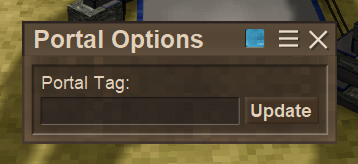
<p>Welcome to the first iteration of Portals Reborn.</p> <p>This mod is an overhauled and expanded version of our previous mod, <a href="https://mods.vintagestory.at/vikingportalsmodified">Viking Portals Modified</a>; itself an update of the very excellent <a href="https://mods.vintagestory.at/vportals" target="_blank" rel="noopener">Viking Portals.</a><br />I've decided to release it as a stand-alone mod rather than an update to VPM because its changes are just too extensive, and I'd rather not force that on existing users of VPM.</p> <p>This way everyone can choose which experience they prefer.</p> <h2>Overview:</h2> <hr /> <p> </p> <p>Portals Reborn, adds craftable portals which you can place in the world and link by giving them text "Tags". Any number of portals can be given the same Tag, but only the 2 most recent portals sharing the Tag will be linked. This means both newly placed portals given the Tag, and existing portals that have their Tag changed to it. The link automatically updates itself when new portals are given the Tag, when the Tag is removed from one, or when a portal using the Tag is broken. The user doesn't have to do anything beyond the assigning the Tag.</p> <p>This much functions exactly like previous mods VMP and VP, although the system handling it behind the scenes is significantly more robust. If this is all the user wants, they can set the config allowCustom = false; and the rest of the system will be disabled entirely, no extra options to fuss with.<br />This doesn't prevent the use of the material blacklist however (disabled by default). This allows users to set up Valheim style limitations on what is allowed to be taken through portals. Currently this is determined serverwide, but down the road the system could be expanded if there's sufficient interest in it.</p> <p>The system is fully server authoratative. The server ModSystem keeps the master dictionaries, and is the only one that saves them. Clients lazy load only information they actively need at runtime, and save nothing. Additionally, there are automatic self maintenance routines that run on the dictionaries periodically to flush out expired data, so they shouldn't build up over time beyond data actively in use.</p> <p>With all of the security options, you can create anything from a completely public portal anyone can use and break, to absolutely private portals only the owner and server admins have any access to, including breaking them. Portals geared toward serving entire groups, or small bands of friends. Curated access to special events, POIs, dungeon, etc access. Faction/RP servers. Etc. The possibilities are vast if you use your imagination.</p> <h4>Teleportation:</h4> <hr /> <p> </p> <div class="spoiler"> <div class="spoiler-toggle">Spoiler!</div> <div class="spoiler-text"> <p>On the surface, the portals behave exactly as you'd expect. Place them, link them, step on them, and get spat out in a new location. Like the original mod, these portals do not require a charge up time like the vanilla Translocators do. When you step on a portal you will be teleported effectively instantly.</p> <p>In the background there are a number of features to improve the reliability and safety of this system. Stepping on a portal doesn't brute force update your location. On contact, a teleport request is registered with the system. It will reject any duplicate requests, so only 1 will ever be active for any 1 player. No risk of weird double behavior or anything. These events technically get processed as a queue, but in practice they happen within a single frame, so you won't even notice it unless you're experiencing significant server slowdown. The target location for portals is created automatically when you place the portal. It is always one block "in front" of the portal. This means there's no risk of ending up landing on top of the target portal and getting teleported back and forth infinitely. Portals face you when placed, so when you place one in the block in front of you, you are standing in the target location. Unlike the original mod, portals do not reserve space around themselves, so you can build them into tight spaces, use chiseled blocks, etc. The only exclusion is you can't place portals directly next to each otherm there has to be at least 1 block in between, but that block doesn't have to be empty. The portals also break any blocks you try to place on top of them, or in the target block. It unfortunately can't prevent you from placing a block in the space right above the target, right where your head would be when you teleport in. To solve for this, the teleport event clears the target block and the space above it right before you teleport in. The blocks are broken and drop, not deleted. So they can be picked back up. You won't lose them. Additionally, the teleport event tries to solve for any target portal errors right before you land. It checks if the portal actually exists and is loaded, if it really the twin still or if there has been some data desync, etc. If it notices any problems it will return you to the target location of the portal you left from. It'll then try to solve the issue, which generally results in it disconnecting the busted portal to fix the errorneous link. So the portal you're at will relink to the next oldest remaining on the Tag, if there is one.</p> <p>Also of note, Yaw still seems to be broken in the API, so you don't face the correct direction when coming out of a portal. Your direction doesn't update and you continue facing whatever direction you entered the portal in. This is a known bug, and not something I have any control over at the moment. Users will just have to keep it in mind, and be careful not to place paired portals in opposing directions unless you want to recreate the feel of portal 1 and make an infinite portal loop 😜 On the bright side, these loops end if you stop pressing the move keys, so they're not game breaking, merely annoying.</p> </di
Ratings & reviews
Sign in to leave a rating or comment.



