
Description
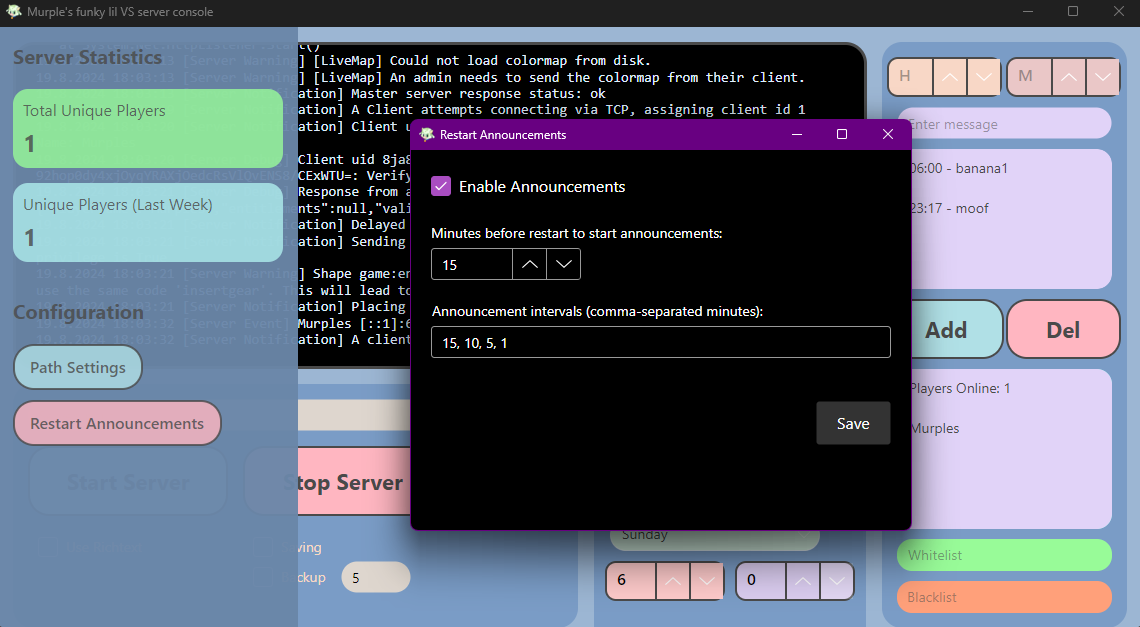
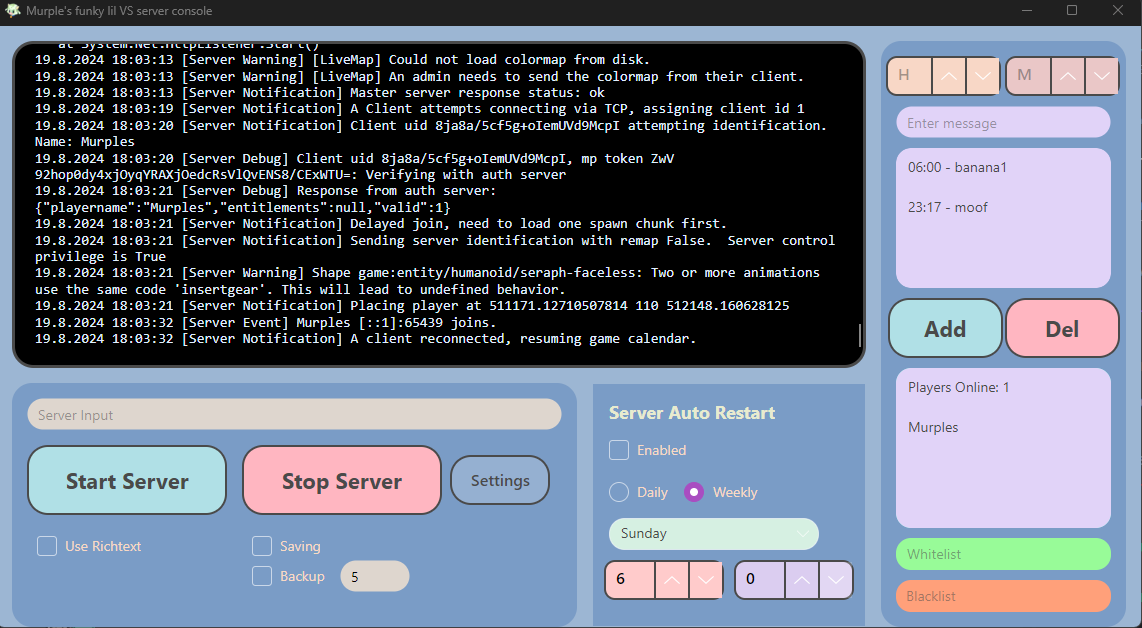
<h1>Info:</h1> <h2>This is a little project I decided to make bc i was dissatisfied by the lack of a proper server console for Vintage Story, so i made my own, tell me if you have any issues and I will try to fix them, also i'd greatly appreciate any feedback!!! if you have any send it in the comments here or in the forum post!!</h2> <h1><strong>Dependencies:</strong></h1> <h1><strong><br /><a href="https://dotnet.microsoft.com/en-us/download">Dotnet 8.0</a></strong></h1> <h1><strong><br /><a href="https://mods.vintagestory.at/announcer">Announcer!</a><br /></strong></h1> <p><strong>Announcer! is only partially required, most of the manager will work without it, the the announcements section in the top right will be useless</strong></p> <p> </p> <h1><strong>Installation:</strong></h1> <h1><strong>Windows</strong></h1> <h2><strong>Install <a class="downloadbutton" href="https://mods.vintagestory.at/download?fileid=25515">MurplesManager_Win64_1.1.1.zip</a> to anywhere and unzip it, then make a shortcut to the exe and that's all there is to it, <span style="color: #e74c3c;">do not remove the exe file from the folder</span></strong></h2> <p>*when asked for the installation path, select the directory with the vintagestoryserver executable, not the vintagestorydata folder</p> <p> </p> <h1>Linux</h1> <h2>1: Install <a class="downloadbutton" href="https://mods.vintagestory.at/download?fileid=25514">MurplesManager_Linux64_1.1.1.zip</a> and unzip it to the directory of your choice</h2> <h2>2: open the terminal and change the driectory to your installation location</h2> <h2>3: run chmod +x VsServerConsoleThingy</h2> <h2>4: run ./VsServerConsoleThingy </h2> <h2>5: it should be work now, but I am not very good at this so tellll me if you come across any issues!!!!</h2> <h1><strong>Features:<br /></strong></h1> <h2><strong>1: Server Input field for any commands you may need to send</strong></h2> <h2><strong>2: Start/Stop Server buttons for quickly starting and stopping your server(oh and btw the server starts automatically when you launch the manager)</strong></h2> <h2><strong>3: Richtext checkbox, right now the console defaults to a normal textbox because I couldn't get the richtext one to auto-scroll, but I prefer the look of the richtext box so I left the option to use it in</strong></h2> <h2><strong>4: Saving checkbox, this is for if you are like me and have anxiety, sends the /autosavenow command every time the manager closes the server</strong></h2> <h2>5: Automatic server restart, does exactly what it says, restarts the server automatically on a daily or weekly basis, times can be configured, have not tested the weekly restart in-depth</h2> <h2>6:Announcement maker, requires my <a href="https://mods.vintagestory.at/announcer" target="_blank" rel="noopener">Announcer mod</a> to use(but the mod does not rely on this manager), allows to you send commands/announcements to the server at set times daily</h2> <h2>7:Players list, will automatically display all players in-game</h2> <h2>8:Whitelist field, type a player name in and it will send the /whitelist comamnd with that player's name in the console</h2> <h2>9: exactly the same as 8 but for the /ban command, and you must provide a duration and reason as well<br /><br />10: Easily configureable restart announcements and file paths managed through the side bar<br /><br />11: Online players, total player, and weekly total player counts<br /><br />12: Automatic backup option with a configureable number of backups to keep(you will have to set the path manually from the side bar</h2> <p> </p> <h1>AFTER INSTALLING, PLEASE ENSURE TAHT ALL THE PATHS IN THE PATH SETTING SECTION OF THE SIDE BAR ARE CORRECT!<br />I have done my best to make sure it can detect where the stuff it needs is but it can be wrong!!!</h1>
Ratings & reviews
Sign in to leave a rating or comment.



