

VanillaBuilding: Expanded
Adds quality-of-life improvements (eg: block placement preview/snapping) without affecting balance
Description
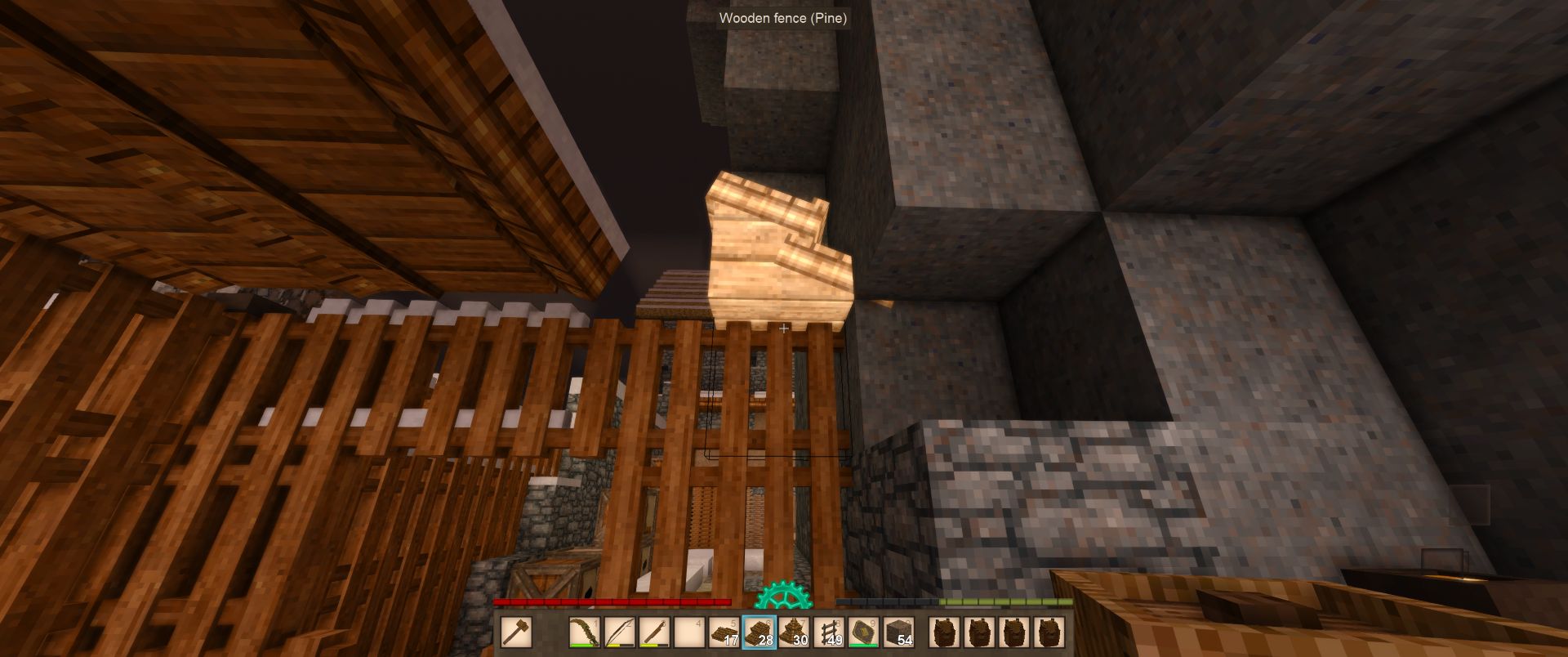
<p><img src="https://img.shields.io/badge/Vintage%20Story-1.21.5+-blue" alt="" width="140" height="20" /> <img src="https://img.shields.io/github/v/release/dsisco11/VanillaBuildingExpanded?label=Alpha&color=red" alt="" width="86" height="20" /> <img src="https://img.shields.io/badge/Multiplayer-supported-green" alt="" width="140" height="20" /></p> <div><strong>Vanilla Building: Expanded</strong> enhances the building experience in Vintage Story by introducing tools and mechanics that make construction more intuitive and precise.</div> <div>The mod is designed to feel like a natural extension of the base game rather than a complete overhaul.</div> <div> </div> <div> <h3>Reporting Issues</h3> <p>Please file all issues on the <em><strong>issue tracker</strong></em> linked above, this <em>greatly</em> helps us keep track of what needs to be fixed and allows issues to be dealt with in a timely manner.</p> <p>A big thank you to everyone who takes time to report issues!</p> </div> <h3>🔨 Build Hammer</h3> <div>The <em>Build Hammer</em> is the core tool introduced by this mod. It provides the player with precise control over block placement through a preview and snapping system.</div> <h4>Using the build hammer</h4> <div>Simply place the build hammer in your off-hand and then switch to a placeable block on your hotbar. The build preview will instantly appear!</div> <h3>Key Features</h3> <ul> <li><strong>Block Preview Rendering</strong> - See exactly where your block will be placed before committing, with a real-time ghost preview of the block</li> <li><strong>Orientation Control</strong> - Cycle through available block orientations to place blocks exactly how you want them</li> <li><strong>Visual Feedback</strong> - Invalid placement positions are highlighted in red, valid positions render normally</li> <li><strong>Snapping Modes</strong> - Multiple snapping modes to help align blocks precisely: <ul> <li><strong>Horizontal & Vertical</strong> - Full grid snapping for maximum precision</li> <li><strong>Horizontal Only</strong> - Snap to horizontal planes</li> <li><strong>Vertical Only</strong> - Snap to vertical planes</li> <li><strong>None</strong> - Free placement without snapping constraints</li> </ul> </li> </ul> <h4>Crafting</h4> <div>The Build Hammer can be crafted using simple materials available early in the game, just a log and a stick.</div> <div>Simply place a log above a stick in the crafting grid to create a Building Hammer.</div> <h4>Controls</h4> <table style="border-collapse: collapse; width: 74.2128%; height: 158px;" border="1"> <thead> <tr style="height: 20px; text-align: center;"> <td style="width: 25.1718%; height: 20px;"><strong>Action</strong></td> <td style="width: 26.2479%; height: 20px;"><strong>Default Hotkey</strong></td> <td style="width: 26.2479%; height: 20px;"><strong>Description</strong></td> </tr> </thead> <tbody> <tr style="height: 20px;"> <td style="width: 25.1718%; height: 20px;">Rotate Build Brush - <em>Forward</em></td> <td style="width: 26.2479%; height: 20px;"><code>R</code></td> <td style="width: 26.2479%; height: 20px;"><em>Rotates the placement preview</em></td> </tr> <tr style="height: 20px;"> <td style="width: 25.1718%; height: 20px;">Rotate Build Brush - <em>Backward</em></td> <td style="width: 26.2479%; height: 20px;"><code>Shift + R</code></td> <td style="width: 26.2479%; height: 20px;"><em>Rotates the placement preview</em></td> </tr> <tr style="height: 20px;"> <td style="width: 25.1718%; height: 20px;">Snapping Mode - <em>Next</em></td> <td style="width: 26.2479%; height: 20px;"><code>Middle Mouse</code></td> <td style="width: 26.2479%; height: 20px;"><em>Cycles to the next brush snapping mode</em></td> </tr> <tr style="height: 20px;"> <td style="width: 25.1718%; height: 20px;">Snapping Mode - <em>Previous</em></td> <td style="width: 26.2479%; height: 20px;"><code>Shift + Middle Mouse</code></td> <td style="width: 26.2479%; height: 20px;"><em>Cycles to the previous brush snapping mode</em></td> </tr> <tr style="height: 58px;"> <td style="width: 25.1718%; height: 58px;">Offset Brush</td> <td style="width: 26.2479%; height: 58px;"><code>Shift</code></td> <td style="width: 26.2479%; height: 58px;"><em>Offsets the block placement position by 1 block in the direction of the block face you are targeting, this is useful for placing roofing or stairs, for example.</em></td> </tr> </tbody> </table> <h3>Roadmap</h3> <ul> <li>Snapping indicators to visualize which edges the <em>"build brush"</em> is snapping to</li> <li>Placement restriction modes (e.g. only placing blocks along a specific plane, such as when you are building a long straight wall or flooring)</li> <li>Support for "block-entities" (e.g. crates, chests, etc)</li> <li>Support for "multi-blocks" (e.g. double-chests, doors)</li> </ul>
Ratings & reviews
Sign in to leave a rating or comment.



